1.0 Introduction
CCPA stands for California Consumer Privacy Act which is the most detailed privacy law. It targets companies that collect and/or sell personal information. This way, the CCPA provides full control to the Californians over their data. The law’s current compliance deadline is January 1, 2020.
There is a major difference between GDPR and CCPA that the GDPR focuses on all data related to the EU consumers whereas the CCPA considers both the consumer and household as identifiable entities and, in some cases, only considers data provided by the consumer as opposed to data sourced or purchased from third parties.
Knowband offers OpenCart CCPA Extension which helps the OpenCart store merchant to meet all the CCPA requirements. This OpenCart CCPA Compliance extension covers all the rights of the consumers and also provides an easy interface to the customers for accessing their privacy rights.
With this CCPA Opencart compliance module, the online users will get these rights:
- Right to Access Personal Data
- Right to Data Portability
- Right to be Forgotten
- Right to Data Rectification
- Right to User Consent
They can send requests and get their rights over their data.
1.1 Features Offered by OpenCart CCPA Module
- CCPA Compliance: The OpenCart CCPA Compliance extension ensures CCPA compliance to the store admin and makes it easy to make the website CCPA compatible.
- Cookie usages and setting: The online store merchant can display a Cookie consent bar on the front-end of the website for notifying the customers regarding the use of the cookies in the store.
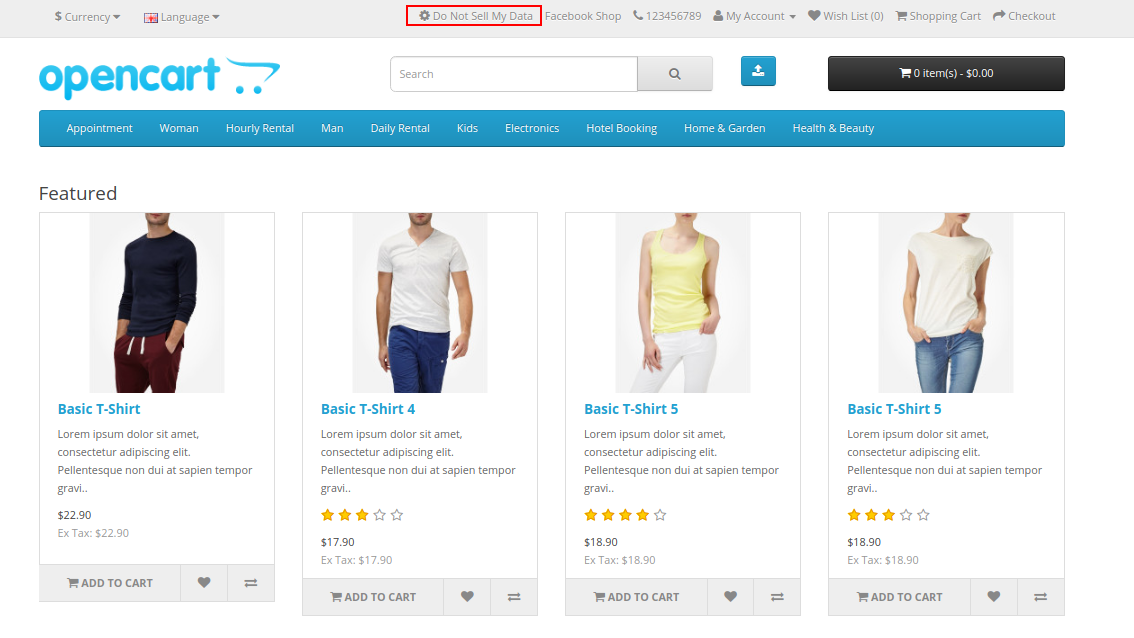
- Right to opt-out: The online users have the right to opt-out of the sale of personal data. Admin can show the “Do Not Sell My Personal Information” link on the website header. The online customers can click on this link to view the CCPA rights.
- Right to delete: This OpenCart CCPA Compliance module allows the California customers to request for the data deletion of the last 12 months which was collected by the business.
- Right to access & data portability: The online users of California can access and download their personal information, address and order details.
- Right to Data Rectification: The online store admin can rectify their details, address and also update their password.
- Right to User Consent: The online users of California can also change user consent data if they wish to do so.
2.0 Installation
Purchase OpenCart CCPA Extension from our store. You will receive these files after purchasing the OpenCart CCPA Extension:
- First, you will get a source code file of the OpenCart CCPA Extension in a zipped file format.
- User Manual of this OpenCart CCPA Extension.
Follow below-mentioned steps to install OpenCart CCPA Extension:
1. Unzip the received zip file. You will get the folders.
2. Copy all the folders of the zip file in the Root Directory of OpenCart setup via FTP manager.
3. There will be a file named kbccpa.ocmod.xml (In case of Openvar v3.0.x file name would be kbccpa.ocmod.zip). Upload the same file from the page “Admin -> Extension -> Extension Installer -> upload”.
So, OpenCart CCPA Extension is now successfully installed and ready to use at your store.
Now go to the admin menu and click on the extensions and thereby click on the configure button next to OpenCart CCPA Extension.
3.0 Admin Settings
After installation, the online merchant can configure CCPA and implement the functionality.
These configuration options are available as shown below:
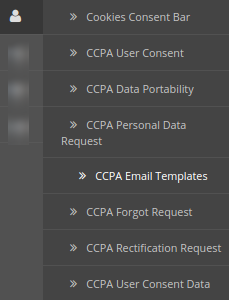
- CCPA Module Basic Settings
- Cookie Consent Bar
- CCPA User Consent
- CCPA Data Portability
- CCPA Personal Data Request
- CCPA Email Template
- CCPA Forgot Request
- CCPA Rectification Request
- CCPA User Consent Data
3.1 CCPA Module Basic Settings
Here, in this section, the online store merchant can apply the basic settings of the CCPA module. These are the available configuration options:
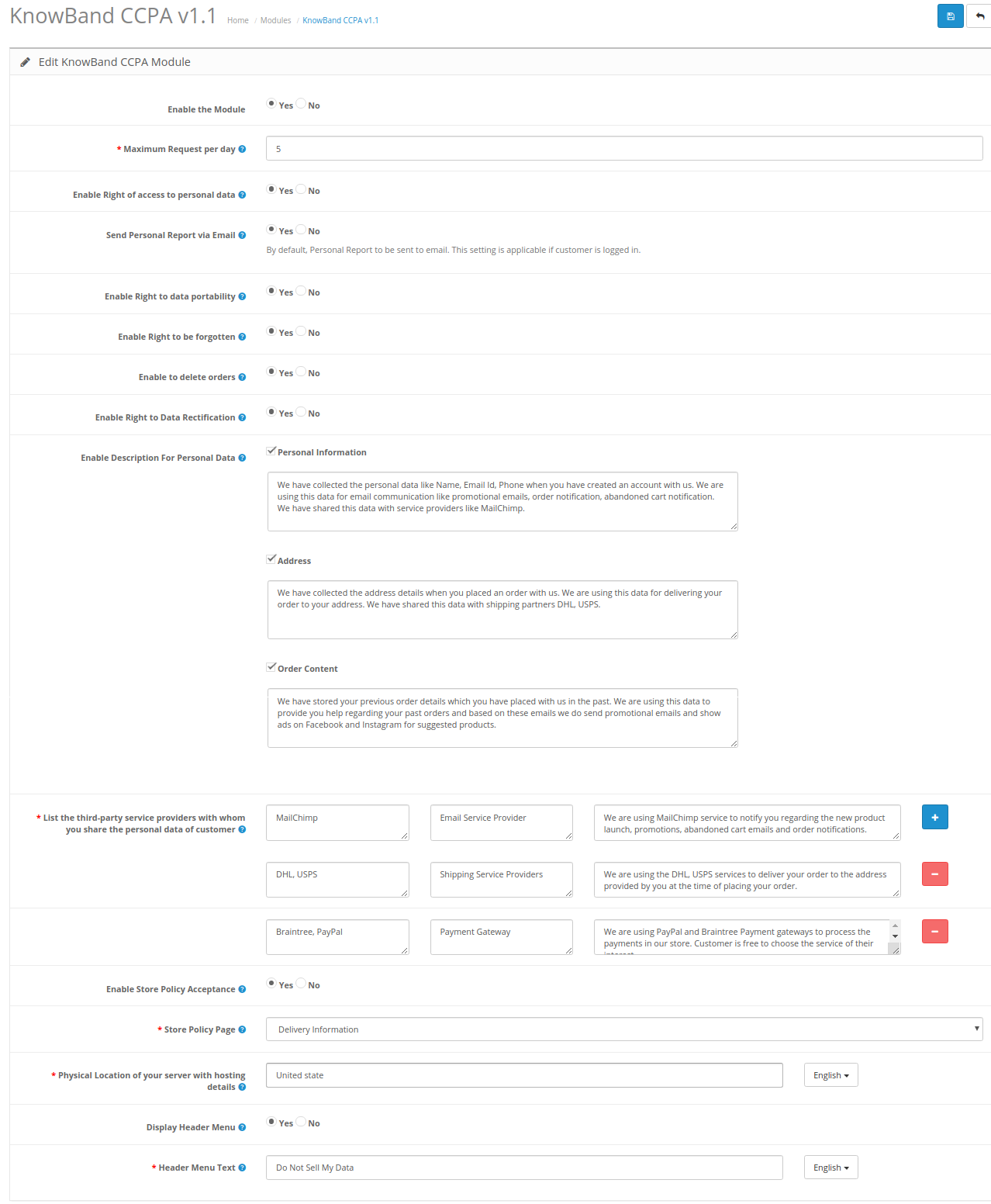
- Enable The Module: Click on yes or no for activating/deactivating the OpenCart CCPA Extension functionality.
- Maximum Request per Day: Set the number of requests which will be accepted from the customer per day. This is for minimizing the load on the webserver and for preventing spam requests.
- Enable Right of access to personal data: Select yes or no for allowing customers to send personal data access requests.
- Send Personal Report via Email: The store merchant can send personal data details via email.
- Enable Right to data portability: Select yes or no for activating/deactivating the Right to data portability option.
- Enable Right to be forgotten: The store merchant can enable or disable the right to be forgotten option by selecting yes or no.
- Enable to delete orders: Activate or deactivate the order deletion option from the admin interface of this OpenCart CCPA Module.
- Enable Right to Data Rectification: Admin can enable this option for showing the data rectification option.
- Enable Description For Personal Data: The OpenCart CCPA Compliance module allows the store merchant to activate this option for showing a description for personal data details. Admin needs to set the description for personal information, address and order content.
- List the third-party service providers with whom you share the personal data of customer: Admin needs to enter third-party service providers name with whom store admin shares customer data. Admin needs to enter the service provider name, service type and description.
- Enable Store Policy Acceptance: Admin needs to select yes for restricting customers to accept store policy before requesting CCPA.
- Store Policy Page: Select the store policy page which you want to show on the store policy page.
- Physical Location of your server with hosting details: List the server location and hosting details. Admin can enter the country name where the server is located.
- Display Header Menu: Admin can select yes to show the header menu.
- Header menu Text: Admin can Enter the text in various languages for showing on the header menu.
3.2 Cookie Consent Bar
The OpenCart CCPA Compliance extension provides an option to display the Cookie Consent Bar at the website front end. The online users can accept the cookie or discard this message. Admin can also customize the appearance settings and cookie bar messages from the admin interface of this OpenCart CCPA plugin.
1.Cookie Consent Bar
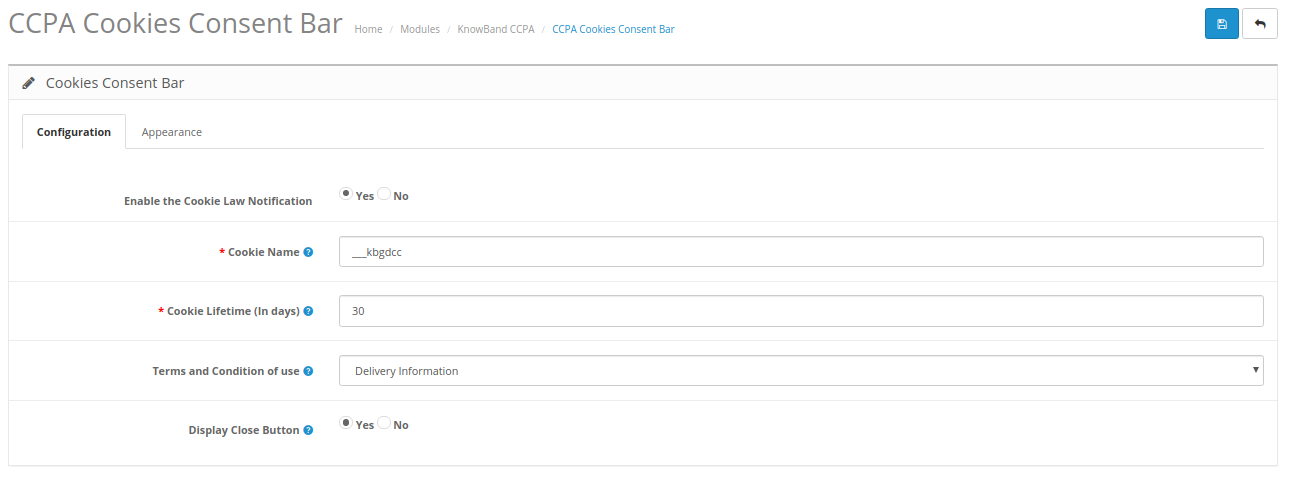
- Enable the Cookie Law Notification: Select yes for enabling the cookie message on the website.
- Cookie Name: Define the cookie name to get the user consent. Please do not use the space for the cookie name.
- Cookie Lifetime: Cookie Lifetime allows the store admin to set up the cookie duration that how long the cookie will be stored on the user’s device.
- Terms and Condition of use: The admin can list the details of the cookies on a Cookie Policy page and add the link to the page on the message displayed to the user.
- Display Close Button: The store merchant can also remove the Close button from the Cookie Consent Bar.
2. Appearance Settings
Admin can easily control the following options for the Cookie Consent Bar.
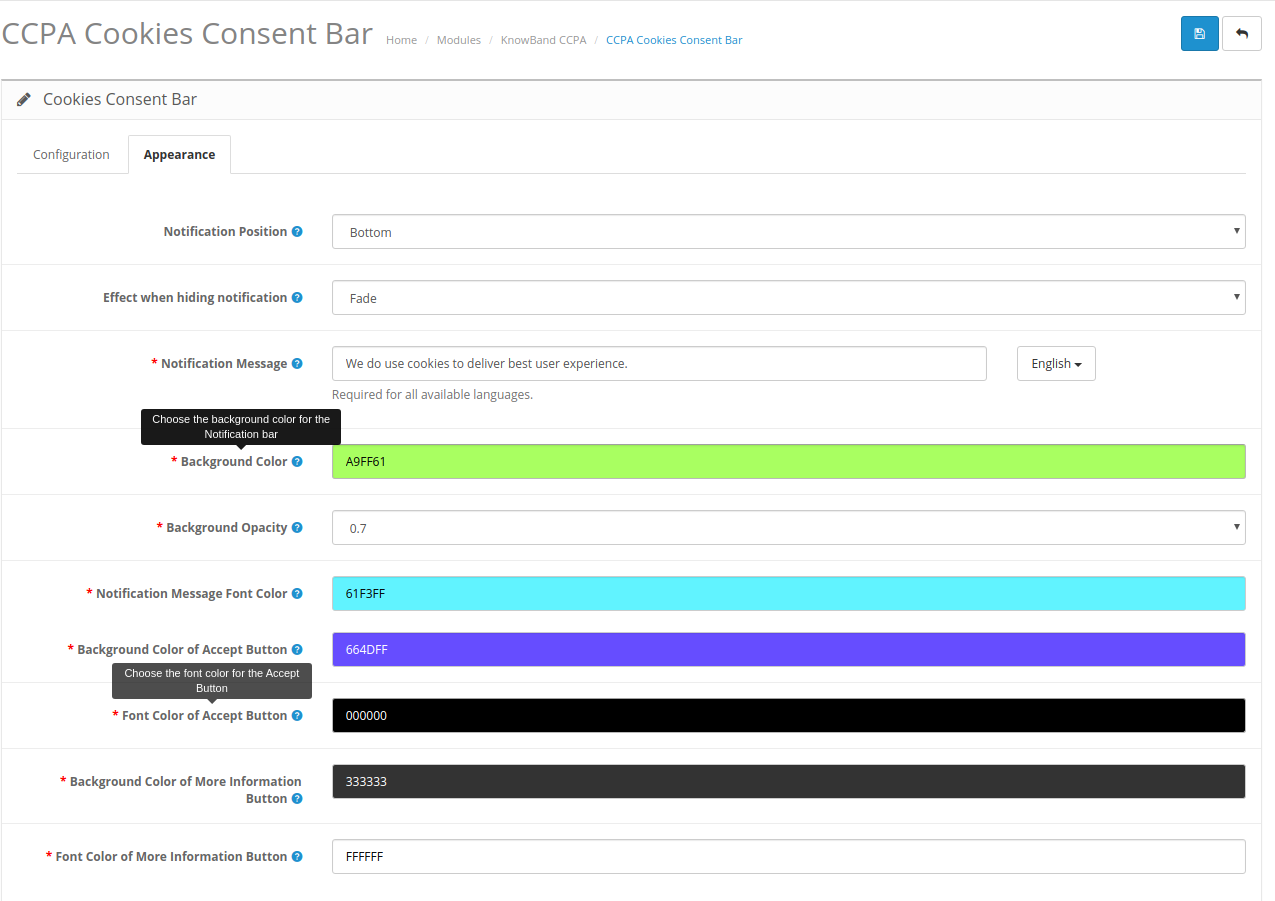
- Notification Position: Choose the position of the Cookie Notice on the bottom or top.
- Effect when hiding the notification: Admin can select the options like Fade, Hide or Slide from the drop-down list.
- Notification Message: Set the notification message in various languages as per the requirement.
- Background Color: Set-Cookie bar background color from the color picker tool.
- Background Opacity: Set the background opacity.
- Notification Message Font Color: Set the font color of the notification message.
- Background Color of Accept Button: Set the accept button background color from the available color options.
- Font Color of Accept Button: Choose the font color of the accept button.
- Background Color of More Information Button: Set BG color of more info button.
- Font Color of More Information Button: Set font color of more information color.
3.3 CCPA User Consent
The store merchant can view a user consent list here:
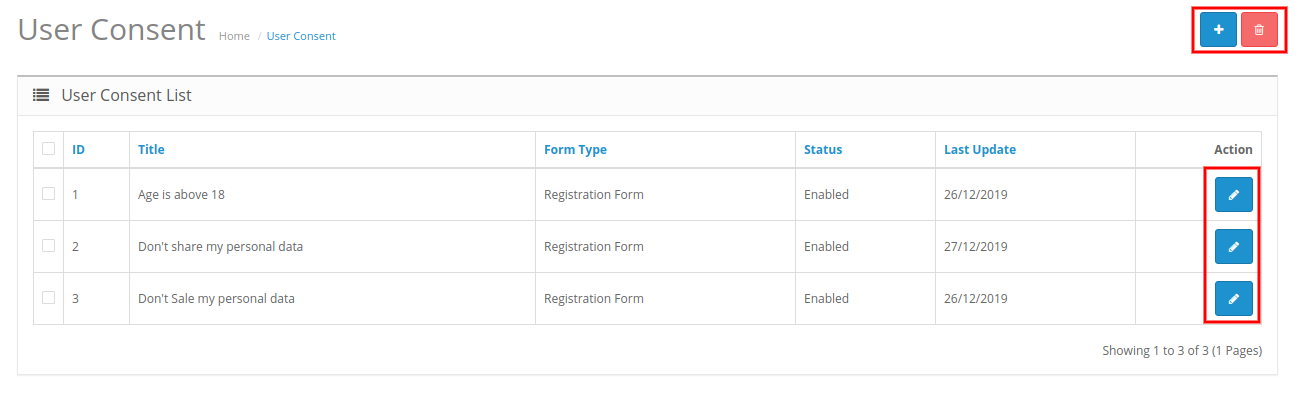
Admin can add, delete and modify the user consents. Admin needs to click on the “+” button for adding new user consent. These are the configuration options:
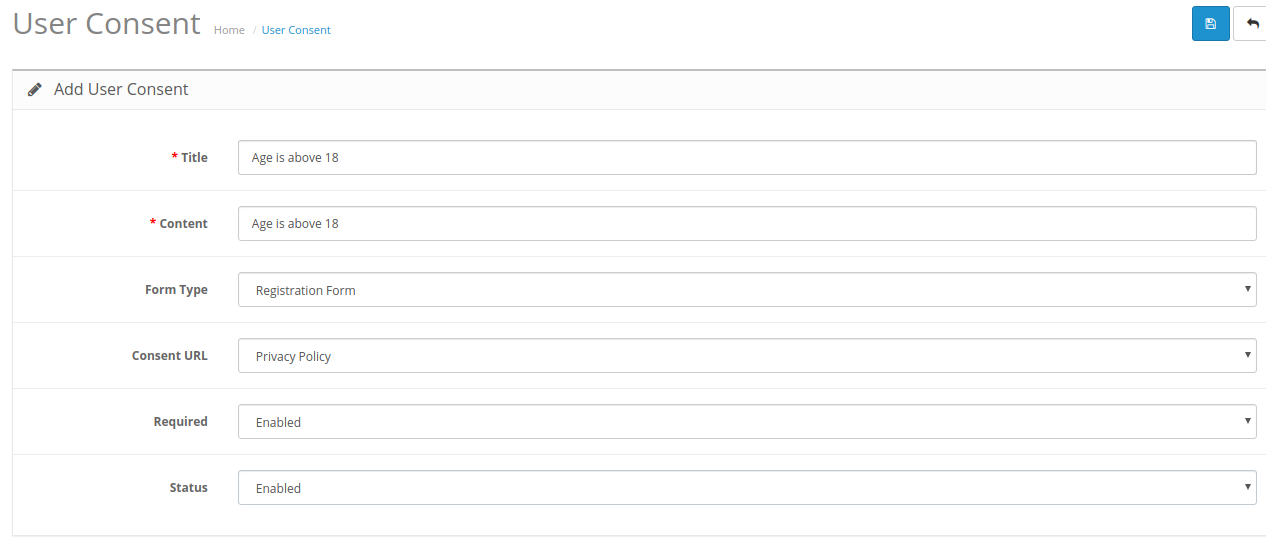
- Title: Set the title for user consent.
- Content: The online merchant can enter content for user consent.
- Form type: Select form type as registration form or Contact form.
- Consent URL: Select the page URL where you want to redirect customers.
- Required: Enable this option to make this field a required field.
- Status: Enable or disable the user’s consent status.
3.4 CCPA Data Portability
In the OpenCart CCPA Module’s data portability section, the online store merchant can check the log of the data portability requests from the back-end.
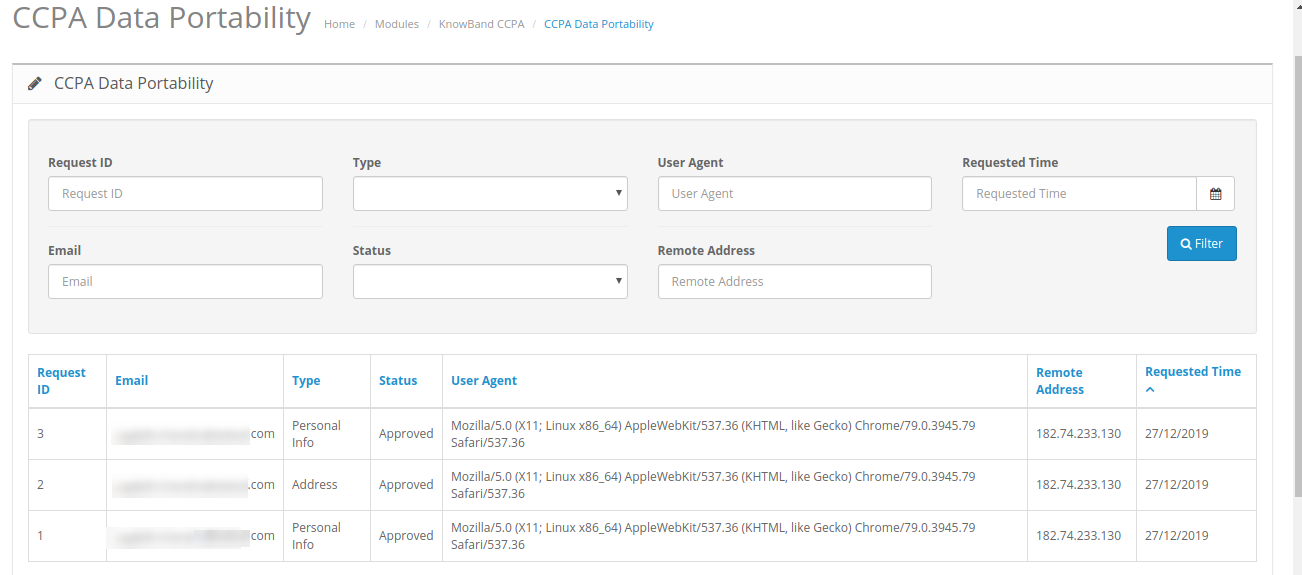
The store merchant can also apply filters for data rectification.
3.5 CCPA Personal Data Request
CCPA module for OpenCart keeps the log of all the personal data requests.
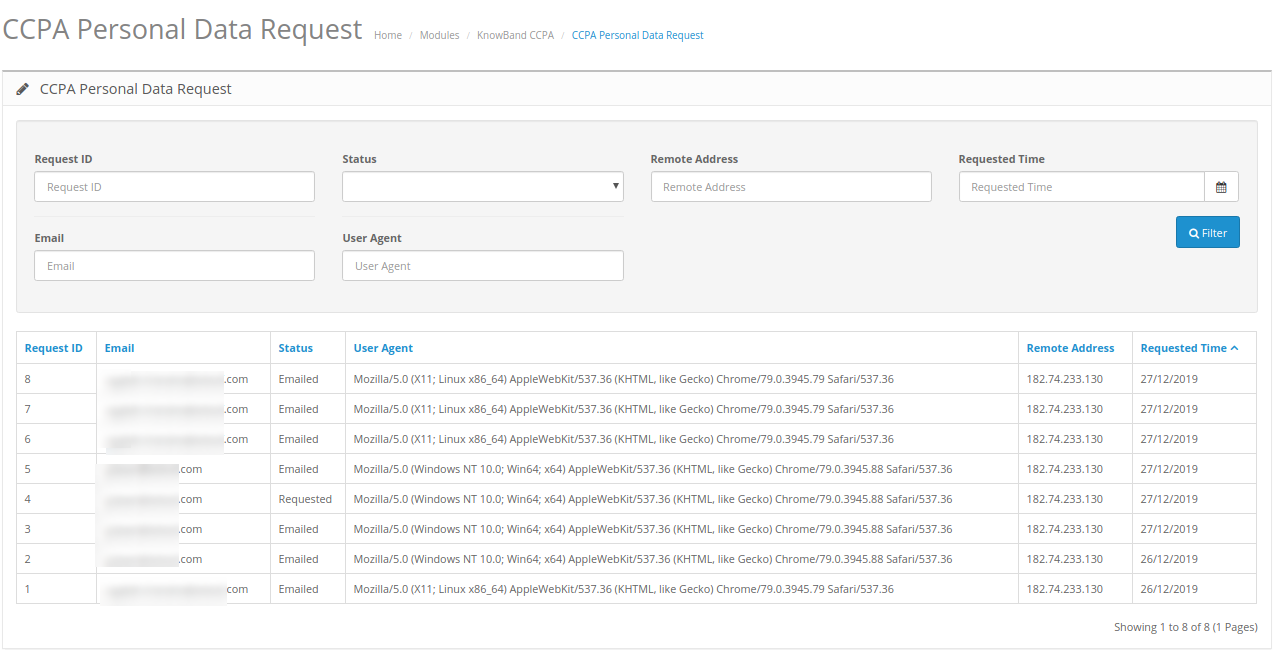
The store merchant can view the personal data request details from the admin interface of this CCPA Opencart compliance module.
3.6 CCPA Email Template
CCPA Opencart compliance module has customizable email templates for sending emails to the customers on various requests.
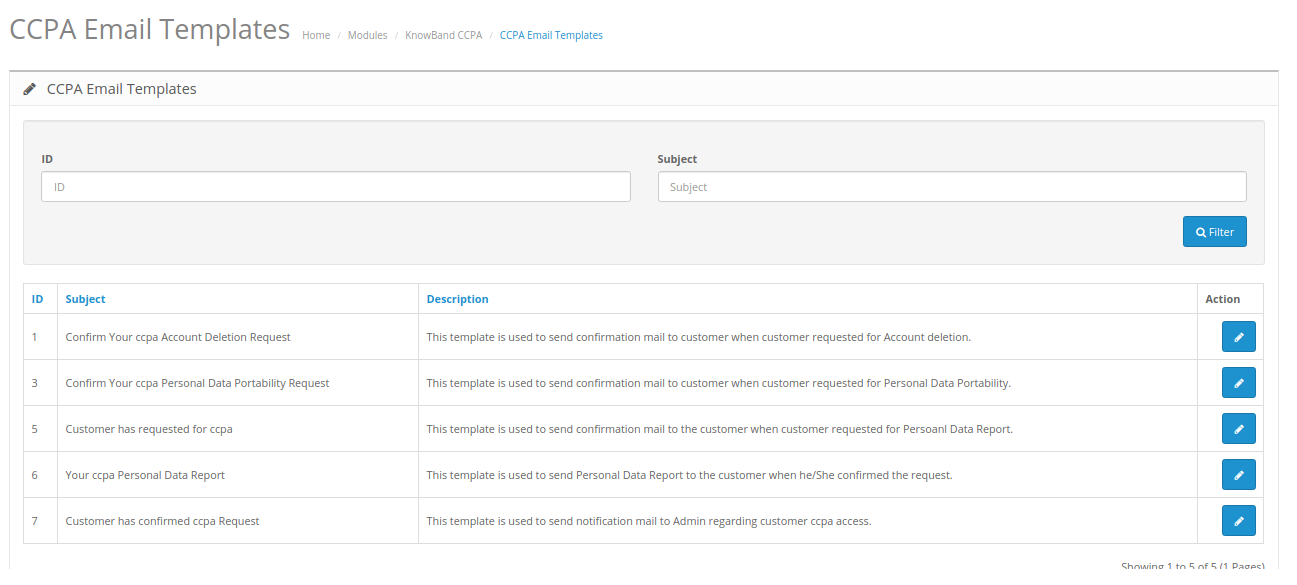
- Confirm Your CCPA Account Deletion Request: This template is used to send the confirmation mail to the customer when the customer requested for Account deletion.
- Confirm Your CCPA Personal Data Portability Request: This template is used to send the confirmation mail to the customer when the customer requested for Personal Data Portability.
- The customer has requested for CCPA: This template is used to send the confirmation mail to the customer when the customer requested for Personal Data Report.
- Your CCPA Personal Data Report: This template is used to send Personal Data Report to the customer when he/She confirmed the request.
- The customer has confirmed CCPA Request: This template is used to send a notification mail to Admin regarding customer CCPA access.
3.7 CCPA Forgot Request
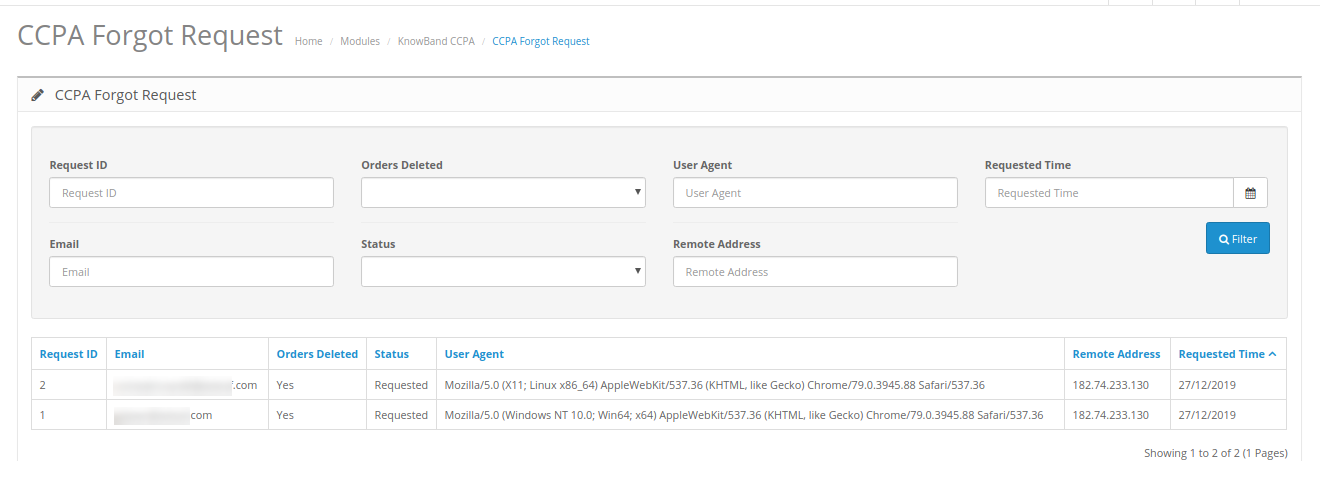
OpenCart CCPA Extension keeps the log of the forgot requests. Admin can use this information to delete customer’s accounts.
3.8 CCPA Rectification Request
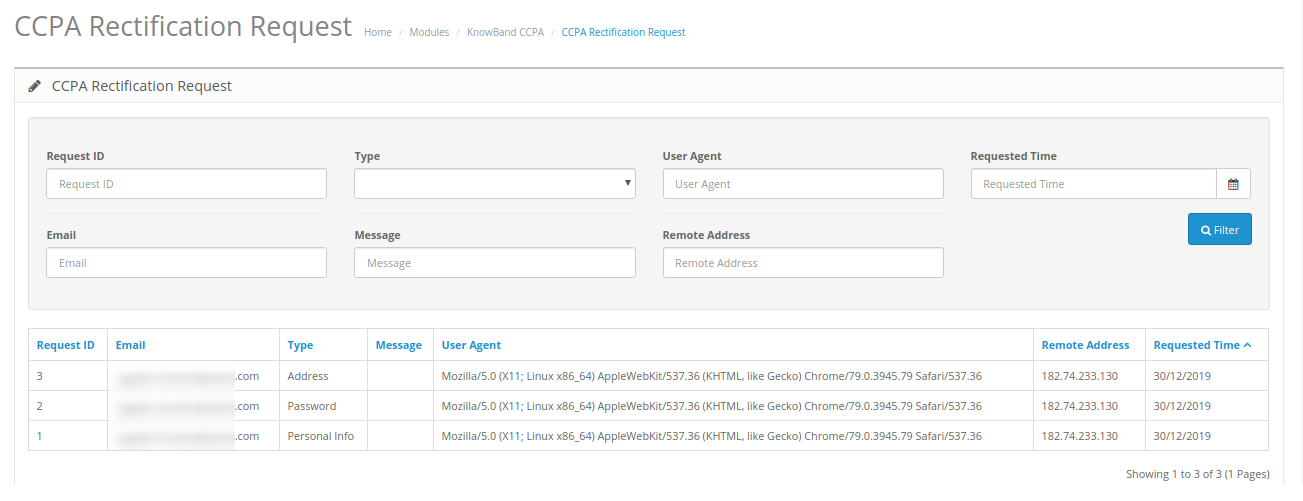
OpenCart CCPA Compliance module keeps the log of the data rectification requests. Admin can use this information to modify the customer data on the third party services.
3.9 CCPA User Consent Data
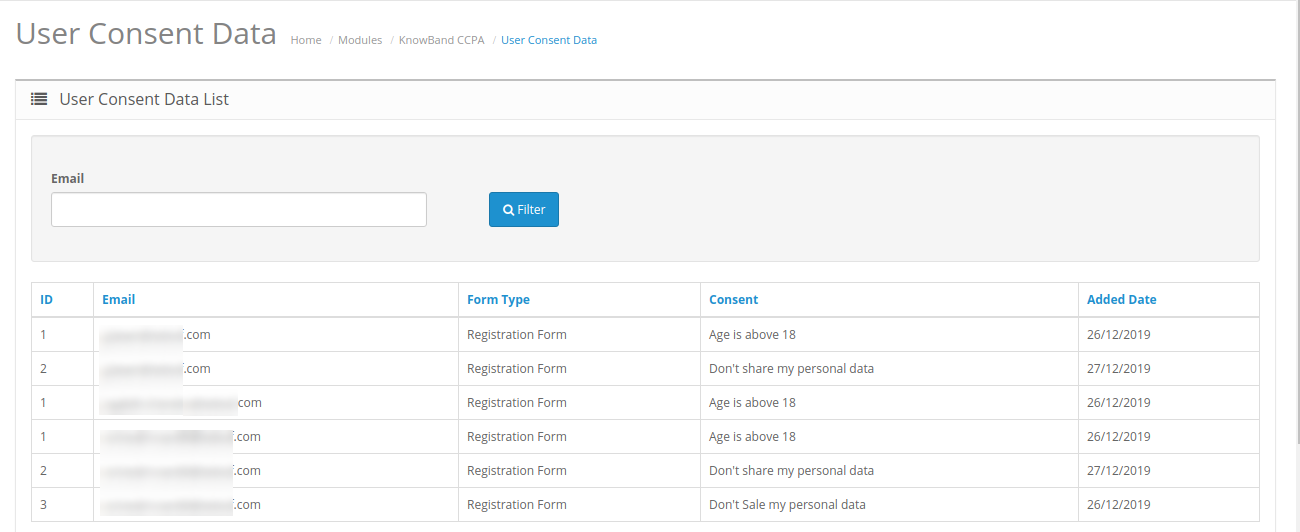
In user consent data details, the store admin can view the user consent data list in which he can check the consents accepted by customers.
4.0 Front-end Interface
The online consumers can click on “Do not Sell my Data” header link as shown below:
The online users will view a cookie consent bar as shown below:
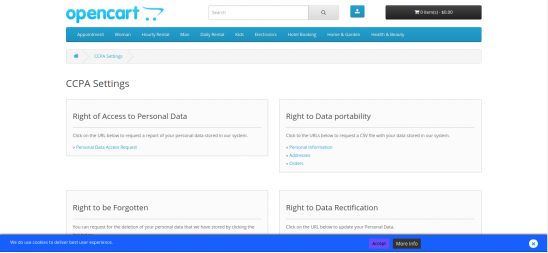
Online users can accept the click on accept for better user experience. the users can also click on more info page.
After clicking on this link, online users will get these options:
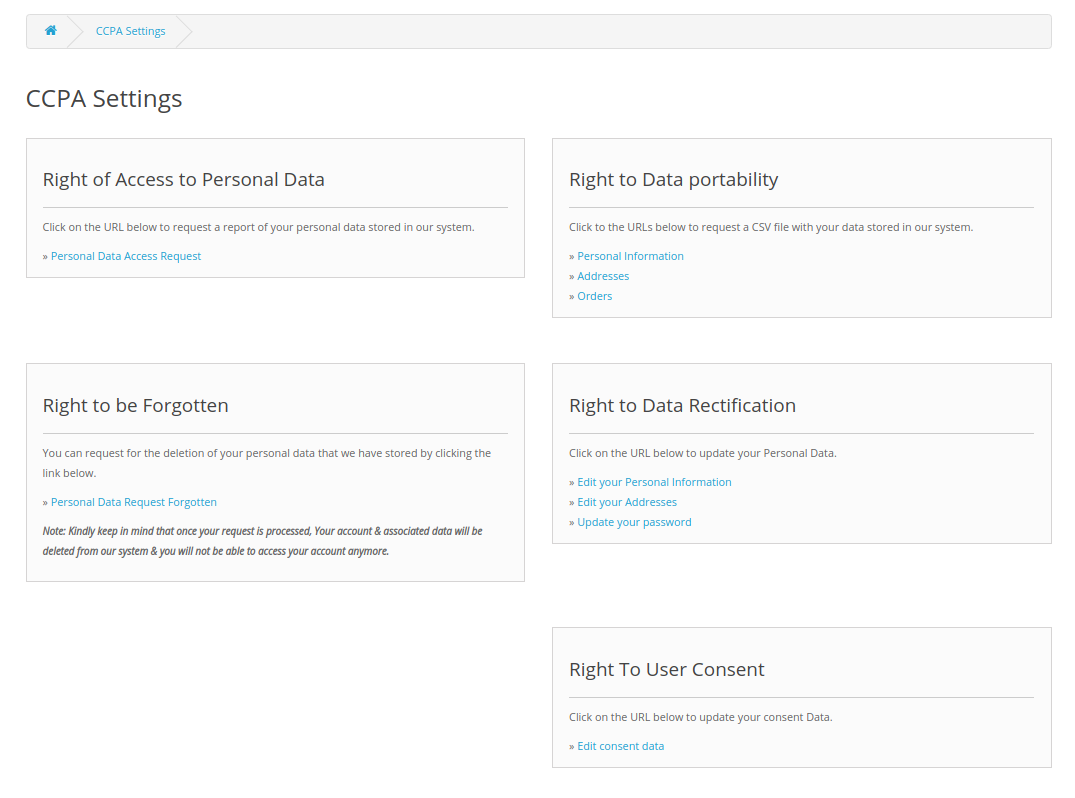
1. Right to Access Personal Data: Online users can click on “Personal Data Access Request” for getting personal data reports.
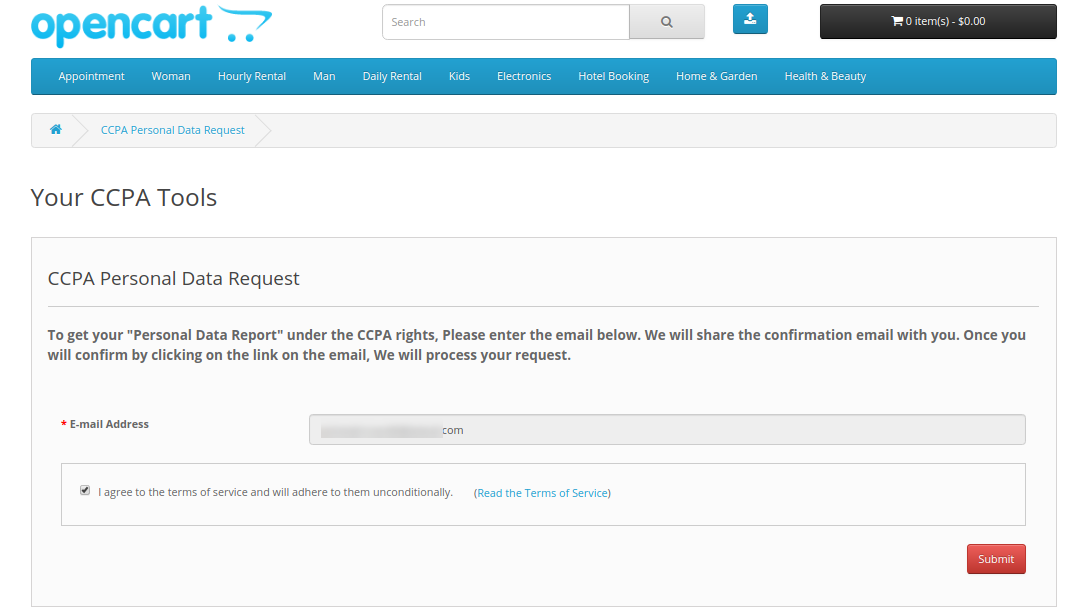
After submitting the request, the customers will get a confirmation request as shown below:
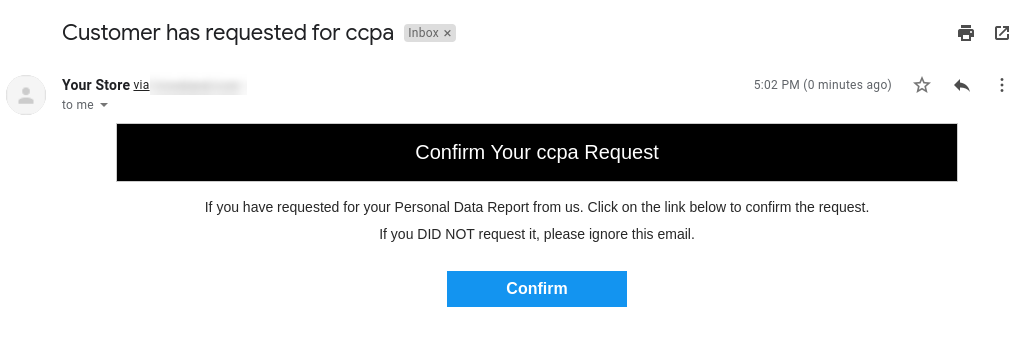
After confirmation, the online users can get an email along with the account details, address information, order details, Third-party service provider details and CCPA Requests details.
2. Right to Data Portability: Customers can request for data portability from the admin interface of this OpenCart California Consumer Privacy Act Module. The online users can request for downloading personal information, address and orders.
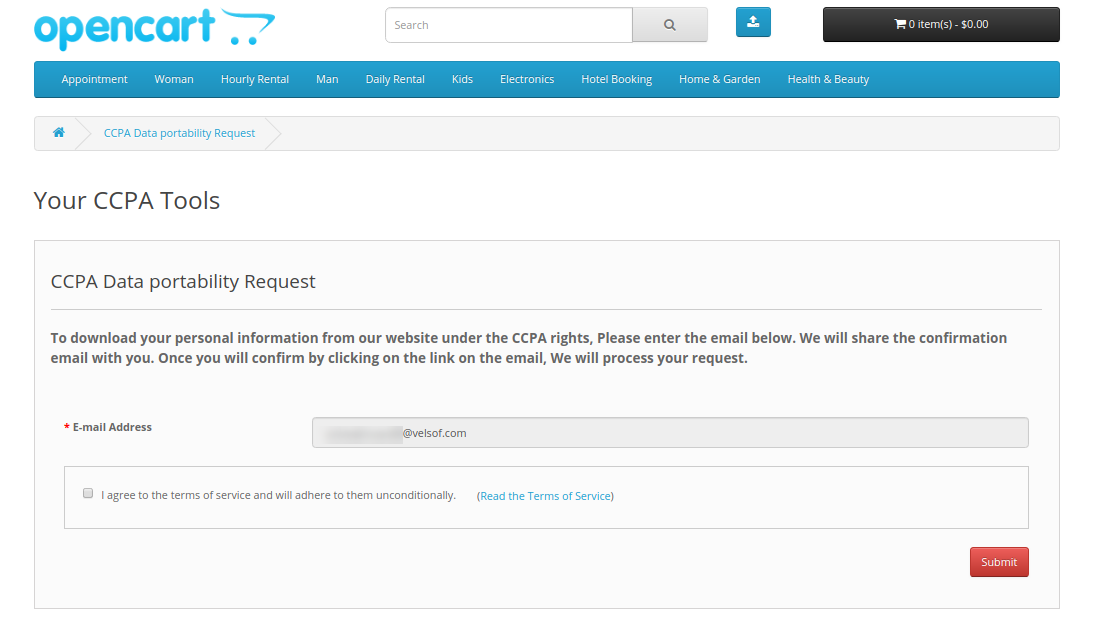
After clicking on the submit button, users will get a confirmation email as shown below:
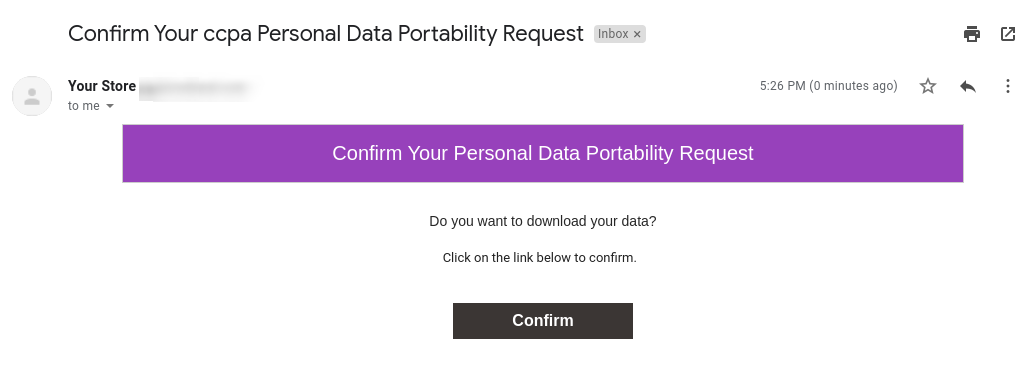
They can confirm and get a download link as shown below:
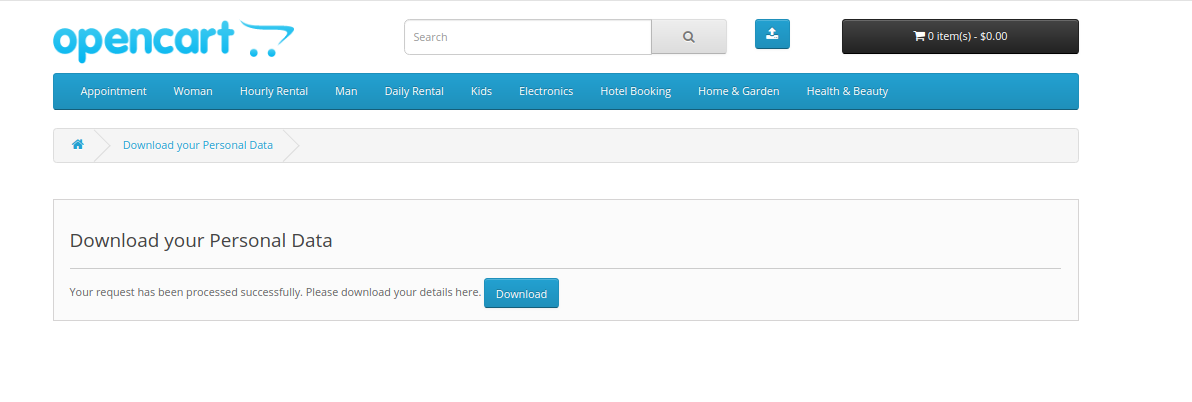
They can get a CSV file which includes their personal information.
3. Right to be Forgotten: The online users can request for using their right to be forgotten. In this option, they need to click on the “Personal Data Request Forgotten” link and provide email details.
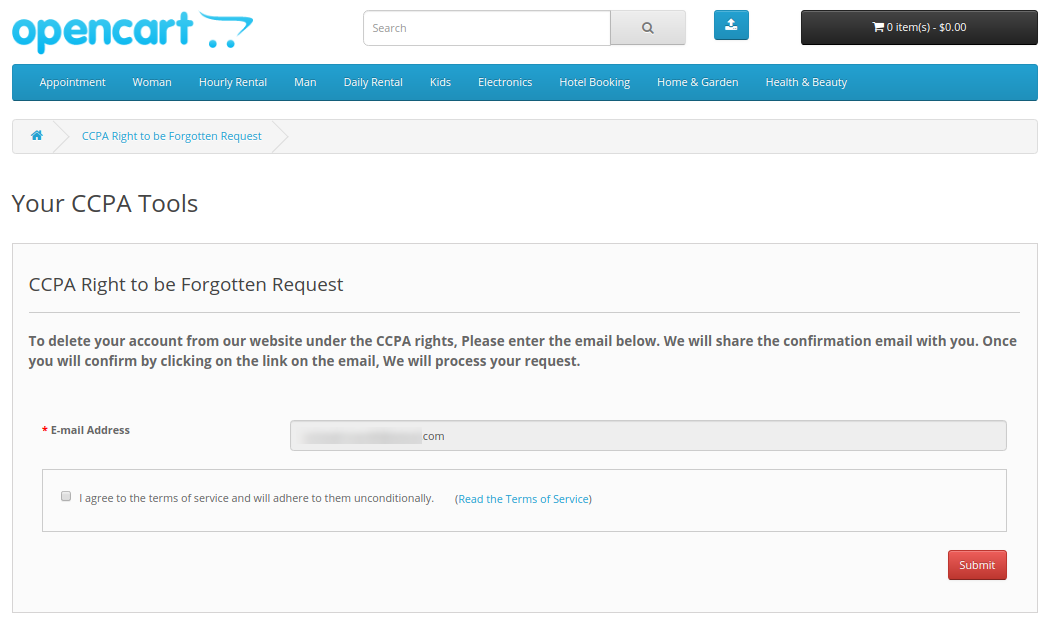
After submitting the details, the users will get a confirmation email. The users can delete their account by clicking on the provided link.
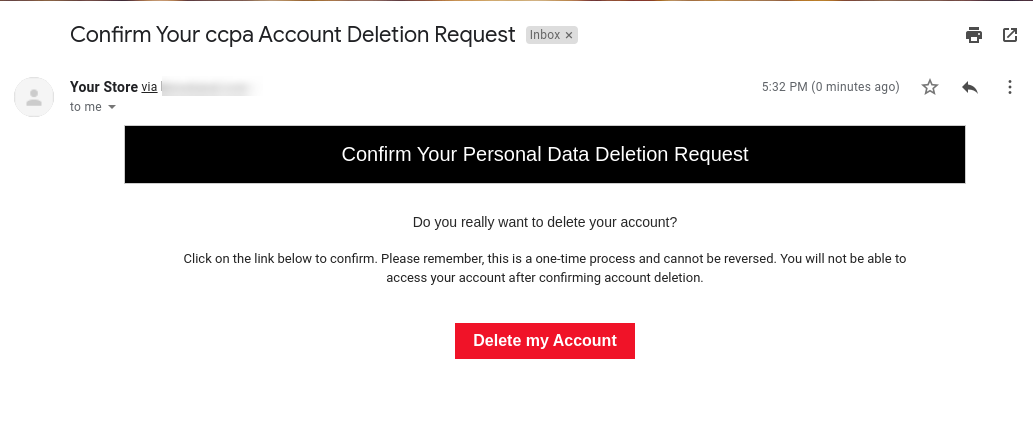
4. Right to Data Rectification: The online users can click on provided links and update their Personal Data, Address and password:
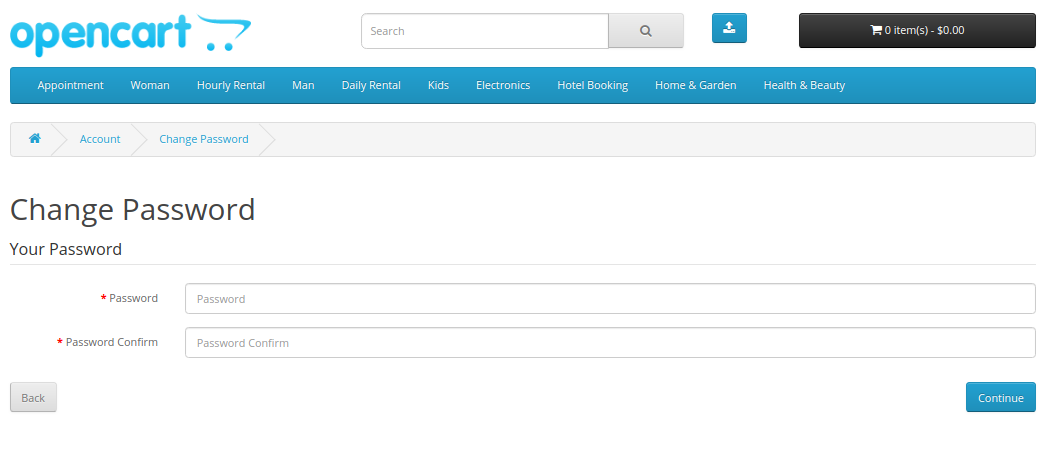
After clicking on the confirm button, the users can successfully update their account password.
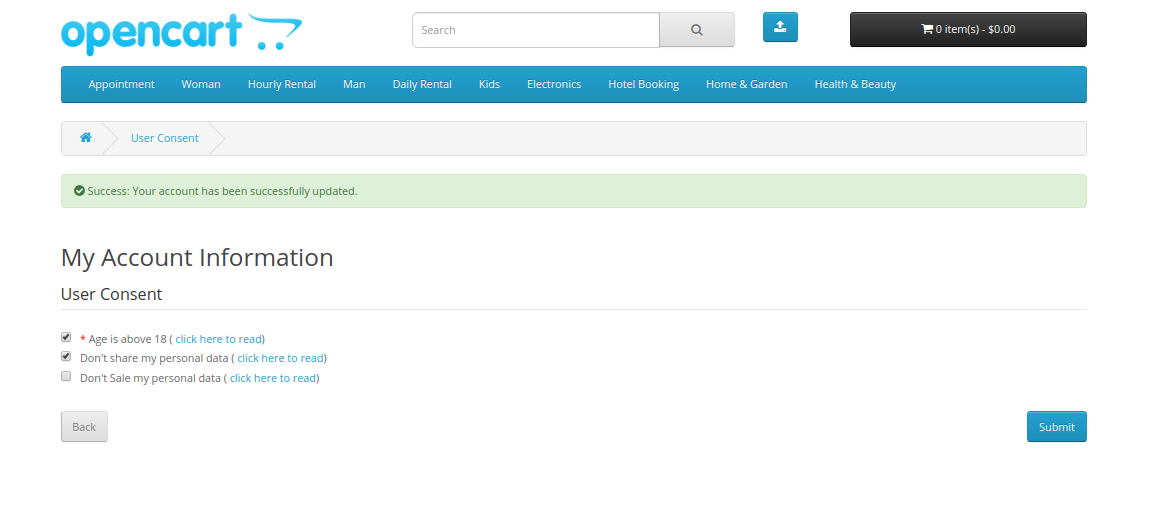
5. Right to User Consent: The online users can also update user consent data by clicking on “Edit Consent data” link:
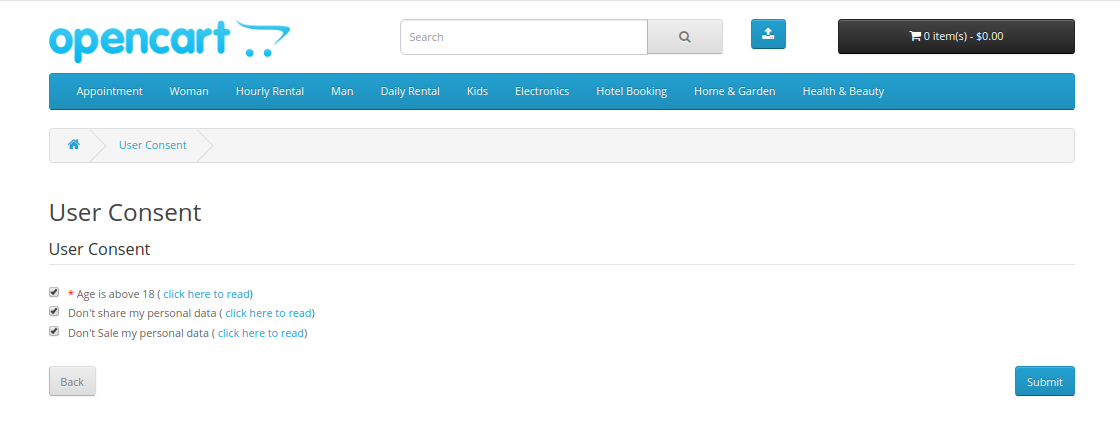
After clicking on the submit button, the online users can successfully update their consent data. A success message will display on the same page for notification.
This way, the online store admin can use OpenCart CCPA Extension for CCPA compliance.