The importance of age verification for online businesses

Daily transactions are taking place online because of which young people can shop for products has become easier for them. Furthermore, young people can have access to services and age-restricted content. For the safer side, online businesses include basic age checks such as ‘tick boxes’ for users. It is the customer’s responsibility to be truthful to affirm that they are old enough to buy products and access services.

One of the biggest reasons for online businesses to go for this feature is because it can save our younger generation. Furthermore, it’s unreliable and can even lead to children accessing damaging products as well as the content. Online businesses should recognize the necessity of the feature similar to real-world’s retail stores and gaming establishments.

In this blog, we will discuss the importance of age verification, especially for online businesses.

Benefit 1: It helps filter visitors

This feature helps owners to filter the visitors. Owners can get to know or filter eligible visitors for their products. Furthermore, once the visitor validates the age, they are informed that the content is restricted to those of a certain age. As a result, knowing the fact the content is inappropriate, a wise teen shall leave the store.

Benefit 2: Comply with the law

If you sell things, supposed to be purchased by people over a certain age, having an age verification method is a must. This is permissible under the law. Furthermore, failure to comply with the age verification system may result in legal consequences, including jail.

Benefit 3: Prevent minors

With the assistance of this feature, e-merchant can keep minors away from their store. Hence, you can stop children from getting exposed to inappropriate goods online. Also, they will not have a bad effect on their mentality. With the increase in Internet users, age verification is mandatory.

Does Knowband offer Age Verification Module for every platform?

Yes. Whether you use Magneto for building up your eCommerce store or Opencart or Prestashop, Knowband has developed the Age Verification module for every platform. With the help of these modules, you can keep away underage users from exploring explicit content. 

Age Verification Prestashop Addon

Prestashop store owners with explicit products on the store must use Age Verification Prestashop Addon. This add-on helps merchants to hide their products from customers they want. In simple words, with this addon, Prestashop owners can display these products to specific customers under a certain age.
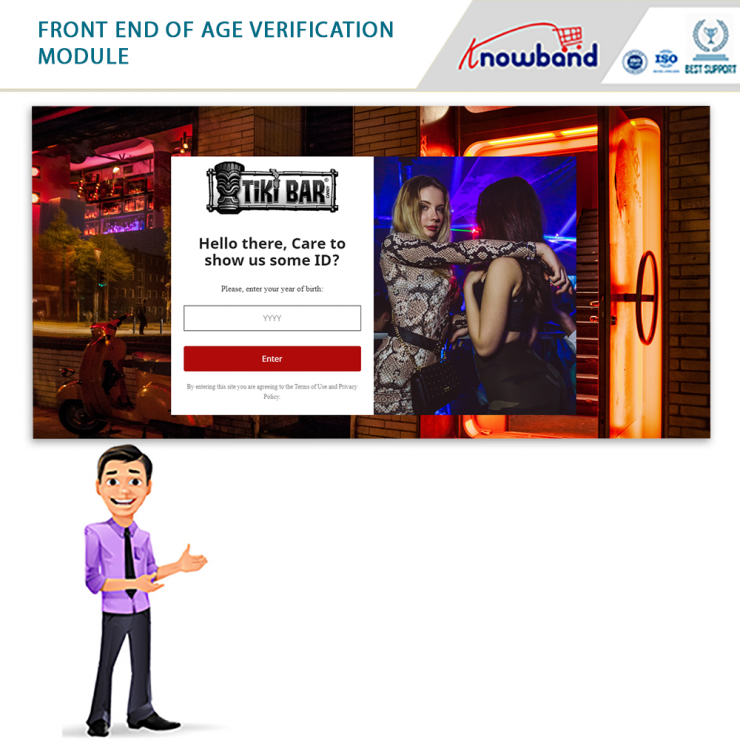
Features:

  • Enables a popup on the website for age verification.
  • The module even provides a user-friendly interface.
  • Easy to Install.
  • Allows designing the entire popup and even customizing it. 
  • From images to easy to change the popup text, font, background color, and verification text, etc. everything can be modified.

OpenCart verification extension

To showcase an age verification popup on the website’s front-end, Knowband offers an age verification module for Opencart owners. Furthermore, store visitors must enter their age and if they are 18+, they can access the store. 

Features:

  • Allows admin to restrict online visitors to enter their age for accessing the store content.
  • Displays an age verification popup on the website once the age of the user gets confirmed.
  • From the admin interface, the admin can enable as well as disable the DOB field.
  • Permit setting age verification popup title as well as description in multiple dialects.

Magento age verification module

Implementing the Magento age verification module on your eCommerce site asks the visitors to verify their age for accessing the site products. Furthermore, the module requires the store visitors to verify their age as well as agree to specific rules as well as conditions. Once you agree to these rules and conditions, you can browse the website. 

Features:

  • Displays an age verification popup on the frontend.
  • Asks visitors to mention their age and to access the website, ask the visitor to agree with the terms and conditions.
  • Admin can pick themes for the age verification popup, displayed randomly to the visitor. 
  • Allows admin to enable/disable DOB field on the website front. 
  • Allows the merchant to set the title for the verification popup window.

Along with such efficient modules for different platforms, Knowband offers post-sales support. Hence, feel free to write us at support@knowband.com

Magento Age Verification Popup Extension by Knowband – User Manual

1.0 Introduction

Knowband’s Magento age verification popup module prompts up an age verification popup on the website front and asks the user to verify their age and agree to the stated terms and conditions to access the website. Magento 18+ verification extension provides a seamless way of age verification to the customers for granting access to the website. With the help of Magento Age Gate Pop-Up, e-merchants can easily carry out adult verification check on their store visitors.
This age verification Magento extension by Knowband gets the user consent of the appropriate ages before letting them browse the website. This means that underage visitors are strictly prohibited from accessing the website. So, the e-merchants who had their website containing adult content are recommended to implement this popup 18+ Magento module.

1.1 Striking Features of Magento Age Verification module for merchants

This age verify Magento module is fully customizable and provides you multiple features that are easily configurable from the backend interface without requiring any coding knowledge. The various striking features of the popup 18+ module have been listed below.

  • Magento age verification module triggers an age verification popup on the frontend that requires the age of the user followed by a user consent checkbox for granting them access to the website.
  • Magento 18+ verification extension offers multiple themes for the age verification popup that are randomly displayed to the store visitors.
  • Magento Age Gate Pop-Up extension offers flexibility in enabling and disabling the DOB field shown over the age gate popup. If the DOB field setting is disabled then the user doesn’t require to verify their age for accessing the website.
  • The store admin can also edit the different texts displayed over the age verification popup. This includes DOB field title and short description for the 18+ verification popup window.
  • Using this Magento 18+ verification extension, admin can redirect the customers to a specific URL as they close the age verify popup window.
  • Admin can restrict the age required for entering the website with the help of Magento verification popup module.
  • Magento age verification module displays a terms and conditions checkbox which asks for user’s consent to access the website.
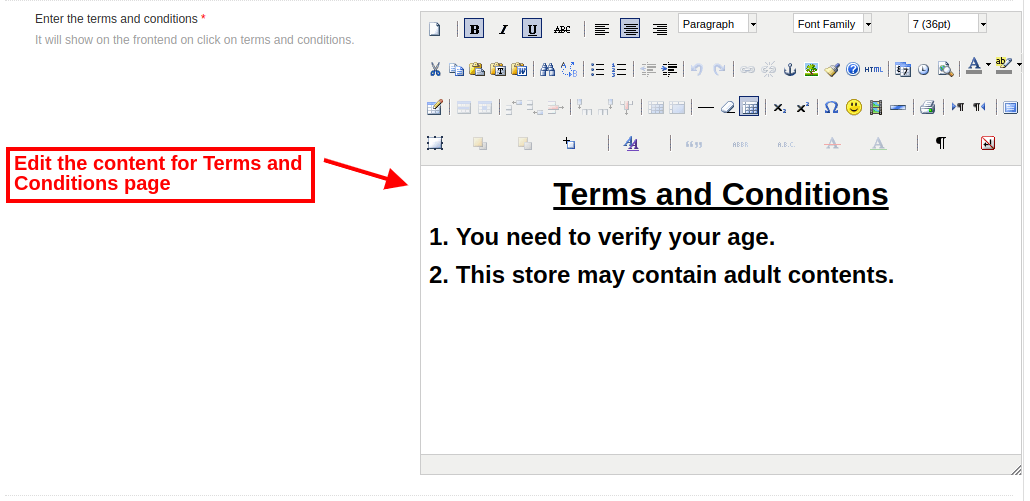
  • The content shown on Terms and Conditions page can be configured with Magento verification popup extension.
  • The front appearance of Magento age verification popup is customizable in accordance to website theme.
  • Admin can even show a logo for the selected theme on the 18+ age gate popup.
  • Magento Age Gate Pop-Up extension supports multiple languages.
  • Magento age verification popup extension offers a mobile responsive interface to the mobile and tablet users.

1.2 Technology for Development

Language: PHP
Frame Work: Magento

2.0 Installation Guide for Magento Age Verification Popup

The store admin can follow these simple steps for installing the Magento 18+ verification extension on their store:

1.First of all download the extension package from the Knowband store.
2.You will get a zipped file containing the source code and user manual. Unzip the package on the root folder of your Magento setup via FTP manager (like Filezilla or WinSCP – download here: https://filezilla-project.org/). You’ll find the files and folders as shown in the image below:

The extension is now installed and ready for use. Now the store admin can now use and configure the age verification module.

3.0 Admin Interface of Magento Age Verification Module

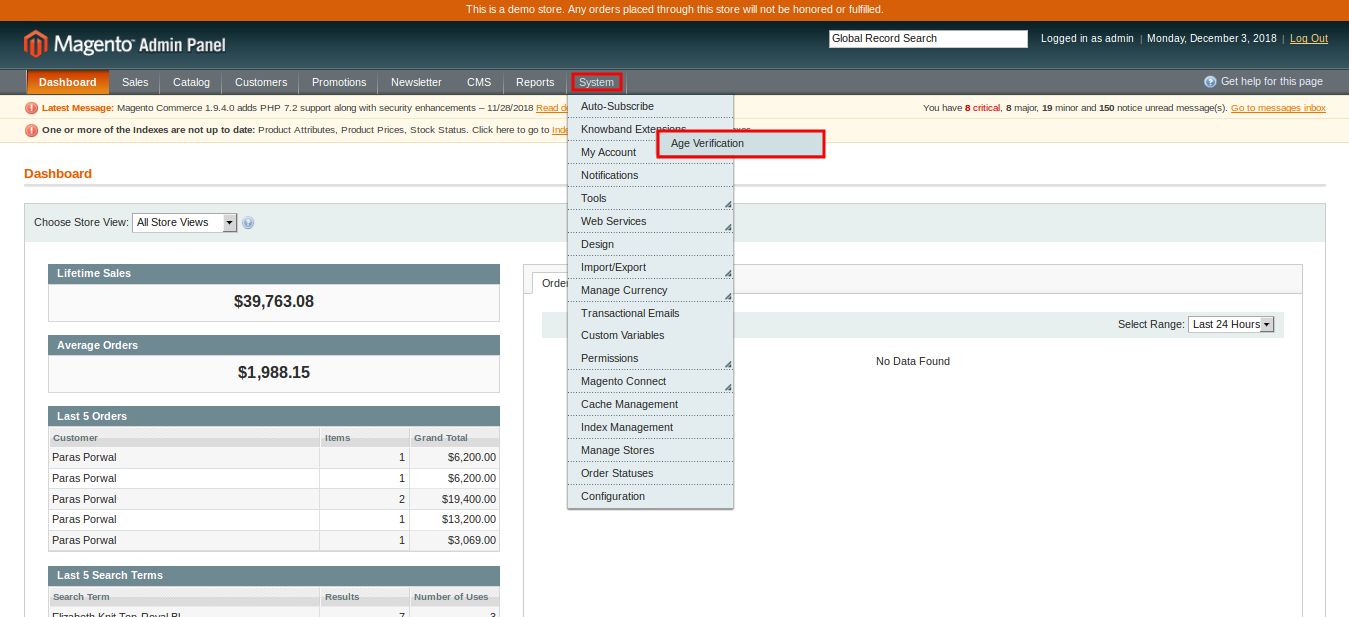
Just after successful installation of Magento 18+ verification extension on the Magento site, you can configure this popup 18+ module as per your needs. In the Admin Panel, go to System > Knowband Extensions > Age Verification.

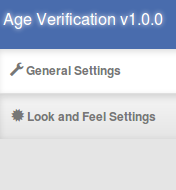
This Knowband extension offers you the following sections.

1.General Settings
2.Look and Feel Settings

Each Tab of the Magento age verification popup module are discussed below:

3.1 General Settings

On clicking on the General Settings tab, you will see the following configuration options:

Initially the above fields are set to their default values.

1. Enable the extension: You can easily enable or disable the functionality of Magento age verification module by toggling the switch provided at the backend panel.
2. Display DOB field: You can enable or disable DOB field displayed on the frontend. If this setting is disabled then the visitors can access the website without any age verification process.
3. Popup Title: You can set a title for the age verification popup window with Magento 18+ verification extension.
4. Popup Description: You can also display some short note over the Magento age verification popup plugin to make it informative for the store visitors.
5. Form Title: You can also set a custom title displayed over the DOB field.
6. Redirect URL: Admin can set a redirect URL using this Magento Age Gate Pop-Up extension. As the user close the age verification popup, they are redirected to this specified URL.
7. Allowed Age: You can easily fix or restrict the age below which the visitors cannot access the website.


8. Enter Terms and Conditions: This setting of age verification Magento module allows you to configure the content of terms and conditions page displayed to the user.
After this, click on the “Save” button shown at the top right corner of admin panel to save the module settings.

3.2 Look and Feel Settings

The various fields of this section of age verification extension are mentioned below.

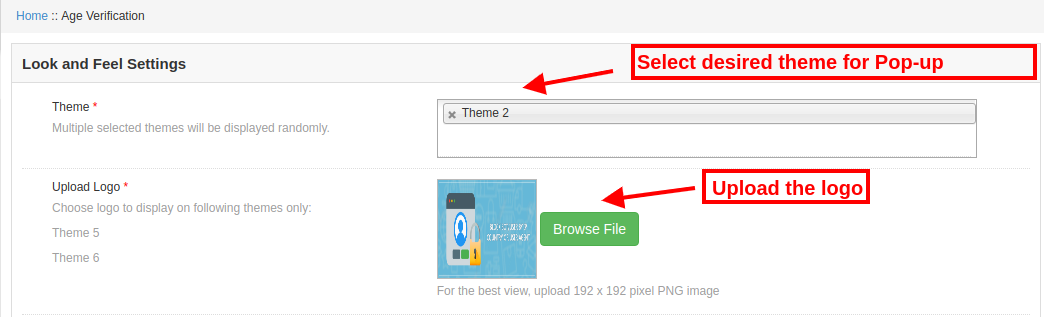
1.Theme: Admin can set a desired theme for the Magento verification popup which fits to the website theme and appearance. The selected themes will be randomly displayed to the store visitor.

2.Upload Logo: Using Magento 18+ verification extension, admin can set a custom logo for the age gate popup by uploading the logo image of format PNG, JPG, or JPEG only.

4.0 Front Interface of Magento Age Verification module

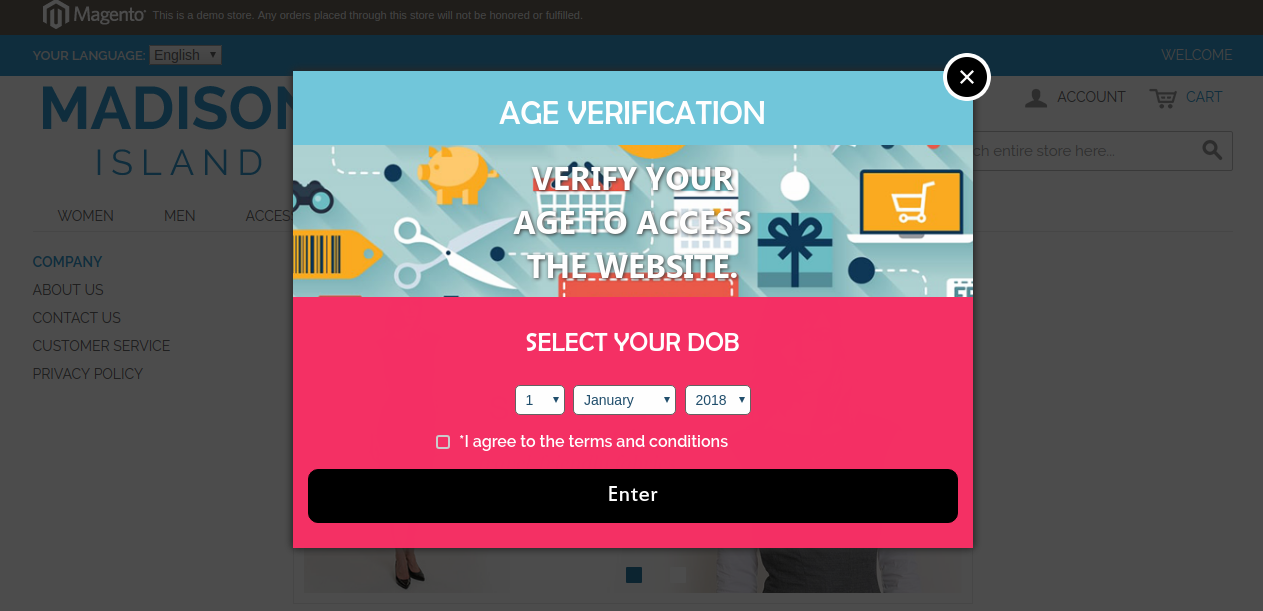
Once after you have configured the general settings and look-feel settings of popup 18+ Magento module, your customers will see a age verification popup on the website front. If they close the popup window, then they are redirected to some specific URL which has been set from the backend. This Magento age verification popup ask the user to select their age and agree to the specified terms and conditions in order to access the website content.