Using PrestaShop Hooks Effectively in Your Module Development

If you’ve spent any real time building PrestaShop modules, hooks are probably where most of your battles have been fought. They’re how your module speaks to the core — how you plug in functionality without ever cracking open a file you shouldn’t be touching. Knowing they exist is one thing. Using them without shooting yourself in the foot is another.

What a Hook Actually Is

At its simplest, a hook is a moment in PrestaShop’s execution where it pauses and checks whether anyone’s listening. If your module is registered for that hook, it gets a turn to respond.

There are two types worth distinguishing: action hooks and display hooks. Action hooks are for running logic tied to an event,  an order being placed, a product being saved, that sort of thing. Display hooks are for injecting HTML into specific spots on the storefront or back office. The distinction shapes how you write the method. Action hooks process something and usually return nothing meaningful. Display hooks return rendered HTML that PrestaShop slots into the page.

Where Developers Go Wrong with Registration

The most common early mistake is registering hooks in the wrong place or in a disorganized way. Registration belongs in your module’s install() method via $this->registerHook(). You can pass an array of hook names in one call — which is much tidier than stringing together repeated calls.

Just as important: unregister them in uninstall(). It’s easy to skip this and easy to regret. Orphaned hook registrations sitting in the database after a module’s been removed can cause genuinely confusing behavior down the line. A clean pattern looks roughly like this:

public function install()

{

    return parent::install()

        && $this->registerHook(['displayHeader',

           'actionOrderStatusUpdate',

           'displayFooterProduct']);

}


Get the Method Names Right

PrestaShop resolves hook methods by convention: hookHookName(), with the hook name in camelCase. So displayHeader maps to hookDisplayHeader(). Mess up the casing and PrestaShop silently skips your method, no error, no log entry, nothing. 

It’s one of those bugs that can eat an embarrassing amount of debugging time before you spot it.

Every hook method receives a $params array. What’s inside depends entirely on which hook triggered it. During development, dump $params once before writing any real logic. The documentation is a decent starting point but it doesn’t always reflect what actually gets passed in.
 

Handling Display Hooks Properly

For display hooks, the standard approach is to assign variables to Smarty and return the output of $this->display() pointing to a .tpl file. Keep your templates in views/templates/hook/ inside your module,  it’s the conventional structure and makes things easier to navigate as the module grows.

One detail worth emphasizing: always return the output, never echo it. The hook system collects return values and places them where they belong in the layout. If you echo directly, the output ends up at the top of the page regardless of where the hook actually sits.
When Built-In Hooks Aren’t Enough

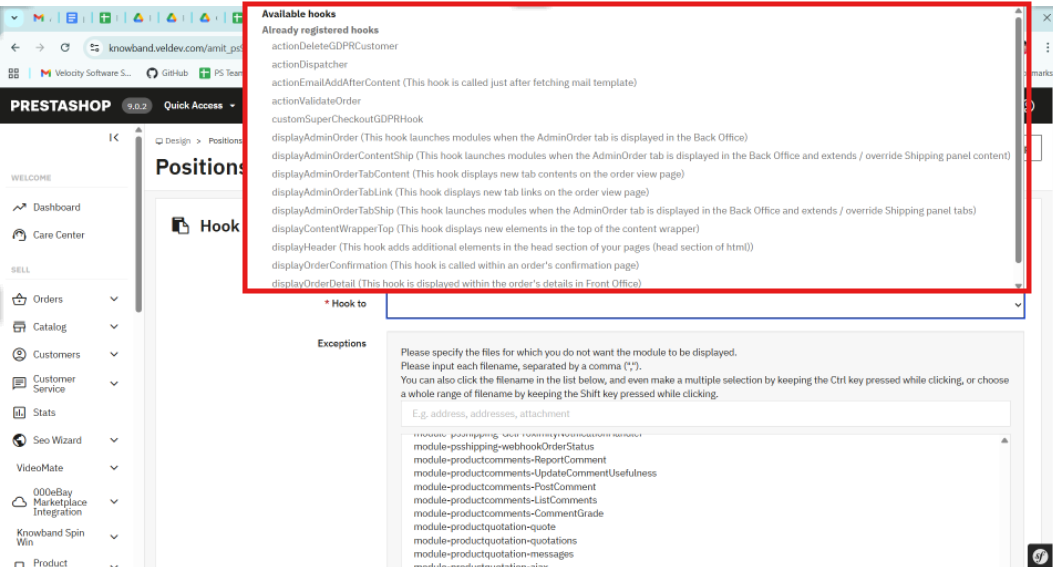
PrestaShop’s native hooks cover a lot of ground, but there are situations — especially when building modules meant to be extended, where you need something more targeted. You can register a custom hook with Hook::register() and fire it using Hook::exec() from anywhere in your codebase.

Custom hooks are particularly useful in multi-module projects. Instead of modules calling each other directly, you expose a hook and let other modules respond independently. It keeps the architecture clean and makes future changes much less painful.

Don’t Ignore the Performance Side

It’s easy to underestimate how much damage a poorly optimized hook method can do. Hooks like displayHeader fire on almost every page load. If your method is hitting the database or calling an external API without any caching, page speed takes a real hit — and your clients will notice before you do.

A few habits help. Cache anything that doesn’t change between requests. Use PrestaShop’s built-in cache layer where it fits. And if your hook logic only applies under certain conditions, check those conditions at the top of the method and return early if they’re not met. Keeps the overhead low and the code readable.

When the Hook Isn’t Firing

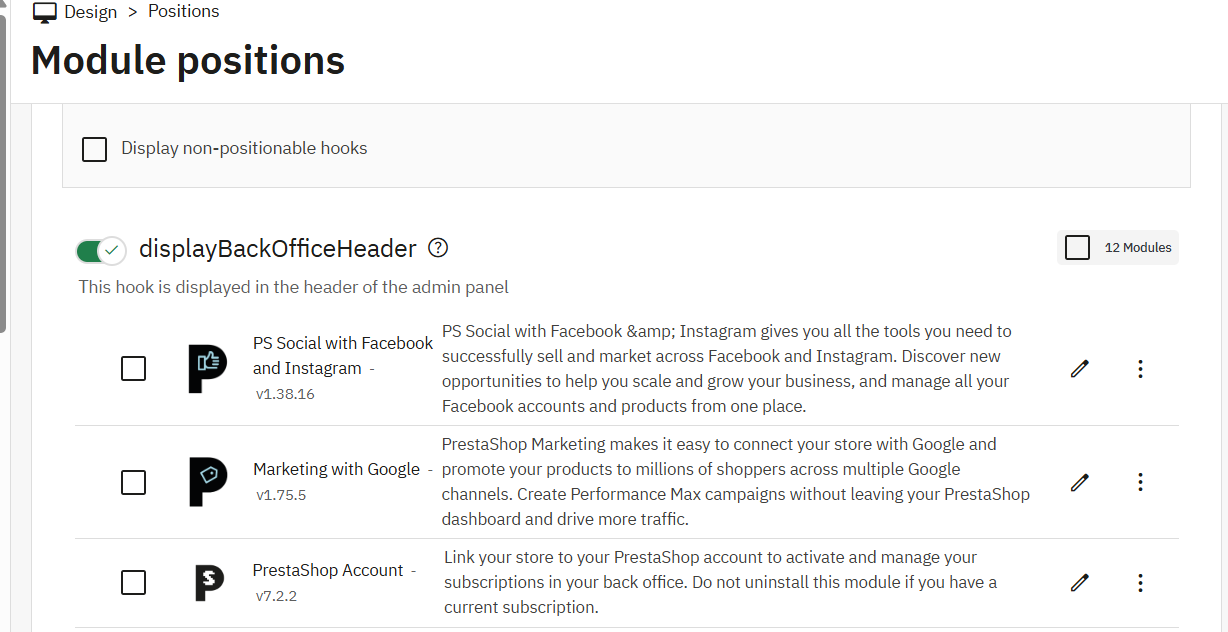
When something isn’t working as expected, the first thing to check is whether the module is actually attached to the hook. Head to Modules > Positions in the back office, or look directly at the hook table in the database. A module can be installed while a hook registration silently failed during setup.

Custom Development Services

Tailored solutions by Knowband for your eCommerce success

Looking for powerful and scalable solutions? Knowband offers expert custom development services to help you build high-performance eCommerce features with ease.

✔ Custom Module Development
✔ eCommerce Plugins
✔ API Integration
✔ Performance Optimization
✔ Third-party Integration

Also worth considering: execution order. If a module earlier in the chain throws an unhandled exception, PrestaShop can stop processing everything else on that hook. The Positions panel lets you adjust the order, and sometimes that’s all it takes to fix what looks like a mysterious disappearing hook.

The Takeaway

Hooks are what make PrestaShop modules actually modular. Used well, they let you build clean integrations that don’t step on the core or on other modules. The fundamentals aren’t complicated: register in install(), name your methods precisely, return from display hooks, cache on high-traffic hooks, and reach for custom hooks when the built-in set falls short.

Once that becomes a habit, the development process gets a lot smoother,  and your codebase stays something you’ll actually want to revisit later

At Knowband, our development team regularly works with complex PrestaShop module architectures, where efficient hook usage becomes critical for performance and scalability. If you’re looking to speed up development or implement advanced functionality, exploring professionally built modules and solutions can save significant time and effort.

What is New in PrestaShop 9.0? Full Feature & Migration Guide

Why PrestaShop?

PrestaShop is a leading open-source e-commerce platform, known for its flexibility, powerful features, and zero licensing costs. Known for its intuitive interface, multi-language/currency support, and rich ecosystem of modules and themes, it’s ideal for SMEs creating customised online stores. PrestaShop 9.0 represents a significant milestone, delivering performance upgrades and essential architectural advancements reflecting modern development standards, scalability, and long-term maintainability.

What’s New in PrestaShop 9.0?

PrestaShop 9.0 brings complete core framework modernisation—a major leap forward, redefining how developers and store owners interact with the system.

Core Architecture Changes

Full Symfony Integration: PrestaShop 9 finalises its transition to the Symfony framework, providing a modern, stable foundation for future development. Legacy classes and outdated controllers have been deprecated or replaced, making the system more maintainable and aligned with best practices.

PHP 8.1+ Support: Requires PHP 8.1 or higher, ensuring compatibility with the latest features, improved security, and faster performance.

Doctrine DBAL: The Database Abstraction Layer improves database interactions, offering better abstraction, query building, and testability—especially beneficial for large-scale customisations.

Composer-Centric Development: Composer 2.x now plays a central role in the development workflow, handling dependency management, module integration, and autoloading seamlessly.. This simplifies version control and enhances CI/CD compatibility.

Back Office & Developer Enhancements

While focusing on backend improvements, merchants and developers will notice:

  • Faster page loads and improved server response times
  • Cleaner codebase through legacy logic removal
  • Improved modularity for cleaner, standalone modules
  • Stronger test coverage for stable, secure releases

Though UI changes are minimal, these under-the-hood updates drastically enhance store stability and maintainability.

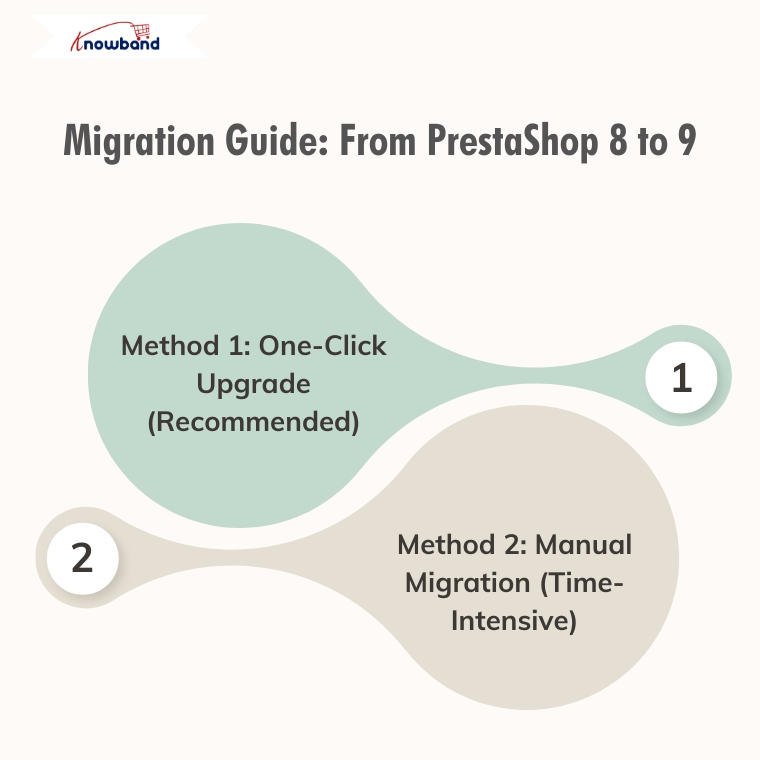
Migration Guide: From PrestaShop 8 to 9

Method 1: One-Click Upgrade (Recommended)

Available Tools:

  • Official 1-Click Upgrade Module: Standard PrestaShop upgrade module handling version transitions automatically
  • MigrationPro: Third-party solution supporting migration with comprehensive data transfer
  • PrestaShop Migrator: Alternative one-click solution for seamless upgrades

Advantages:

  • Automated process with minimal manual intervention
  • Built-in data integrity checks
  • Reduced human error risk
  • Faster migration time
  • Automated backup creation

Autoupgrade Backup Process:

  1. BackupInitialization: Process start, clearing leftover temporary files
  2. BackupFiles: Complete backup of store files, themes, modules, images, and custom code
  3. BackupDatabase: Creates a complete backup of the entire database, including all tables and stored data.
  4. Let me know if you prefer a more concise or more detailed version.
  5. BackupComplete: Process finalisation with verification

Rollback Process: If the upgrade encounters issues, easily revert through the autoupgrade module’s “Rollback” section by selecting the backup archive and monitoring rollback progress.

Data Migration: Automatically handles transfer of products, categories, attributes, customer accounts, order history, CMS pages, configuration settings, images, and compatible module configurations.

Method 2: Manual Migration (Time-Intensive)

Fresh PrestaShop 9 installation followed by manual data migration.

Process Overview:

  1. Review Server Requirements: PHP 8.1+, MySQL 5.7+/MariaDB 10.3+, Composer 2.x, Apache/Nginx
  2. Complete Backup: Database, files, configuration, custom code
  3. Install PrestaShop 9.0: Fresh installation via Git and Composer
  4. Data Migration Strategy: Export from PS8 (products, customers, orders, CMS, configurations) and import to PS9 using native tools, third-party modules, or manual entry
  5. Module Compatibility Assessment: Audit existing modules, update compatible ones, identify alternatives for incompatible modules
  6. Theme Reconstruction: Rebuild themes using PS9’s updated architecture, adapt to Symfony requirements
  7. Comprehensive Testing: Front office (browsing, checkout, payments, mobile) and back office (product management, orders, reporting) functionality

Recommendation

Method 1(One-Click Upgrade) is strongly recommended for most merchants due to:

  • Significantly reduced migration time
  • Lower risk of data loss/corruption
  • Automated handling of complex data relationships
  • Built-in rollback capabilities
  • Professional support availability

Consider Method 2 (Manual Migration) only for specific customisation requirements necessitating a fresh installation or when automated tools are incompatible.

Post-Migration Checklist

Regardless of the chosen method:

  • Verify all critical store functions
  • Test payment and shipping integrations
  • Confirm SEO settings and URL structures
  • Update DNS and SSL certificates if needed
  • Monitor site performance and loading speeds
  • Train staff on interface changes

Final Thoughts

PrestaShop 9.0 sets a strong course toward improved speed, enhanced security, and a more developer-centric ecosystem. Although upgrading requires planning and effort, long-term benefits are considerable—better performance, cleaner code, enhanced scalability, and modern tooling.

If running an older version, evaluate the long-term value of moving to Prestashop 9. If unsure about the process or lacking in-house developers, consulting with a PrestaShop expert or certified partner is highly recommended.

Still deciding whether to switch?

If you’re unsure whether moving from PrestaShop 8 to 9 is the right step for your store, we invite you to check out our detailed comparison and expert insights.

Discover the key benefits, potential risks, and real-world impact of migrating — and make an informed decision for your business.

Explore the PrestaShop 8 vs 9 Comparison Guide

Why Migrate from PrestaShop1.7 to PrestaShop 8.1?

Migrating your PrestaShop 1.7 store to Prestashop 8.1 offers a lot of noticeable benefits, which include the enhanced performance of your store, improved security features, and access to the latest technologies.

The PrestaShop 8.1 brings a more efficient and secure operating environment with support for the latest PHP and MySQL versions, enhancing the site speed and responsiveness of your store.

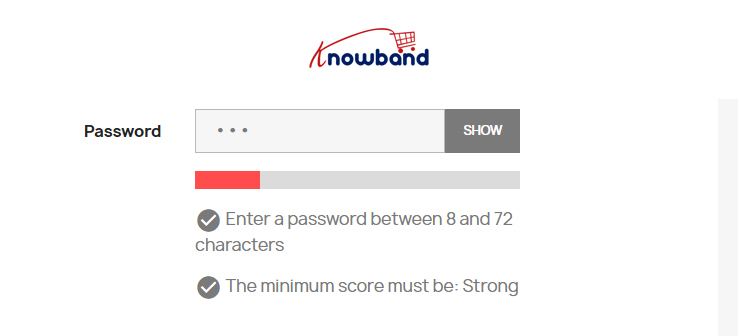
For example, the new functionalities introduced in the PrestaShop 8 and above versions such as the Password Strength Indicator which not only enhance the security of your store but also improve the user experience are notable improvements in this version.


Hence, by upgrading the store’s PrestaShop version to 8.1, you also ensure continued support from the community of PrestaShop, access to updates, and better compliance with current web standards, keeping your store competitive and well-optimized for search engines.

Migrating from PrestaShop 1.7 to PrestaShop 8.1 is highly beneficial for several reasons and some of those are mentioned below:-

  1. Updated Core Technologies: The move to PrestaShop 8.1 brings significant upgrades to essential technologies like Bootstrap and Symfony versions have been upgraded to v4.4.
  2. Support for the newer PHP versions: PrestaShop 8.1 provides the support for the latest versions of PHP ranging from 7.2.5 up to 8.1. 
  3. Enhanced Security Features: The introduction of a Password Strength Indicator is a significant enhancement in PrestaShop 8.1 which provides real-time feedback to customers creating accounts encouraging the creation of stronger and more secure passwords by showing clues for strength improvement.


Prerequisites for the Migration

1. Technical Requirements Check

  • Server Compatibility: Verify that your hosting environment meets the updated specifications required by PrestaShop 8.1, especially PHP version 7.4 or newer and MySQL version 5.6 or higher as it ensures your server can effectively handle the new software without compatibility issues.


  • Theme and Module Compatibility: Assess whether your existing themes and modules are compatible with PrestaShop 8.1. If they aren’t, you will need to either update them or look for suitable replacements to maintain the functionality and design of your store.

2. Data Backup

  • Comprehensive Backups: Rigorously back up all your website files, database entries, and configuration settings. This step is vital as it provides a safety net, allowing you to restore your store to its original state should there be any issues during the migration process.
  • Backup Validation: Test these backups in a staging environment to confirm their integrity and functionality. This validation helps ensure that you can reliably revert to the original system if needed.

3. Staging Environment Setup

  • Replicate Live Environment: A staging environment needs to be set up that replicates the live configuration as closely as possible and then uses this environment to perform the migration tests. 

Migration of Data

Export Data: 

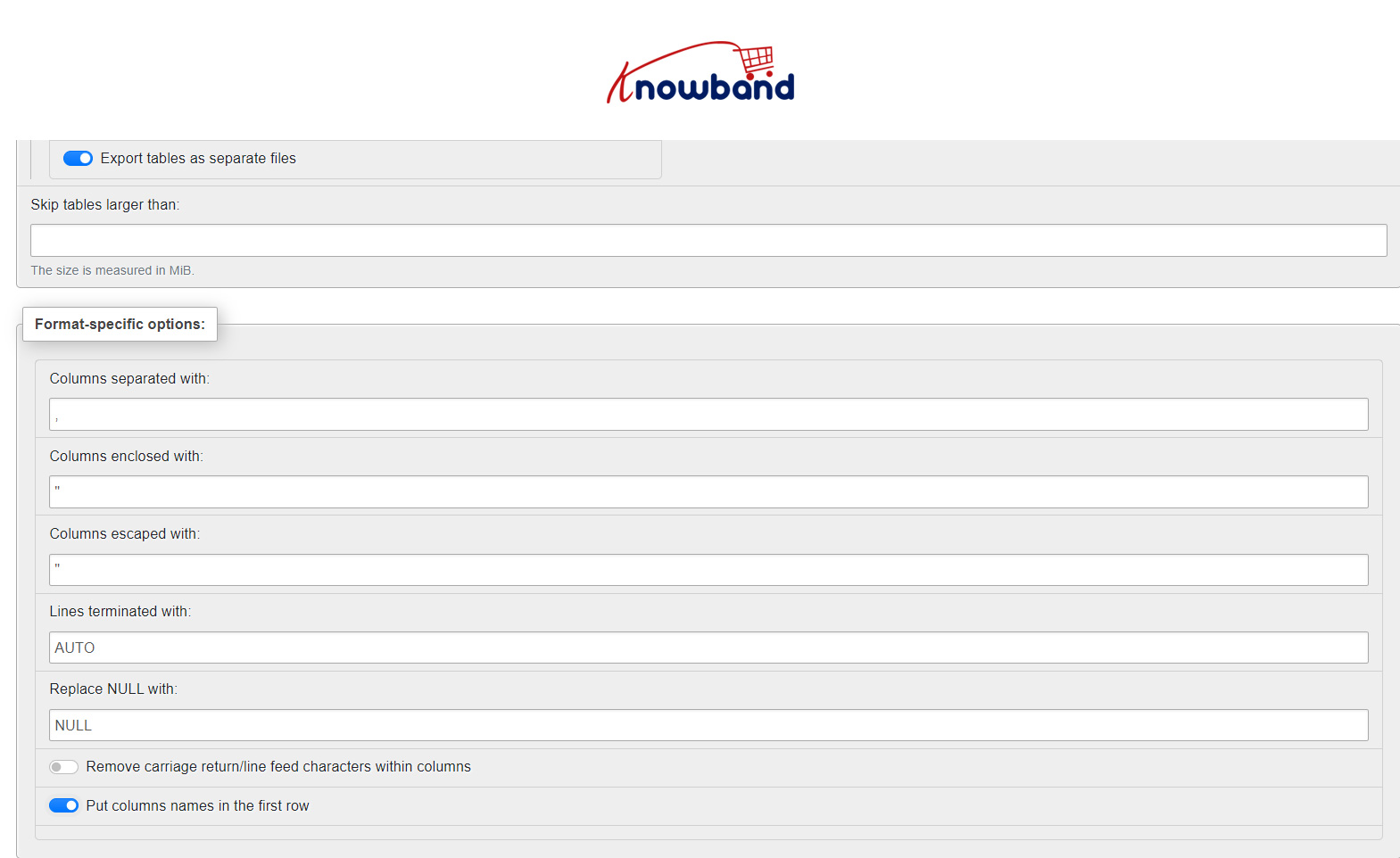
  • Use tools like phpMyAdmin to export your database in CSV from the PrestaShop 1.7 store.
  • Go to the Database of your store and then click on the Export button present at the top of the phpMyAdmin. 
  • Please check the breadcrumbs to verify that you are exporting a Database and a table.


  • While exporting the data, please make sure to check the ‘Put columns names in the first row’ and ‘Export tables as separate files’. This will provide separate CSV files for each table present in your Database.


Modify and Import Data:

Depending on the changes in database structure between 1.7 and 8.1, you may need to adjust the SQL data (like altering table structures, column names, etc.) before importing it into your new PrestaShop 8.1 database. Therefore, this step can be complex and requires thorough testing.

For every change in the new structure, we have to modify our respective CSVs.

Import the Data-

  • Install the Prestashop 8.1. While installation, be aware that, you don’t need to install the Demo data as we need a clean store for the Import.
  • Now, install the languages you are using on your live store to the PS8.1 store.
  • Now, for every table on the PS8.1 store in the phpMyAdmin, please clear the data of the table first and then import the CSV for that table.
  • While importing, please make sure that the format of the file is marked as CSV and skip the import of the first line of CSV as it holds the name of the columns.
  • Document every change made to the data and the reasoning behind each modification as this documentation will be helpful for future reference and for maintaining the store.

Final Stage in the Migration: –

Furthermore, Complete testing will be required once the data is imported into the new PrestaShop 8.1 setup needs to be done to make sure that all the store’s functionalities are working as desired and at last the store can be made live to the public when there are no issues found in the testing process of the store.

Related Blog: Prestashop 8.1.1 Stability Tests: A Look into the Results 

Take a look at our bestseller module One Page Supercheckout for Prestashop and Opencart Android and iOS Mobile App Builder Plugin:

Also, watch our latest video here:

Prestashop 8.1.1 Stability Tests: A Look into the Results!!

The highly anticipated release of Prestashop 8.1.1 has generated a buzz among e-commerce enthusiasts. One of the critical aspects of any software update is its stability and performance. Because both of these factors not only define the business stability but also sets the future scope of an online business.
In this blog, we delve into the comprehensive stability tests conducted on Prestashop 8.1.1 to evaluate its robustness and reliability. Join us as we explore the results and uncover how this latest version is set to revolutionize the e-commerce landscape.


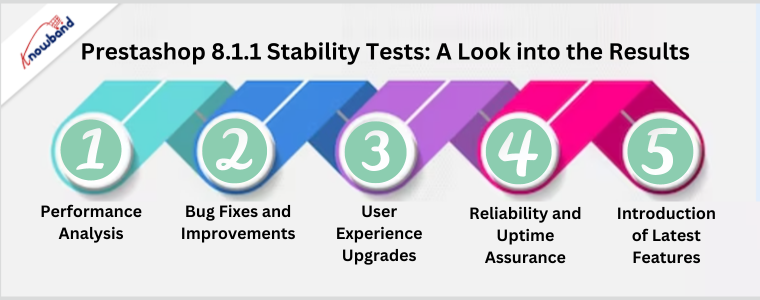
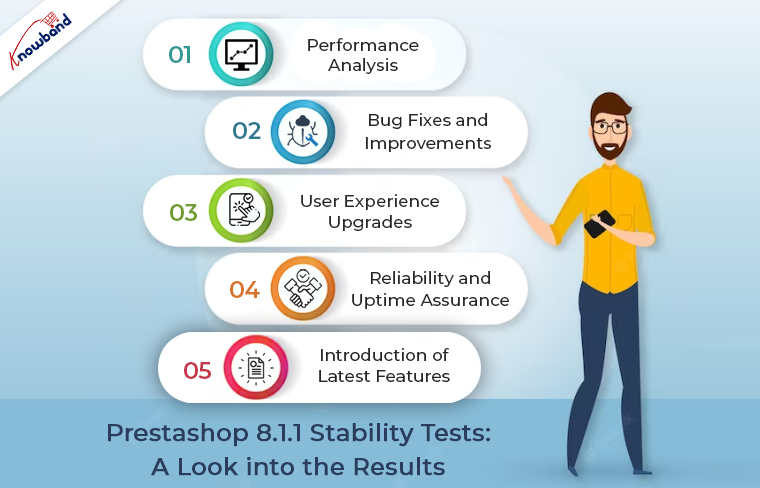
Performance Analysis:

The stability tests commenced by rigorously assessing Prestashop 8.1.1’s performance under different loads and scenarios. Our tech professionals simulated various traffic patterns, including peak loads, sustained traffic, and sudden spikes. To gauge the platform’s ability to handle heavy user activity. The results were nothing short of impressive, with Prestashop 8.1.1 showcasing exceptional performance even during the most demanding situations.


Bug Fixes and Improvements:

Prestashop 8.1.1 also addressed numerous bug fixes identified in the previous versions. The developers worked diligently to eliminate any existing issues. Creating a more seamless and reliable user experience. The stability tests verified these bug fixes and confirmed the successful resolution of known problems. Providing users with enhanced satisfaction and fewer disruptions.


User Experience Upgrades:

An e-commerce platform’s success often hinges on the user experience it offers. Prestashop 8.1.1 introduces several user-centric improvements to elevate customer satisfaction. Through stability testing, the team ensured that these enhancements did not only function flawlessly. But, also deliver an intuitive and engaging experience for shoppers. From a streamlined checkout process to responsive design, Prestashop 8.1.1 is geared toward maximizing user retention and conversion rates.


Reliability and Uptime Assurance:

Reliability is paramount for any online business, and Prestashop 8.1.1 recognizes this core requirement. Following the same, the stability tests analyzed the platform’s uptime and robustness, guaranteeing that online stores powered by Prestashop remain accessible and operational at all times. The results demonstrated an impressive track record of stability, instilling confidence in businesses relying on the platform for their day-to-day operations.


Introduction of Latest Features:

Prestashop 8.1.1 brings an array of new features designed to propel e-commerce businesses to new heights. From enhanced inventory management tools to integrated marketing features. The latest version empowers online retailers to stay competitive in the dynamic digital landscape. The stability tests confirmed that these new features seamlessly integrate with the existing framework, enabling businesses to capitalize on the platform’s full potential.

Conclusion!

The stability tests conducted on Prestashop 8.1.1 reveal a resounding success, showcasing the platform’s robustness, reliability, and enhanced performance. With its extensive bug fixes, user-centric upgrades, and introduction of innovative features. Prestashop 8.1.1 is set to transform the e-commerce experience for businesses and customers alike. Embrace the latest version and witness how it empowers your online store to thrive in an ever-evolving digital world.

Furthermore, you can also check out a wide range of feature-rich Prestashop 8.1.1 plugins on our website.