“Turn the normal search engine of your website into a Custom Search Engine (CSE) with Google Custom Search, and pave the way for higher traffic to your multiple websites along with increased visibility.”
If you are having multiple websites of a similar niche, it is possible to display the results of your overall websites at one place. Google Custom Search helps you do so.
What is Google Custom Search?
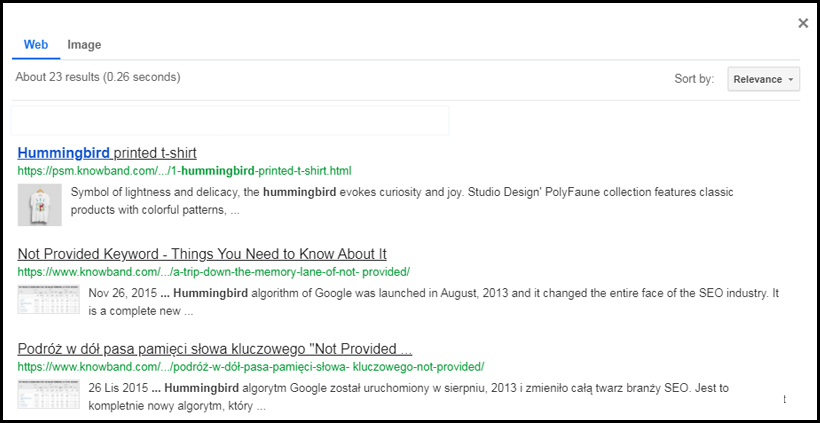
Google Custom Search is a great way to limit the Google search results and filter them into some domain-specific results only. It is basically a search bar which you can add to your website to display only those products or relevant things that belong to your websites. The searched keyword must be mapped with other websites as well.
To put it simply, Google Custom Search shrinks the overall search results and provides only that data that falls under the added domains.
How to add a Google Custom Search Engine to your Website?
1. Visit the Google Custom Search Homepage
2. Click on “Add”
3. Enter your website URL and click on “Create”. The name of the search engine will be automatically fetched after you enter the URL.
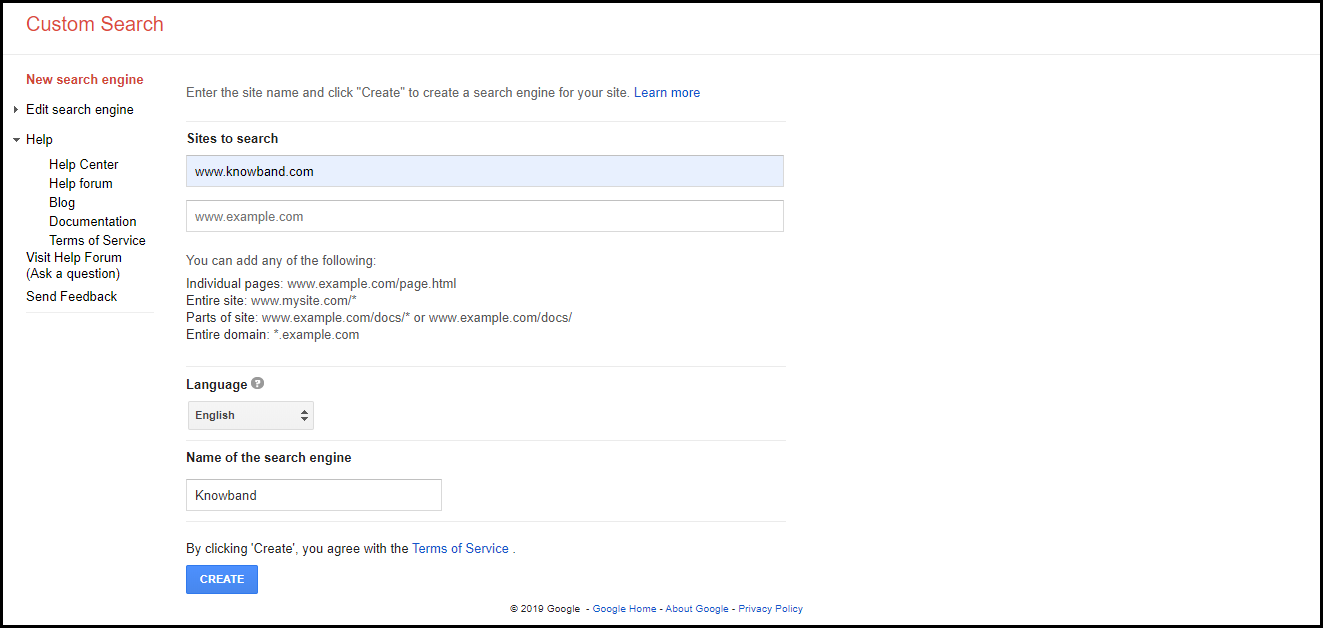
Congrats! Your custom search engine has been created.
If you want to add multiple websites, click on “Add”
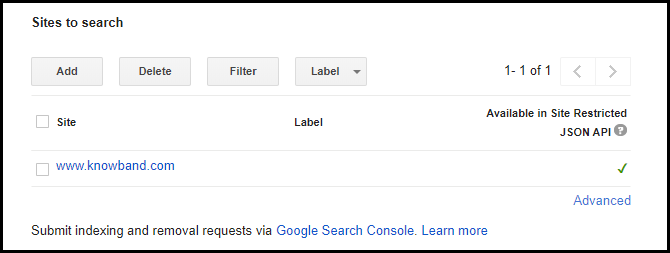
After you have successfully created the custom search engine, the next steps would be:
4. Click on “Control Panel”, you will be presented with a Basics tab.
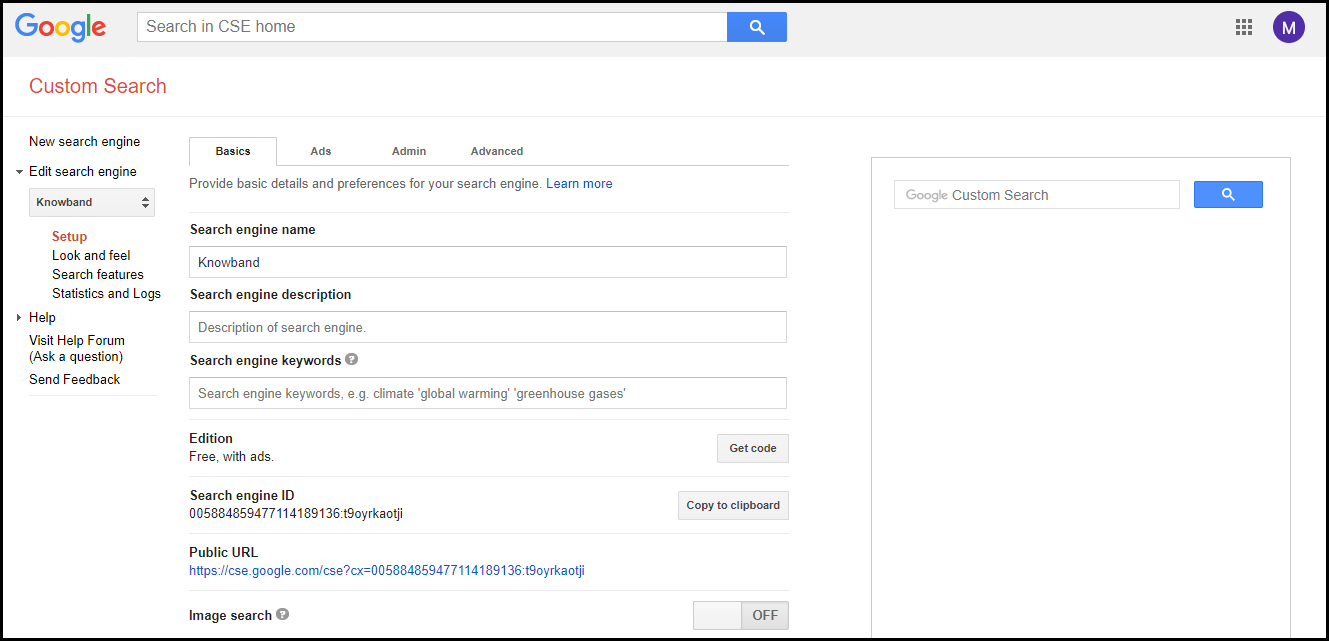
5. Now there are two options through which you can add the google custom search engine to your website.
First, you click on “Get code” that requires a bit of technical work, or second, you just copy the Search engine ID and paste it under a Google Custom Search module/plugin.
If you have a PrestaShop website, we recommend using the PrestaShop Google Custom Search addon that makes it just a one-click task to place the Google Custom Search bar on your website. It comes with a variety of features to enhance the search functionality. Do check it out.
That’s it. The Google Custom Search Engine will now appear on your site and will be ready to function.
So now let’s say I have two websites xyz.com and abc.com
I have added them under the Google Custom Search and pasted the search engine ID to my website. Now every time a user performs a search through my website, only the search results falling under these two websites will be displayed to the user.
Benefits of having a Google Custom Search Engine
Let’s now come back to the title of our topic. Why should you have Google Custom Search Engine on your website? What are the benefits of having a Google custom search engine?
Easy to Implement and Customize
Did you find it challenging to implement the Google CSE on your website, with the steps that I have mentioned above? I am pretty sure you didn’t.
It is not rocket science. All it requires is just a few basic steps to follow. Moreover, you can customize the custom search bar and search results as you desire. The implementation and customization become way too easy with our PrestaShop Google Custom Search addon.
Improves the Overall Traffic and Visibility of your Websites
Google Custom Search has the potential to boost the traffic and visibility of your websites since the results are limited to specific domains. What otherwise could have been missed through a normal google search as it displays the worldwide results, Google Custom Search ensures that those results are displayed through the custom search engine.
Auto-Complete
The autocomplete feature suggests the relevant results to the users in real-time as soon as they start typing their search query.
This can be enabled from the Control Panel.
Apart from autocomplete, Google Custom Search offers many other amazing features like customizing the interface of the search results page, changing its background colour, image search, autocorrect, different font styles. In fact, you can even remove the Google Branding.
Google Custom Search also gives you a track record of what your users are searching for.
Conclusion
Since the custom search engine uses Google’s search algorithms, it provides appropriate results that are relevant to a user’s query.
If you do not use Google CSE, it is time to shift your focus towards it.
If you liked this article on Google Custom Search or feel there is something to add in this topic, do let me know in the comments below.
PrestaShop owners can check out the admin demo and front demo of the PrestaShop Google Custom Search.