What to do if your app was declined on the Apple App Store?

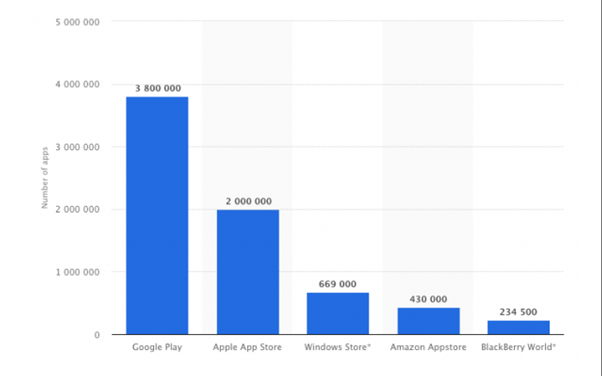
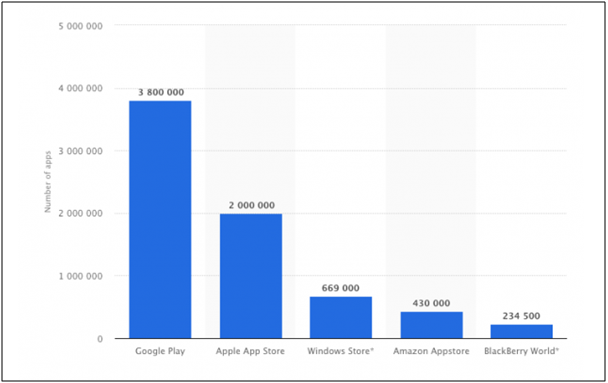
Apple App Store has such a jam-packed app environment, that sometimes publishing your app there becomes quite an arduous task. As per a survey, there are around 2 million apps available in the Apple store. Entering into this huge competition isn’t everyone’s cup of tea and often you find your App declined by Apple Store. This data isn’t stopping; every day new applications are being built and published.

According to a report on Statista, after the Google Play Store, Apple leads the list with the most number of applications available:
It is quite unfortunate that some of the apps fail to pass the iOS gatekeepers and get rejected by the store. For beginners and also for professionals, it isn’t that easy to understand why their app got declined by the iOS store and what to do next. So, here are a few reasons why your app gets declined on the Apple store along with their solutions. Keeping these points in your mind would surely get your app published in one shot. Additionally, the developers whose app got rejected can retry and get it published with these measures.

Recommended Read: What to do if your app was declined on Google Play Store?

Why does your App gets declined on the Apple Store?
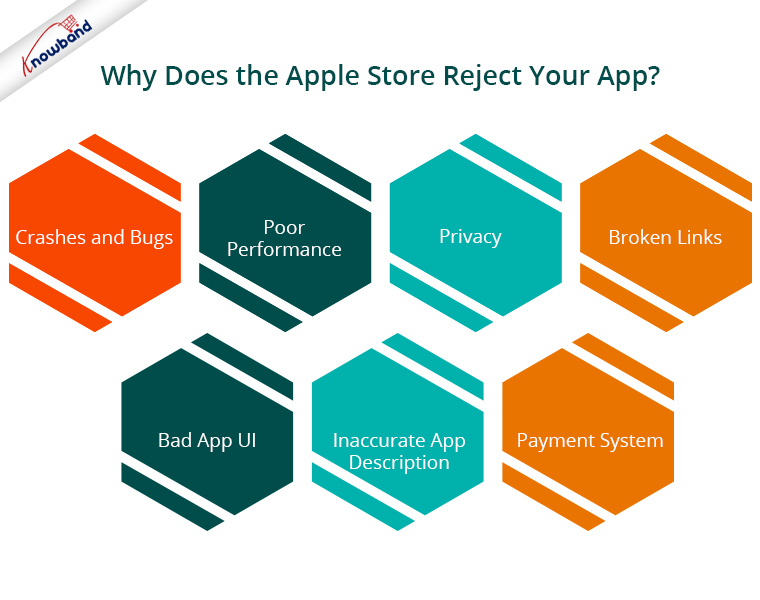
1. Crashes and Bugs

Apple isn’t lenient for apps that contain any kind of bugs or crashes. Make sure your app works fine before sending it for approval. If during testing, Apple regulators find any kind of unstable app performance, your app will surely get rejected.

2. Poor Performance

Often it happens that the app looks stunning and reliable, but when it comes to the performance they fail miserably. Either the app takes a huge time to load or it doesn’t meet the user’s expectations. Try to make App’s performance optimal if you don’t want your app in the rejection bin. You can even hide app loading time by making the right splash screen for your app.

3. Privacy

The privacy policy of the Apple App Store is very strict. You need to carefully read all the privacy policy requirements before publishing it. If you don’t provide enough privacy details in your application, it will lead to app rejection.

Recommended Read: How to save data to firebase in swift language using iOS?

4. Broken Links

Broken links have been one of the top reasons for app rejection in the Apple store. Before submitting an app for approval, go through every app page and check if all the links are working fine. There are various tools available for checking broken links in an application, I would suggest trying them at least once.

5. Bad App UI
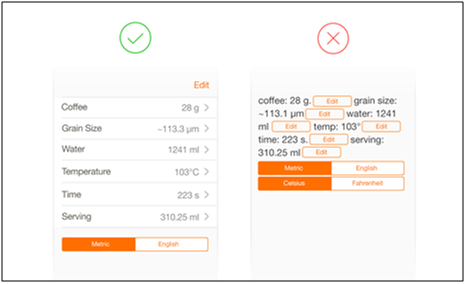
Before designing the interface of your application, in order to meet design expectations and quality, get along with Apple’s Design Guidelines. These guidelines will enrich you with a better idea of how to properly design the user interface of an application which will bring out the best results for you. Here is an example illustrating what not to do while designing app interfaces.

6. Inaccurate App Description

Lack of app description, metadata, screenshots, and preview could possibly be the reason behind app declination. The incorrect information about the application can also cause App Store rejection. Try to keep your description to the point and accurate.  Also, make sure your app doesn’t point out any lies. If your app description is misleading, you might find yourself in the hot water.

7. Payment System

If your software uses in-app purchases or digital subscriptions, transactions must go through the in-app purchasing system. Otherwise, your app will face rejection while reviewing. This is something which you should keep in mind while upgrading your website to a mobile application.

Recommended Read: How to download the Android/iOS app from the Diawi link?

Other Reasons for App Store Rejection
There might be a few other reasons for app rejections as well. So, If you have submitted your app to the Apple store for approval and it got rejected for some unknown reason, you can contact Apple support.

How to avoid app rejection from Apple App Store?

The above discussed were some of the basic reasons for app rejection. One thing is certain before submitting your app, you can avoid such rejections if you are careful while app development. Now let’s see ways through which you can save your app from hauling and get it approved:
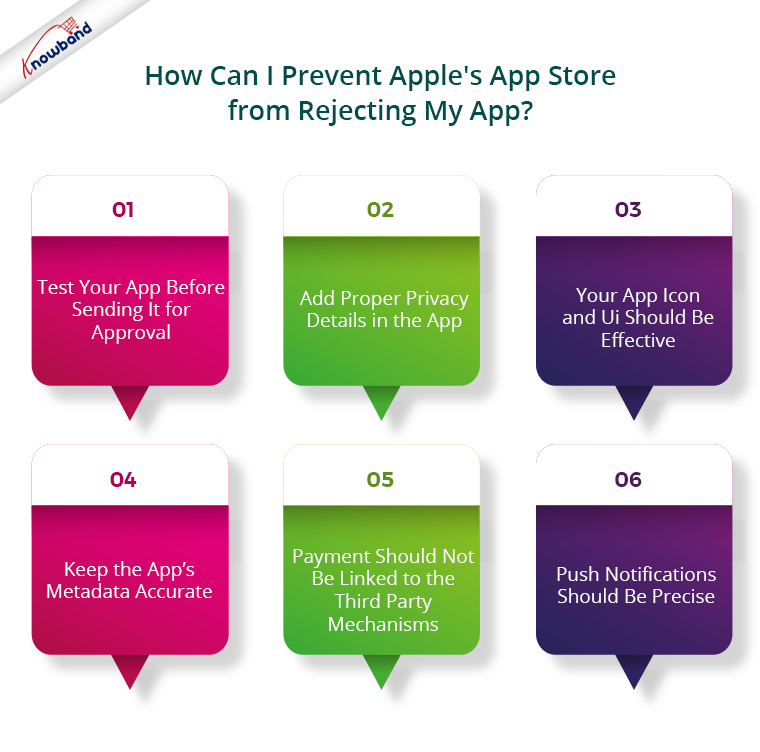
1. Test your app before sending it for approval:

App testing is a very necessary and very basic step. Any bugs or errors, if found in-app functionality, should be curbed out instantly. Before sending the application for the approval process, it should be thoroughly checked on different devices for performance issues. Fixing all the major errors could simply prevent your app from getting rejected by regulators. Test your app properly and then send it for review, and hopefully, you won’t have any issues.

2. Add proper privacy details in the app:

As per Apple’s guidelines, two types of links are must in your app, if you want it to be published:

  1. Support link with contact information.
  2. Privacy Policy page link.

I would suggest you make your application compliant with GDPR rights and Apple’s privacy policy for the safe side.

3. Your App icon and UI should be effective:

The app icon also plays a major role in app publishing on an iOS store. If your app consists of a similar kind of icon which already exists in the App Store, it will face rejection. Your app icon speaks about what your app provides to the users, so, try to make an effective app icon. Also, check your app UI shouldn’t look crammed up.

Recommended Read: 10 Tips for Creating an Icon for a Mobile App

4. Keep the App’s Metadata Accurate:

Your app description or the metadata should not discuss or point to any other mobile platform. Your app metadata should be accurate. Ensure that app content and functionality are in sync with each other and both together make a good combination.

5. Payment should not be linked to third-party mechanisms:

Apple neither accepts payment outside its App Store for one-time purchases nor for digital subscriptions. So, you should make sure that all the purchases from your application go through the user’s iTunes account.

6. Push Notifications should be precise:

Push notifications are a marketing tool which surely is a great way to engage your users who use your app. However, you should make sure that your app is registered with the APN (Apple Push Notification) service or else it will be declined by the App Store.
Wrapping Up

This rejection process of Apple is basically for preventing users to deal with a buggy or spam applications. If they become lenient, the Apple store would be full of misleading apps and it would ultimately affect their brand image. So, there are valid reasons why the apps get rejected by Apple. This approval process wouldn’t be a headache for you if you keep check of all the above-discussed checkpoints while developing an eCommerce mobile app and getting it published. They would surely help you with hassle-free app approval. So, keep a check on app rejection reasons and start reaping iOS store benefits.
Every portable device is totally compatible with the apps developed by the eCommerce mobile app provider. They are small and easy to use. Your eCommerce website is easily accessible to online customers. In spite of the fact that a sizable portion of the eCommerce market has already converted their websites into fully functional mobile stores, our job is to remove the obstacles in your way and make this process considerably simpler for you.

What to do if your app was declined on Google Play Store?

If your app lately suffered Google’s lash and got rejected on Play Store, it’s actually not a big problem and can be resolved easily. It happens quite often now-a-days that app declined by Google. The reason behind app rejection might either be that they do not meet the publishing guidelines or they have performance issues. Google has made its approval process for app more strict to offer bug-free apps for the users. Removing such apps from the play store which could damage our smartphones or steal any important data, has somehow benefited us all.

To understand how to resolve this issue, first, let us discuss why it happens in the first place. There are plenty of app rejection reasons which one should keep in their mind before getting them published on Play Store. The apps being declined after so much hard work might be scary for you, but it can be fixed. The discussion below would the do’s and do not’s in case your app declined on Google’s Play store.

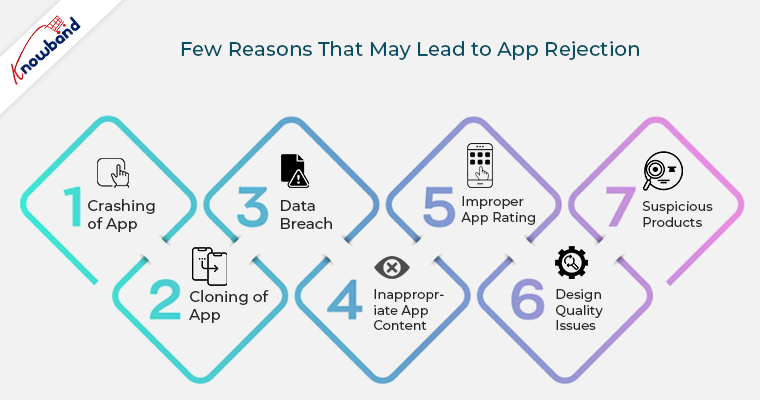
Here are the few reasons that may lead to app rejection and the ways to deal with them:

1. Crashing of App

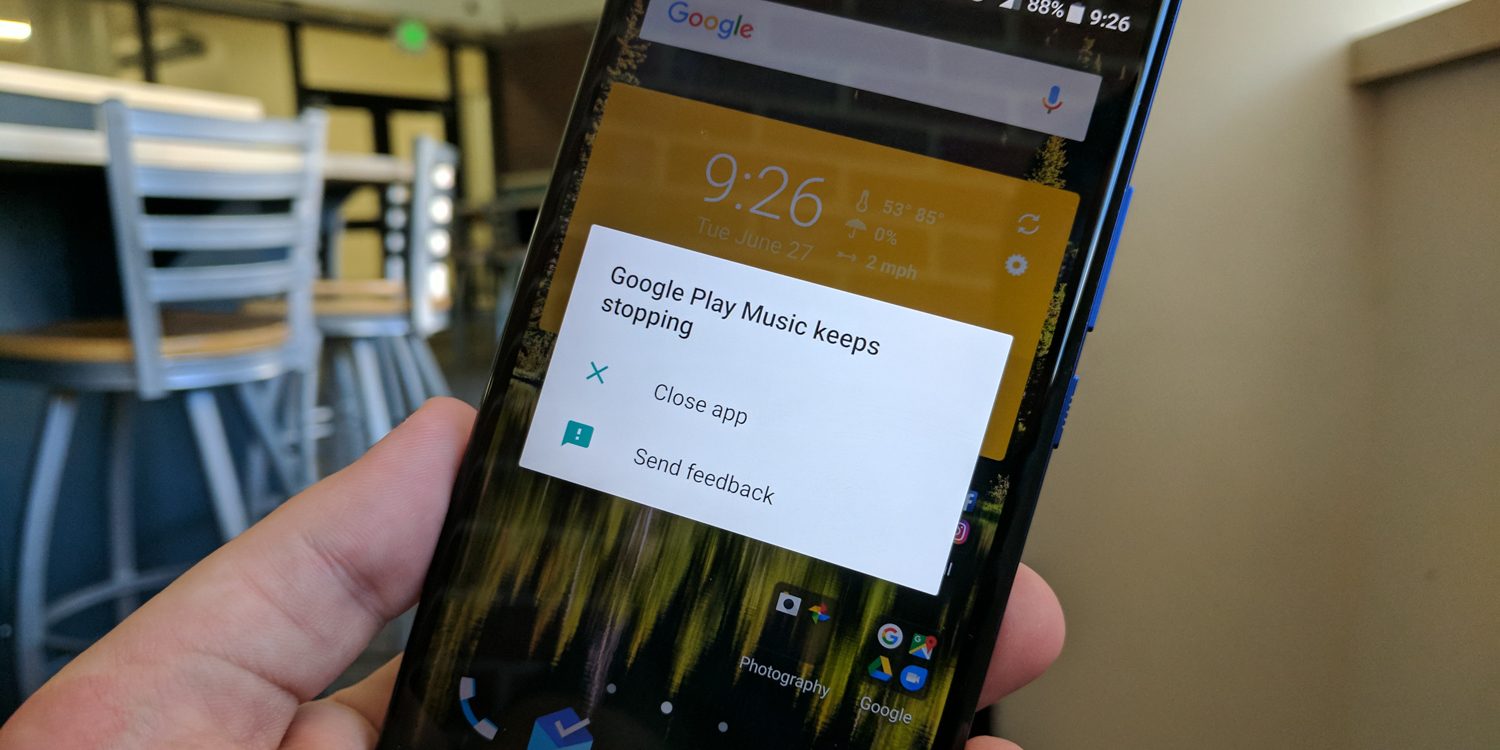
Whenever the users download an app after going through tedious searches on Play Store, they want them to work flawlessly. An app that crashes every now-and-then, might frustrate the users. Google doesn’t allow such apps in its store and thus it becomes one of the basic reasons for the app decline.

How to deal with it?

Try to test your app until you are fully satisfied with its functionality. Make sure that the app is tested as per the guidelines shared by the Play store. Get your app properly functional before publishing it to a website. If your app is already rejected, curb out its technical errors and republish it.

2. Cloning of App

Google follows very strict guidelines against copyright issues. You should be very careful before infringing on them. Your app should not be a cheap imitated version of any popular application. Concept, design or code, your app should be original. Often it happens that we somehow use a trademarked title for our app, knowingly, or by mistake, but this is restricted by Google.

How to deal with it?

If your app gets rejected due to copyright/trademark issue, just review your app title, its description, images and remove all the copyrighted names from them. If you have taken any permission from the owner regarding the same, it will be allowed by Google, prior to proper proof submission.

3. Data Breach

If you don’t want this to happen with you, keep your app enriched with the privacy policies. If your app has already been declined for the same reason, take important measures to remove data breach from it and republish it on the Google Play Store with a new account. (Refer to section 1.2 for the creation of new Google Play account)


How to deal with it?

If you don’t want this to happen with you, keep your app enriched with the privacy policies. If your app has already been declined for the same reason, take important measures to remove data breach from it and republish it on the Google Play Store with a new account. (Refer to section 1.2 for the creation of new Google Play account)

4. Inappropriate App Content

App content should not have any instance of graphic violence, racist comments or sexual content. If there is any kind of mature content available in the description, you should clearly mention at the time of app rating. If you try to hide the fact or consider it less important, you will ultimately find your app in Google’s bin.

How to deal with it?

If your app gets rejected because of inappropriate content, accept the rejection carefully and seriously. Don’t try to repeat it again with other apps linked with your account. Repeated violation of this guideline could get your entire account permanently terminated from Google’s Play Store. For the app which has been already rejected, publish it with a new account and be careful about spamming this time. Keep the address of this account different from the previous one and don’t link both of them in anyway. (Refer to section 1.2 for the creation of new Google Play account)

5. Improper App Rating

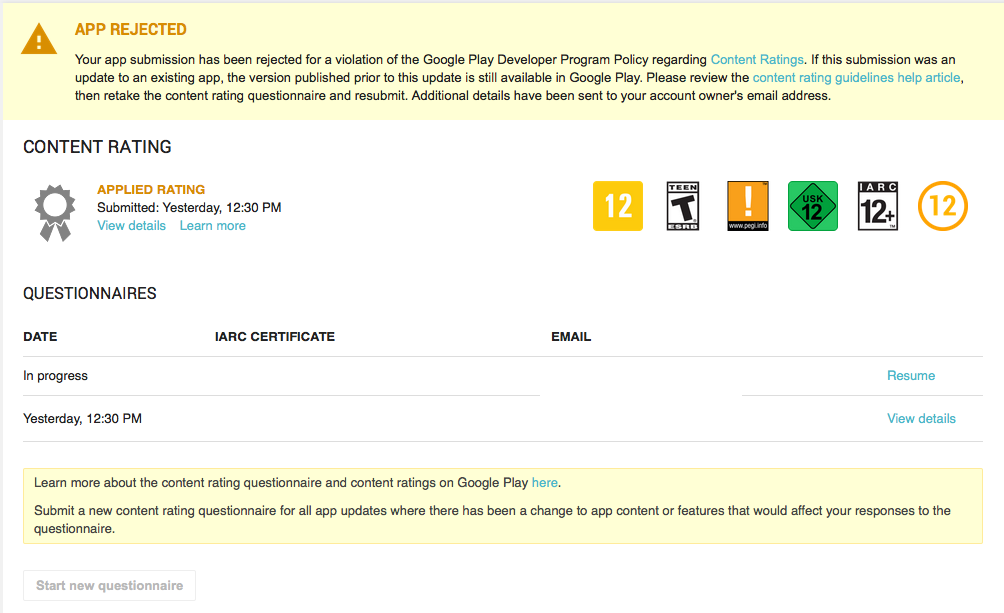
Google’s Play Store gives app content rating feature to provide info about what age group is suitable for that app. For this, there is a questionnaire that needs to be filled. On the basis which your app will be rated. You should provide all the correct info about your app and make sure it has been rated correctly for the right audience. Often people try to mislead the moderator with wrong details and ultimately their app gets underrated.

How to deal with it?

Google provides an easy solution for it, by giving you second chance to fill up the questionnaire. You should take this opportunity seriously and provide all the correct information about your app this time and get your app rated correctly on Google’s Play Store. However, if you keep on repeating this mistake, instead of being unrated, your app will be permanently rejected from the store.

6. Design Quality Issues

If your app follows proper design guidelines, you need not worry about the app rejection. Google’s design guidelines describe all the basic principles required for building your app’s UI. Keep your app’s color, fonts and graphics as per the rules and it will be easily published on the Play store or else it will be rejected.

How to deal with it?

If your app gets rejected because of design issues, I would recommend you to invest some money and get your app re-designed as per the shared guidelines. It is the best possible solution available in this scenario.

7. Suspicious Products

If an app tries to pose any type of risk on user’s security, it will be at once rejected by Google. Any type of malware, Trojan horse or other viruses and bugs if found either in-app or linked with app description, Google will catch it.


How to deal with it?

Make sure that every links and ad network used in your app are clean and does not contain any malware issues. If these ads or links are pointing to something suspicious or dangerous content, it violates Google’s guidelines. If your app already got rejected, try to remove all the malware and add a privacy policy with it if any private information is being asked by the user. Publish an app after this with a new account. (Refer to section 1.2 for the creation of new Google Play account)

1.2 How to create a new account on the Google Play Store?

You can easily set up a Google account from your Android device or laptop. Following are the few tips regarding developer account registration:

  1. Create a separate Google Account through your device.
  2. Make sure this Google account is not personal, keep this account organizational.
  3. Review all the developer and seller countries where you can target your audience before going for account creation.

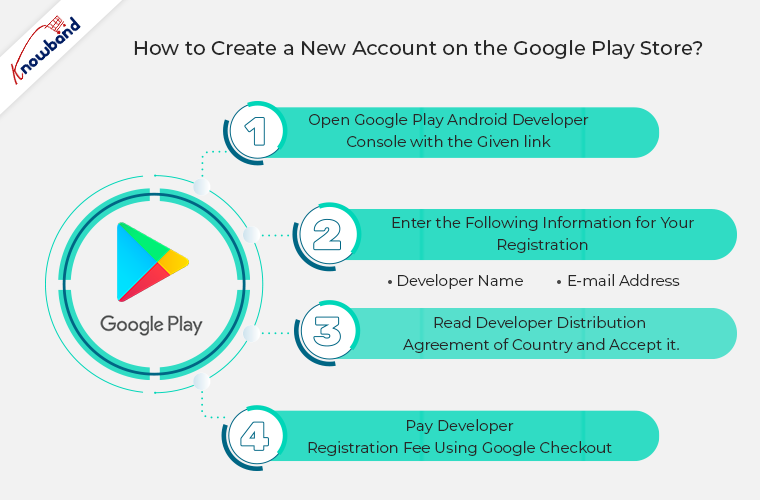
Following are the four simple steps for publishing a new account on the Google Play store:

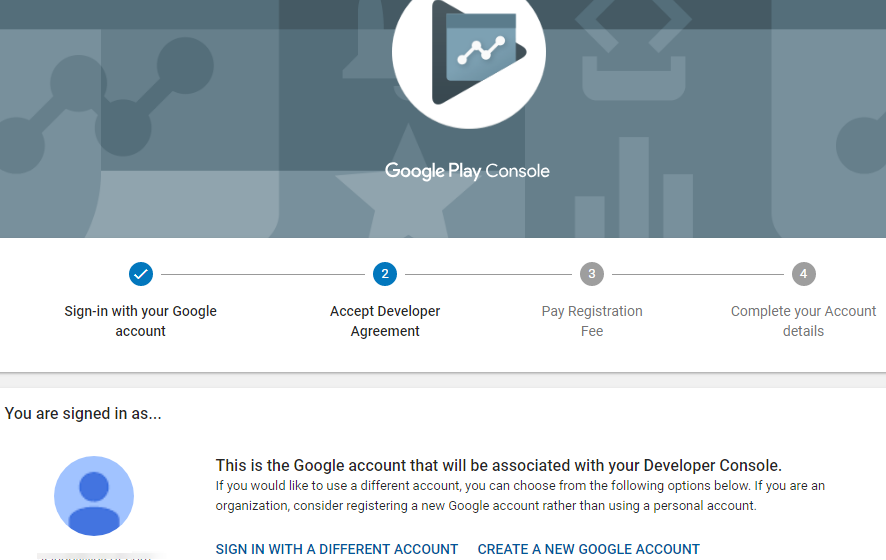
Step 1: Open Google Play Android Developer Console with the following link:

https://play.google.com/apps/publish


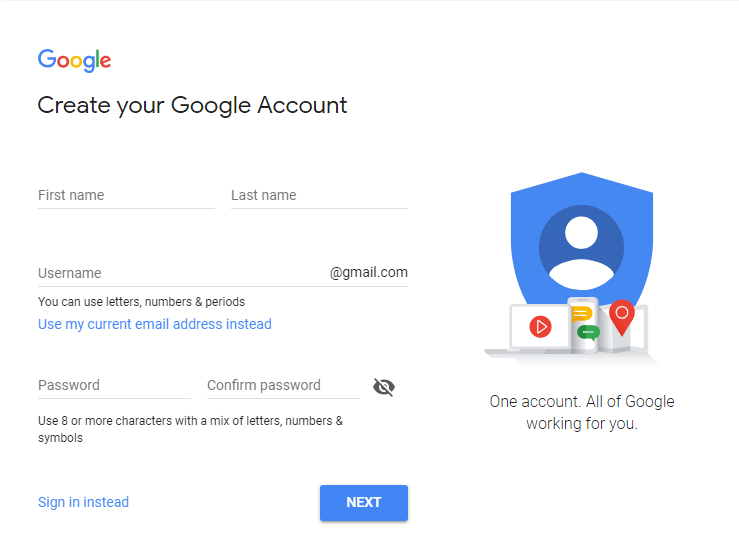
Either log in to an existing Google Account or register a new one through the sign-up option.

Step 2: Enter the following information for your registration –

  • Developer name
  • E-mail address

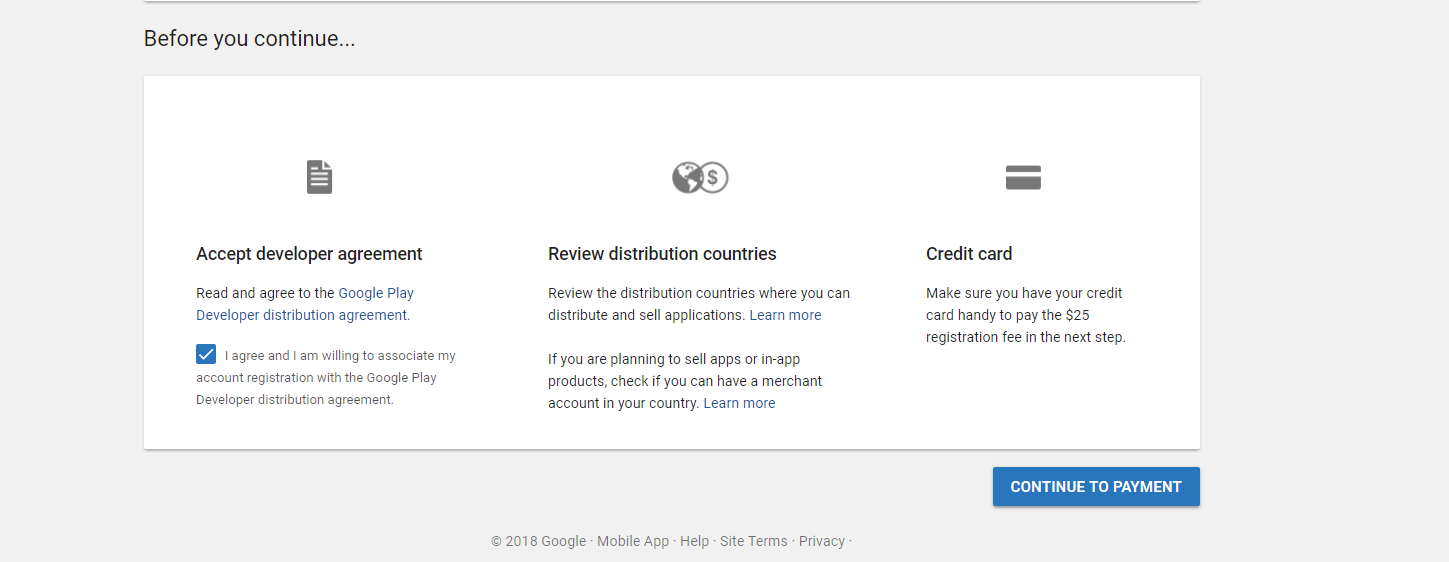
Step 3: Read Developer Distribution Agreement of country and accept it. You should keep in mind that apps which are published on Google Play Store must comply with the Developer Policies.

Step 4: Now, in the final step pay developer registration fee using Google Checkout. If you haven’t Google Checkout account just create one with the available option.

Conclusion:

There are various other reasons for app rejections, but the above-discussed one is most basic and often ignored by the developers. Google uses both manual and automated app review system, so, keeping a track of the developer guidelines could save you from the trouble. To make app publishing easier and convenient for you, build it with robust an eCommerce app builder that provides feature loaded fully functional app.

Knowband is providing one such module that can help you create a feature-rich App. We also help you in making the app live on the Google Play Store and Apple App Store.

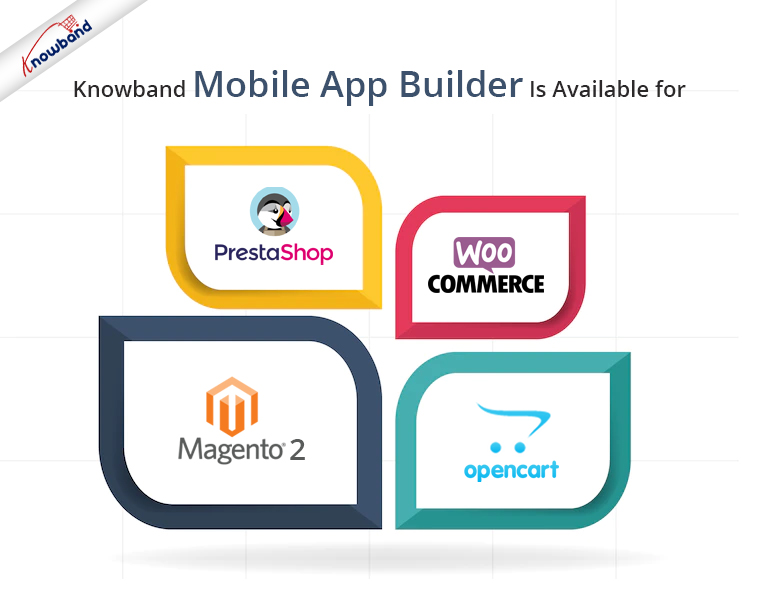
Our No Code Mobile App solution is available for Prestashop, Opencart, Magento 2 and WooCommerce. Know more:


Also Read: