Upgrade Extension
Follow the below mentioned steps for upgrade extension:
- Open the back-end of your store and hover your cursor on the System menu and then on Magento Connect option and then click on the Magento Connect Manager option.
|
System Menu(menu bar)>>Magento Connect>>Magento Connect Manager. |
Under Extensions Tab:
- Make sure that the check-box for “put store on the maintenance mode while installing/upgrading” is marked.
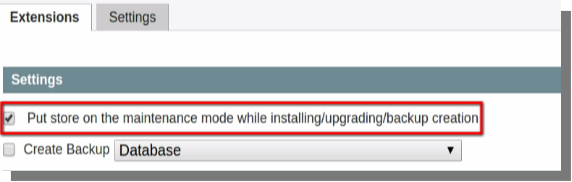
- Next, click on the “Check for Upgrades” option, the extensions list will be updated and those who have the latest version will be colored in yellow.

- In the list find the extension which you wish to update and from its drop-down select the latest extension.
- Click on the Commit Changes button at the bottom of the page.
- Wait until the Upgrade is complete, when this happens click on the Refresh button below the command window at the bottom of the page.
- The Extension will be upgraded after completion of the above mentioned steps.
You Might Also Like:

