

How to Create Categories and Subcategories in Magento
Creating Categories and Sub-categories
This tutorial will guide you how to add categories and their sub-categories in your Magento store.
Creating Categories and Subcategories
To add categories and their subcategories in your store, you can follow the steps provided below :
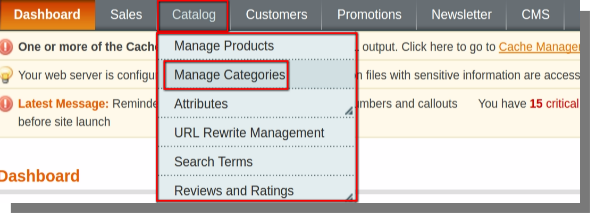
- Open the back-end of your store and hover your cursor on the Catalog menu and then click on the Manage Categories option.
- Catalog Menu(menu bar)>>Manage Categories.
A page will open which will contain options like :
- Add root category
- Add subcategory
- Save category and Reset at top right corner of the page.
- General Information, Display Settings, Custom Design, Category Products.
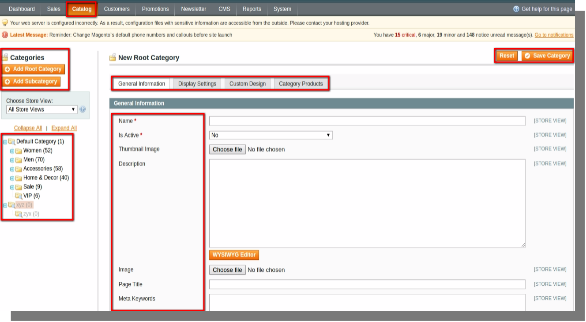
- You can add and save the categories, sub-categories and their details using save category option.