

Running an eCommerce store comes with a wide range of challenges. Poor product data can hurt search visibility, weak discovery can limit the impact of conversion efforts, and slow support can turn interested shoppers into lost customers. These issues are closely connected, so the key is to identify which problem is costing your store the most and address it first. Together, even small gaps across these areas can have a significant impact on revenue.
This guide breaks these challenges into seven categories. Each section explains what the problem is, why it happens, and how to fix it. So, you can use these insights to support business decisions.
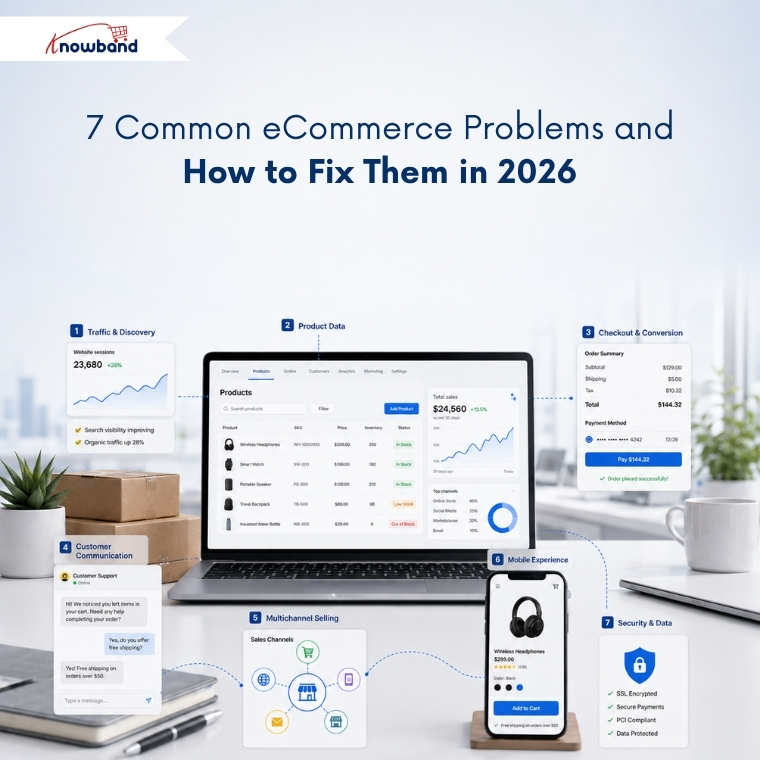
1. Traffic and Discovery Problems
What are eCommerce discovery problems?
Discovery problems occur when shoppers who want your product never reach your store. Rankings drop, category pages stop getting indexed, or the product appears in Google but never inside an AI-generated answer.
Sudden Traffic Drop: There could be several reasons for traffic to fall, which include SEO problems, indexing problems, broken links, search rankings, and optimization of pages. It is important that merchants check their site to see any problems related to search engine optimization. OpenCart store merchants can consider getting an OpenCart SEO audit done.
Why discovery fails
Search now runs on two separate tracks, and most stores are only optimised for one. Traditional organic results still reward crawlability, internal linking, and content depth. AI-powered search, however, looks for something different. It depends on structured, machine-readable product facts that a model can quote with confidence.
A product page can therefore rank on page one and remain invisible inside an AI shopping recommendation. The model found no clean price, no reliable availability status, and no extractable specification, so it recommended a competitor it could read instead.
How to fix discovery problems
Start by checking your website’s indexation status in Google Search Console. Identify which URLs Google excluded, and fix the underlying cause rather than resubmitting the sitemap. In many cases, faceted navigation creates thousands of similar URLs that compete with each other. Duplicate category paths pointing to the same product are another common cause of indexing problems.
Next, focus on making your product data easier for search engines and AI systems to understand. Every product needs valid Product schema, a resolvable price, an accurate availability field, and specification data in structured fields rather than buried in description HTML. Running a proper AI crawler and indexing audit shows you what the machines actually retrieve, and adding an llms.txt file that points AI crawlers to your product data closes the remaining gap.
2. Product Data and Catalog Problems
What is poor product data quality?
Poor product data quality means product information is incomplete, inconsistent across channels, or factually wrong. Missing attributes, conflicting specifications, duplicate SKUs, and stale inventory all belong in this category.
Why product data breaks
Product catalogs naturally become outdated over time, often without merchants noticing. A supplier changes a specification without notice, a bulk update runs without validation, or a product variant becomes disconnected from its parent listing. Since these issues rarely trigger immediate errors, they often go unnoticed.
The cost is documented and large. Akeneo research found that 66%of shoppers have abandoned a purchase because product information was missing or inaccurate, and 43% returned a product in the past year because pre-purchase information turned out to be incorrect. Salsify’s 2025 consumer research adds that 54% abandon when product information is inconsistent across the websites they check.
These numbers represent customers who already found your store. They were interested in buying but left because they couldn’t confidently verify the product’s details, compatibility, or suitability.
How to fix catalog data problems
Instead of measuring catalog completeness by product, measure it by individual attributes. For example, a catalog reporting 95% completeness overall can still hold zero dimension data in the categories that generate the most returns.
Always validate before importing rather than after. Bulk transfers that run on saved profiles with a full transfer log make every error traceable to a specific run, which manual CSV work never does. For stores handling frequent bulk updates, reusable import profiles with validation and detailed transfer logs help prevent the same mistakes from happening again.
3. Conversion and Checkout Problems
What is cart abandonment?
Cart abandonment is when a shopper adds a product to the cart and leaves without completing payment. According to Baymard Institute’s meta-analysis of 50 studies, the documented average cart abandonment rate is 70.22%, meaning roughly seven in ten carts never become orders.
Why shoppers abandon checkout
Baymard’s data separates the causes cleanly. Unexpected extra costs revealed late in the flow account for 48% of abandonment, making it the largest single cause by a wide margin. Forced account creation causes 26%, and a long or complicated checkout causes a further 22%.
None of those three is a market condition or a competitor problem. Each one is a design decision the merchant controls, which is why the rate moves when stores address them.
How to reduce cart abandonment
Show the full cost, shipping and tax included, before the shopper reaches payment. Offer guest checkout and move account creation to the post-purchase confirmation, when the customer is satisfied rather than impatient. Compress the flow so progress and order total stay visible in a single view, which is the core argument for a one page checkout for PrestaShop.
Baymard estimates that checkout design improvements alone could deliver an average conversion uplift of 35.26%, equivalent to roughly 260 billion dollars in recoverable orders across the US and EU.
4. Customer Communication and Retention Problems
What are eCommerce communication problems?
Communication problems appear when a store cannot answer a shopper quickly enough to keep the sale, or cannot reach a customer again after they leave. Support backlogs, ignored recovery emails, and repetitive pre-sales questions all belong here.
Why communication breaks down
Support volume grows with catalog size, while support headcount often remains unchanged. The same handful of questions repeat indefinitely: shipping timelines, return windows, sizing, compatibility, and restock dates. A human answers each one, usually several hours after the shopper asked and well after the purchase decision has moved on.
Recovery messaging carries a related problem. Abandoned cart emails still perform reasonably well on open rate, but inbox competition means the reminder often gets read after the intent has cooled.
How to fix communication problems
Automate the repetitive layer first. An AI assistant answering shipping, return, and product queries from live store data removes the questions that never required a person, which frees the team for the ones that do.
For recovery, move to a channel with faster read behaviour. Merchants have been shifting cart recovery from email toward WhatsApp for this reason, because a message read within minutes outperforms one read the following day.
5. Channel Expansion Problems
What are multichannel selling problems?
Multichannel selling problems arise when a store lists on marketplaces or shopping feeds and cannot keep catalog, pricing, and inventory consistent across them. Oversells, rejected feed items, and visible price mismatches follow.
Why channels drift apart
Each channel enforces its own taxonomy, attribute requirements, and image rules. A product that passes validation on your own store fails on Google Shopping for a missing GTIN, or fails on a marketplace because the category mapping is wrong.
Manual listing makes drift inevitable. Once a price gets updated in one place and forgotten in another, any shopper comparing the two learns only that your store is careless.
How to fix channel consistency
Treat your store catalog as the single source of truth and push data outward from it, never sideways between channels. Automated product feed synchronisation then keeps price and stock aligned on a schedule instead of relying on memory.
Treat feed rejections as free diagnostics. When Google refuses an item for a missing attribute, that same gap is usually costing you conversions on your own site too. Merchants weighing a new channel will find the practical considerations before selling on Etsy a useful check before committing.
6. Mobile Experience Problems
What is the mobile conversion gap?
The mobile conversion gap describes the difference between how much traffic arrives on mobile and how much revenue it produces. Mobile carries the clear majority of eCommerce sessions while converting at roughly half the desktop rate.
Why mobile underperforms
Friction a desktop user tolerates becomes a dealbreaker on a phone. Long forms, tap targets built for a mouse pointer, slow largest contentful paint, and limited payment options each cost a measurable share of completions.
Responsive design solved layout without solving interaction. A checkout designed for desktop and scaled down to fit a phone still asks for the same fifteen fields.
How to close the mobile gap
Fix Core Web Vitals on mobile first, since that is where failures concentrate. Reduce checkout fields, enable autofill, and add Apple Pay and Google Pay as payment options.
Reducing checkout steps on OpenCart returns roughly twice the gain on mobile that it does on desktop. Stores with meaningful repeat purchase rates should also review how app-first competitors win returning customers, because a dedicated app removes the friction rather than managing it.
7. Security, Spam, and Data Integrity Problems
What are eCommerce security problems?
eCommerce security problems cover unauthorised access to customer data, payment fraud, and automated abuse such as bot registrations, spam form submissions, and credential stuffing.
Why stores get targeted
Online stores hold precisely what attackers want: payment details, addresses, and credentials that customers reuse elsewhere. Smaller merchants attract attention because they maintain security controls less consistently and monitor them less frequently.
Spam is the more common daily problem. Fake registrations fill the customer table, junk form submissions consume support time, and bot traffic can also distort the analytics that inform key business decisions.
How to reduce exposure
Update the platform and every installed extension on a schedule rather than after something breaks. Enforce HTTPS across the store, restrict admin access by role, and keep off-site backups you have tested restoring at least once. A dedicated security module covers the layers that otherwise get forgotten.
Secure the frontend as well. Stopping bots and fake registrations at the form layer protects both the customer database and the reporting you make decisions from, and well-designed forms reduce abandonment on registration and contact pages at the same time.
Turning Store Data Into Decisions
Every problem above stays invisible until you measure it. Most merchants still export order data into spreadsheets, which means the insight arrives weeks after the loss and after the pattern has already changed.
Query the store directly instead. Getting answers from your store data without writing SQL turns weekly reporting into a two-minute question, and smart store analytics identifies which of these seven categories is costing the most right now.
Track four numbers weekly: abandonment rate split by device, feed rejection count, attribute completeness by category, and support tickets grouped by question type.
Where to Start
Work in order of measurable loss rather than in order of visibility.
For most stores, that means checkout first, catalog data second, and discovery third. The first two help convert visitors you have already acquired, which makes them the cheapest available wins. Discovery brings new visitors in, and filling a leaking bucket rarely ends well.
Knowband builds modules across all seven areas for PrestaShop, OpenCart, Magento, and Shopify, covering checkout optimisation, catalog import and export, marketplace integrations, mobile apps, and customer engagement.


