

PrestaShop Mobile App Builder Installation – Using Admin Credentials
This tutorial guides you with the process to install PrestaShop Mobile App Builder on your website using backend admin details.

This tutorial is intended with KnowBand’s PrestaShop Mobile App Builder installation on your website. All the e-merchants having their website on PrestaShop v1.6 & v1.7.
Well, installation of KnowBand’s PrestaShop Mobile App Builder on your PrestaShop website is just a matter of a few simple steps. Using your website back office admin details, you can install the module in a few minutes. Move on with the steps listed below:
Step 1: Login Using Backend Details
Login to your PrestaShop website backend panel using your login details.
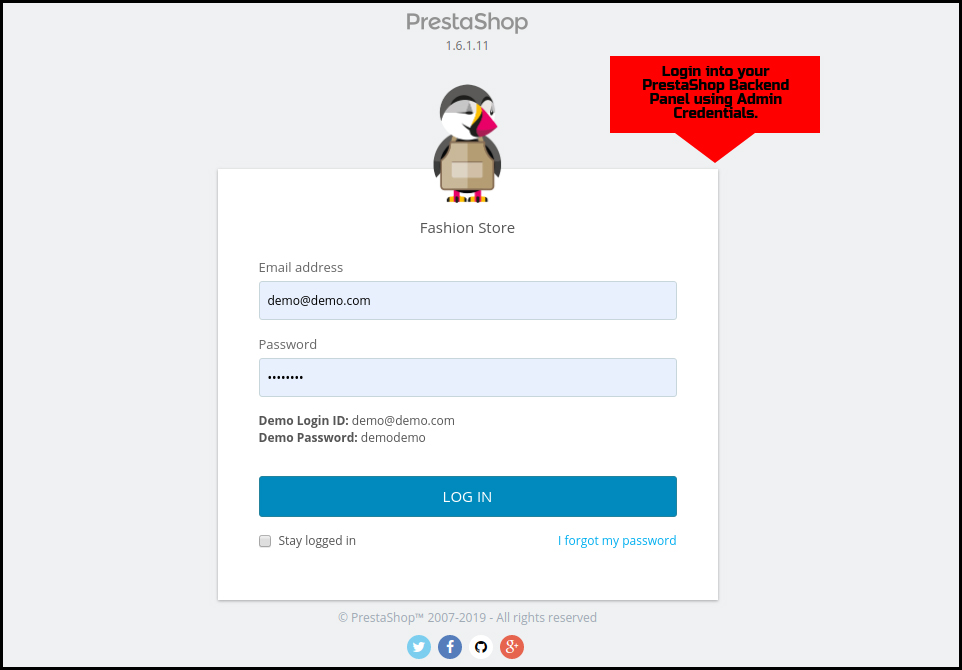
Step 2: Add Source Code on your Website
On the top-right corner, there is an option to “Add New Module”. Click & install the zipped source code of PrestaShop Mobile App Builder. You will get the required zip file once the module is purchased.
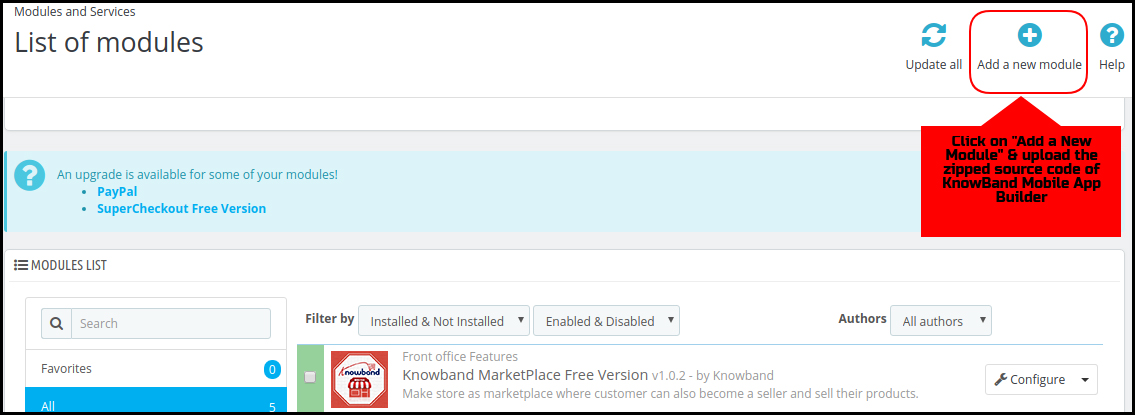
Step 3: Search for the Installed Module
Go to Modules & Services tab and search for KnowBand Mobile App Creator module.
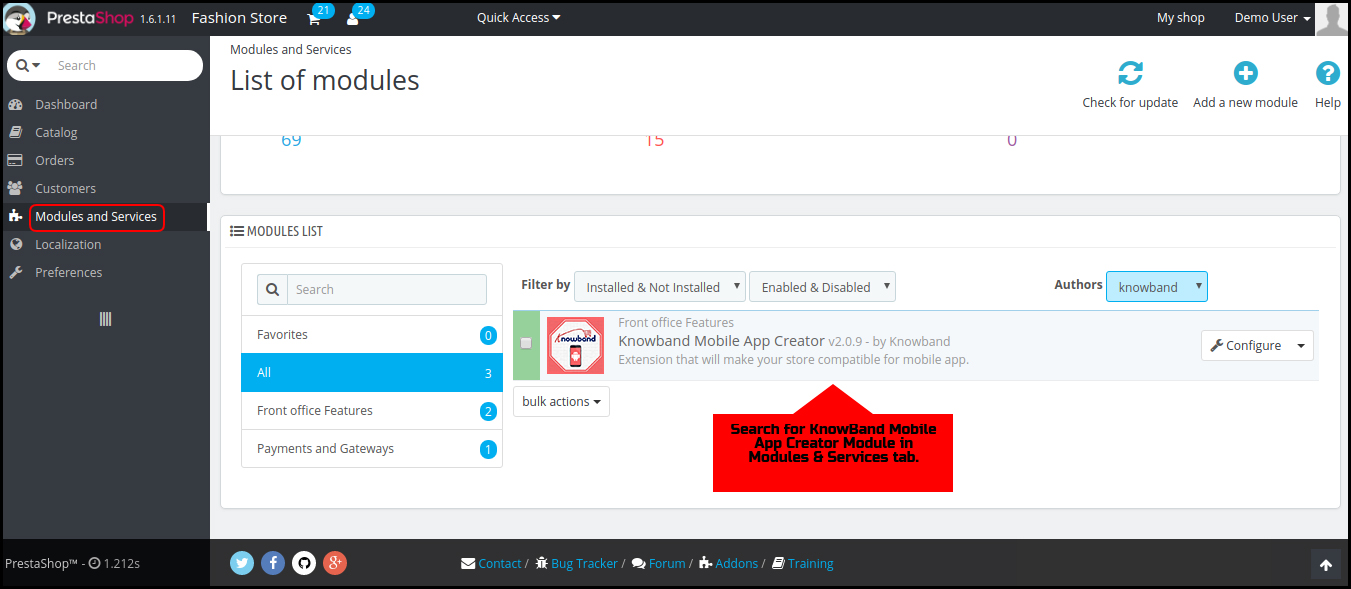
Step 4: Configure the Module
Click “Configure” & next screen would be of KnowBand Mobile App Builder.
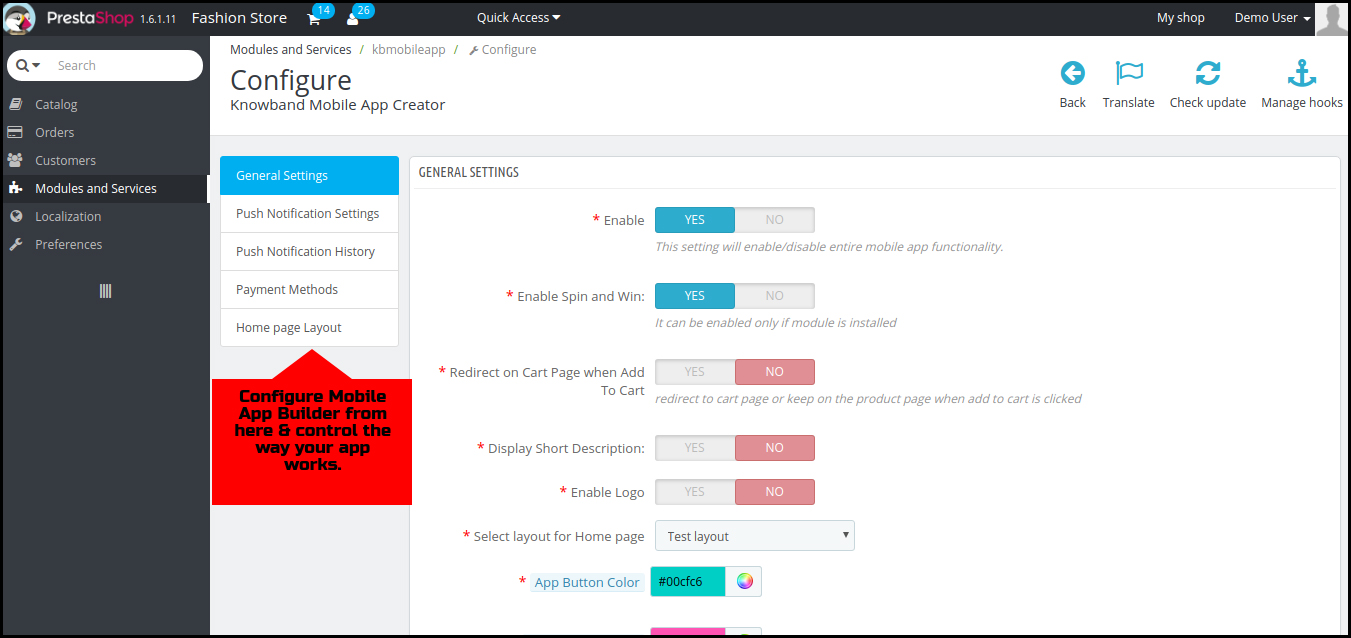
That’s it! You have successfully installed the PrestaShop Mobile App Builder plugin on your store & ready to configure the same. Hope, this tutorial proves helpful to you.

Done! What’s Next?
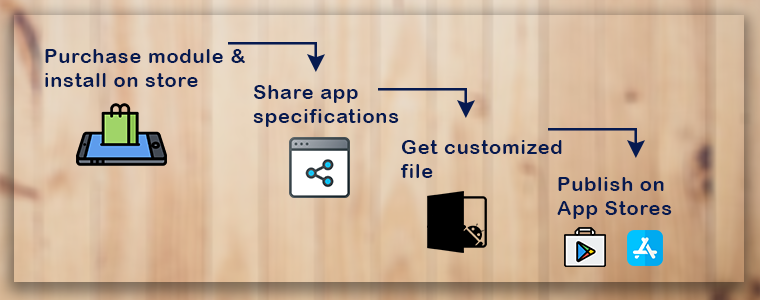
Once you have successfully installed the PrestaShop Mobile App Builder plugin on your website, we would share a pre-requisites form with you. This form would gather all the specifications & requirements of your app for a better understanding of our developers. That’s it! Now, sit back & relax. We would get back to you with your app.
Liked Article? You can opt for module installation using PrestaShop website FTP details. Here is the link to the same:
PrestaShop Mobile App Builder Installation – Using FTP Details
- 7 Common eCommerce Problems and How to Fix Them in 2026
- Why a Branded Mobile App Is Becoming the Default Growth Channel for PrestaShop Stores in 2026
- Why Knowband’s Prestashop Mobile App Builder Is a Mobile Sales Game-Changer in 2026
- Lebrun’s Mobile App Launch: From Concept to Reality in Weeks
- Fashion Plano Mobile App Goes Live with Knowband’s PrestaShop MAB: Mobile eCommerce Success Story