
Are you facing the hurdles when it comes to managing the multi-store from the single admin interface? Prestashop offers the easiest way to handle multiple stores from the single admin interface. Here’s how you can do it:
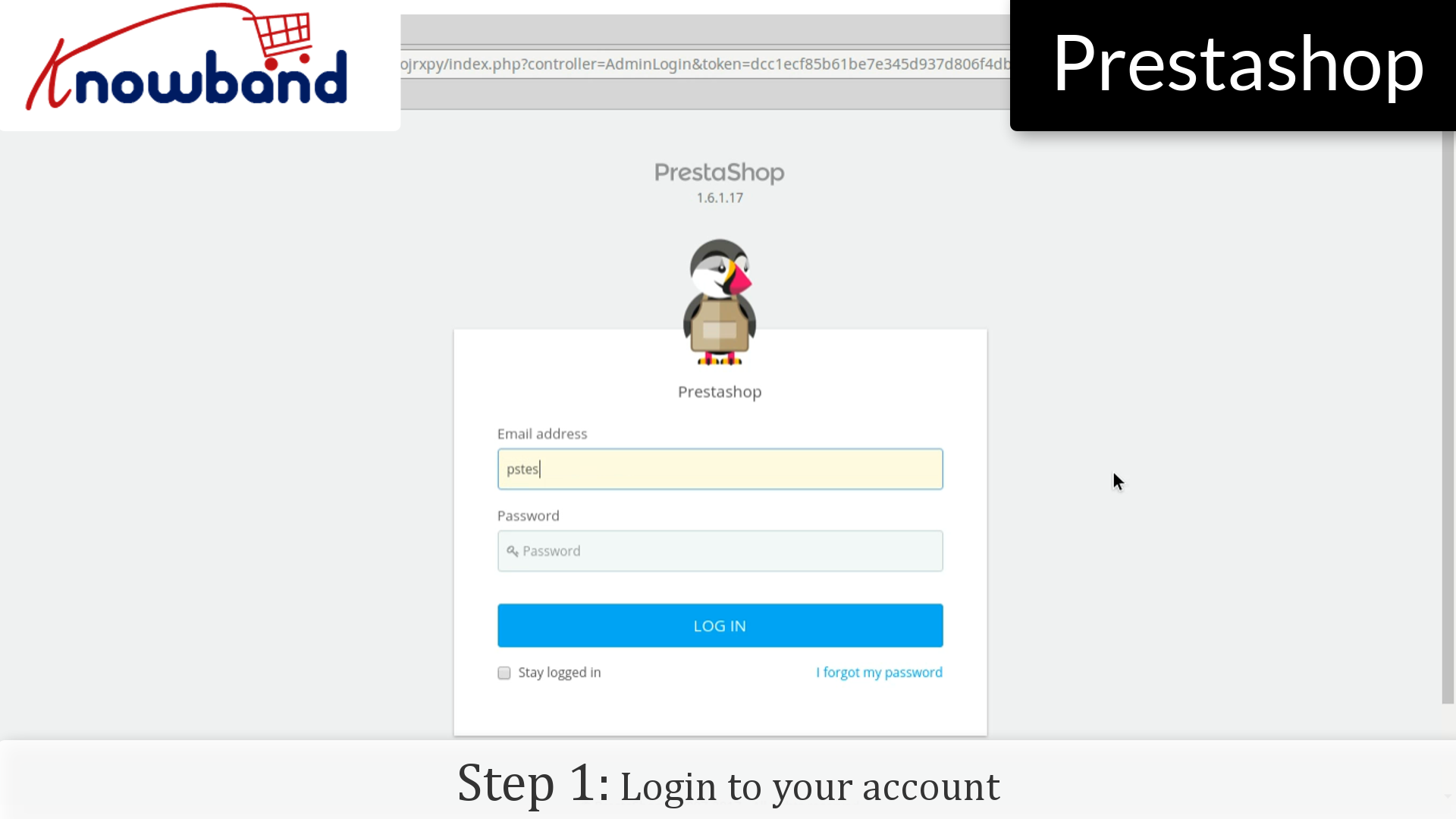
Step 1: Login to your admin panel.
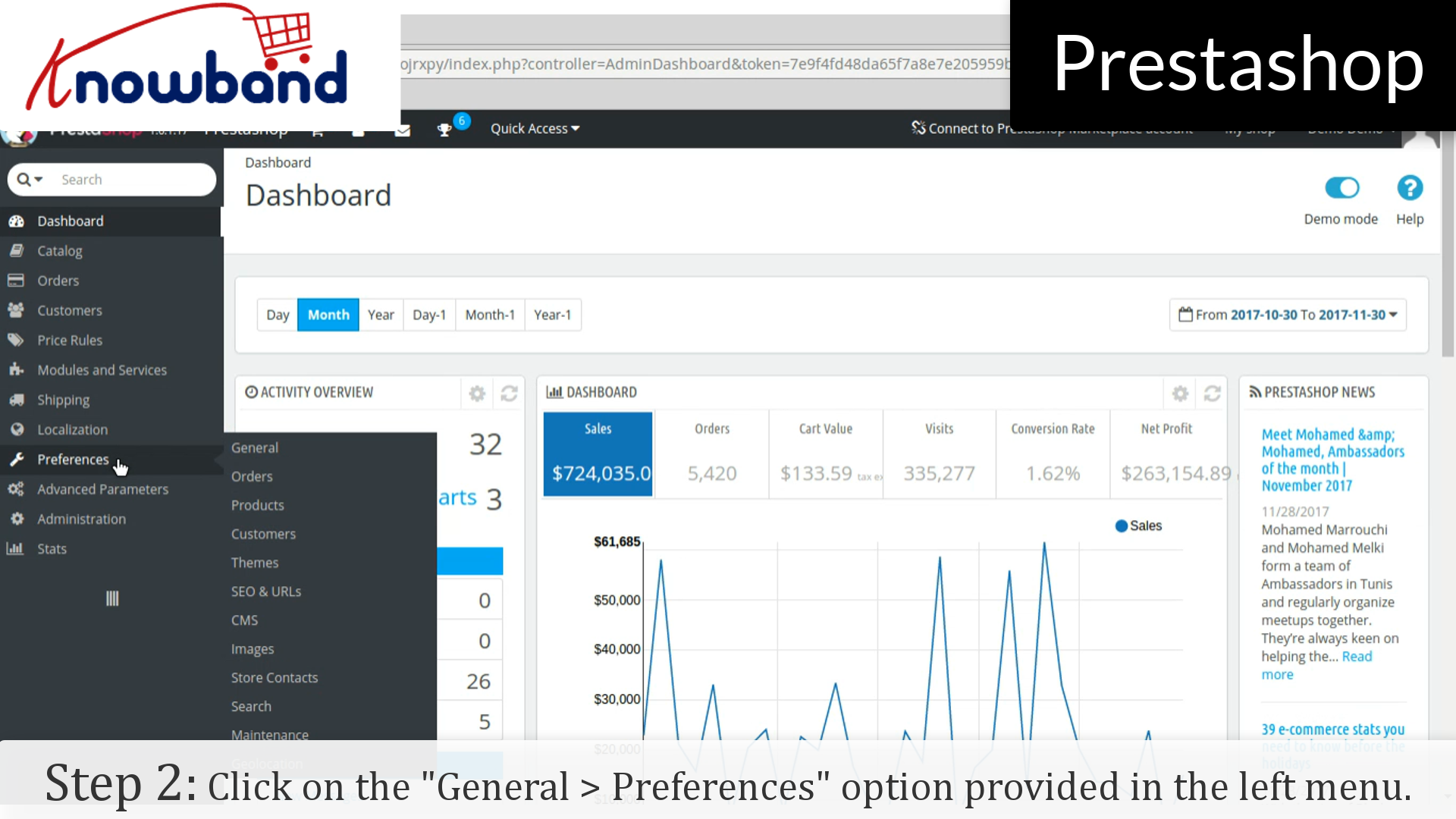
Step 2: After you have successfully logged in, click on the Preferences->General option provided in the left menu.
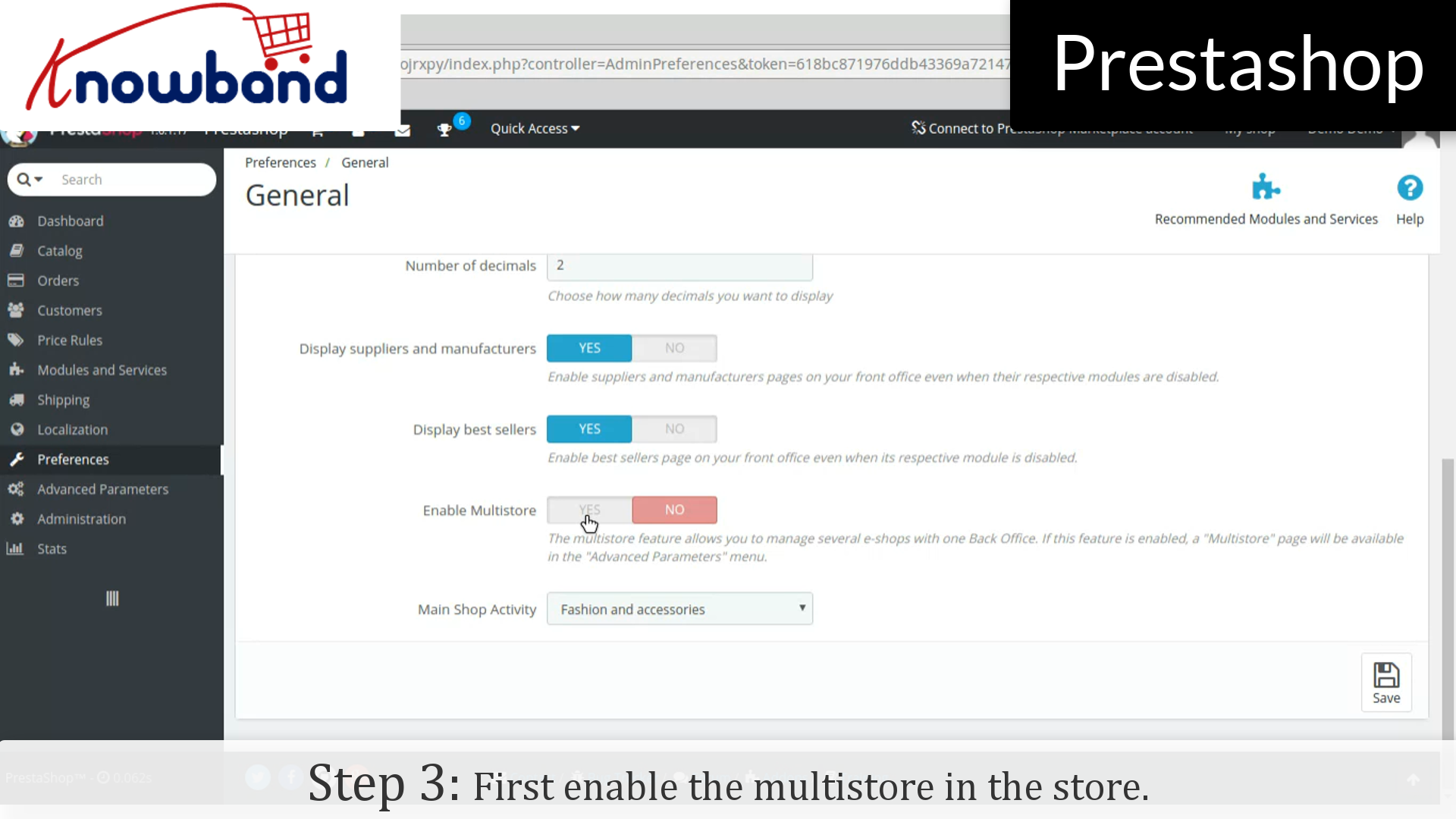
Step 3: Now, enable the Multistore in the store.
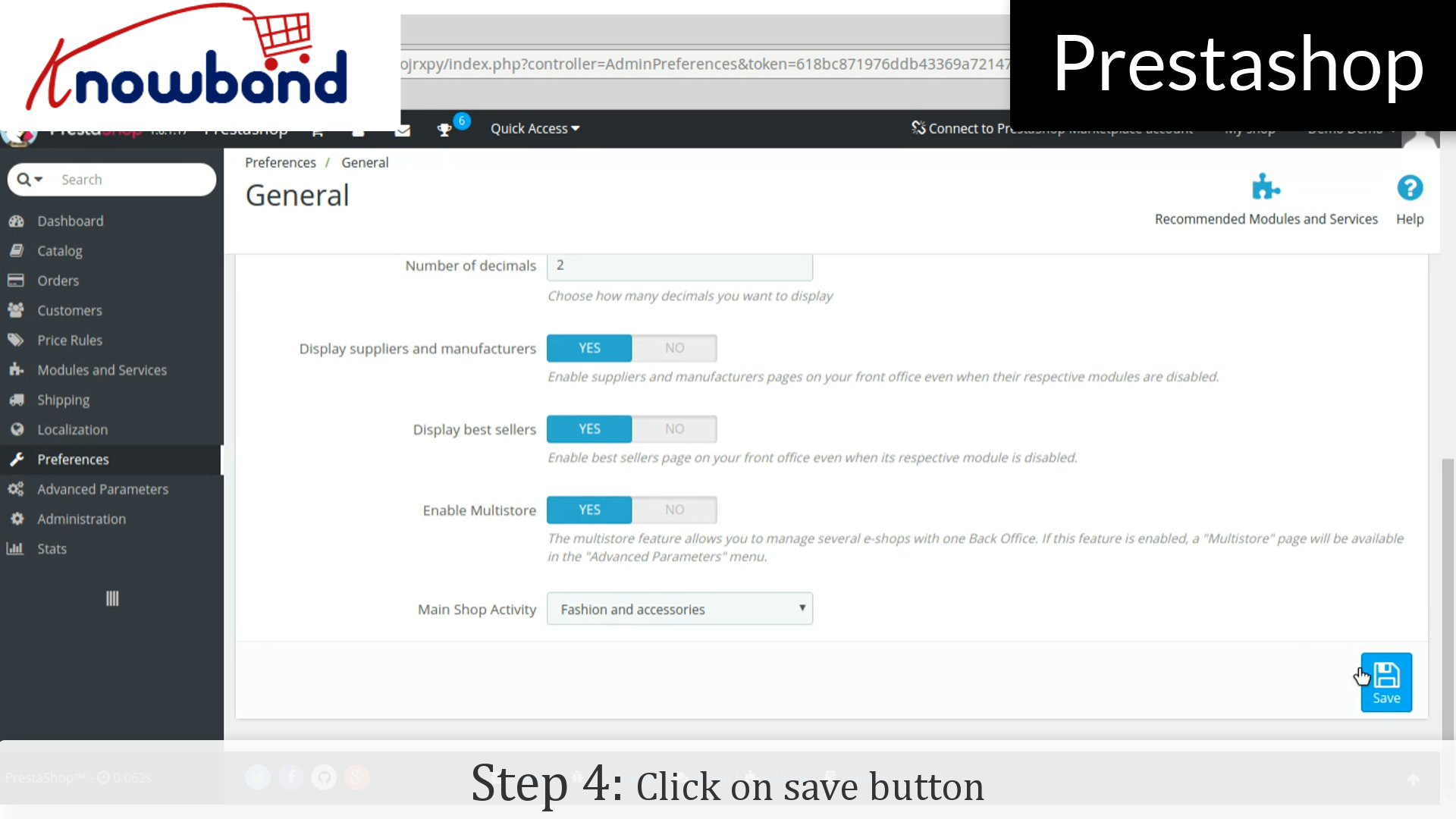
Step 4: Then, click on the save button.
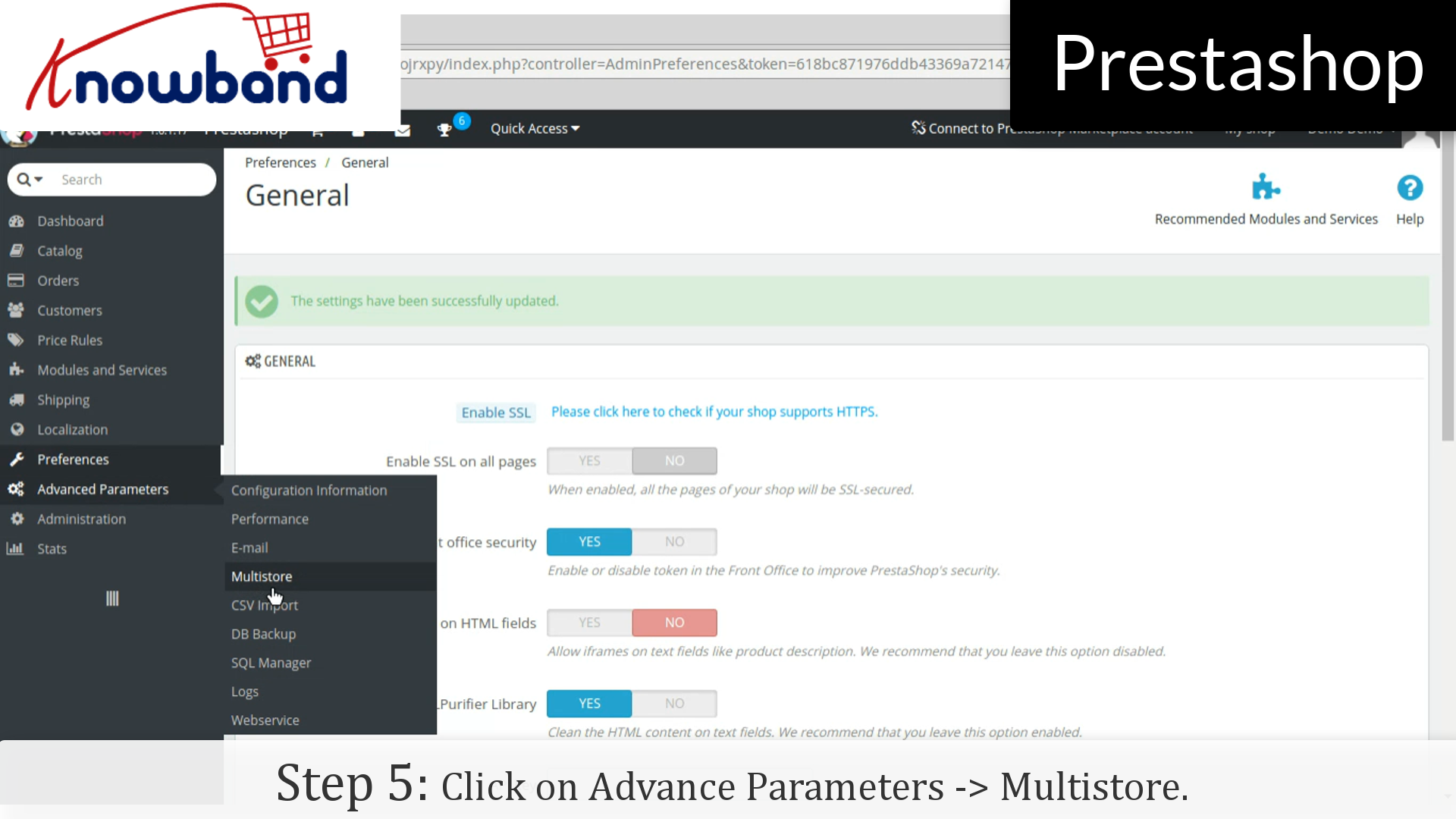
Step 5: After that, click on Advance Parameters->Multistore option provided in the left menu and add multistore.
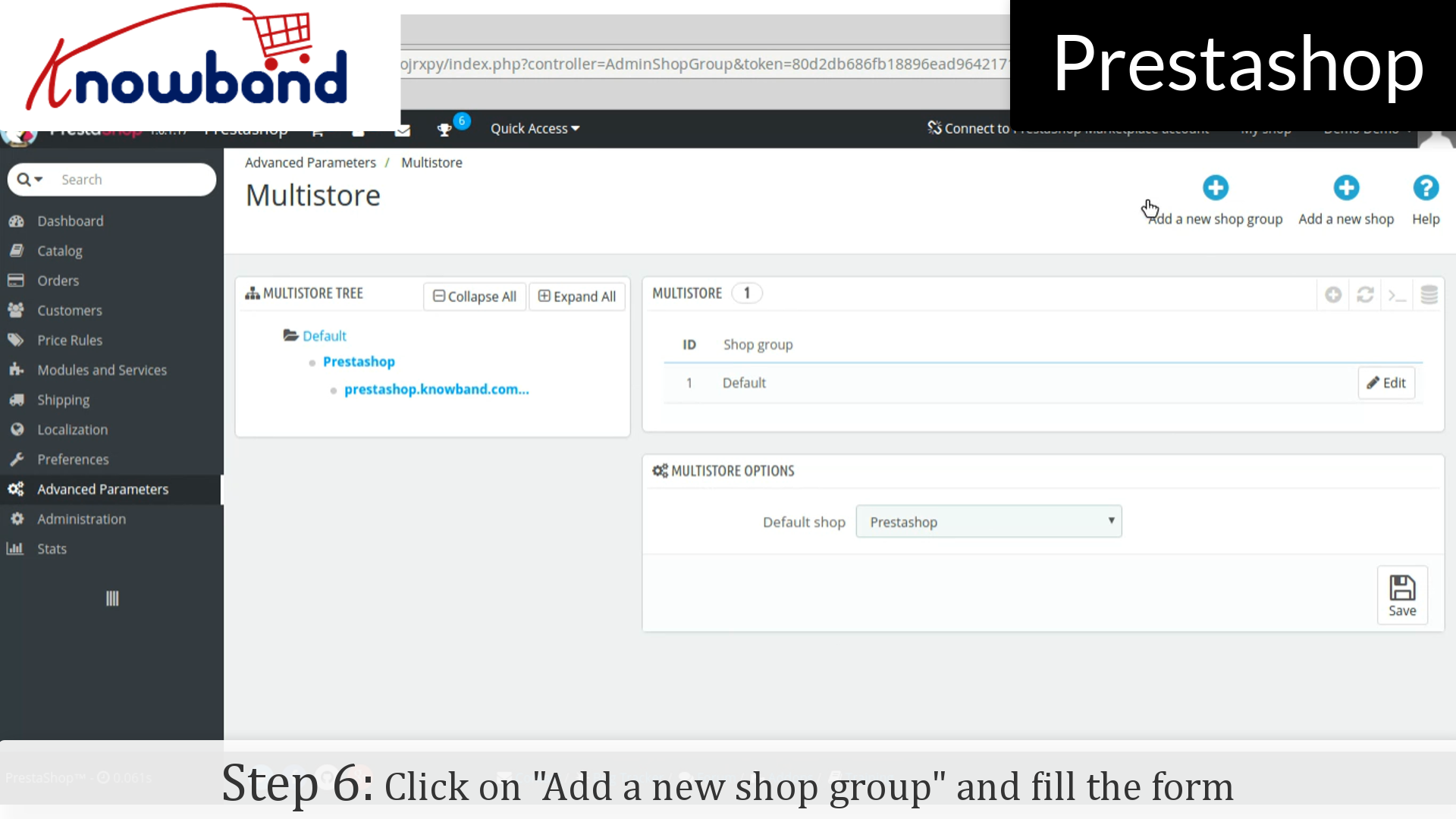
Step 6: Click on “Add a new shop group” button in the top right corner on the dashboard. Fill the form and save the form to create new shop group.
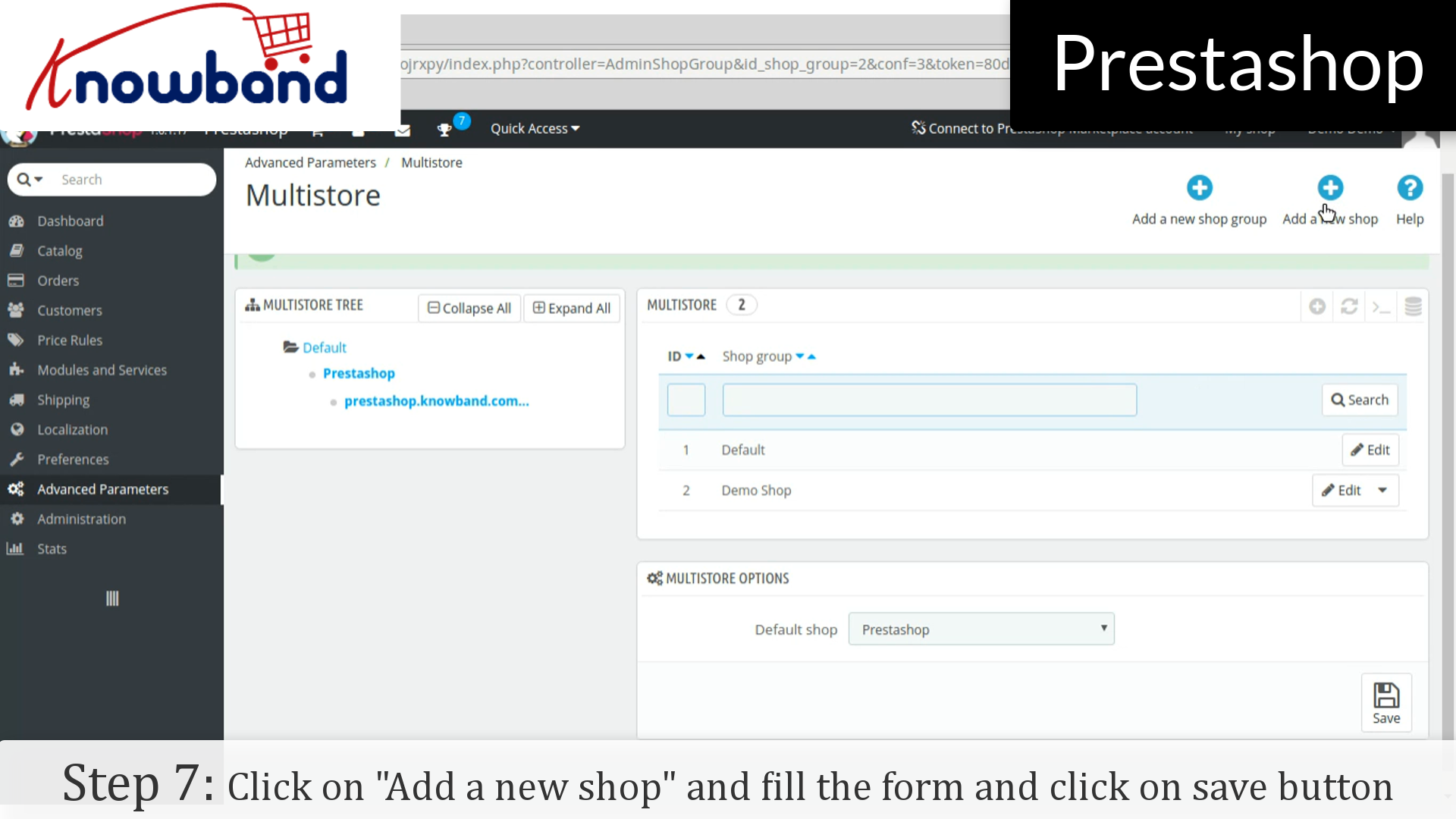
Step 7: After that, click on “Add a new shop” button next to the “Add a new shop group”. Fill the form and click on save button.
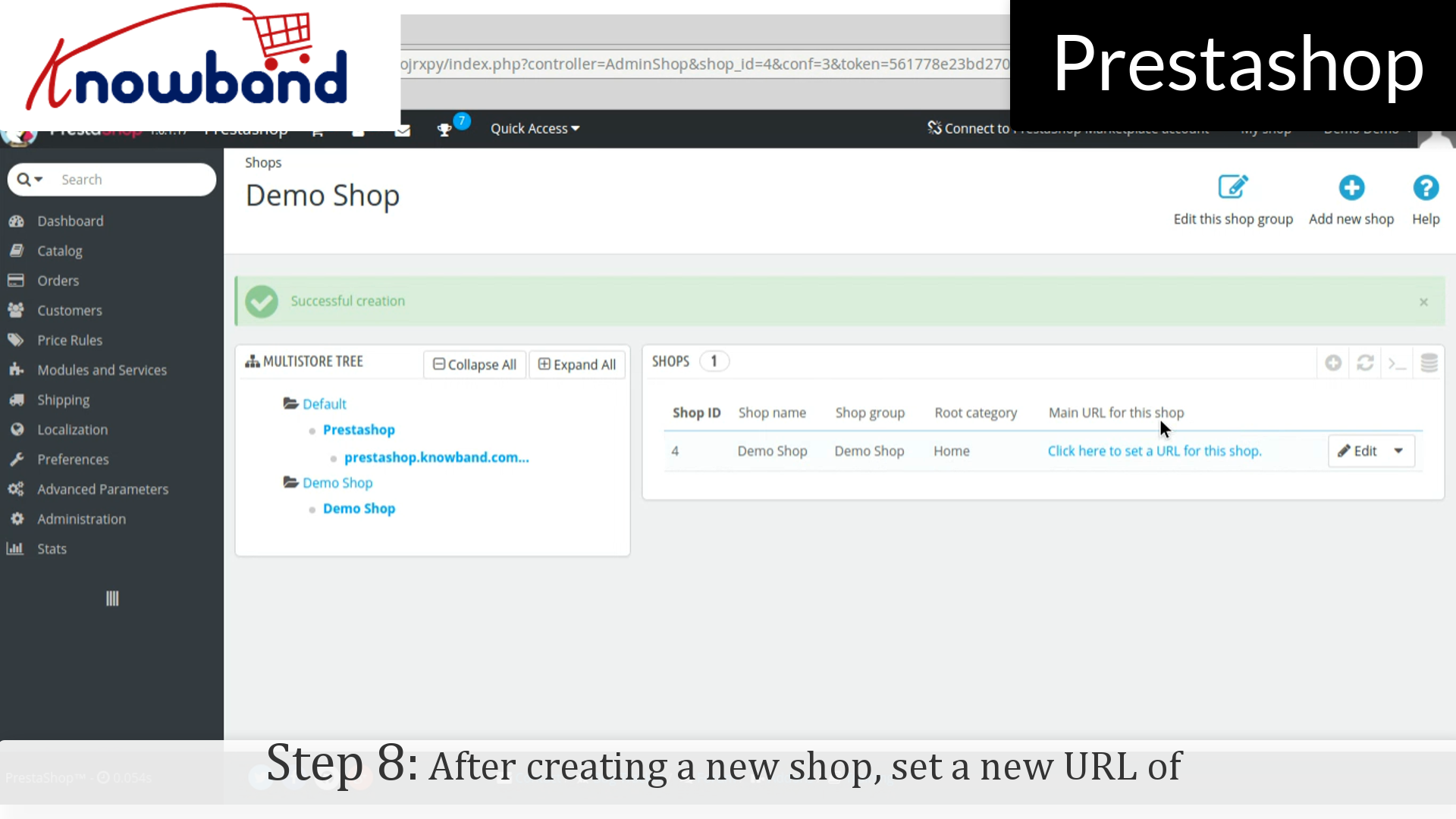
Step 8: After creating a new shop, set a new URL of the shop by clicking on “Click here to set a new URL for this shop”. A new form is open in which enter the desired url.
Physical URI: You must set the physical path to your actual installation on your server. If the shop is at the root of the domain or subdomain, leave this field empty. Example: / or /kids/.
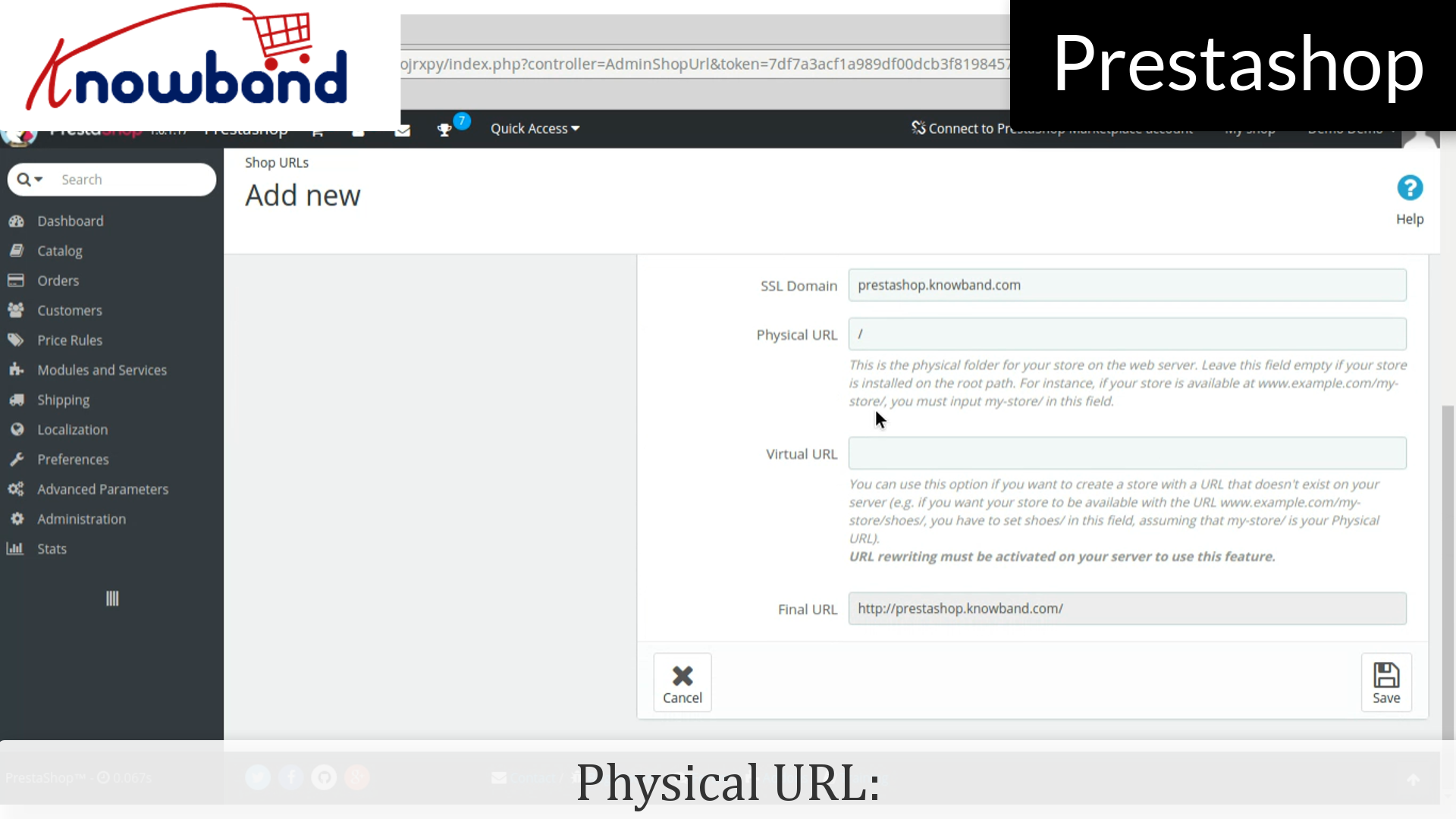
Virtual URI: URL rewriting must be enabled in PrestaShop (meaning Friendly URLs, Preferences->SEO & URLs). Example: /shoes/. Note that this only works for subfolder shops, not subdomain shops.
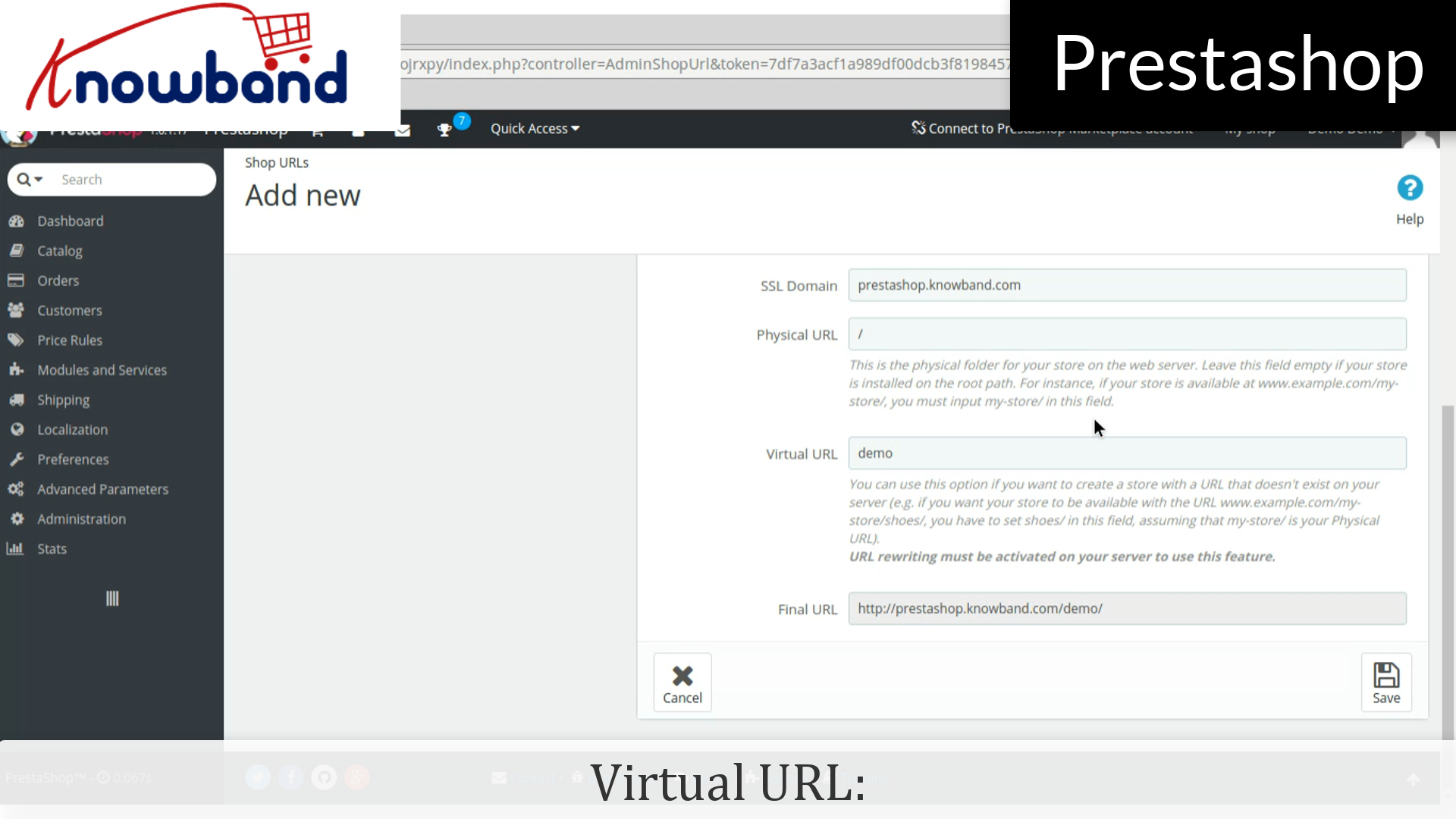
If 404 error is occured then, enable mod_rewrite.
Step 9: Make the necessary changes.
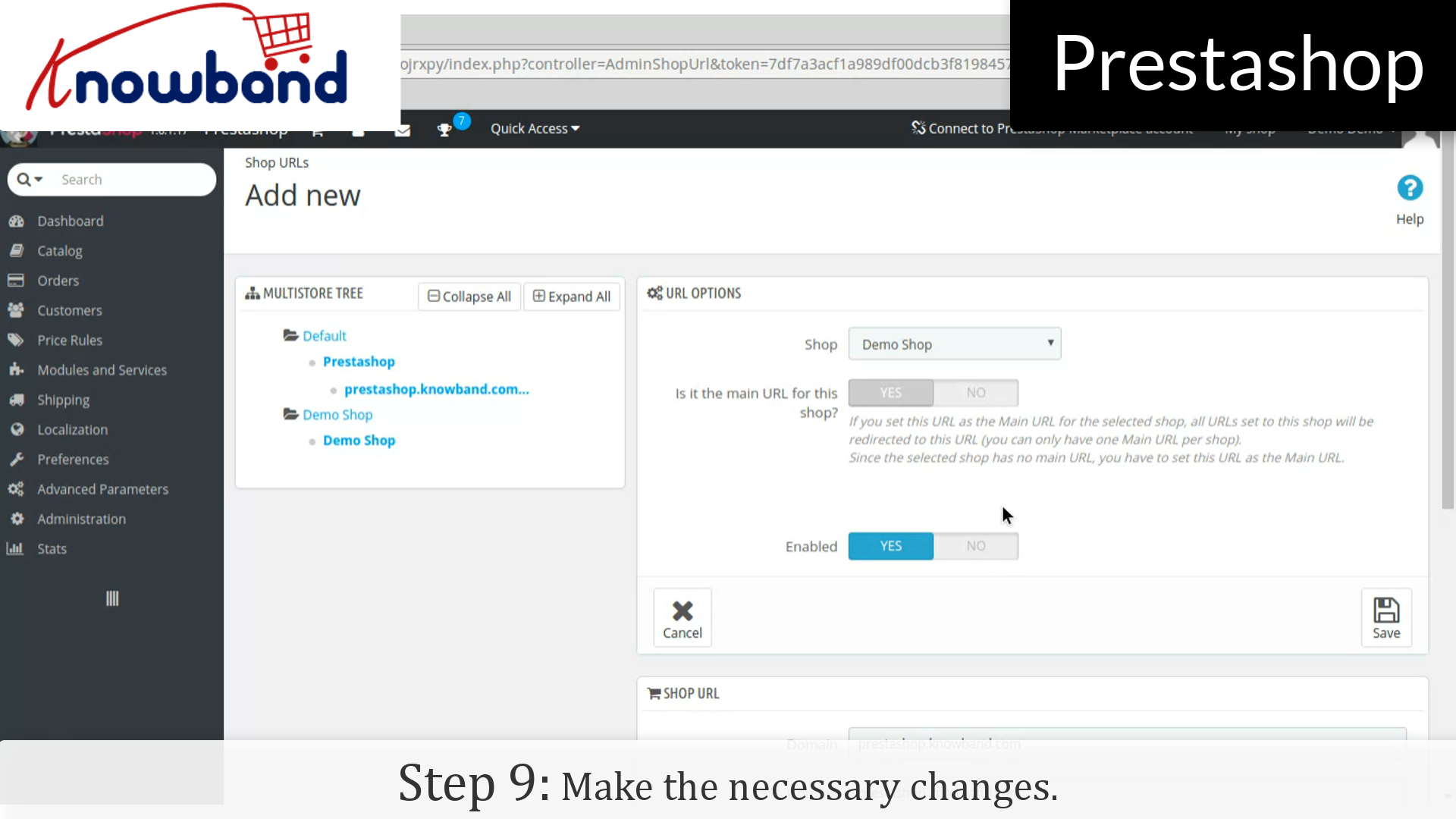
That’s it, now you can manage the multiple store just following the above mentioned steps.
For any query, please contact us at support@knowband.com.
Related Stories:

