How to Set Up a Grocery Marketplace with Knowband’s Multi-Vendor Marketplace for Prestashop!

Setting up an online grocery marketplace is a fantastic way to tap into the growing demand for online shopping. With the help of Knowband’s Multi-Vendor Marketplace Module for Prestashop, you can easily transform your existing Prestashop store into a fully functional multi-seller platform. Or, if you are planning to launch a multi-seller grocery marketplace from scratch, this guide will walk you through the process, highlighting why Knowband’s solution is the ideal choice for your marketplace.

Why Choose Knowband’s Multi-Vendor Marketplace for Prestashop?

When it comes to creating a multi-vendor marketplace, choosing the right tool is crucial. Knowband’s Prestashop Multi-Vendor Marketplace Addon offers a comprehensive solution that makes the entire process smooth and efficient. Furthermore, this module is packed with features that make managing a multi-seller marketplace straightforward, even if you’re just starting out.

One of the biggest advantages of using Knowband’s Prestashop Marketplace Module is its user-friendly design. It allows you to manage multiple vendors with ease, giving each vendor access to their own dashboard where they can manage their products, orders, and inventory. Moreover, this setup not only simplifies the process for you but also for the vendors, making your marketplace an attractive option for them to join.

Moreover, the module is highly customizable. You can set different commission rates for different vendors or product categories, allowing you to tailor the marketplace to fit your specific business model. This flexibility is a key feature of the Prestashop Multi-vendor Marketplace Extension, ensuring that it can grow with your business.

Getting Started with Knowband’s Multi-Vendor Marketplace!

The first step in setting up your grocery marketplace is to install the Prestashop Multi-seller Marketplace Module. If you’re unsure about purchasing the module right away, Knowband provides a Prestashop Free Marketplace Module that allows you to test out the basic functionalities. Once you’re comfortable, you can upgrade to the full version to unlock all the advanced features.

Installing the Module:

To install the module, you need to download it from the Knowband website. After downloading, log in to your Prestashop admin panel and navigate to the “Modules and Services” section.
Here, you can upload the module and click the install button. Once the installation is complete, the module will be ready to configure.

Configuring the Marketplace:

After installation, the next step is to configure the module to suit your marketplace’s needs. The Prestashop Multi-vendor Marketplace Plugin is highly customizable, allowing you to set up the marketplace exactly how you want it.
In the general settings, you can name your marketplace, upload a logo, and adjust other basic settings. You can also enable vendor registration, allowing sellers to sign up and start listing their products. The registration process is simple and can be customized to gather all the necessary information from vendors.

Therefore, one of the key aspects of managing a multi-vendor marketplace is setting up a fair and effective commission structure. The Prestashop Marketplace Plugin allows you to set different commission rates for different vendors or product categories. This means you can charge a higher commission for premium product categories or offer discounts to attract more vendors to your platform.

Another essential feature of the Prestashop Multi-vendor Marketplace Addon is the ability to manage payments and shipping methods. You can configure various payment gateways and shipping options, which vendors can then use to manage their transactions. This level of control is vital for ensuring that the marketplace operates smoothly.

Knowband’s Prestashop Multi-Vendor Marketplace Addon

Turn your PrestaShop store into a fully functional marketplace! Easily manage sellers, products, and commissions with this powerful PrestaShop Marketplace module.

SHOP NOW

Managing Vendors and Products:

Once the marketplace is set up, you can start inviting vendors to join. The Multi-Vendor Marketplace for Prestashop makes it easy for vendors to register and start selling. Furthermore, each vendor will have access to a personal dashboard where they can add and manage their products, track orders, and handle inventory. This autonomy makes the platform attractive to sellers, as they have control over their own stores within your marketplace.

As the marketplace admin, you have the option to approve or disapprove vendors before they start selling. This feature ensures that only high-quality sellers join your platform, maintaining the overall quality of your marketplace.

Product management is another crucial aspect of running a successful grocery marketplace. With Knowband’s Multi-Vendor Marketplace for Prestashop, you can create product categories that are specific to your marketplace. For a grocery marketplace, this might include categories like fruits, vegetables, dairy, and snacks. Vendors can then add their products to these categories, making it easy for shoppers to find what they need.

Launching and Promoting Your Marketplace:

After setting up your marketplace, it’s time to launch and start attracting customers. Promoting your marketplace is crucial to its success, and there are several strategies you can use to get the word out.

Search Engine Optimization (SEO) is a great place to start. By optimizing your marketplace with SEO-friendly URLs, meta tags, and product descriptions, you can improve your site’s visibility on search engines like Google. This will help attract more organic traffic to your marketplace.

Social media is another powerful tool for promotion. Creating social media accounts for your marketplace on platforms like Facebook, Instagram, and Twitter can help you reach a broader audience. Regularly posting about new products, special offers, and other updates will keep your audience engaged and encourage them to shop on your marketplace.

Conclusion!

Setting up a grocery marketplace with Knowband’s Prestashop Multi-Vendor Marketplace Plugin is a straightforward process that offers a wide range of benefits. Whether you’re just starting out or looking to expand an existing business, this module provides all the tools you need to create a successful and thriving online marketplace. By following the steps outlined above, you can set up your marketplace, manage vendors and products efficiently, and start attracting customers in no time.

5 Common Challenges in Managing a Multi-Vendor Marketplace and How Our Plugin Solves Them!

Managing a multi-vendor marketplace can be a rewarding yet challenging endeavor. The concept of having multiple sellers on a single platform offers immense potential for growth, as it attracts a broader customer base and provides diverse product offerings. However, this model also comes with its set of unique challenges. Thankfully, with the right tools, such as Knowband’s Prestashop Multi-vendor Marketplace Module, these challenges can be effectively managed. Thus, in this article, we will explore five common challenges faced by marketplace owners and how our Prestashop Marketplace Addon can solve them.

  1. Vendor Management:

One of the most significant challenges in managing a multi-vendor marketplace is keeping track of multiple vendors, their products, and their activities. Therefore, ensuring that all vendors adhere to marketplace guidelines, manage their inventories effectively, and deliver quality products can be a daunting task.

On the other hand, Knowband’s Prestashop Multi-vendor Marketplace Plugin simplifies vendor management by offering a comprehensive vendor dashboard. This dashboard provides vendors with an intuitive interface to manage their products, track orders, and handle returns. Furthermore, the marketplace admin can monitor vendor activities, approve or reject products, and set commission rates, all from a centralized platform. This not only streamlines vendor management but also ensures that the marketplace maintains a high standard of quality.

2. Commission Management:

Another common challenge is managing commissions. Different vendors might have different commission structures based on the products they sell, their sales volume, or their agreement with the marketplace. Thus, without a robust system, keeping track of these commissions and ensuring accurate payouts can become complex.

Therefore, our Prestashop Multi-vendor Marketplace Extension offers a flexible commission management system that allows marketplace admins to set different commission rates for different vendors or product categories. Moreover, the system automatically calculates the commission for each sale and provides detailed reports, making it easier to manage payments. This feature ensures transparency and accuracy in financial transactions, fostering trust between the marketplace and its vendors.

3. Product Approval and Quality Control:

Maintaining the quality of products listed on the marketplace is crucial for its success. However, when dealing with multiple vendors, it can be challenging to ensure that all products meet the required standards before they are listed.

The Prestashop Multi-seller Marketplace Module by Knowband addresses this issue by incorporating a product approval system. Before a product goes live on the marketplace, it must be approved by the admin. This allows the admin to review product descriptions, images, and pricing to ensure they meet the marketplace’s standards. Moreover, this feature helps in maintaining the overall quality and reputation of the marketplace.

4. Order Management and Fulfillment:

Order management becomes increasingly complex in a multi-vendor marketplace. Each vendor is responsible for fulfilling their orders, but customers may place orders from multiple vendors in a single transaction. Coordinating these orders, ensuring timely delivery, and managing returns can be a significant challenge.

Our Prestashop Marketplace Module offers a robust order management system that simplifies this process. It allows vendors to manage their orders independently while providing the marketplace admin with a global view of all orders. Moreover, the system also supports partial order fulfillment, where different parts of an order can be fulfilled by different vendors. This feature ensures a smooth and seamless shopping experience for customers, which is crucial for the success of any marketplace.

5. Customer Support and Dispute Resolution:

In a multi-vendor marketplace, customer support can become complicated. Issues such as product quality, shipping delays, or miscommunication between the vendor and the customer can lead to disputes. Managing these disputes effectively is essential to maintain customer trust and satisfaction.

The Prestashop Multi-vendor Marketplace Addon includes a built-in dispute management system. Customers can raise concerns directly through the platform, and the admin can mediate between the vendor and the customer to resolve issues. Additionally, the module supports vendor ratings and reviews, providing customers with valuable insights into the reliability of each vendor. This not only helps in resolving disputes but also enhances the overall customer experience.

Prestashop Multi-vendor Marketplace Module

Transform your PrestaShop store into a dynamic marketplace with ease! Enable multiple vendors, manage commissions, and grow your business with this comprehensive marketplace solution.

SHOP NOW

Conclusion!

Managing a multi-vendor marketplace comes with its share of challenges, but with the right tools, these challenges can be easily overcome. Our Prestashop Marketplace Addon is designed to address the most common issues faced by marketplace owners, from vendor management and commission handling to product approval and customer support. By leveraging this powerful Prestashop Marketplace Extension, you can focus on growing your marketplace, knowing that the complexities of management are well taken care of.

Whether you’re running a large-scale marketplace or just starting, our Prestashop Multi-vendor Marketplace Plugin offers the flexibility, functionality, and ease of use you need to succeed. And if you’re looking to get started without an upfront investment, we also offer a FREE Prestashop Marketplace addon that allows you to explore the capabilities of our module before committing to a purchase. With our Prestashop Free Marketplace Module, you can experience firsthand how it simplifies marketplace management and drives growth.

How to Create a Successful Multi-Vendor Marketplace on Prestashop!

A multi-vendor marketplace allows multiple sellers to list and sell their products on a single platform. This model not only diversifies the product range but also increases the potential customer base, as more vendors bring in their following. Therefore, Knowband’s Prestashop Multi-vendor Marketplace Module is designed to facilitate this transformation seamlessly.

On the other hand, creating a multi-vendor marketplace with Knowband can significantly boost your online store’s growth and revenue. With Prestashop’s versatile platform, you can easily transform your store into a thriving multi-vendor marketplace. This guide will walk you through the steps to achieve this using the Prestashop Marketplace Addon, ensuring your marketplace is set up for success.

Choosing the Right Prestashop Marketplace Module:

The first step to creating a successful multi-vendor marketplace is selecting the right module. The Prestashop Multi-vendor Marketplace Addon by Knowband is a popular choice due to its robust functionality and ease of use.

Furthermore, the marketplace addon for Prestashop offers a comprehensive set of features for managing vendors, products, orders, and commissions efficiently. Moreover, it ensures that the module you choose supports all the necessary functionalities to manage multiple vendors smoothly.

Installing and Configuring the Prestashop Marketplace Addon!

Once you have chosen the Prestashop Marketplace Plugin, follow these steps to install and configure it:

Download the Module: Purchase and download the Prestashop Marketplace Addon from Knowband.com.

Install the Module: Navigate to your Prestashop admin panel, go to Modules and Services, and click on “Upload a module”. Upload the downloaded file and install it.

Configure the Module: After installation, configure the settings to match your marketplace needs. This includes setting up vendor registration, commission rates, product approval processes, payment gateways, and others.

By configuring these settings carefully, you ensure that the marketplace operates smoothly and vendors can easily manage their stores within your platform.

Setting Up Vendor Registration and Management!

A crucial aspect of Knwoband’s multi-vendor marketplace is vendor management. The Prestashop Multi-seller Marketplace Module simplifies this process. Here’s how to set it up:

Vendor Registration: As a Prestashop admin, you can enable a straightforward registration process for vendors and ensure that your registration form collects all necessary information and is easy to navigate.

Vendor Dashboard: The Prestashop multi-seller marketplace provides vendors with a comprehensive dashboard where they can manage their products, view sales reports, and track orders.

Approval System: The store admin gets a separate tab to approve vendors and their products before they go live on the marketplace. Therefore, this ensures quality control and maintains the marketplace’s standards.

By providing vendors with the tools they need to succeed, you create a supportive environment that encourages more sellers to join your platform.

Prestashop Multi-vendor Marketplace Module

Transform your PrestaShop store into a fully functional marketplace with the PrestaShop Marketplace Addon by Knowband. Easily manage multiple vendors, products, and orders from a single platform.

SHOP NOW

Managing Products, Orders, and Commissions!

Effective management of products, orders, and commissions is vital for a successful marketplace. Thus, the Prestashop Marketplace Extension offers various features to help with this:

Product Management: Allows vendors to add, edit, and manage their products easily and sets up guidelines for product listings to maintain consistency and quality across the marketplace.

Order Management: Knowband’s Prestashop multi-seller marketplace plugin provides vendors with a streamlined order management system where vendors can process orders, update statuses, and handle customer inquiries efficiently.

Commission Management: The store admin can define and manage commission rates for different vendors. The addon should support flexible commission structures to cater to various vendor agreements.

These features ensure that both vendors and marketplace administrators can manage their tasks efficiently, leading to a smoother operation.

Enhancing the Customer Experience!

A successful multi-vendor marketplace is not just about managing vendors; it’s also about providing an excellent shopping experience for customers. Here’s how you can enhance the customer experience:

User-Friendly Interface: Our marketplace module for PrestaShop ensures that your marketplace has an intuitive and easy-to-navigate interface. Because a clean and organized layout helps customers find what they are looking for quickly.

Search and Filter Options: Implement advanced search and filtering options to help customers easily locate products.

Customer Support: The marketplace module allows the customers to raise tickets directly to the third-party sellers and communicate their queries most easily. Thus, with the intuitive customer support system, the admin can offer robust customer support to handle queries and issues promptly. Furthermore, by focusing on the customer experience, you increase the likelihood of repeat purchases and positive reviews, which are crucial for the growth of your marketplace.

Conclusion!

Creating a successful multi-vendor marketplace on Prestashop involves careful planning and execution. By choosing the right Prestashop Marketplace Addon, setting up efficient vendor management, and ensuring a great customer experience, you can build a thriving marketplace. Therefore, you can utilize Knowband’s Prestashop Multi-vendor Marketplace Plugin to streamline operations and foster a vibrant community of sellers and buyers. With the right strategies in place, your Prestashop marketplace can achieve significant growth and success.

Stay Tuned: Prestashop v8.1 Compatible Multi-Vendor Marketplace Addon!

In the ever-evolving world of e-commerce, staying ahead of the curve is paramount for online store owners. Prestashop, a popular e-commerce platform, has consistently delivered robust solutions to help businesses thrive in the digital marketplace. Now, with the imminent release of Prestashop v8.1, we are excited to announce our latest offering: the Prestashop Marketplace Addon. An all-in-one solution to transform your online store into a thriving multi-vendor marketplace.

Empowering Your Prestashop Store with the Marketplace Module!

Unveiling Prestashop v8.1 Compatibility:

As the e-commerce landscape continues to evolve, Prestashop remains committed to providing cutting-edge tools to empower online businesses. The upcoming release of Knowband’s Prestashop v8.1 compatible marketplace addon represents a significant milestone in the journey. Not only we are promising enhanced features and improved performance but also an even more user-friendly interface.
And, to complement this exciting update, we are thrilled to introduce the Prestashop Marketplace Module, fully compatible with Prestashop v8.1 soon.

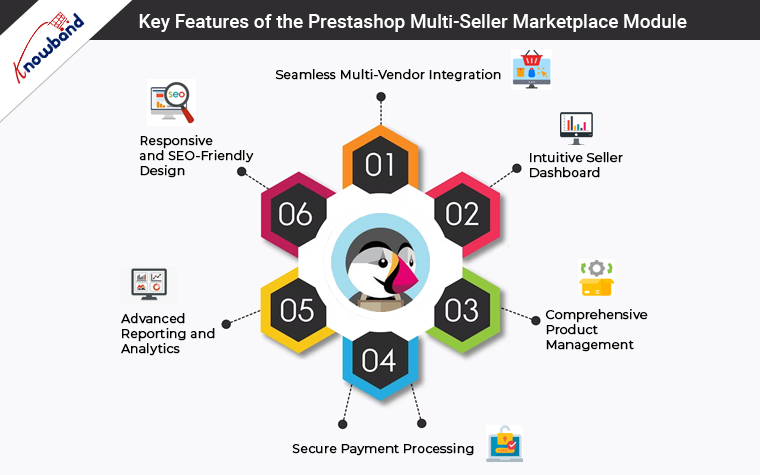
Key Features of the Prestashop Multi-Seller Marketplace Module:


1. Seamless Multi-Vendor Integration:

With Knowband’s Prestashop Multi-Vendor Marketplace Plugin, you can seamlessly transform your single-vendor store into a dynamic multi-vendor marketplace. Furthermore, you can also empower multiple sellers to list their products on your platform, expanding your product catalog and increasing your revenue potential.

2. Intuitive Seller Dashboard:

The Prestashop Marketplace Extension offers an intuitive seller dashboard, making it easy for vendors to manage their products, orders, and customer interactions. Moreover, this user-friendly interface streamlines the vendor experience, fostering collaboration and growth.

3. Comprehensive Product Management:

The Prestashop Multi-vendor Marketplace addon provides robust product management features, enabling vendors to add, edit, and manage their product listings effortlessly. Therefore, it also supports multiple product types, ensuring compatibility with a wide range of products.

4. Secure Payment Processing:

We understand the importance of secure transactions in the world of e-commerce. Our Prestashop Multi-seller Marketplace Module comes with secure payment processing options, guaranteeing smooth financial transactions between vendors and customers.
Moreover, we have provided a tailored process to handle seller-admin and seller-customer payment processes.

5. Advanced Reporting and Analytics:

To help you make informed decisions, Knowband’s Marketplace Addon for Prestashop offers advanced reporting and analytics tools. Thus, the store admin can monitor the performance of vendors, track sales, and gain valuable insights into your marketplace’s growth.

6. Responsive and SEO-Friendly Design:

The Prestashop Multi-vendor Marketplace Extension boasts a responsive and SEO-friendly design, ensuring that your marketplace looks great on any device and is easily discoverable by search engines. Moreover, it also contributes to higher visibility and increased organic traffic.

Benefits of Using the Knowband’s Prestashop Marketplace Plugin!


1. Revenue Diversification:

By allowing multiple sellers to join your marketplace, you can diversify your product offerings and increase your revenue potential. Moreover, the store admin can earn commissions on each sale made by vendors, creating a sustainable income stream.

2. Enhanced User Experience:

The intuitive seller dashboard and user-friendly design of our Marketplace Module ensure a positive experience for both vendors and customers.

3. Scalability and Growth:

As your marketplace grows, so does your business. Thus, with the Prestashop Marketplace Addon, you can easily scale your operations and add more vendors, products, and categories to meet the demands of your expanding customer base.

4. Competitive Edge:

In a competitive e-commerce landscape, offering a multi-vendor marketplace sets you apart from the competition. Furthermore, it provides customers with a wider selection of products and encourages repeat visits to your platform.

5. Data-Driven Decision Making:

With advanced reporting and analytics, you can make data-driven decisions to optimize your marketplace’s performance, identify trends, and tailor your strategy for success.

Conclusion!

With Prestashop v8.1 compatibility, a plethora of features, and numerous benefits, the marketplace module for Prestashop is the perfect solution to take your online business to the next level.

Stay tuned for the release of our Prestashop v8.1-Compatible Prestashop Multi-Vendor Marketplace Addon and unlock the full potential of your e-commerce store. Don’t miss out on the opportunity to boost your revenue, enhance your user experience, and stay competitive in the ever-expanding world of online retail.


Creating Your Own Marketplace Using the Prestashop Marketplace Addon!

In the rapidly evolving world of e-commerce, establishing your marketplace can be a game-changer for entrepreneurs looking to expand their business horizons. At Knowband, we offer a powerful solution for creating a marketplace through Prestashop Marketplace Addon. This comprehensive module Prestashop Marketplace Extension, empowers users to transform their online store into a thriving multi-vendor marketplace. Furthermore, it helps in including an additional income source into your business. But also enhances brand recognition for the Presta store retailers.

Understanding the Prestashop Marketplace Ecosystem!

Knowband’s Prestashop Multi-Seller Marketplace Addon is designed to facilitate the seamless integration of a multi-vendor marketplace within the Prestashop framework. Moreover, this extension enables online store owners to invite multiple sellers to showcase and sell their products on a shared platform.

Thus, along with selling your products via your Presta store, you can also allow other vendors to list the products in your store as a third-party seller. Later, you can earn commission and various other margins by allowing sellers to do so.  

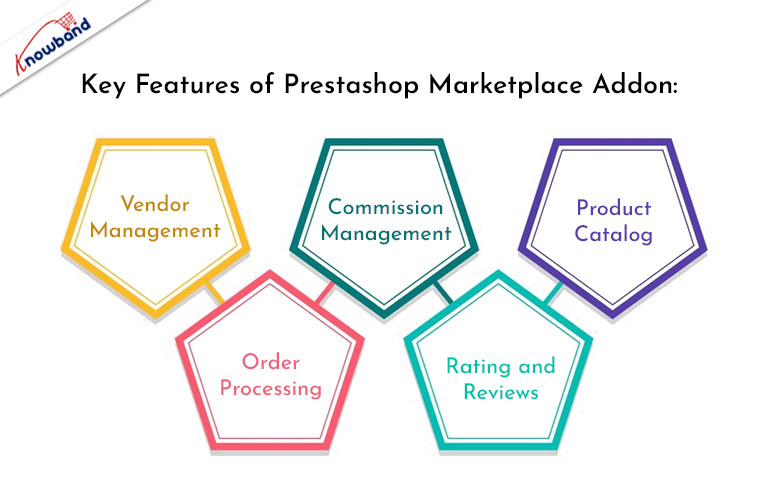
Key Features of Prestashop Marketplace Addon:


Vendor Management:

The Prestashop Multi-Vendor Marketplace empowers administrators to efficiently manage multiple vendors. Through a user-friendly interface, vendors can register, list products, and manage orders, while administrators can easily oversee and moderate vendor activities. Moreover, the Prestashop admin has complete owner control over all the seller activities.

Commission Management:

Knowband’s Multi-Seller marketplace for Prestashop module offers a flexible commission management system, allowing administrators to set commission rates based on product categories or individual vendors. Thus, the following feature ensures a fair and transparent revenue-sharing model between the marketplace owner and vendors.

Product Catalog:

Vendors can effortlessly create and manage their product catalog within the Prestashop Marketplace. The centralized product catalog enhances user experience by providing customers with a diverse range of products from various sellers.

Order Processing:

The Prestashop Marketplace Addon streamlines order processing by providing a centralized dashboard for managing orders. Furthermore, it simplifies the fulfillment process for both administrators and vendors.

Rating and Reviews:

Customer feedback is crucial in any marketplace. The module includes a robust rating and review system, allowing buyers to share their experiences and helping build trust among potential customers. Furthermore, the sellers as well as store admin can manage the review at their convenience right from their dashboards.

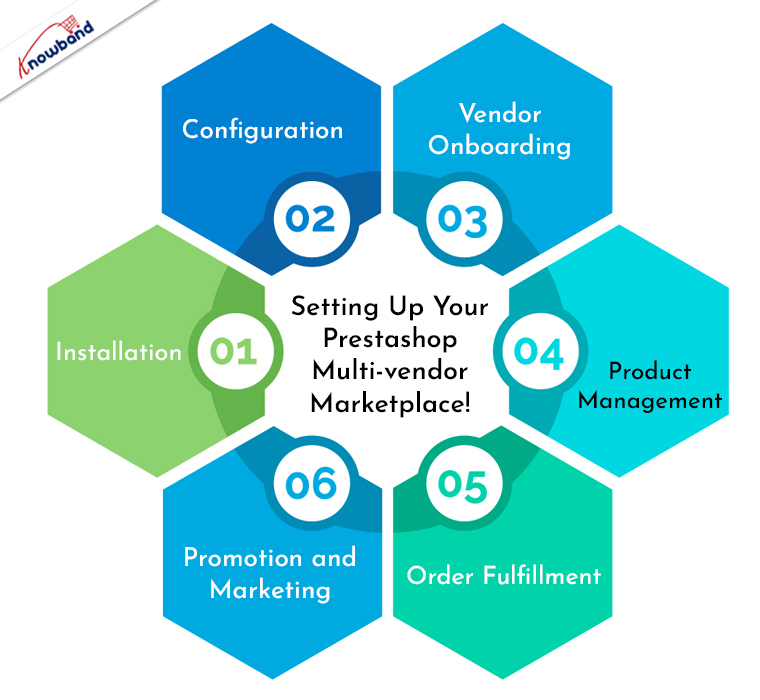
Setting Up Your Prestashop Multi-vendor Marketplace!


Creating your own marketplace using Knowband Prestashop Marketplace Extension is a straightforward process. Follow these steps to get started:

Installation:

Begin by installing the Prestashop Marketplace Addon on your Prestashop store. This can be done through the Prestashop admin panel by uploading the module. Or, you can also insert the module files via cPanel/FTP details into your store directory.

Configuration:

Define commission rates, shipping options, and other essential parameters. Furthermore, you can also check out the module’s user manual for more information about marketplace configurations.

Vendor Onboarding:

Invite vendors to join your marketplace by allowing them to register through a dedicated vendor registration page. Vendors can create accounts, upload product listings, and manage their store settings.

Product Management:

Vendors can easily add, edit, and remove products from their catalog. Therefore, it ensures that product information is accurate and meets your marketplace standards.

Order Fulfillment:

Manage orders efficiently by monitoring the order dashboard. Both administrators and vendors can track order statuses, process shipments, and handle customer inquiries.

Promotion and Marketing:

The Prestashop store admin can encourage vendors to promote their products and drive traffic to the marketplace. Moreover, you can also leverage marketing tools within Prestashop to enhance the visibility of your multi-vendor marketplace.

Conclusion!

In conclusion, the Prestashop Marketplace Addon provides a comprehensive solution for entrepreneurs looking to venture into the world of multi-vendor e-commerce. Moreover, this addon empowers you to create a dynamic and lucrative online marketplace. By following the steps outlined above, you can seamlessly integrate the Prestashop Marketplace Addon and embark on the journey of building and managing your very own Prestashop Marketplace.


How to Create Your Own Marketplace with Prestashop Marketplace Addon!

In the world of e-commerce, owning a Prestashop store provides an excellent platform to showcase and sell your products.
However, if you’re looking to take your business to the next level and enable multiple vendors to sell their products on your platform, Knowband’s Prestashop Marketplace Addon is the solution you need. With the Prestashop multi-seller module by Knowband, you can transform your Prestashop store into a thriving multi-vendor marketplace.

Why Choose Prestashop Marketplace Addon?

Prestashop is renowned for its flexibility and scalability, making it a popular choice for e-commerce entrepreneurs. While it provides a robust foundation for running a single-vendor store, the true power of Prestashop is unleashed when you turn it into a multi-vendor marketplace. Therefore, the Prestashop Multi-Vendor Marketplace Addon is designed for this very purpose.
Moreover, with this addon, you can enable multiple sellers to list their products and manage their businesses within your marketplace.

Getting Started: Installation Guide.


To create your own marketplace using the Knowband’s multi-seller marketplace addon for Prestashop, follow these key steps:

Install the Addon: 

Install the module on your Prestashop store like any other module or extension.

Configuration: 

Once the addon is installed, you can configure it according to your specific requirements. Furthermore, it includes setting commission rates, defining accepted payment methods, implementing vendor verification processes, and more. The configuration options provided by the Prestashop Marketplace Module are highly flexible, allowing you to tailor your marketplace to your business model.

Invite Vendors: 

After the configuration is complete, you can start inviting vendors to join your marketplace. Vendors can sign up on your platform, create their vendor profiles, and begin listing their products for sale.
Moreover, they will have their own dedicated vendor dashboards to manage their stores and products efficiently.

Manage and Monitor: 

As the owner of the marketplace, you’ll have access to a comprehensive dashboard that allows you to manage vendor activities, track sales, and ensure the smooth operation of your marketplace. Thus, you can approve, disapprove, or even remove vendors as necessary, ensuring the quality and reliability of your marketplace.

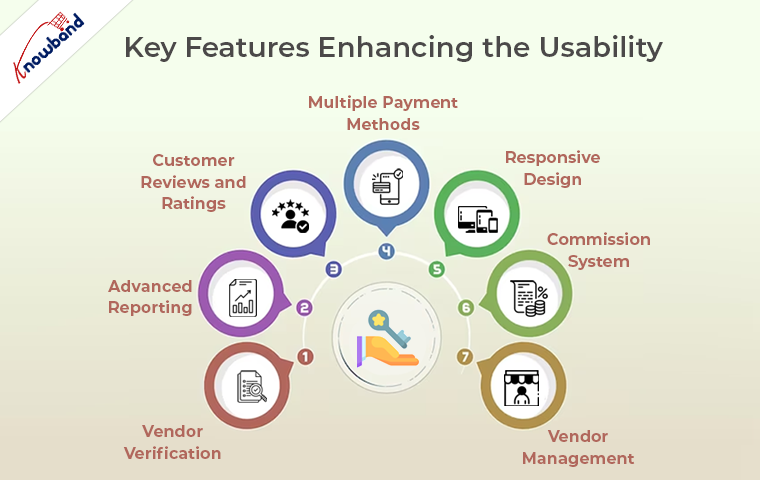
Key Features: Enhancing the Usability


Knowband’s Prestashop Multi-Seller Marketplace module offers a wide range of features and functionalities to ensure the smooth operation of your multi-vendor marketplace. Here are some of the key features:

Vendor Management: 

The Prestashop Marketplace Plugin provides efficient tools for vendor management. You can approve or disapprove vendor registrations and, if necessary, remove vendors from your marketplace.

Commission System: 

The addon offers a flexible commission system, allowing you to earn a percentage from each vendor’s sale. This revenue-sharing model is a core element of the marketplace business model.

Multiple Payment Methods: 

The Prestashop marketplace supports various payment methods, ensuring a seamless transaction experience for both vendors and customers. 

Advanced Reporting: 

Access to detailed reports and analytics is vital for monitoring the performance of your marketplace. Furthermore, the addon provides you with insights into sales, vendor activities, and other essential metrics.

Responsive Design: 

Your marketplace needs to be accessible and user-friendly on all devices. The Prestashop Marketplace Extension ensures that your marketplace is responsive and mobile-friendly, providing an excellent shopping experience for your customers.

Vendor Verification: 

To maintain the quality and reputation of your marketplace, you can implement vendor verification processes. This can include identity verification, business verification, or other relevant checks.

Customer Reviews and Ratings: 

Customer feedback is crucial in building trust. The Prestashop Marketplace Addon allows customers to leave reviews and ratings for vendors, creating a trustworthy environment for shopping.

Benefits of Using Prestashop Marketplace Addon:


Now that we’ve explored how to create your own marketplace with the Prestashop Marketplace Addon and its key features, let’s delve into the benefits of using this powerful tool:

Scalability: 

The Prestashop Multi-vendor Marketplace addon enables you to expand your e-commerce business without significant investments in infrastructure. As you onboard more vendors, your marketplace naturally scales, offering a wider range of products to your customers.

Diverse Product Catalog: 

One of the most significant advantages of a multi-vendor marketplace is the diverse product catalog it offers. Furthermore, multiple sellers can list their products, providing a wide selection for your customers. This diversity attracts a broader customer base, increasing your reach and potential sales.

Income Generation: 

Through the flexible commission system provided by the Prestashop Marketplace Plugin, you can generate revenue every time a sale occurs on your platform. As more vendors join and more products are sold, your income potential increases.

Reduced Risk: 

Sharing responsibilities with vendors, such as product listings, order processing, and customer service, reduces your business risk. Thus, you no longer carry the entire burden of running a successful e-commerce store.

Improved Customer Experience: 

A rich and diverse product selection, along with multiple sellers to choose from, enhances the customer experience. Customers can explore a wide array of products and brands, making their shopping experience more engaging and satisfying.

In the END:

In conclusion, Knowband’s Prestashop Marketplace modules are the ultimate tool to create your own marketplace. Furthermore, it empowers you to expand your e-commerce business, offer a diverse product catalog, generate income, reduce risk, and provide an improved customer experience.

Furthermore, if you have queries regarding module features or workflow, please feel free to drop us an email at support@knowband.com for more information.