
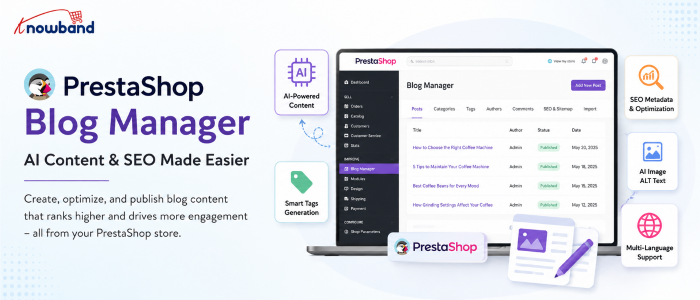
Balancing the time spent on content and the time spent on running an eCommerce store is difficult for many merchants. With the new PrestaShop Blog Manager by Knowband, the process becomes more manageable because merchants can post articles, work with AI, and manage SEO from their PrestaShop account.
That makes the development worth looking at from two angles. The first is practical: how much content work can store admins handle themselves? The second point is related to strategy. Where does AI assist, and where do humans have to stay in charge?
Where AI-Assisted Blogging Is Important for PrestaShop Stores
Every eCommerce store has enough information about its products on the website, but it is not always sufficient to satisfy the needs of potential customers who are making search queries to get some information before purchasing.
For example, if a person is searching for a coffee machine, they can type questions into Google concerning different aspects such as brewing methods, machine cleaning tips, grinding settings, and so on. Thus, there is an opportunity to prepare relevant informational content to draw the customer’s attention.
AI boosts informational content creation, which is the reason why it was highly appreciated in the content workflow. A recent study conducted by Ahrefs demonstrated that 74.2% of 900,000 newly found English-language webpages in April 2025 were at least partially produced with the help of AI. Most of those pages cannot be referred to as purely AI-written, as they were a combination of the latter and human-created content.
However, it does not mean that the human role was completely replaced by AI. It is possible to optimize the work process by eliminating repetitive steps and entrusting topic selection, product expertise, fact-checking, and final editing to people.
What the New PrestaShop Blog Manager Adds
The PrestaShop Blog Manager is developed as a blogging area in the Back Office of the store. After installing the plugin, the administrator gets the opportunity to manage posts, categories, tags, authors, comments, images, SEO and sitemap settings, AI configuration, and content importation all in one place. It totally changes the workflow of the store team.
It is not necessary for the content manager to write the article elsewhere and upload the finished article to PrestaShop manually. The posts can be created, edited, scheduled, categorized, and associated with the relevant products in the store.
The module’s AI functionality adds another layer to this workflow. According to the user manual, administrators can connect either OpenAI’s ChatGPT or Google Gemini and use the configured tools from the post editor. The result is less about replacing a writer and more about shortening the distance between an idea and a usable first draft.
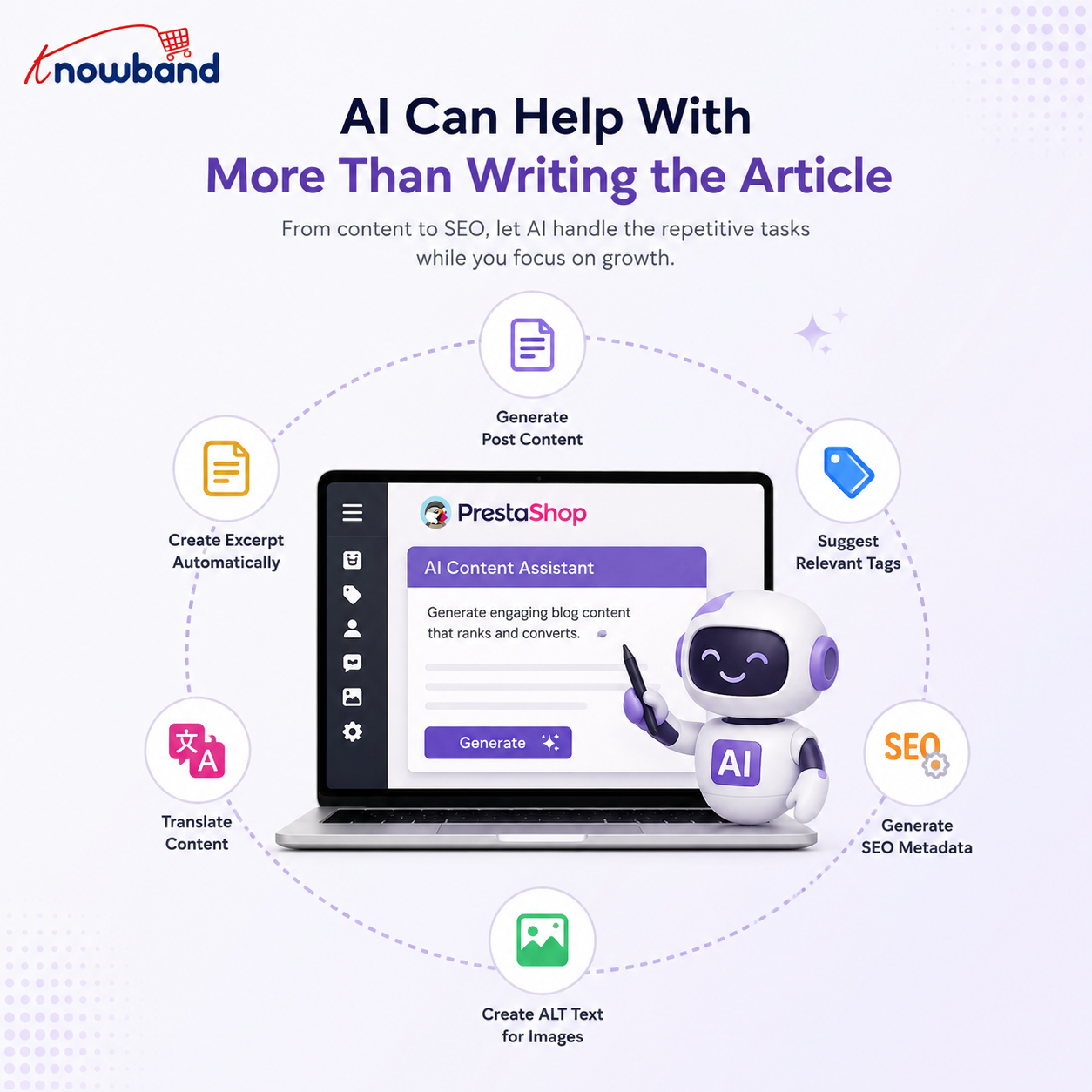
AI Can Help With More Than Writing the Article
A common assumption is that an AI feature simply generates a block of text. The available workflow is broader than that.
Once an AI provider is configured, the editor can provide tools for:
- Generating the main post content
- Creating an excerpt from existing content
- Translating content into another language
- Suggesting relevant tags
- Generating SEO metadata
- Creating ALT text for the featured image
These capabilities are documented in the module manual.
That matters because much of the work involved in publishing an article isn’t the article itself. A writer still has to prepare the excerpt, metadata, tags, image information, and translated versions when a store operates across multiple markets. Automating some of those repetitive tasks can make a small eCommerce team more productive.
At the same time, do not consider generated metadata as being automatically accurate. The AI must have enough context to understand the article, but the store team knows more about their products, customers, terminology, and business needs.
How the Module Fits Into the Existing Store Workflow
The usage of a separate blogging platform works great, but adds one more system to manage. There are issues like content migration, user roles, design consistency, links from articles to products, and the operations gap between the blog and the eCommerce platform.
The PrestaShop Blog Module keeps the publishing workflow closer to the catalogue. Posts can contain related-product links, and the module can optionally display blog content on product pages.
Take a gardening equipment store as an example. In an article on how to prepare a lawn for summer, soil preparation, irrigation, mowing, and equipment selection. Relevant products can then be attached to the article without making each section an advertisement.
That relationship is particularly useful for eCommerce because informational content and commercial pages serve different purposes. The article answers the customer’s question. The product page handles the purchase decision.
SEO Controls Are Part of the Publishing Process
The addition of AI to a blog does not automatically result in the search engine optimization of content. It depends on the fulfillment of search intent, covering the subject properly, using good page titles, and quality visitor experience.
There are editable SEO URL slugs and meta title, description, and keyword fields available at the post level in the Knowband module. Featured images can also have ALT text.
That means SEO work doesn’t need to happen after publication as a completely separate task. A content manager can address the meta title and meta description while preparing the article. The same principle applies to headings and structure. A long article can use a generated table of contents based on H2 and H3 headings, helping readers move through larger pieces of content.
The SEO controls are useful, but they don’t replace SEO judgment. A perfectly filled metadata field cannot compensate for an article that doesn’t answer the searcher’s actual question.
What Current AI Research Says About Search Performance
The growing use of AI has created a reasonable concern for store owners: can AI-assisted content perform in search?
The answer to the question of whether AI takes the place of human beings is far more complicated than ‘yes’ or ‘no’. In 2026, Semrush analyzed 42,000 blog posts ranking for 20,000 keywords. According to their results, only 9% of the pure AI-written posts were in the first position compared to 80% of the human-written ones. The study showed that 64% of the surveyed SEO professionals used the human-led and AI-assisted approach.
Those findings point toward a practical approach for eCommerce teams. AI can help with speed, but the published article needs something beyond generic generated text. That might be direct product knowledge, first-hand experience, original examples, store-specific information, expert commentary, or a clearer explanation of a problem customers actually face.
Ahrefs reached a related conclusion in its research and process guidance: AI works best when it supports research, ideation, outlining, and drafting while people add the original thinking that makes content useful.
A Better Workflow for Using AI in Your PrestaShop Blog
The most straightforward way to misuse AI is using it from a blank prompt and publishing whatever comes back. A stronger workflow starts before the AI tool is opened.
Choose the Topic From Your Customers’ Questions
Read reviews, FAQs, searches, and objections before purchasing. For instance, an eCommerce store selling air purifiers might find out that potential customers ask whether a particular purifier is applicable for a bedroom. That question can become a focused article rather than another generic post about “home air quality.”
Give the AI a Defined Job
The AI will become more helpful if the request has a clear purpose. Instead of ordering “a blog about air purifiers,” it is better to explain to the AI what specific topic, intended audience, related products, key aspects, tone, and unchangeable facts should be covered. The AI can then help produce a working draft rather than deciding the entire editorial strategy from scratch.
Review the Draft Against Real Store Knowledge
Check specifications, product names, compatibility information, measurements, warranties, and claims. A generated article can sound convincing while still getting a small technical detail wrong. Those errors are particularly damaging in eCommerce because readers may use the information to make a purchasing decision.
Optimize the Article Before Publication
Review the URL, headings, metadata, image ALT text, links, and related products. A good PrestaShop Blog Addon should make these publishing tasks accessible from the same administration environment instead of requiring separate technical work.
Use the Data After Publishing
Publishing is only the midpoint. Once articles begin receiving visitors, store teams should look at which topics are attracting attention and whether those visitors are taking useful actions afterward.
Google Search Console can show search queries, clicks, impressions, pages, and other search-performance dimensions. Those reports help identify articles that are appearing for relevant searches but may need stronger titles or more closely aligned content.
Another analytics tool will help you analyze visitor behavior once they reach those pages. Google Analytics 4 is useful for investigating on-site activities and what users do upon landing on a page. The two data sources solve different aspects of the same problem. Search data explains how people find the content. Analytics data helps explain what happens after the visit begins.
For a store owner, that can reveal something more valuable than raw traffic. An article with modest organic traffic might attract highly relevant visitors who continue to product pages, while a high-traffic article could bring people who have little purchasing intent.
Don’t Let Blog Content Slow Down the Store
Adding more content also adds images, scripts, embeds, and page elements. A blog page that contains several large images or embedded videos can behave very differently from a simple product page. That’s why performance should be checked on actual published articles rather than assumed from the homepage.
PageSpeed Insights can help identify performance issues and provides both laboratory and real-user information when field data is available.
Take a look at the Core Web Vitals within the context of your website analysis, but don’t make this process a quest for perfection. An extremely fast page with poor content will fail to satisfy a search user, and vice versa. Image optimization is also important. With the module, admins can set up image sizes for posts, categories, and authors, and regenerate thumbnails in case of any changes in dimensions.
Organize AI-Assisted Content Before It Becomes a Mess
AI makes it easier to produce drafts. That creates a different problem: having too many drafts and not enough editorial direction. Set a clear role for categories and tags. Keep categories broad enough to remain useful as the blog grows, while tags can describe more specific subjects.
The module supports nested categories, tags, author profiles, scheduled posts, and related posts. A simple editorial calendar can then separate content into practical groups such as buying guides, product education, tutorials, industry information, and seasonal topics.
Here’s where an AI-powered PrestaShop Blog Builder comes into the game. This tool will handle the publishing process infrastructure, while the decision on which content to publish is left to the editorial team.
AI Has to Enhance the Process, but Not Replace the Editor
It’s quite appealing to measure the productivity of AI by the speed of creating 2,000 words. That’s the wrong benchmark. The more useful question is how much time the technology saves between identifying a good topic and publishing a genuinely useful article.
According to the Semrush research conducted in 2026, 70% of the respondents among SEO specialists saw the main benefit in speed of content creation by AI, while only 19% claimed AI helped improve content quality. This gap has to be acknowledged. Faster production has value only when the editorial standard remains high.
For a PrestaShop merchant, AI can handle repetitive writing assistance while the store team supplies the details that make an article worth reading. That is especially important for product-specific content, where generic information is easy to generate but useful expertise is harder to replicate.
A Practical Content Setup for Store Owners
When using AI-assisted blogging for the first time, make sure that the process stays manageable. Limit the number of themes to a few topics related to the key products of your business. Give each article one clear search intent and one clear reader outcome.
Then build the page around that purpose:
- Choose a specific topic
- Create a useful outline
- Generate or draft sections with AI where appropriate
- Add store-specific expertise and examples
- Check every factual product claim
- Review the SEO fields
- Add relevant products and contextual links
- Optimize images
- Publish or schedule the article
- Monitor its search and engagement performance
The PrestaShop Blog Builder functionality is most useful when these activities form one repeatable workflow rather than a collection of disconnected tasks.
Where the New PrestaShop Blog Manager Makes the Most Difference
The strongest use case is probably not a merchant who wants hundreds of automatically generated articles. It’s the store team that already knows it needs useful content but doesn’t want content production to become a technical project.
With the Knowband module, the administrative side of blogging can stay within PrestaShop. The AI tools can assist with writing and optimization, while the store team retains control over publication, structure, metadata, product connections, and final approval. That workflow also leaves room for existing content. The module supports WordPress and RSS imports, which can be useful for stores moving an established blog into their PrestaShop environment.
The result is a more practical publishing setup for teams that want to build a content channel without maintaining an entirely separate system.
Conclusion: Use AI to Make Better Store Content, Not Just More of It
The PrestaShop Blog Manager integrates several functions related to the blog: from article writing to SEO optimization, publication management, product connection, and work with AI.
What really matters is not only the ability to generate articles faster. What makes the blog helpful is the ability to use it as an additional platform for answering customers’ questions and promoting the product range.
When it comes to using AI as an assisting technology, remember that generated content is just the beginning. Review it, bring real expertise related to your products, optimize the structure, verify the information, and see what happens after publication.
For merchants who want that workflow inside PrestaShop, the PrestaShop Blog Module provides the publishing and AI tools needed to manage the process from the store’s Back Office. The PrestaShop Blog Addon can be a practical option when the goal is to keep content creation closer to the eCommerce operation instead of building another disconnected publishing system.
