“OpenCart SEO Redirect extension is a simple yet effective module that helps you perform different kinds of redirects on your website and maintains your website’s performance on the search engine.”
Changed the URL of a web page and want to redirect it to the new page instead of displaying a 404 error to your website visitors? Or want to have plain, simple SEO-friendly URLs for complexed URLs? We have got you covered. If you have an OpenCart website and want to make these changes, OpenCart SEO Redirect Extension is all you need.
Features of OpenCart SEO Redirect Extension
Let’s take a look at what features does the OpenCart SEO Redirect Extension offers.
1. Redirect HTTP URL into HTTPs URL
OpenCart URL Redirect module allows you to convert Non-SSL certified web pages into SSL-Certified web pages. Hence, if you have added an SSL certificate to your OpenCart website and want to update the HTTP version into HTTPs, OpenCart SEO Redirect extension will let you do that comfortably.
2. Track and Rewrite Duplicate URLs
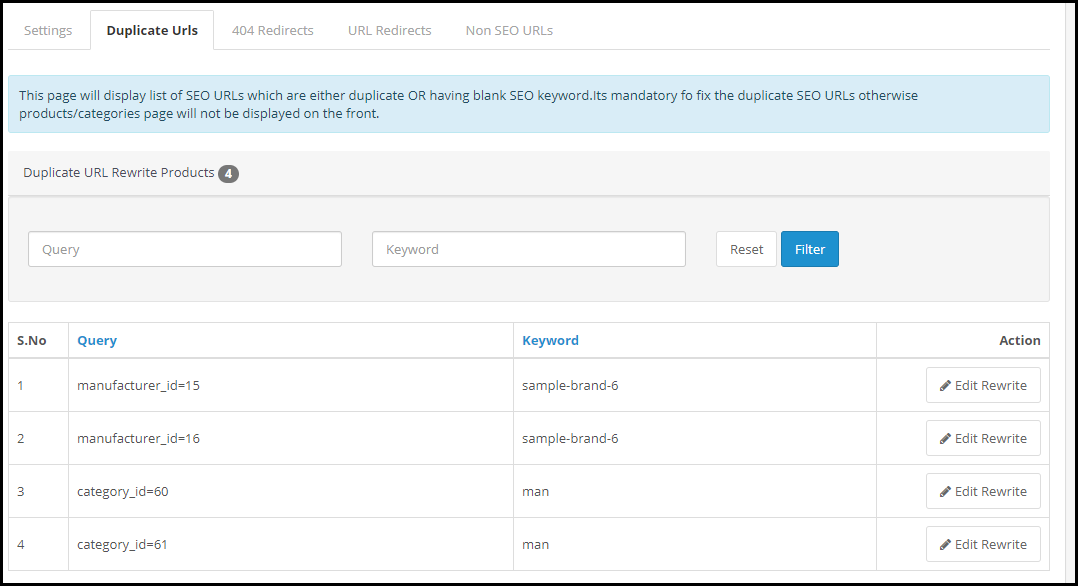
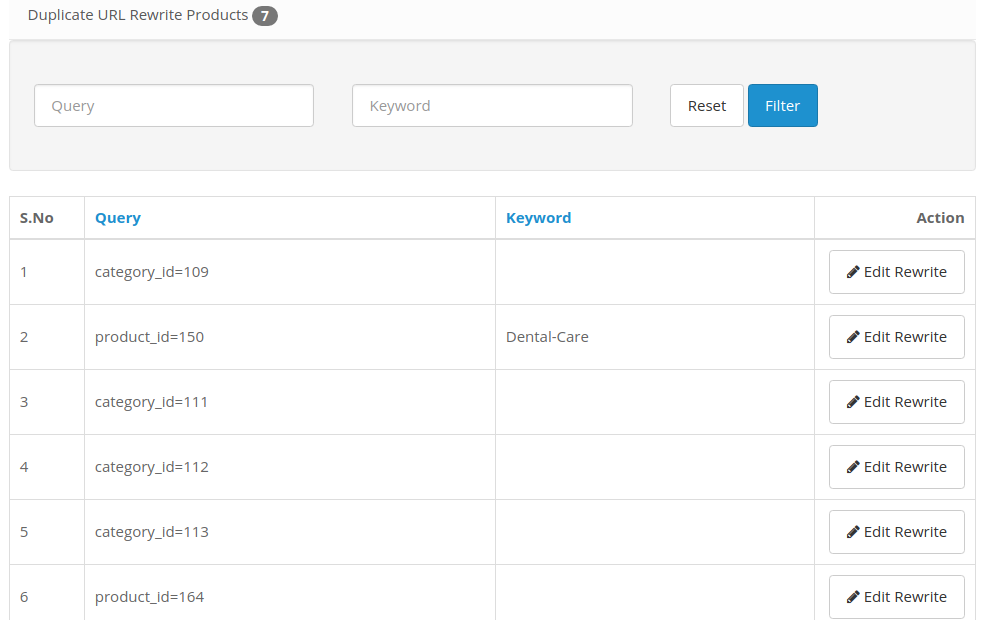
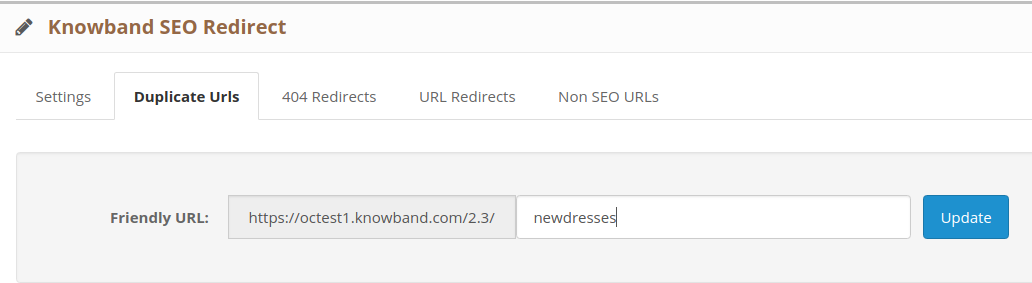
The OpenCart URL cleaner extension displays a list of possible duplicate URLs under the “Duplicate URLs” tab.
It displays the different URL queries associated with the same keyword. You can rewrite a particular URL, modify its keyword and set an SEO-friendly URL and redirect the visitors on the updated URL for that specific query.
3. Perform 404 Redirects
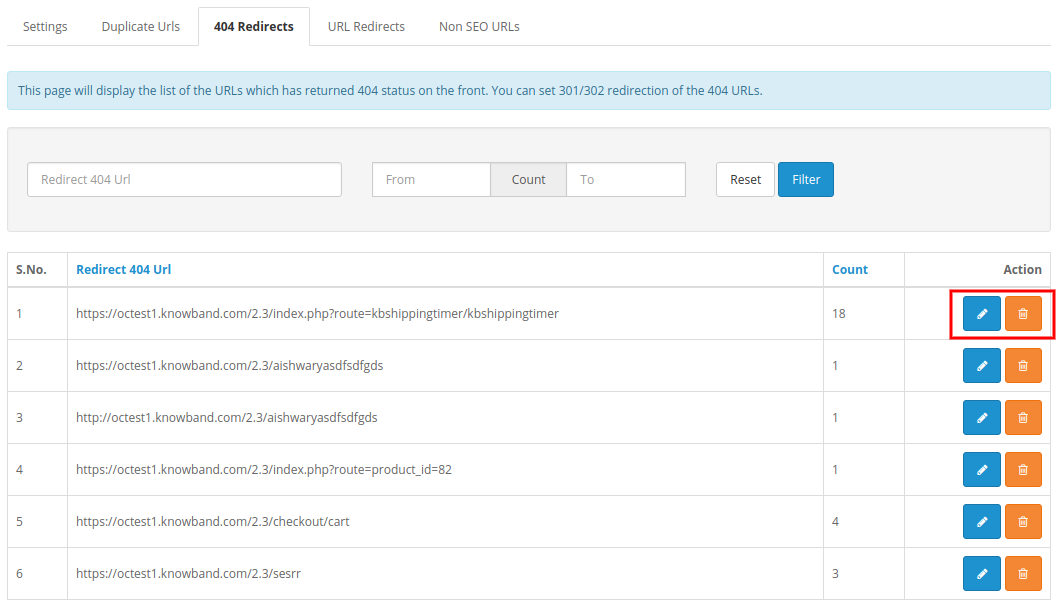
OpenCart SEO Redirect extension helps you perform 404 redirects. Under the 404 Redirects tab are the fetched URLs that are showing a 404 error. It also displays the fetched count of that particular URL.
To redirect a web visitor from those URLs to new URLs, simplify specify the new URL and the URL type. There are three types of redirects that you can perform-
301 Redirect- Moving a URL to a new URL permanently
302 Redirect- Moving a URL to a new URL temporarily
303 Redirect- GET method used to retrieve information
4. Track Non-SEO URLs
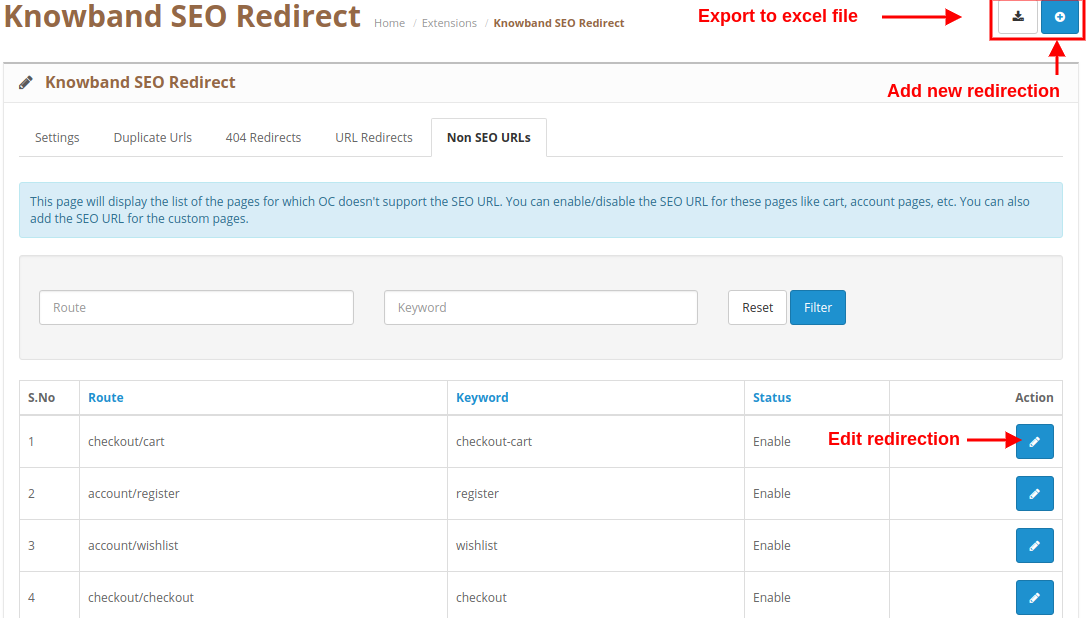
OpenCart SEO Redirect module displays a list of the Non-SEO URLs added by the admin, under the “Non-SEO URLs” tab and helps you convert them into SEO-friendly URLs. You can specify the path where you want to redirect a visitor if he or she clicks on its Non-SEO friendly path.
Benefits of OpenCart SEO Redirect Extension-
1. Keep Visitors Engaged
Leading visitors to broken or 404 pages can severely affect your website’s SEO and you may face a higher bounce rate and a decrease in website traffic. These problems get eliminated with OpenCart SEO Redirect Extension.
2. Remove Old URLs
By performing an SEO Redirect, you notify the search engine bot that the old URL has moved to a new path. Hence, it removes the previous existing URL and replaces it with the new one. Web visitors will then see a new URL indexed on the search engine.
If you need assistance with this OpenCart extension, contact us at support@knowband.com
It is always desired to keep better quality content and human-readable keywords in order to target high traffic to your website. So, the very first thing you need to make sure that your website shop is more SEO Friendly by rewriting the incorrect website URLs and making your website pages more searchable, using Knowband’s OpenCart SEO Redirect module. This module also provides redirect URL features for your website shop and you can implement any redirection like 301, 302 and 303 type. Redirect feature informs the customer’s browser that the page is moved and it will automatically switch to a new page of your choice.
1.1 Striking Features of OpenCart SEO Friendly URL Extension
OpenCart SEO Friendly URL extension helps to convert default URLs into SEO friendly URL.
OpenCart URL Redirect module automatically fetches all the duplicate URLs at your store which can modified or removed as per business needs.
With the OpenCart Rewrite URL module, you can redirect the old URLs into new URLs using 3 redirection choices as 301, 302 and 303 redirect type.
OpenCart SEO Redirect module helps to restructure your store by reforming incorrect store links of product pages and categories.
OpenCart URL Redirect module helps in improving website SEO in Google search results.
OpenCart Friendly URL Module is multi-store and multi-lingual compatible.
OpenCart SEO Optimizer offers an easy to use backend which requires no coding skills for configuring module settings.
OpenCart URL Redirect module allows changing all the known SEO URLs into SEO URLs.
OpenCart 301/302/303 Redirect Module allows you to redirect the non HTTPS URL to the HTTPS URL.
You can enable or disable the complete functionality of the OpenCart URL Redirect module on a single button click at the backend.
OpenCart 301/302/303 Redirect Module allows you to create N number of redirects for your store corresponding to different redirection type.
2.0 Installation Guide of OpenCart SEO Redirect Module
Before starting the installation process, you have to buy the OpenCart SEO Redirect module from the Knowband store. Once purchased, you will receive the following files on your registered email.
Source code of OpenCart SEO Redirect in zipped file format
User Manual of OpenCart SEO Redirects extension.
Now in order to install this SEO Redirect on your website, follow the given steps:
1. Unzip the zip file. You will get the folders as shown in the image below:
2. Copy all the folders of the zip file in the Root Directory of OpenCart setup via FTP manager.
Steps to install Ocmod file using Extension Installer (for v2.3)
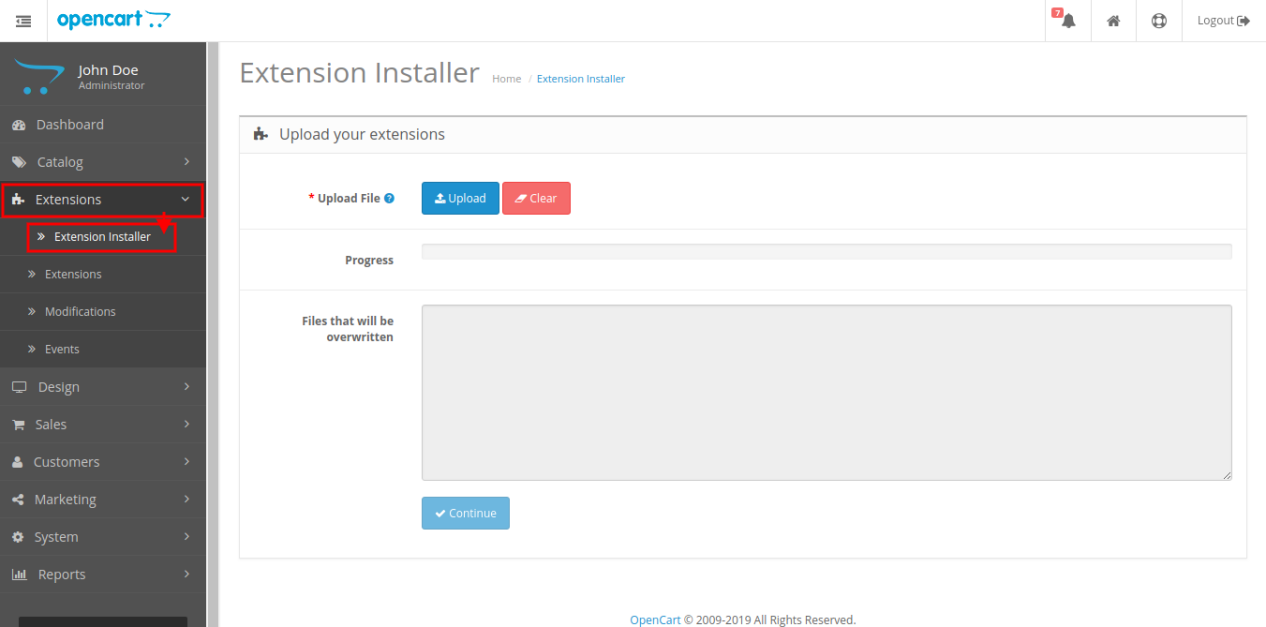
1. Open the Extension Installer window from the admin panel.
2. Click on Upload button to browse and upload the install.ocmod.xml file.
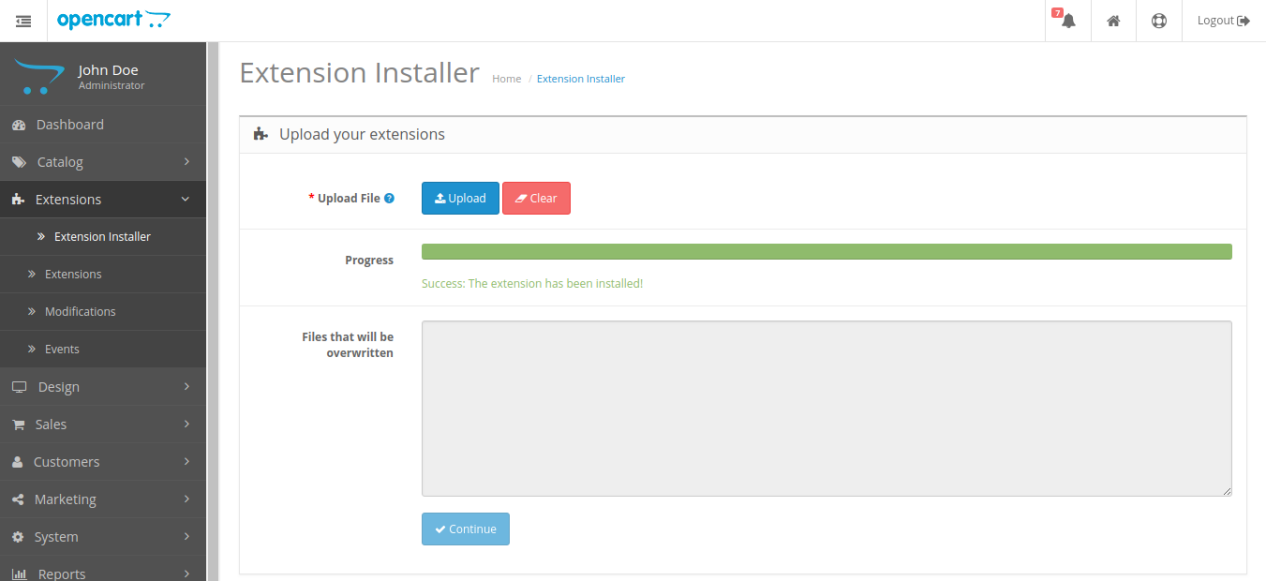
3. Once uploaded, you will see a success message on your screen as shown below.
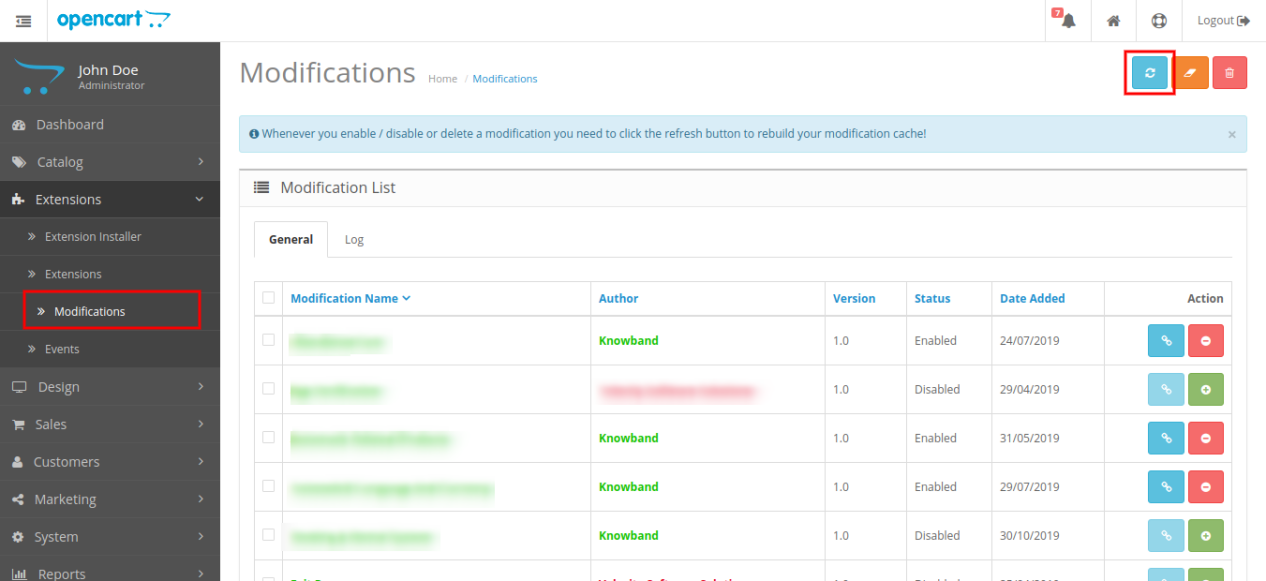
4. Next, go to Modifications tab and click on the Refresh button at the top right side of screen.
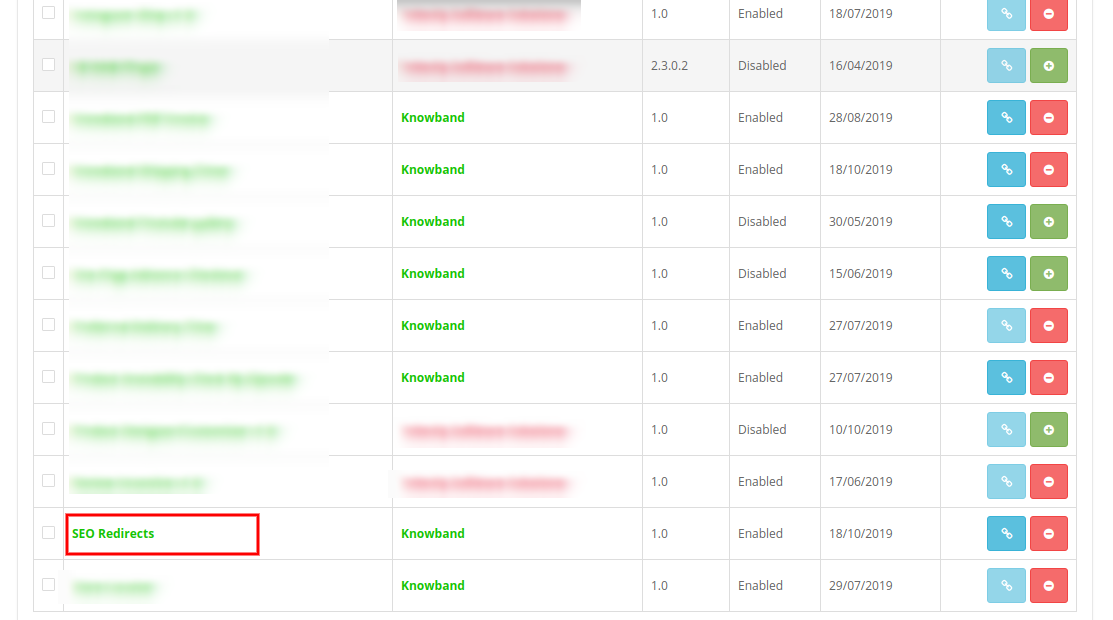
5. Now, scroll down the screen and you will find the SEO redirect module is installed as shown below.
Note:
1. Allow read-write permission to the “kbseoredirection” folder located on the following path: system\storage\download\kbseoredirection
2. For v3.x, you will find an installation file and folder structure as shown below:
While installing the seo_module_3_x.ocmod.zip file, you will see the following image:
So, OpenCart SEO Optimizer is now installed and is ready to use at your store. Go to the admin menu and click on the extensions. Then, click on Modules and thereby click on Edit button next to Knowband SEO Redirect.
3.0 Admin Interface of OpenCart URL Redirect module
After the successful installation of OpenCart URL Redirect module for your website, you can create as many 404 redirection for your store including 301, 302 and 303. Additionally, OpenCart 404 Redirect plugin eases you in converting the default URL structure at your store into a clean and SEO friendly URLs.
Simply, navigate the settings in the given order: Admin Panel > Extensions > Modules > Knowband SEO Redirect.
The simple to understand admin interface of OpenCart SEO Friendly URL extension is divided into three sections as:
1. General Settings
2. Duplicate URLs
3. 404 Redirects
4. URL Redirects
5. Non SEO URLs
3.1 General Settings
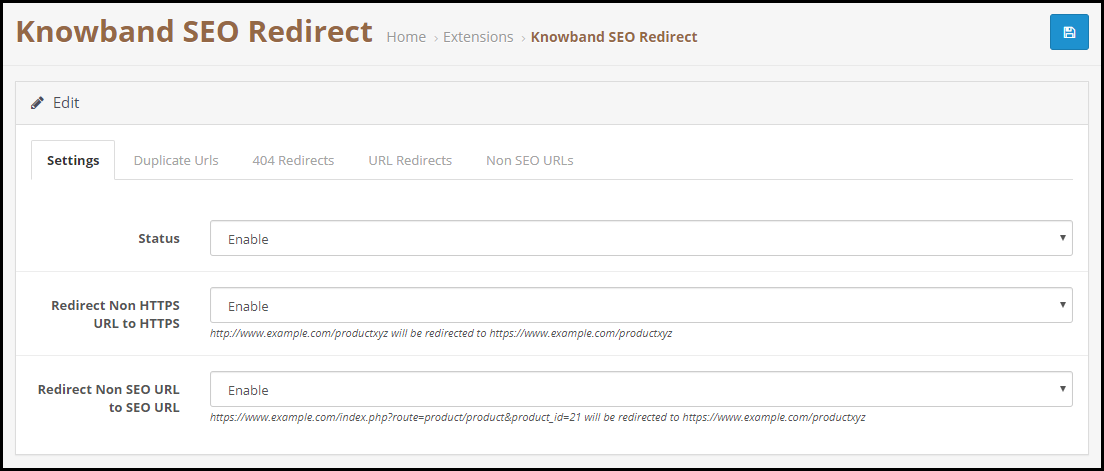
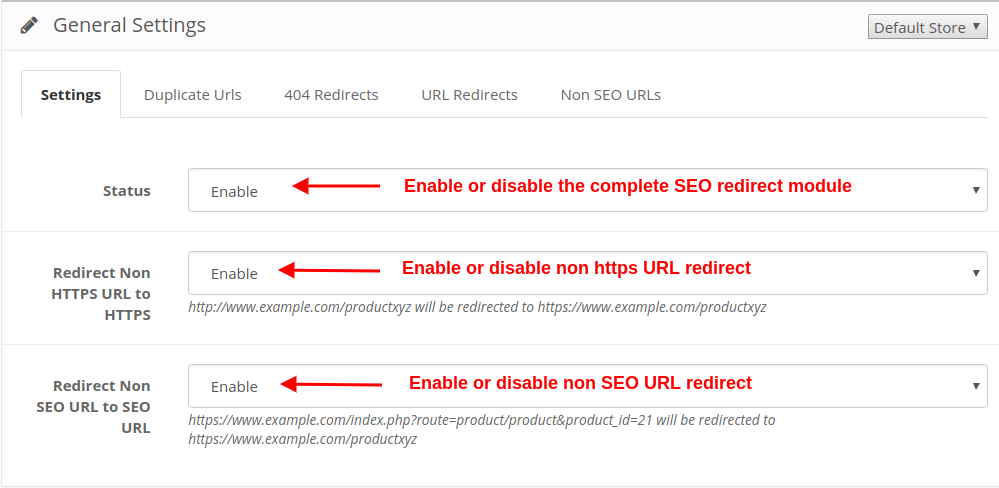
Status: This option will enable or disable the complete functionality of URL Redirect for OpenCart store.
Redirect Non HTTPS URL to HTTPS: By enabling this option, the non https URL will be automatically redirected to https URL. But if this setting is disabled, the non https URL will remain unsecured.
Redirect Non SEO URL to SEO URL: By enabling this option, the non SEO URL can be converted to SEO URL.
3.2 Duplicate URLs
OpenCart URL Redirect module fetches all the duplicate URLs at your store and lists them under this Duplicate URL section. Here, you can simply rewrite any duplicate URL and change it into a new SEO friendly URL by adding an appropriate keyword.
Click on “Edit Rewrite” button corresponding to a URL and you can update the URL as shown below:
The duplicate URL you rewrite and update is automatically removed from the list. This way, you can change all the duplicate URLs into a unique or SEO friendly URL.
3.3 404 Redirects
From this section of OpenCart 301/302/303 Redirect Module, you can check the list of 404 redirects. You can find all the redirect 404 URL along with an option to “Edit Redirect” or “Delete Redirect”. Also, you can check the hit count corresponding to a specific wrong URL.
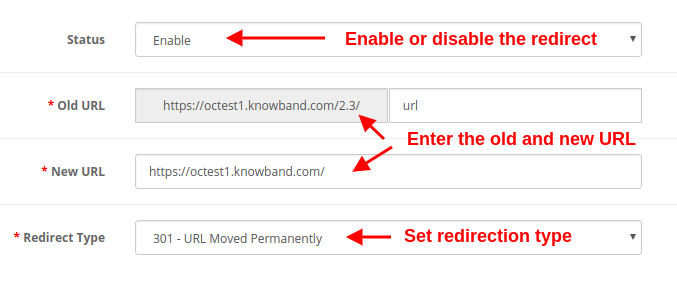
You can edit any wrong redirect with the options given below:
Status: This option enables or disables the specific 404 redirect.
Old URL: This field specifies the incorrect or wrong URL redirecting to 404 page.
New URL: With this field, you can specify the new URL to which you want to redirect the old URL.
Redirect Type: This option allows you to set the redirection type as 301, 302, and 303.
3.4 URL Redirects
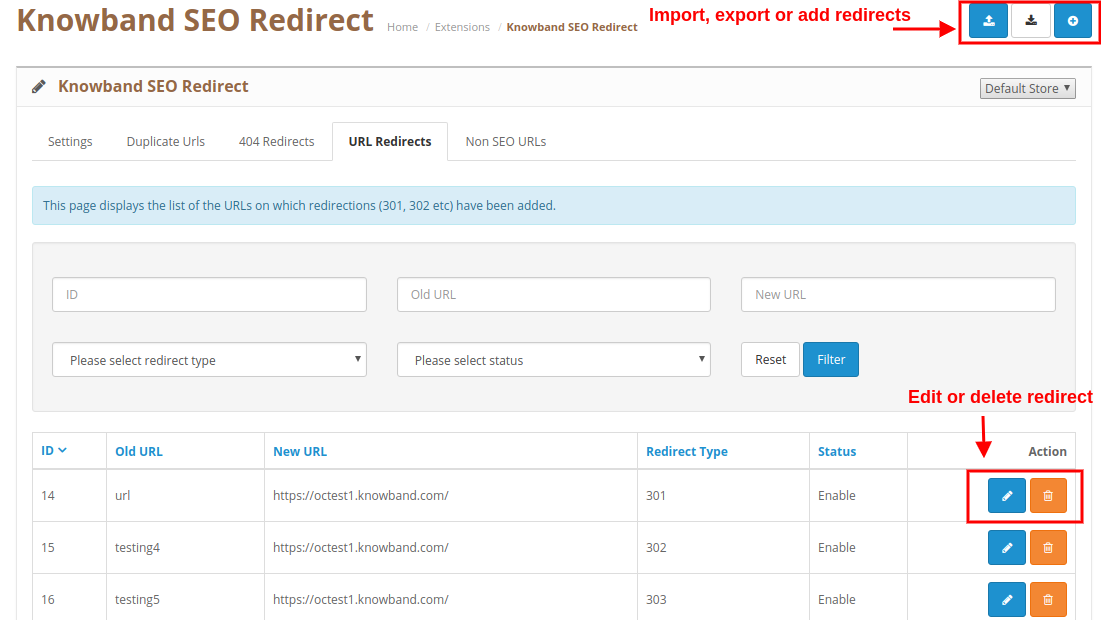
From this section, you can view and manage all the SEO redirects at your store. These redirects can be edited or deleted by clicking on the “Edit” or “Delete” button.
You can add a new redirect or you can modify the existing redirection using the “Edit” or “Delete” button. Editing an existing Redirect
Bulk Upload
3.5 Non SEO URLs
OpenCart SEO Redirect module provides a detailed interface to check the non SEO URLs at your store. You can easily edit the existing redirection or can add a new redirection for your store.
For more details about this OpenCart 301/302/303 Redirect Module, visit here: