HubBox Error: _messageErrorTemplate is not a function

Problem Statement

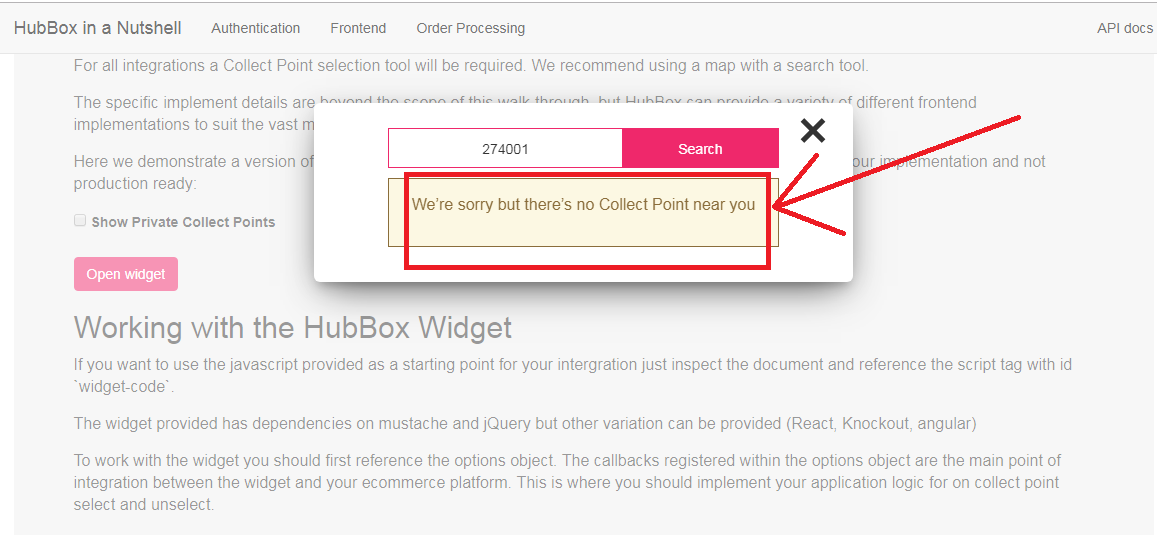
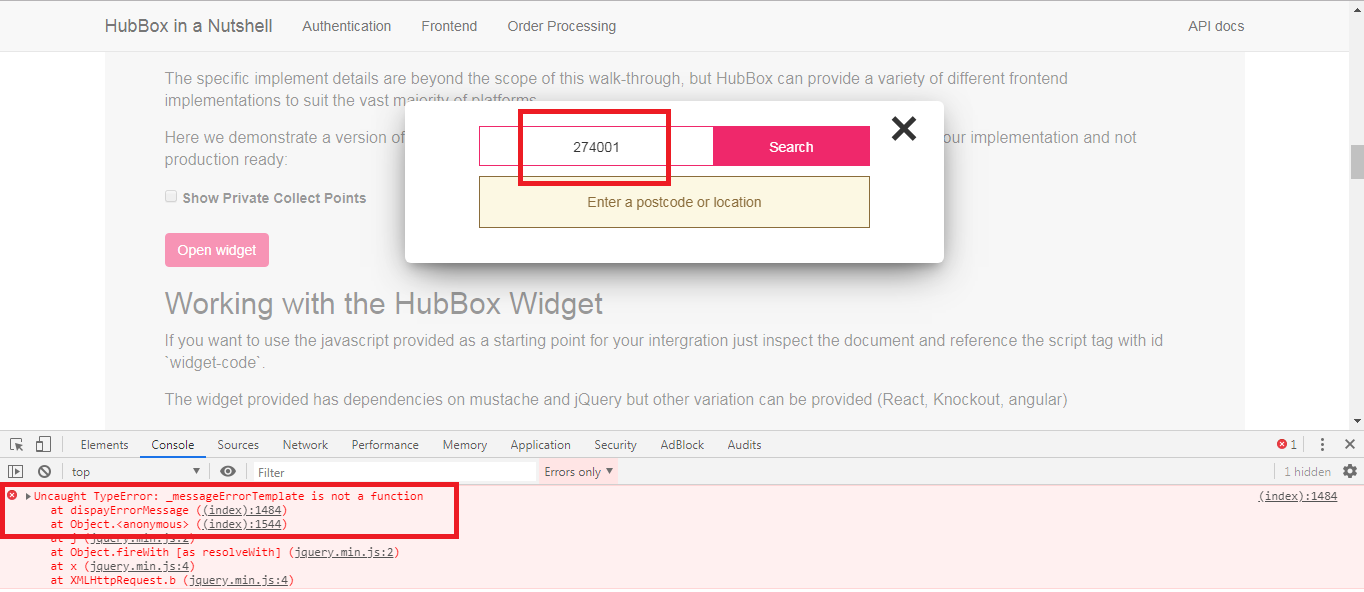
On searching the wrong address in the HubBox popup, there is no error message. When checked on the console, you are getting an error like “_messageErrorTemplate is not a function“.

Solution

The error: “_messageErrorTemplate is not a function” is coming because this function is not declared as function in the HubBox library.

HubBox Error
To fix this issue you need to make some changes in the library of HubBox:

You need to make changes in the below two files:

1. \HubBox\Java\src\main\resources\static\index.html
2. \HubBox\Java\out\production\resources\static\index.html

In these files, search the below code:

var _messageErrorTemplate = Mustache.render(_messageError || "");
var _messageWarning = $(selectors.messages.warning).html();
var _messageWarningTemplate = Mustache.render(_messageWarning || "");

and replace this with the below code:

var _messageErrorTemplate = function() { return Mustache.render(_messageError || ""); };
var _messageWarning = $(selectors.messages.warning).html();
var _messageWarningTemplate = function() { return Mustache.render(_messageWarning || ""); };

By declaring ‘_messageErrorTemplate‘ and ‘_messageWarningTemplate‘ as function, now you will get an error message on searching wrong address in the HubBox popup.

HubBox Error: Failed to open stream /sample/../../vendor/autoload.php

Problem Statement

While using the library provided by HubBox, there is an error occurring-

require(C:\wamp64\www\HubBox\sample\src\public/../../vendor/autoload.php): failed to open stream: No such file or directory in C:\wamp64\www\HubBox\sample\src\public\index.php on line 14

Solution

This error occurred because of dependencies on files that are missed. You need to solve this issue by using below steps:

Step1: Delete the file sample/composer.lock from the library.

Step2: Make a folder with the name “vendor” under /sample/

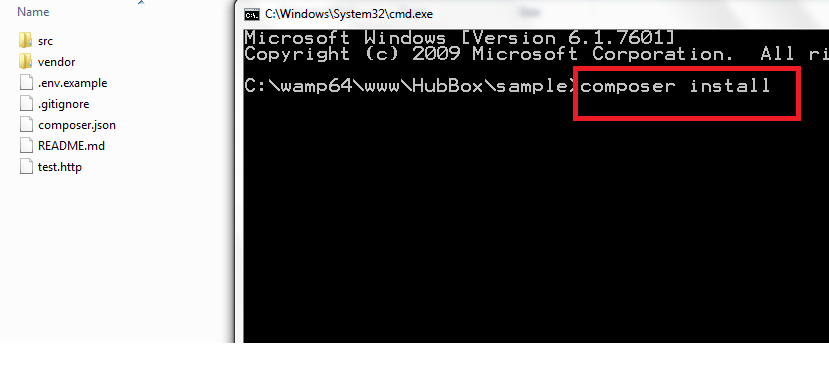
Step3: Run the command “composer install” in command prompt at /sample/


It will download all the dependency files which are required.

After successfully downloading all the dependencies, you will able to use the HubBox library.

HubBox Error: Bad Response Code

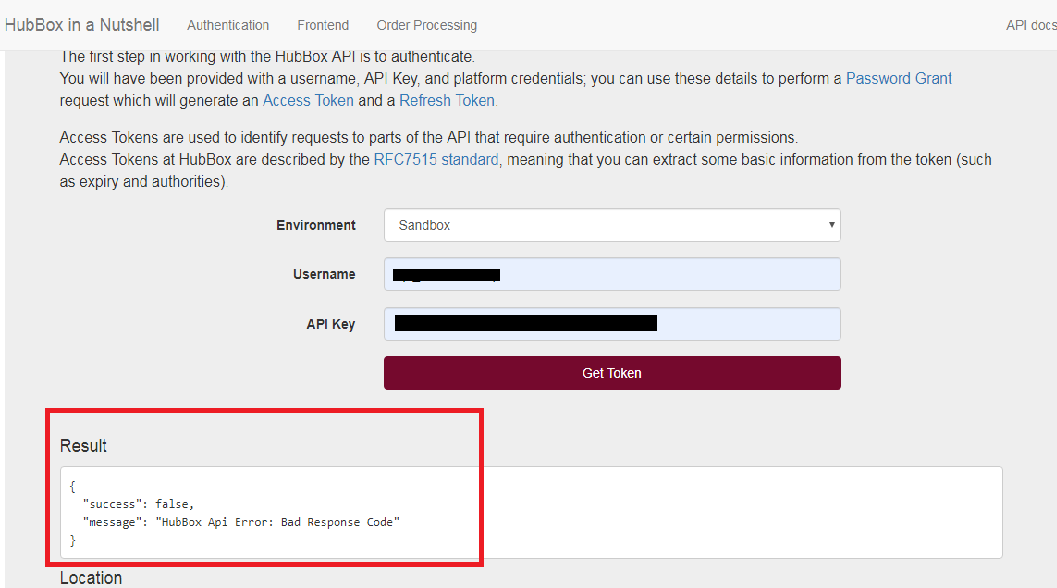
Problem Statement:  Error coming in the response of Authentication API of HubBox ie. “HubBox Api Error: Bad Response Code”

Solution:  If you are facing issue as shown below while you are checking Authentication API, it may be because of Authentication API is verifying SSL certificate for connection.

For this, you can turn off the SSL verification in the CURL request by adding below lines.

curl_setopt($ch, CURLOPT_SSL_VERIFYPEER, false);
curl_setopt($ch, CURLOPT_SSL_VERIFYHOST, false);

Make the change in the curl request of Authentication API in the function refreshToken() at HubBox/PHP/HubBox/Authentication.php as shown below:

$ch = curl_init();
$post_string = http_build_query($fields);
curl_setopt($ch, CURLOPT_URL, $endpoint);
curl_setopt($ch, CURLOPT_RETURNTRANSFER, 1);
curl_setopt($ch, CURLOPT_POST, 1);
curl_setopt($ch, CURLOPT_POSTFIELDS, $post_string);
curl_setopt($ch, CURLOPT_HTTPHEADER,array('Content-type: application/x-www-form-urlencoded'));
curl_setopt($ch, CURLOPT_USERPWD, $this->_magento_user . ":" . $this->_magento_key);
curl_setopt($ch, CURLOPT_VERBOSE, 1);
curl_setopt($ch, CURLOPT_HEADER, 1);
curl_setopt($ch, CURLOPT_SSL_VERIFYPEER, false);
curl_setopt($ch, CURLOPT_SSL_VERIFYHOST, false);
$output = curl_exec($ch);
$header_size = curl_getinfo($ch, CURLINFO_HEADER_SIZE);
$httpcode = curl_getinfo($ch, CURLINFO_HTTP_CODE);
$body = substr($output, $header_size);
curl_close($ch);

If this was the issue, you will need to add these lines in all APIs of HubBox Create Parcel, Cancel Parcel, Add Tracking and Collectpoint APIs as described below.

Create Parcel API: Make the change in the curl request of Create Parcel API in the function sendOrder() at HubBox/PHP/HubBox/Parcel.php as shown below:

$ch = curl_init();
curl_setopt($ch, CURLOPT_URL, $this->getOrderUrl());
curl_setopt($ch, CURLOPT_RETURNTRANSFER, 1);
curl_setopt($ch, CURLOPT_CUSTOMREQUEST, "POST");
curl_setopt($ch, CURLOPT_POSTFIELDS, $body);
curl_setopt($ch, CURLOPT_HTTPHEADER,
array(
'Content-type: application/json',
'Authorization: Bearer '. $token,
'Content-Length: ' . strlen($body)
)
);
curl_setopt($ch, CURLOPT_VERBOSE, 1);
curl_setopt($ch, CURLOPT_HEADER, 1);
curl_setopt($ch, CURLOPT_SSL_VERIFYPEER, false);
curl_setopt($ch, CURLOPT_SSL_VERIFYHOST, false);
$output = curl_exec($ch);
$header_size = curl_getinfo($ch, CURLINFO_HEADER_SIZE);
$body = substr($output, $header_size);
$httpCode = curl_getinfo($ch, CURLINFO_HTTP_CODE);
curl_close($ch);

Cancel Parcel API: Make the change in the curl request of Cancel Parcel API in the function cancelOrder() at HubBox/PHP/HubBox/Parcel.php as shown below:

$ch = curl_init();
curl_setopt($ch, CURLOPT_URL, $this->getCancelUrl($hubBoxParcelId));
curl_setopt($ch, CURLOPT_RETURNTRANSFER, 1);
curl_setopt($ch, CURLOPT_CUSTOMREQUEST, "POST");
curl_setopt($ch, CURLOPT_POSTFIELDS, $postBody);
curl_setopt($ch, CURLOPT_HTTPHEADER,
array(
'Content-type: application/json',
'Authorization: Bearer '. $token,
'Content-Length: ' . strlen($postBody)
)
);
curl_setopt($ch, CURLOPT_VERBOSE, 1);
curl_setopt($ch, CURLOPT_HEADER, 1);
curl_setopt($ch, CURLOPT_SSL_VERIFYPEER, false);
curl_setopt($ch, CURLOPT_SSL_VERIFYHOST, false);
$output = curl_exec($ch);
$header_size = curl_getinfo($ch, CURLINFO_HEADER_SIZE);
$body = substr($output, $header_size);
$httpCode = curl_getinfo($ch, CURLINFO_HTTP_CODE);
curl_close($ch);

Add Tracking API: Make the change in the curl request of Add Tracking API in the function addTracking() at HubBox/PHP/HubBox/Parcel.php as shown below:

$ch = curl_init();
curl_setopt($ch, CURLOPT_URL, $this->getTrackingUrl($hubBoxParcelId));
curl_setopt($ch, CURLOPT_RETURNTRANSFER, 1);
curl_setopt($ch, CURLOPT_CUSTOMREQUEST, "POST");
curl_setopt($ch, CURLOPT_POSTFIELDS, $postBody);
curl_setopt($ch, CURLOPT_HTTPHEADER,
array(
'Content-type: application/json',
'Authorization: Bearer '. $token,
'Content-Length: ' . strlen($postBody)
)
);
curl_setopt($ch, CURLOPT_VERBOSE, 1);
curl_setopt($ch, CURLOPT_HEADER, 1);
curl_setopt($ch, CURLOPT_SSL_VERIFYPEER, false);
curl_setopt($ch, CURLOPT_SSL_VERIFYHOST, false);
$output = curl_exec($ch);
$header_size = curl_getinfo($ch, CURLINFO_HEADER_SIZE);
$body = substr($output, $header_size);
$httpCode = curl_getinfo($ch, CURLINFO_HTTP_CODE);
curl_close($ch);

Collectpoint API: Make the change in the curl request of Collectpoint API in the function getCollectPoint() at HubBox/PHP/HubBox/CollectPoints.php as shown below:

$ch = curl_init();
curl_setopt($ch, CURLOPT_URL, $this->getCollectPointUrl() . '/' . $id);
curl_setopt($ch, CURLOPT_RETURNTRANSFER, 1);
curl_setopt($ch, CURLOPT_HTTPHEADER, array('Content-type: application/json'));
curl_setopt($ch, CURLOPT_VERBOSE, 1);
curl_setopt($ch, CURLOPT_HEADER, 1);
curl_setopt($ch, CURLOPT_SSL_VERIFYPEER, false);
curl_setopt($ch, CURLOPT_SSL_VERIFYHOST, false);

// if we have private collect points we must authenticate the request
if ($this->_config->hasPrivateCps()) {
$header[] = "Authorization: Bearer " . $this->_auth->getAccessToken();
curl_setopt($ch, CURLOPT_HTTPHEADER, $header);
}

$output = curl_exec($ch);
$header_size = curl_getinfo($ch, CURLINFO_HEADER_SIZE);
$body = substr($output, $header_size);
$httpCode = curl_getinfo($ch, CURLINFO_HTTP_CODE);
curl_close($ch);

For more related articles please visit here: HubBox Error: Wrong product data in the response of Create Parcel API

HubBox Error: Wrong product data in the response of Create Parcel API

Problem Statement:  Wrong product data coming in the response of Create Parcel API of HubBox Sandbox account.

Solution: If you are facing this issue in HubBox sandbox account as shown below, you can ignore this on the sandbox account as It will work fine in the Production account of HubBox.

Sent product data in the request of Create Parcel API:
[order] => Array
        (
            [id] => 1234
            [products] => Array
                (
                    [0] => Array
                        (
                            [name] => Test Item1
                            [sku] => TEST
                            [price] => 1
                        )
 
                    [1] => Array
                        (
                            [name] => Test Item2
                            [sku] => TEST2
                            [price] => 12
                        )
 
                    [2] => Array
                        (
                            [name] => Test Item3
                            [sku] => TEST3
                            [price] => 13
                        )
 
                )
 
        )

Received product data in the response of Create Parcel API:

[order] => stdClass Object
        (
            [id] => 1234
            [products] => Array
                (
                    [0] => stdClass Object
                        (
                            [sku] => TEST
                            [name] => Test Item
                            [price] => 1
                            [qty] =>  
                            [challenge18] =>  
                            [challenge21] =>  
                            [challenge25] =>  
                            [perishable] =>  
                            [flammable] =>  
                        )
 
                    [1] => stdClass Object
                        (
                            [sku] =>  
                            [name] =>  
                            [price] =>  
                            [qty] =>  
                            [challenge18] =>  
                            [challenge21] =>  
                            [challenge25] =>  
                            [perishable] =>  
                            [flammable] =>  
                        )
 
                )
 
        )

Related Article: HubBox Error: Bad Response Code