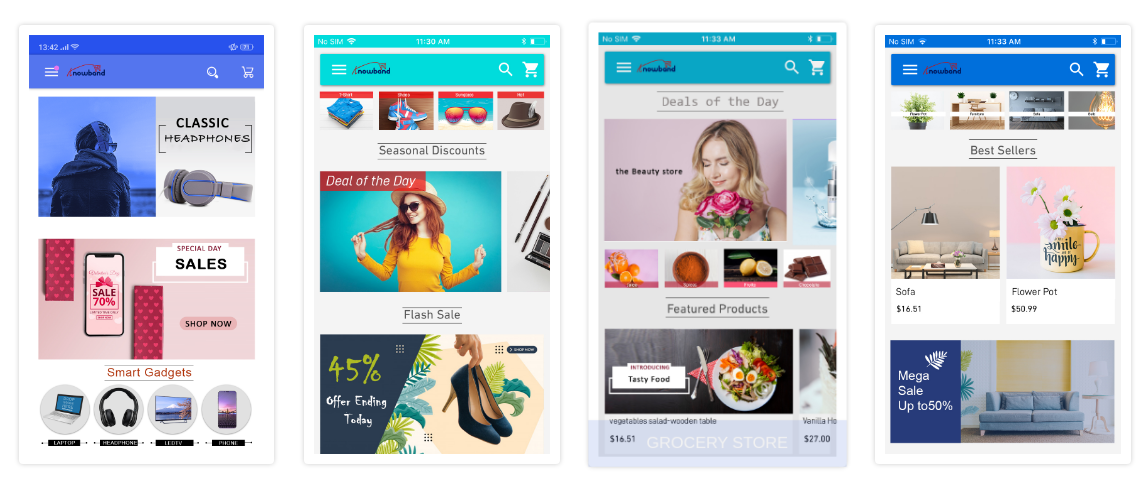
A good marketing strategy always involves keeping the customers engaged, retained & interested in your products or services. This especially is highly useful for the eCommerce Industry. For such e-retail businesses, having a WooCommerce Native Mobile Application (iOS & Android) can do wonders. It eases the online shopping experience for the app users & also keeps user engagement & entertainment at par. For that, Mobile Apps use a powerful feature i.e. Push Notifications. This writeup will explain how a WooCommerce Mobile App makes it quick and handy to send mobile push notifications to users.
Once your WooCommerce Mobile App (Android & iOS) is installed on the users’ devices, they receive promotional & engaging Push notifications from your end. You (store owners) can control, create & optimize such push notifications as per your business needs. Subsequently, Push Notifications have been reported to perform much better in terms of engaging app users when compared to email reminders/ newsletters.
Recommended Read: How Easy Is It To Design Home-Page Of WooCommerce Mobile App?
Push Notifications with WooCommerce Mobile App Builder:
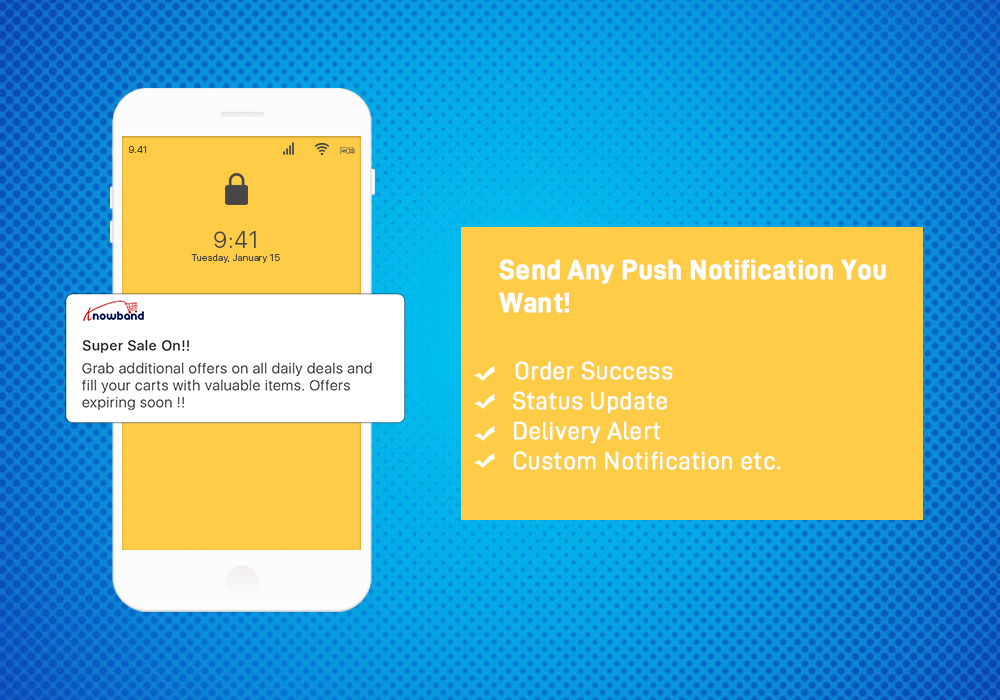

KnowBand provides personalized push notifications feature in WooCommerce Mobile App Builder. This plugin assists in launching Android and iOS apps from your existing WooCommerce website. Further, there is no need for coding with this plugin. This write-up will introduce you to the backend settings of this WooCommerce Mobile App Maker plugin so that store admins can configure and send Push Notifications to users’ devices.
While keeping the mobile app synchronized with the website, this app creator plugin provides a wide range of front-end & back-end features.


Follow this tutorial write-up to know how you can create, automate & send these notifications without a hassle. On the backend of your WooCommerce website, where you have the Mobile App Builder installed, hit ‘configure’. Now, from the backend of this Plugin, navigate to the Push Notification Settings Tab from the side menu.
Recommended Read: Top WooCommerce Mobile Apps Developed By KnowBand
Push Notification Settings:
From the backend, you will only have to enter your Firebase Server key (which will be provided along with apps). The WooCommerce Mobile App Builder by KnowBand provides an unlimited number of push notifications that store owners & their admins can send to their app users.
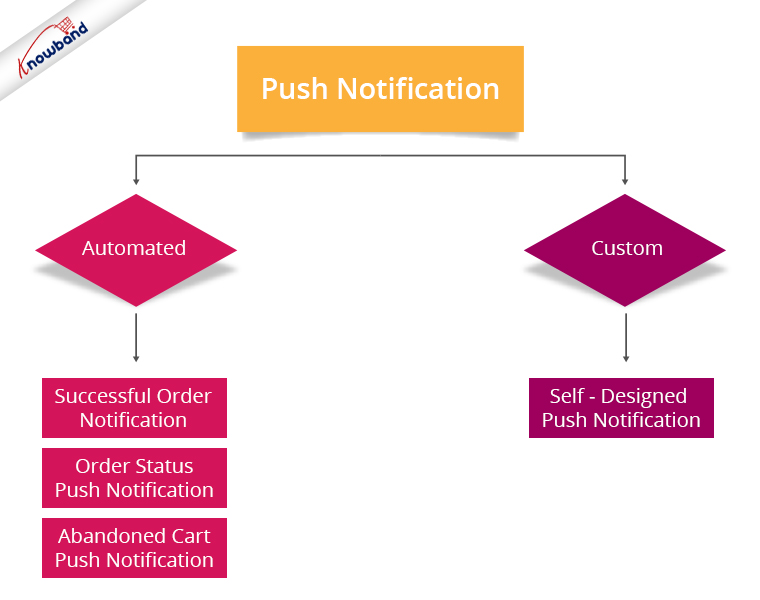
By default, some of the automated Push Notifications are already provided for your ease. These notifications can even be disabled or enabled with just a toggle switch as shown in the screen capture. Besides those, you can create any other kind of Push Notification from this backend as well. Here is how you can configure them.
A) Successful Order Notification:
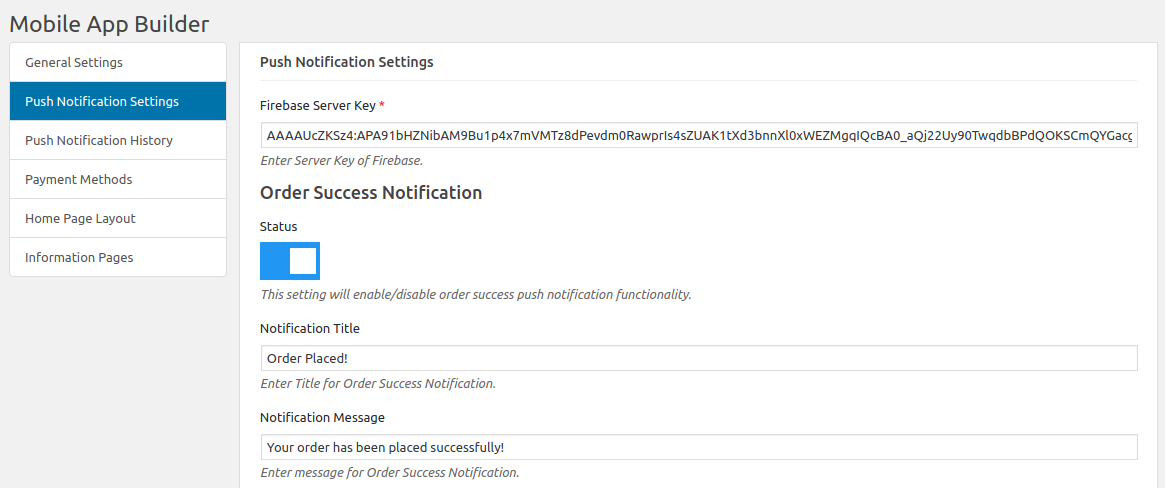
Using this notification setting, the store admin can set the title & message for successful orders. This notification will appear each time a user of the app successfully places an order through the app.
B) Order Status Push Notification:
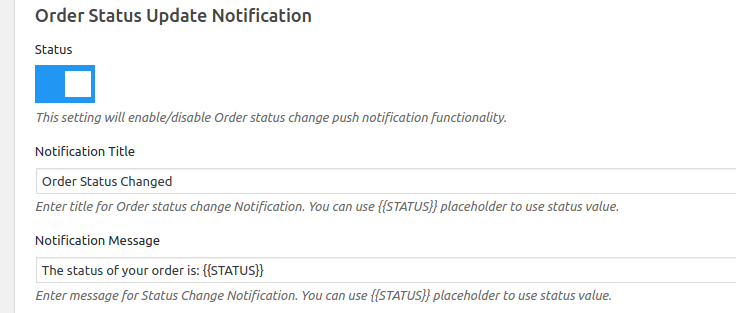
This notifies your app users about any status update of their active orders. Some examples of these are ‘order packed’, ‘order shipped’, ‘on the way’, ‘delivered’, ‘cancelled’, etc.
Use the variable ‘{{STATUS}}’ anywhere in the message body to form your automated order status push notification.
C) Abandoned Cart Push Notification:
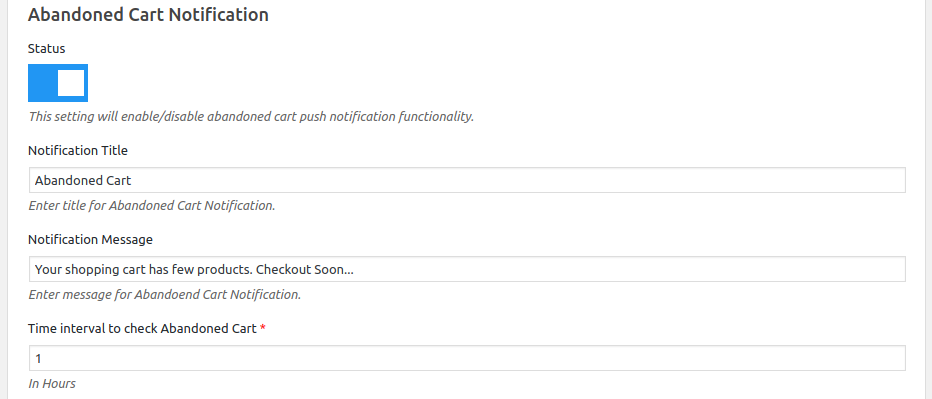
Automate the abandoned cart notification by setting the timer provided in this push notification setting. Every time an app user leaves his/her cart abandoned, then automatically this push notification is sent to him/her after the specified time.
Recommended Read: How To Quickly Build WooCommerce Mobile App for eCommerce Store?
Custom Push Notifications:
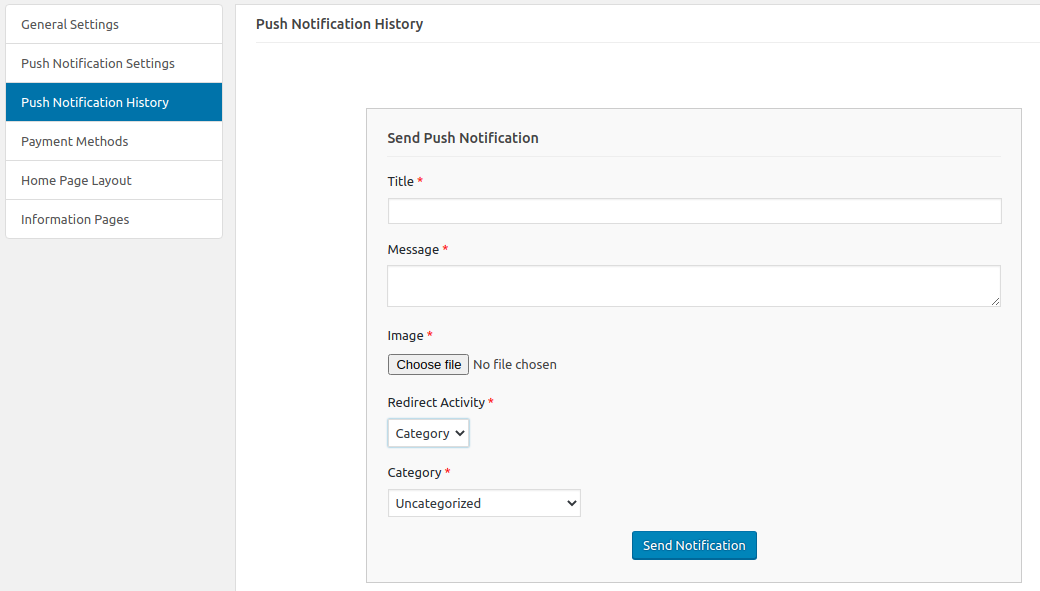
Apart from the above three pre-defined notifications elaborated above, admins can create any kind of self-designed Push Notification from this setting. First, from the side menu of this app maker Plugin, select ‘Push Notification History’. Then using the ‘Send Notifications’ button on the top right of the page, create a new notification manually according to your needs.
Additionally, you can even choose to selectively send these notifications to any android/ iOS device. Moreover, use attractive images to get more customer engagement using these notifications. Then choose the redirecting activity to be any of the categories/ subcategories/ products or even the homepage of the app. Finally, these notifications will be sent to all the app users once you hit send.
Push Notification History:
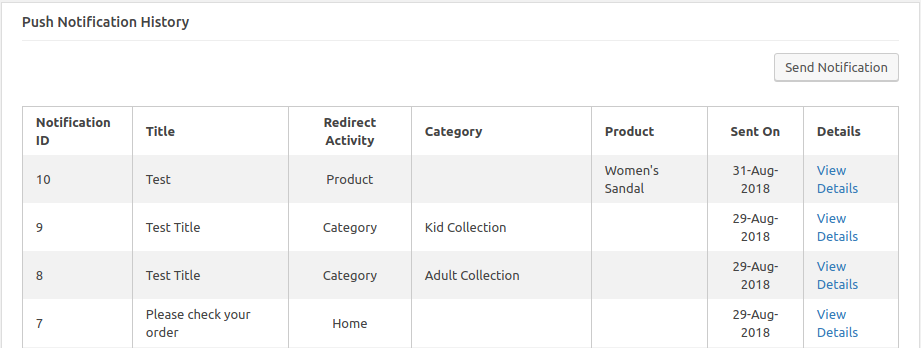
Keep a record of your previously sent notifications & their configurations by accessing the ‘Push Notification History’. You can even filter out the ones you want to view from the advanced search bar as shown in the screenshot above.
To make it even more convenient & effortless for the store owners out there, WooCommerce Mobile App Maker Plugin, by KnowBand, has most of the settings automated. Hence, the store owners don’t need to make even the slightest effort to yield great results. Besides, the Push Notification functionality, the home screens of the apps are completely dynamic and may be customised from the module backend. The built-in WhatsApp and Zopim chat features provide a dependable communication channel between app users and the admin. The apps have quick login choices including Google, Facebook, Phone No (OTP), and Fingerprint.

Conclusion:
Mobile push notifications are a major feature that makes an app stand out from the website. When used properly, these can lead to an exponential increase in customer retention & engagement rate. Thus, they help store owners effortlessly boost their sales. Moreover, for all smartphone users, WooCommerce mobile apps provide a lot easier and more efficient buying experience. Hence, with flawless functioning & incredible features, an eCommerce mobile app bridges the gap between admin and users. Thus, Launching your own shopping app will increase sales and money as you have such a great business option.

For any queries related to this WooCommerce Mobile App Plugin, reach out by emailing us at support@knowband.com. We would be delighted to assist you.