Power of Communication with Customer – Knowband’s WhatsApp Live Chat Manager!

In today’s competitive eCommerce landscape, effective customer communication is more than a luxury—it’s a critical component of success. The reason behind the same is that modern customers just do not buy something by just looking into it. Moreover, it is crucial for them to have a proper idea of the service/product they are going to purchase before reaching a decision.

Furthermore, modern shoppers expect immediate and personalized responses when they encounter issues or have questions. Thus, integrating a powerful communication system on an eCommerce website can transform customer service dynamics by offering a direct, convenient communication line.

Following the same, we are here to present the WhatsApp Live Chat Manager module to streamline your communication with the customers. However, before starting it is important to understand the importance of live communication with the visitors.

Importance of Effective Communication in eCommerce:

Effective communication transcends simple interactions; it builds relationships and fosters trust between the customer and the brand.
Therefore, in the context of eCommerce, this could be the deciding factor between a finalized sale and an abandoned cart.
Live chat systems notably increase conversion rates by as much as 20%, as they provide reassurances to customers at critical decision-making stages of the purchasing process. Moreover, the live chat tools on a website play a vital role in customer retention, with consistent, helpful interactions encouraging customers to return.

Benefits of Live Chat on eCommerce Websites!
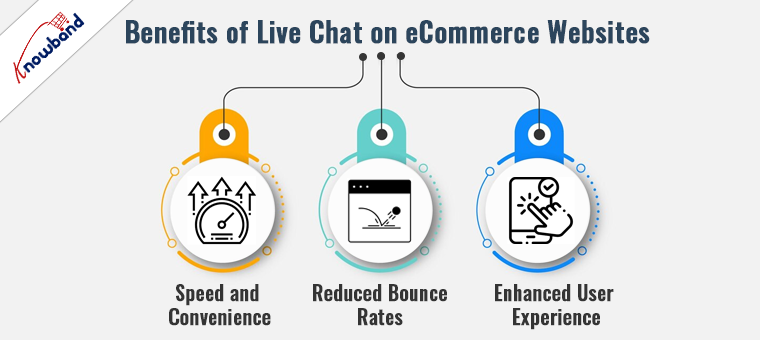
The introduction of live chat on eCommerce sites revolutionizes customer interactions by offering several tangible benefits:

Speed and Convenience:

The Live chat option provides immediate answers to customer inquiries, which is far superior to the delays often associated with email and phone support. Moreover, it also helps in addressing customer’s queries and helps them in decision-making.

Reduced Bounce Rates:

By promptly addressing concerns and guiding customers through their purchase decisions, live chat significantly reduces the likelihood of customers leaving the site without making a purchase.

Enhanced User Experience:

Live chat adds a human element to shopping online, which can enhance the overall user experience, leading to increased customer loyalty and repeat business. Moreover, the query resolution at the time of purchase reduces the need to return and other hassles in the purchase journey.

Features of WhatsApp Live Chat Manager for PrestaShop!
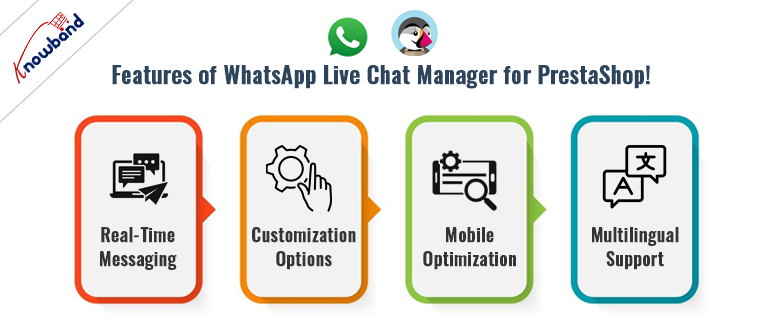
Knowband’s Prestashop WhatsApp Live Chat Manager Addon is designed with the modern eCommerce framework in mind. Its key features include:

Real-Time Messaging:

This core feature ensures no customer query goes unanswered, providing a seamless communication flow. This eliminates the need for unnecessary delays in communication and helps the customers to get their queries addressed during live chat sessions.

Customization Options:

Businesses can customize the chat interface to reflect their branding, making the shopping experience more personal and consistent.

Furthermore, we have also provided an option to manage the chat appearance in particular locations. Thus, as an eCommerce admin, you can select which products/categories the customers will be getting live chat support.

Mobile Optimization:

Given the increasing use of mobile devices for shopping, Knowband’s WhatsApp Chat for Prestashop ensures that the chat experience is smooth across all devices.

Multilingual Support:

Catering to a global audience is easier as the module supports multiple languages. This eliminates the need for manual translations and helps businesses to communicate more effectively with customers.

Leveraging Live Chat for Strategic Customer Engagement:

Beyond its basic functionality, the WhatsApp Live Chat Manager can be leveraged as a strategic tool in various ways:

Proactive Engagement:

Instead of waiting for customers to initiate contact, businesses can use live chat to proactively message customers who appear to be hesitating in their purchase journey.

Gathering Customer Insights:

Live interactions provide a wealth of data about customer preferences and pain points, which can be used to refine marketing strategies and product offerings.

Boosting Sales through Upselling:

Operators can use the context of the chat to suggest additional purchases that complement the customer’s current selection, subtly increasing the average order value.

Conclusion!

Incorporating the WhatsApp Live Chat Manager into your PrestaShop store is not just about keeping up with eCommerce trends—it’s about setting a standard for customer service excellence. Thus, by enabling real-time, personalized communication, you empower your business to meet modern shoppers’ expectations head-on, enhancing their experience and boosting your sales.

Elevate Customer Support with Knowband’s Prestashop WhatsApp Live Chat Manager Addon!

In the dynamic world of e-commerce, providing exceptional customer support and engagement has emerged as a critical competitive advantage. Knowband, a leading e-commerce solutions provider, has recently unveiled the “Prestashop WhatsApp Live Chat Manager Addon“. This innovative tool empowers Prestashop store owners to seamlessly integrate WhatsApp as a live chat channel, revolutionizing customer interactions. Furthermore, the Prestashop WhatsApp chat module comes with tons of richly loaded features to take care of all your customer support needs.

Connecting in Real-Time with Prestashop WhatsApp Chat Addon:

In response to the widespread use of messaging apps, integrating WhatsApp into an e-commerce platform has become a strategic imperative. The Prestashop WhatsApp Live Chat Manager Addon facilitates real-time connections with customers, enabling instant assistance and support. Furthermore, the WhatsApp chat module streamlines communication, addressing customer queries, and offering product insights. Which ultimately leads to boosting conversions.

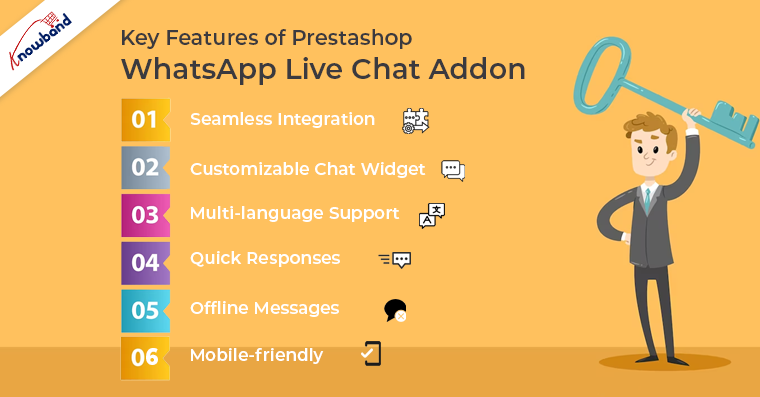
Key Features of Prestashop WhatsApp Live Chat Addon:


Seamless Integration: 

This Prestashop WhatsApp Live Chat extension seamlessly incorporates WhatsApp into the Prestashop interface, ensuring a user-friendly experience for customers and store owners alike. Moreover, the Prestashop WhatsApp chat module supports the latest Prestashop modules.

Customizable Chat Widget: 

Store owners can tailor the appearance and behavior of the WhatsApp chat widget. Furthermore, the admin can add custom CSS for modifying the look and feel of the WhatsApp chat icon.

Multi-language Support: 

The Prestashop WhatsApp Live Chat Manager module supports multiple languages. Enabling businesses to engage a global customer base and overcome language barriers.

Quick Responses: 

The Quick Response feature empowers customer support agents to efficiently handle frequently asked questions, providing swift solutions on the go.

Offline Messages: 

Customers can leave messages even when support agents are unavailable. Ensuring no query goes unanswered with Knowband’s Prestashop WhatsApp Live Chat module.

Mobile-friendly: 

WhatsApp’s mobile-first platform is seamlessly integrated through the Prestashop WhatsApp Live Chat Manager. Moreover, the admin can choose the WhatsApp chat appearance for the selected devices only. For example, we have provided the option for showing chat icons on Tablets, Mobile, or Desktops.

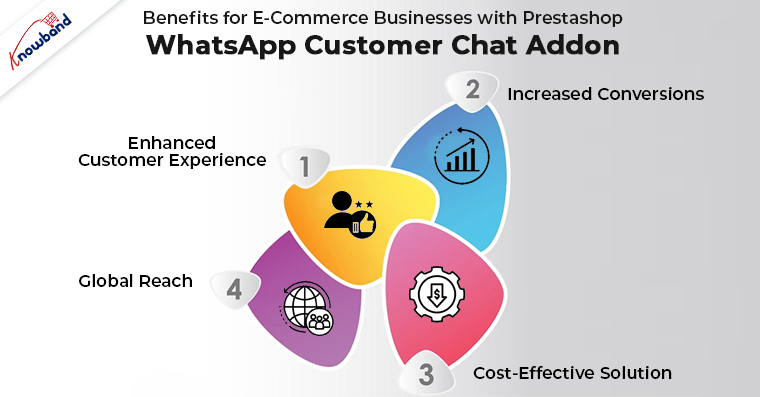
Benefits for E-Commerce Businesses with Prestashop WhatsApp Customer Chat Addon:

The Prestashop WhatsApp Live Chat Manager Addon brings forth a multitude of benefits for e-commerce enterprises:


Enhanced Customer Experience: 

Deliver personalized, real-time support using the Prestashop WhatsApp Live Chat module that cultivates heightened customer satisfaction and loyalty.

Increased Conversions: 

Smooth communication and instant support can lead to amplified conversion rates and reduced cart abandonment.

Cost-Effective Solution: 

Leveraging WhatsApp as a customer support channel using the Prestashop WhatsApp Chat addon can be more budget-friendly compared to traditional methods.

Global Reach: 

Establish connections with customers worldwide through the Prestashop WhatsApp Live Chat Manager, transcending geographical limitations and expanding market reach.

Wrapping Up!

In conclusion, the Prestashop WhatsApp Live Chat Manager opens up new avenues for e-commerce businesses to elevate their customer support and engagement strategies. By harnessing the power of WhatsApp as a live chat channel with the Prestashop WhatsApp Live Chat module, businesses can foster meaningful connections with their customers and drive success in the fiercely competitive online marketplace. Moreover, along with Prestashop, we also offer a WhatsApp Live Chat Manager extension for the Opencart eCommerce platform.
In case you are having queries/suggestions regarding any of our plugins, you can feel free to drop us a mail at support@knowband.com.


Prestashop WhatsApp Live Chat Addon – User Manual

Introduction:

In today’s fast-paced digital landscape, seamless and instant customer communication is the cornerstone of exceptional online shopping experiences. We proudly present the Prestashop WhatsApp Live Chat Manager Addon by Knowband – a revolutionary tool designed to amplify your Prestashop store’s customer support capabilities. By seamlessly integrating the power of WhatsApp into your online store. The Prestashop WhatsApp Live chat addon empowers you to engage in real-time, personalized conversations with your customers. Transcending geographical barriers and time zones. Elevate your customer service strategies, foster trust, and witness a significant surge in customer satisfaction and conversions. All with the incredible convenience of WhatsApp. Embark on a journey to redefine customer interactions with the Prestashop WhatsApp Chat Manager Module – where connectivity, convenience, and conversion converge harmoniously.


1.2.  Features Offered by Prestashop WhatsApp Live Chat Addon:

Mobile Friendly: With the help of Prestashop WhatsApp Chat Manager, the store admin can seamlessly engage with customers on the go. The addon ensures a mobile-friendly chat interface. Enabling customers to reach out and receive support conveniently from their smartphones or tablets.

Offline Messages:

Never miss a customer query! Allow customers to leave messages even when your support agents are offline. These messages are stored and can be addressed when agents are back online.

Emojis and Attachments:

The Prestashop Store admin can enrich conversations with expressive emojis and attachments with the help of Knowband’s WhatsApp Chat module for Prestashop. Share images, documents, and product information effortlessly to enhance the clarity of communication.

Language Flexibility:

Break language barriers with multi-language support. Communicate with customers in their preferred language, making interactions more comfortable and meaningful with the Prestashop WhatsApp Chat plugin.

Chat History:

Maintain a comprehensive chat history for reference. Agents can access previous conversations, ensuring a contextual and personalized support experience.

Canned Responses:

Streamline responses to common queries by creating a library of canned responses. Efficiently address frequently asked questions while maintaining a consistent and professional tone.

Customizable Availability:

Set specific working hours for chat availability. Using the Prestashop WhatsApp Customer chat addon, the store admin can manage customer expectations by letting them know when they can expect a prompt response.

Responsive Design:

The Prestashop WhatsApp Chat addon boasts a responsive design that adapts seamlessly to different screen sizes and devices, ensuring an optimal chat experience for both customers and agents.


1.3. Benefits to the Customers and Presta Admin:

The Prestashop WhatsApp Chat Addon by Knowband offers numerous benefits to the store admin and customer. Please find below a glance over some of the most noticeable advantages offered by the Prestashop WhatsApp Chat Manager plugin.

Instant Assistance:

Customers can enjoy real-time support with the Prestashop WhatsApp Live Chat Addon, getting their queries addressed promptly and enhancing their shopping experience.

Convenient Communication:

Connect with your favorite Prestashop store via WhatsApp, platform customers are familiar with, eliminating the need for learning new interfaces.

Personalized Interaction:

Engage in personalized conversations with knowledgeable agents who can guide customers through product selections, discounts, and more.

Easy Attachments:

Share images, documents, or screenshots through Prestashop WhatsApp Live Chat, making it effortless to provide evidence or clarify product-related doubts.

Multilingual Support:

Enjoy seamless communication in your preferred language, creating a comfortable and inclusive support experience.

Effortless Query Tracking:

Customers can conveniently refer back to their previous chats, eliminating the need to repeat questions and providing a consistent support journey.


For Admins:

Streamlined Support:

Admins can efficiently manage and respond to customer inquiries from the Prestashop admin panel using the WhatsApp Live Chat Manager Addon.

Enhanced Productivity:

The addon allows admins to handle multiple chats simultaneously, increasing the efficiency of customer query resolution.

Performance Insights:

Gain valuable insights through chat analytics, enabling admins to assess agent responsiveness, customer satisfaction, and support performance.

Reduced Response Time:

Admins can employ predefined responses and automated greetings to reduce response time and maintain a high level of customer service.

Mobile-Friendly Management:

Admins can oversee chats from their mobile devices, ensuring that customer support remains accessible even while on the move.

Customizable Interface:

Customize the chat widget’s appearance to align with the store’s branding, maintaining a consistent visual identity throughout the customer journey.

2.0. Installation Guide for Prestashop WhatsApp Chat Addon:

Once you purchase the addon, follow the below steps:

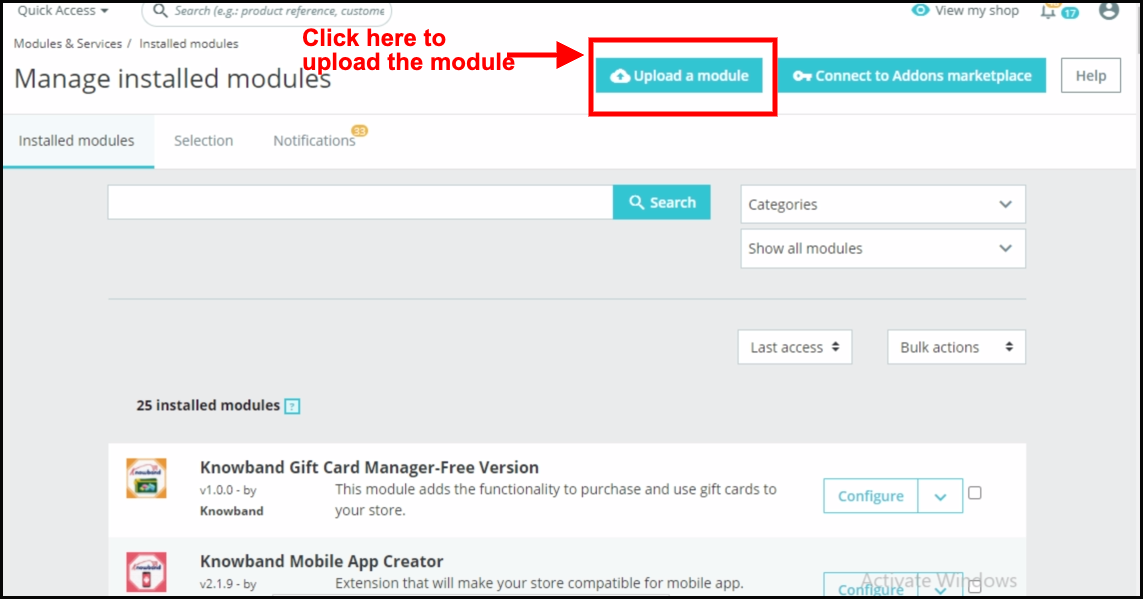
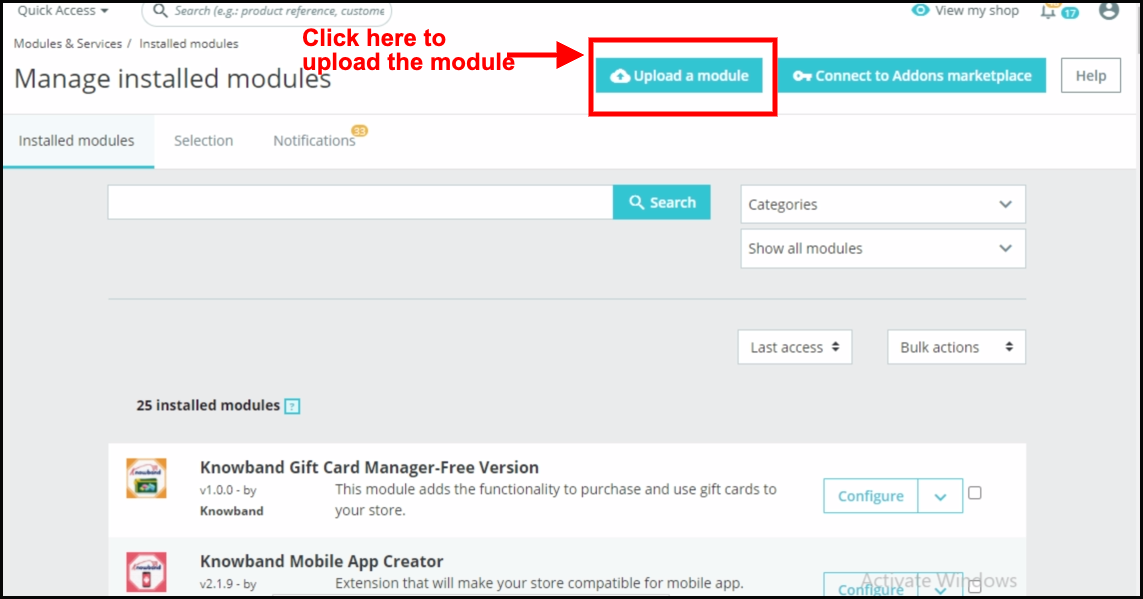
  1. Go to the Store Admin -> Modules and Services.


  1. Click on “Upload a module”. You can drag or drop the file or can simply select the file from the system.


Once the file is completely uploaded, a notification of “Module(s) installed successfully” will display.


3.0 Admin Interface: Prestashop WhatsApp Live chat Manager Addon:

Prestashop WhatsApp Chat plugin provides an easy-to-use interface that allows the admin to manage the module configurations at his convenience.
Furthermore, the store admin can manage and modify the chat availability, agent status, pages- where they want to showcase the WhatsApp support icon, etc. within a few clicks.

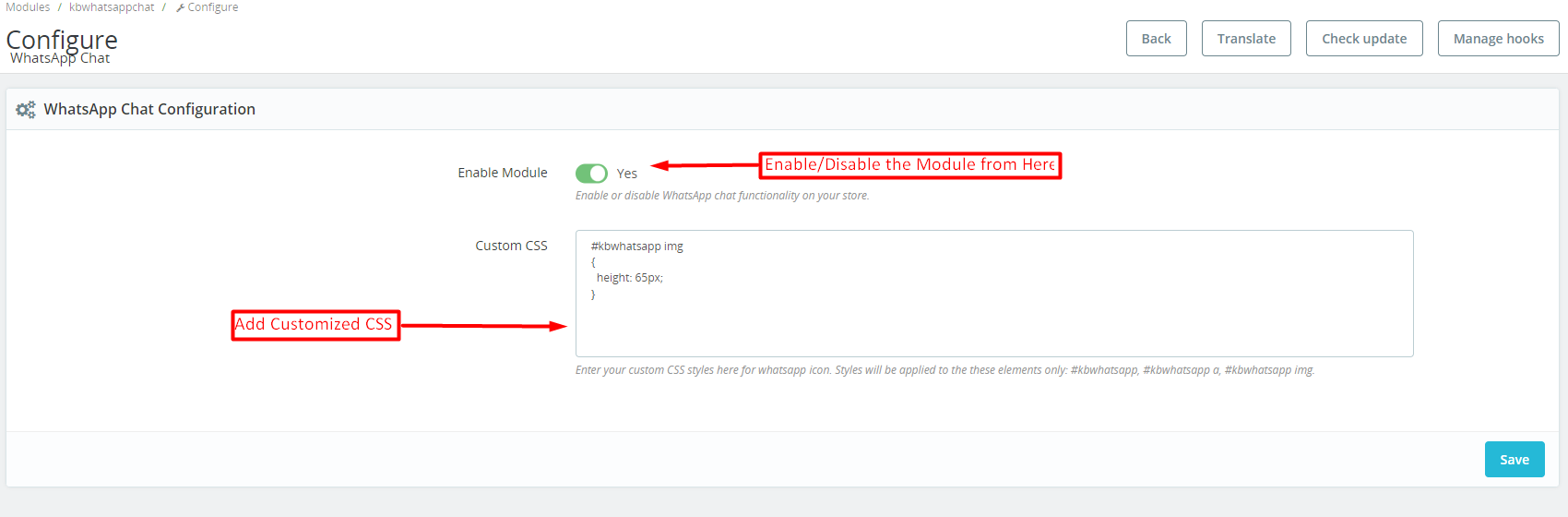
3.0.1 General Setting:


Enable Module: The store admin can enable the WhatsApp chat module from here.

Custom CSS: In the following text field, the store admin can add customized CSS for modifying the look and feel of the WhatsApp icon on the storefront.

3.0.2. Agent Listing:


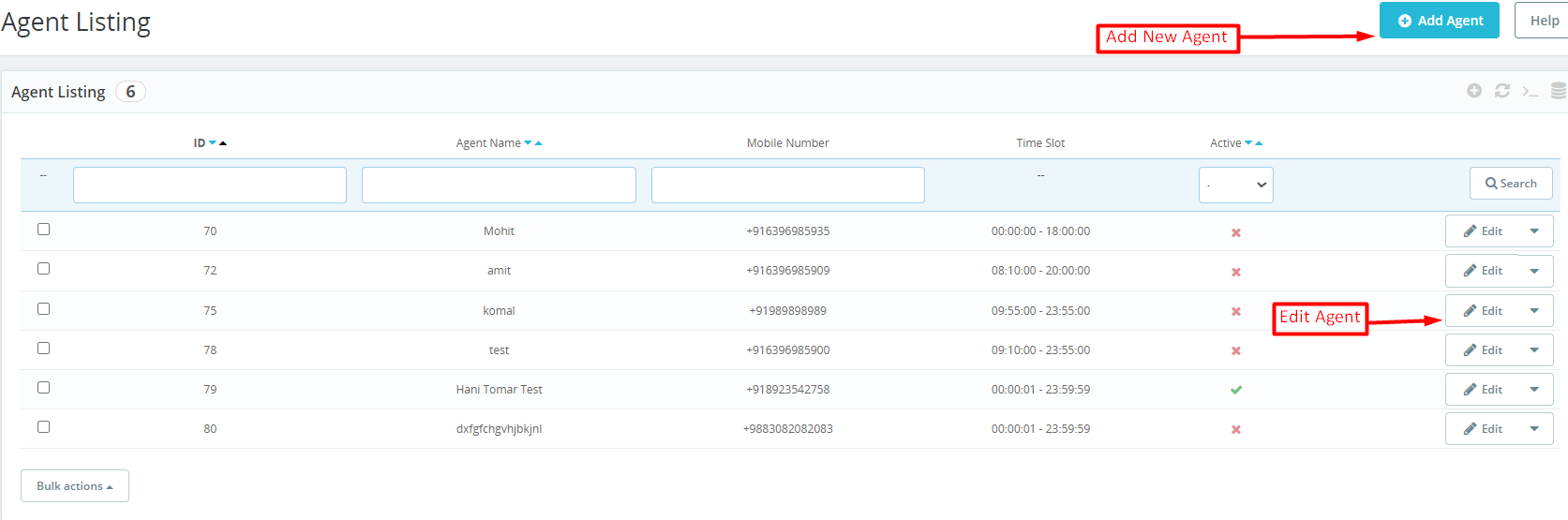
The Presta admin can check the record of all the chat agents in the agent listing tab. We have provided the option for showing the agent name, agent number, agent ID, availability slot, and agent status in the agent listing tab of the Prestashop WhatsApp Live Chat Manager addon.

Add Agent: The store admin can add a new chat agent by clicking on the button shown in the above image.

Edit Agent: In case you want to modify the configurations of an existing chat agent, you can hit the edit chat agent button.

3.0.3. Agent Configurations:

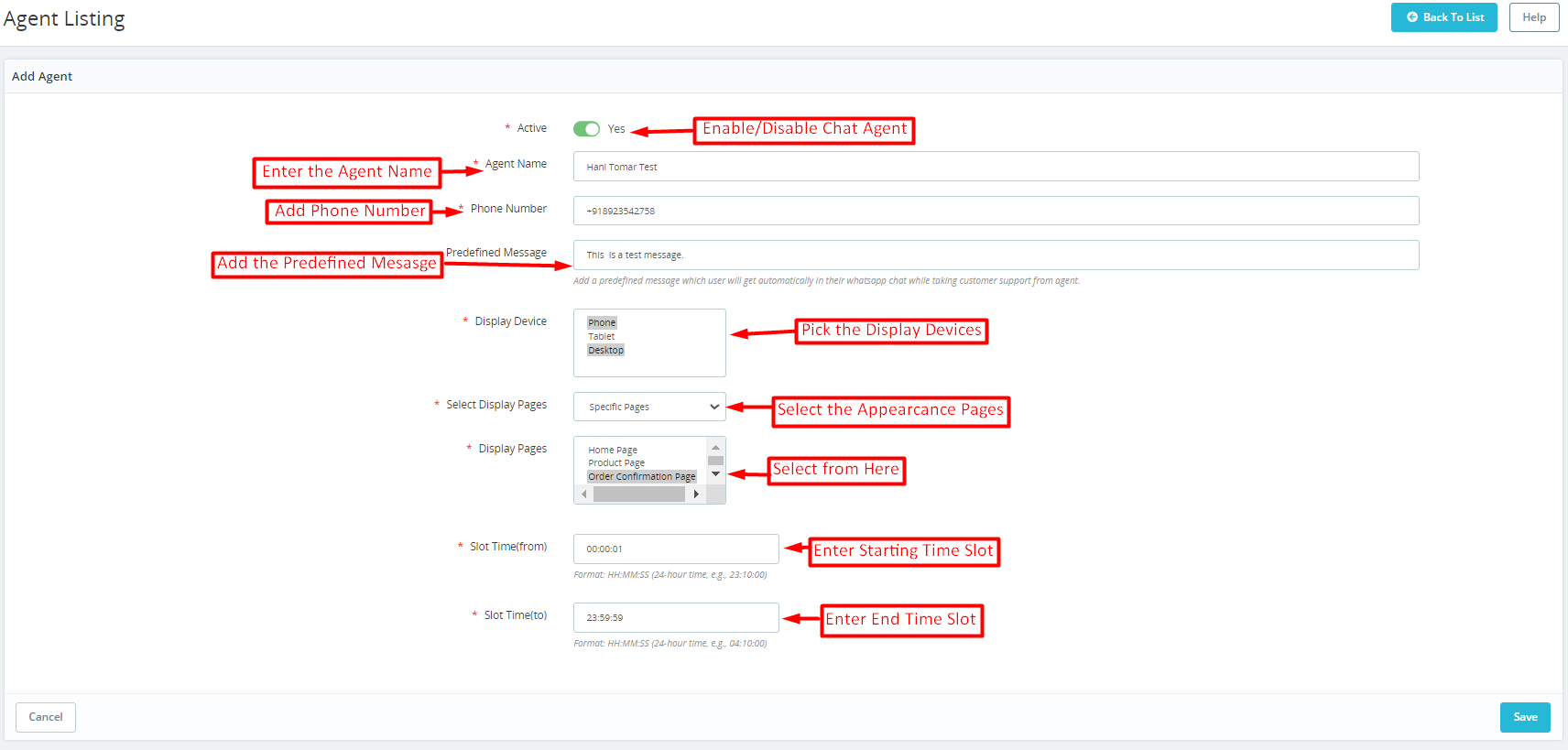
Active: The store admin can enable/disable particular chat agents from here.

Enter the Agent Name: This particular text field is provided for entering the name of chat agents.

Add the Phone Number: The admin can add the agent’s phone number in the following text field. Furthermore, it is mandatory to add the mobile number with the country code to ensure the smooth workflow of WhatsApp Chat on your Presta store.


Add the Predefined Message: You can add any pre-defined message here and the customers will find the same auto-filled on their message box while approaching the WhatsApp chat.

Display Devices: We have provided 3 options here. Desktop, phones, and, tablets so that the admin can choose as per preferences.

Display Pages: The store admin can choose the specific pages on which he wants to show the WhatsApp chat icon. You can choose the specific or all-page option from the following field.

Set Time (From): In the following text field, the admin will have to add the start time for the availability of a particular chat agent. The time format should be HH: MM:  SS.

Set Time (TO): Here, the admin can add the slot ending time for the chat agent.


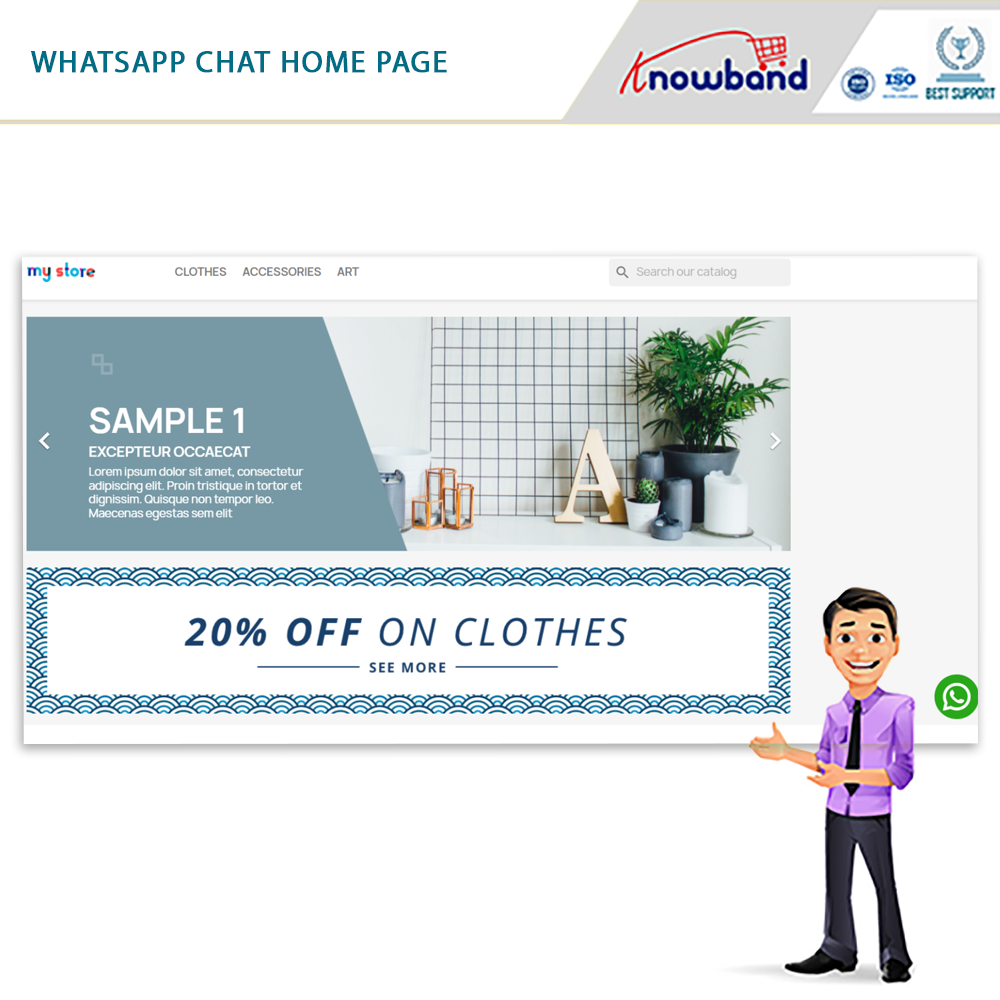
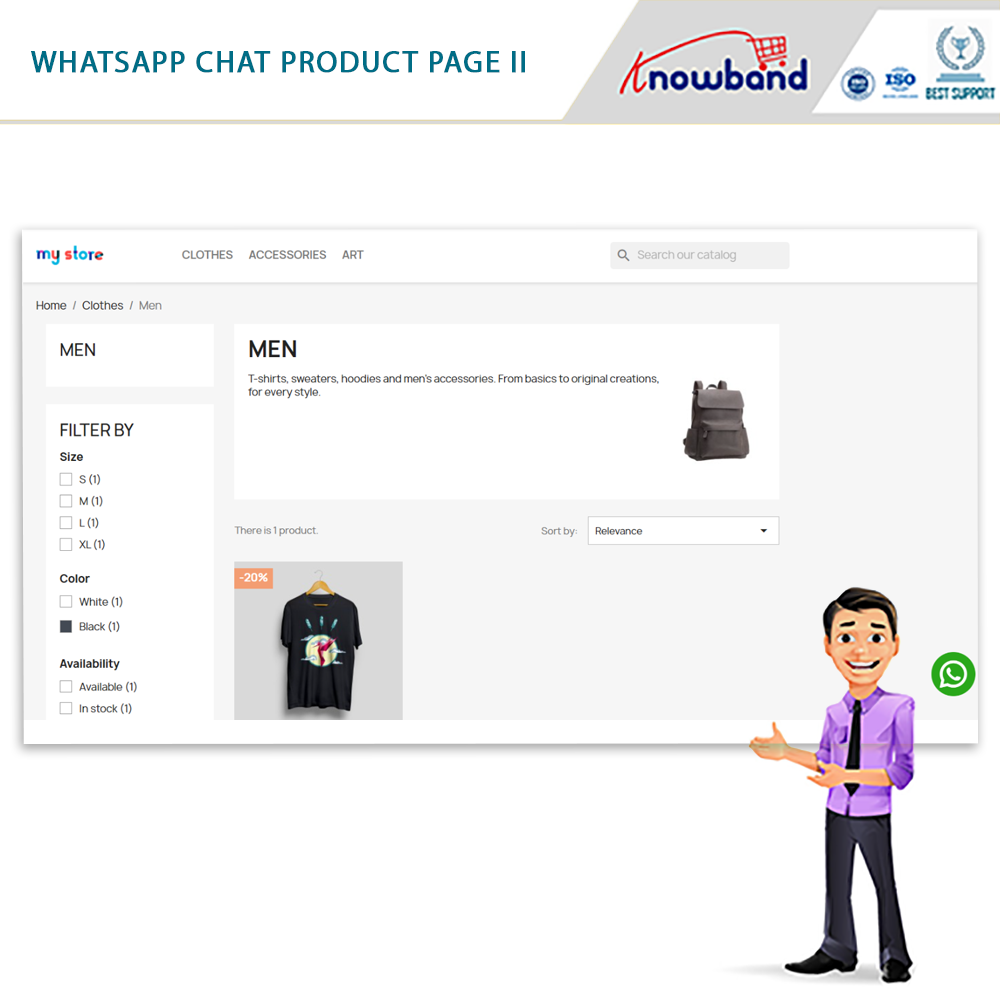
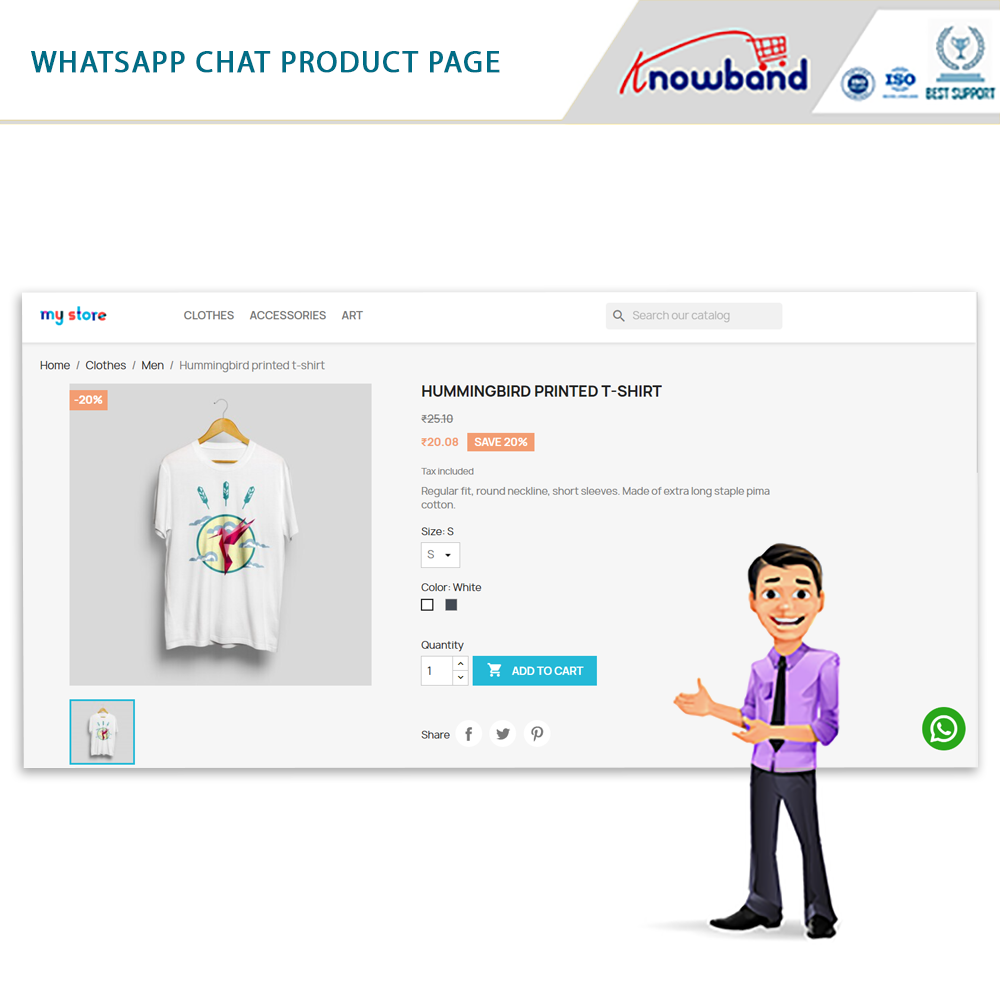
4.0. Prestashop WhatsApp Chat Module: Front End:

As previously mentioned, we explored the user-friendly backend customization options provided by the PrestaShop WhatsApp Live Chat Extension. Once the necessary configurations are set up, the store administrator can promptly activate the customer support feature on the online store.

Additionally, you have the option to experience the module demonstration, which allows you to preview the live front-end and back-end functionalities of the WhatsApp Chat Plugin for PrestaShop.


Should you have any inquiries or recommendations concerning the WhatsApp Chat Manager Plugin, our support team is readily available at support@knowband.com.