If you’ve spent any real time building PrestaShop modules, hooks are probably where most of your battles have been fought. They’re how your module speaks to the core — how you plug in functionality without ever cracking open a file you shouldn’t be touching. Knowing they exist is one thing. Using them without shooting yourself in the foot is another.
What a Hook Actually Is
At its simplest, a hook is a moment in PrestaShop’s execution where it pauses and checks whether anyone’s listening. If your module is registered for that hook, it gets a turn to respond.
There are two types worth distinguishing: action hooks and display hooks. Action hooks are for running logic tied to an event, an order being placed, a product being saved, that sort of thing. Display hooks are for injecting HTML into specific spots on the storefront or back office. The distinction shapes how you write the method. Action hooks process something and usually return nothing meaningful. Display hooks return rendered HTML that PrestaShop slots into the page.
Where Developers Go Wrong with Registration
The most common early mistake is registering hooks in the wrong place or in a disorganized way. Registration belongs in your module’s install() method via $this->registerHook(). You can pass an array of hook names in one call — which is much tidier than stringing together repeated calls.
Just as important: unregister them in uninstall(). It’s easy to skip this and easy to regret. Orphaned hook registrations sitting in the database after a module’s been removed can cause genuinely confusing behavior down the line. A clean pattern looks roughly like this:
public function install()

{

    return parent::install()

        && $this->registerHook(['displayHeader',

           'actionOrderStatusUpdate',

           'displayFooterProduct']);

}


Get the Method Names Right
PrestaShop resolves hook methods by convention: hookHookName(), with the hook name in camelCase. So displayHeader maps to hookDisplayHeader(). Mess up the casing and PrestaShop silently skips your method, no error, no log entry, nothing.
It’s one of those bugs that can eat an embarrassing amount of debugging time before you spot it.
Every hook method receives a $params array. What’s inside depends entirely on which hook triggered it. During development, dump $params once before writing any real logic. The documentation is a decent starting point but it doesn’t always reflect what actually gets passed in.
Handling Display Hooks Properly
For display hooks, the standard approach is to assign variables to Smarty and return the output of $this->display() pointing to a .tpl file. Keep your templates in views/templates/hook/ inside your module, it’s the conventional structure and makes things easier to navigate as the module grows.
One detail worth emphasizing: always return the output, never echo it. The hook system collects return values and places them where they belong in the layout. If you echo directly, the output ends up at the top of the page regardless of where the hook actually sits.
When Built-In Hooks Aren’t Enough
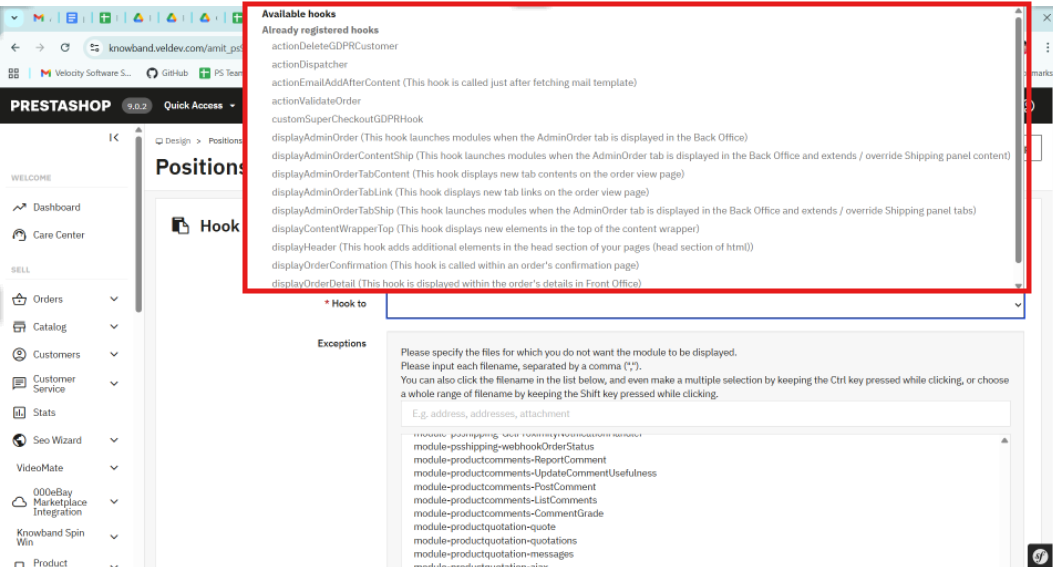
PrestaShop’s native hooks cover a lot of ground, but there are situations — especially when building modules meant to be extended, where you need something more targeted. You can register a custom hook with Hook::register() and fire it using Hook::exec() from anywhere in your codebase.
Custom hooks are particularly useful in multi-module projects. Instead of modules calling each other directly, you expose a hook and let other modules respond independently. It keeps the architecture clean and makes future changes much less painful.
Don’t Ignore the Performance Side
It’s easy to underestimate how much damage a poorly optimized hook method can do. Hooks like displayHeader fire on almost every page load. If your method is hitting the database or calling an external API without any caching, page speed takes a real hit — and your clients will notice before you do.
A few habits help. Cache anything that doesn’t change between requests. Use PrestaShop’s built-in cache layer where it fits. And if your hook logic only applies under certain conditions, check those conditions at the top of the method and return early if they’re not met. Keeps the overhead low and the code readable.
When the Hook Isn’t Firing
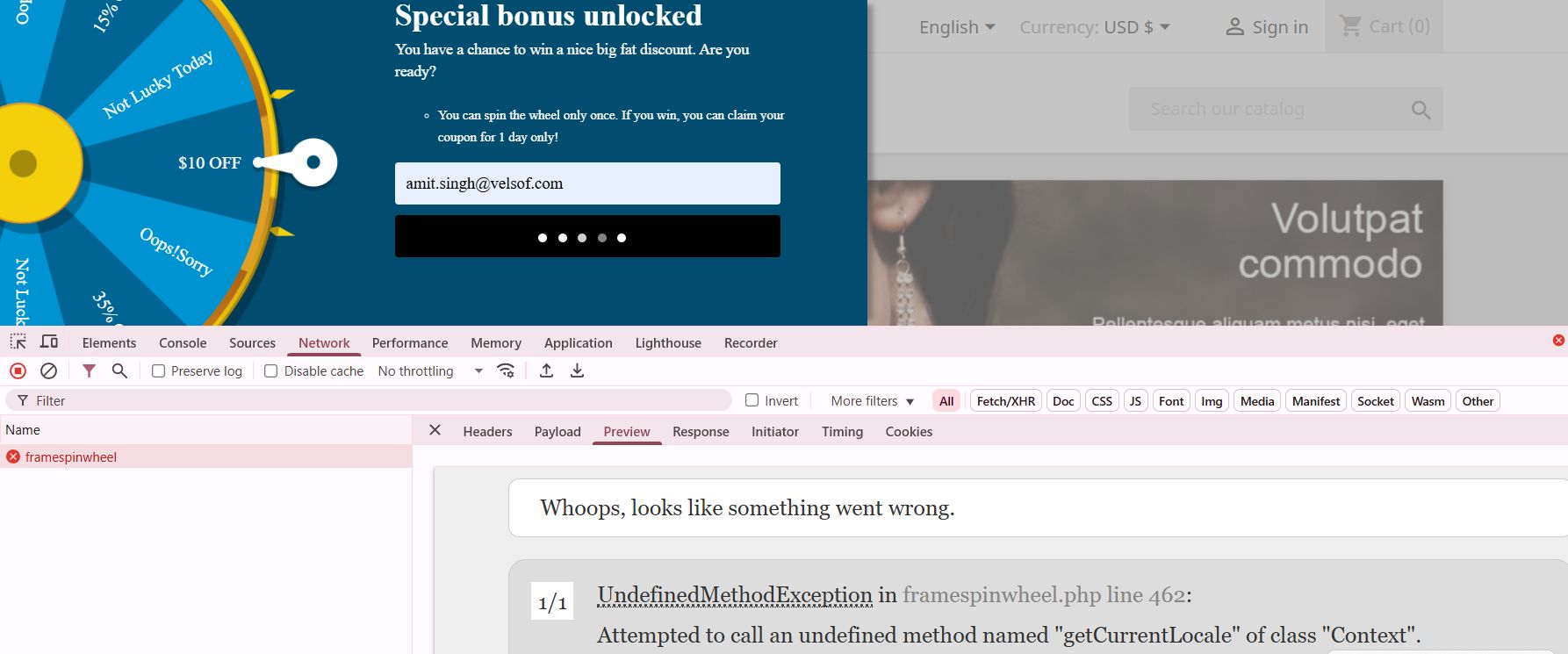
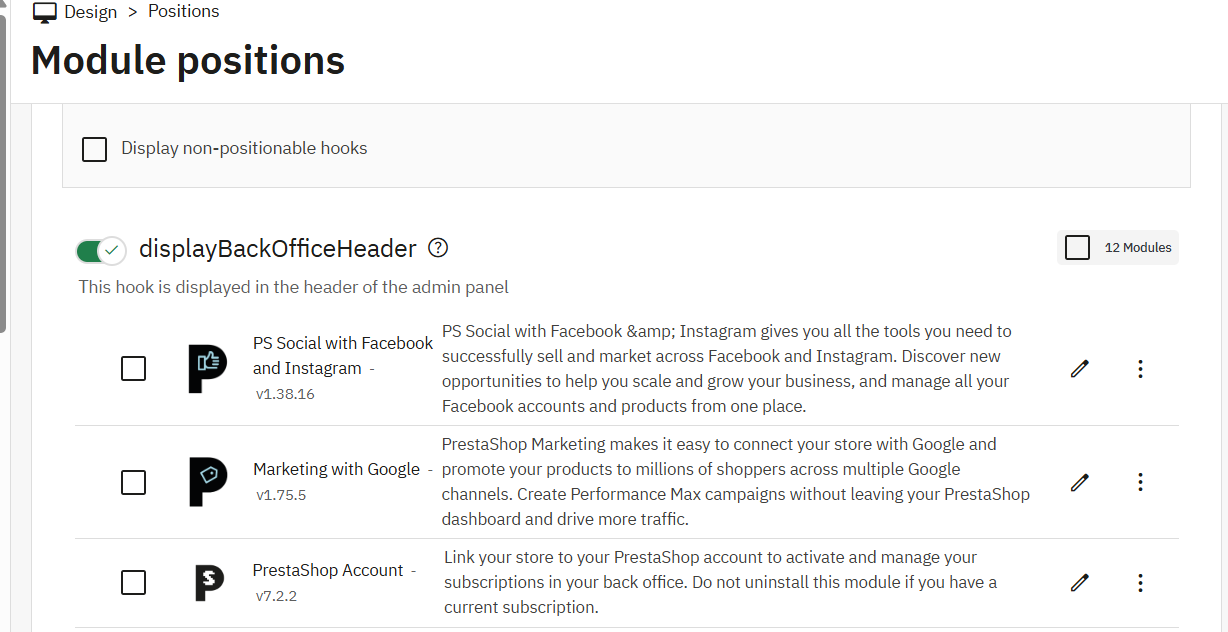
When something isn’t working as expected, the first thing to check is whether the module is actually attached to the hook. Head to Modules > Positions in the back office, or look directly at the hook table in the database. A module can be installed while a hook registration silently failed during setup.
Custom Development Services
Tailored solutions by Knowband for your eCommerce success
Looking for powerful and scalable solutions? Knowband offers expert custom development services to help you build high-performance eCommerce features with ease.
Also worth considering: execution order. If a module earlier in the chain throws an unhandled exception, PrestaShop can stop processing everything else on that hook. The Positions panel lets you adjust the order, and sometimes that’s all it takes to fix what looks like a mysterious disappearing hook.
The Takeaway
Hooks are what make PrestaShop modules actually modular. Used well, they let you build clean integrations that don’t step on the core or on other modules. The fundamentals aren’t complicated: register in install(), name your methods precisely, return from display hooks, cache on high-traffic hooks, and reach for custom hooks when the built-in set falls short.
Once that becomes a habit, the development process gets a lot smoother, and your codebase stays something you’ll actually want to revisit later
At Knowband, our development team regularly works with complex PrestaShop module architectures, where efficient hook usage becomes critical for performance and scalability. If you’re looking to speed up development or implement advanced functionality, exploring professionally built modules and solutions can save significant time and effort.