
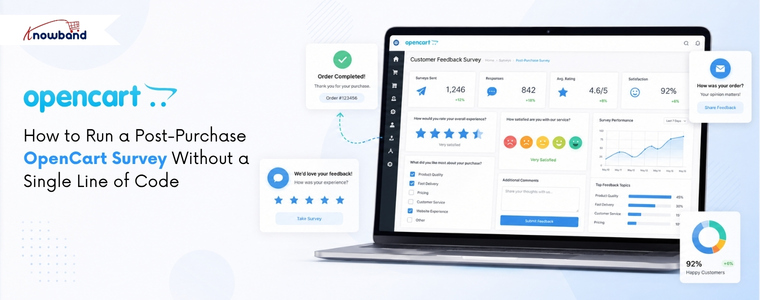
Most unhappy customers say nothing. They finish their order, have a bad experience, and never come back. You never find out what went wrong. For an OpenCart store, this is a real problem; the platform gives you no built-in way to ask customers how they feel.
OpenCart comes with a basic contact form and a product review option. Neither one collects post-purchase feedback properly, and neither lets you ask specific questions after an order. Many store owners use external tools like Google Forms instead, but these send customers away from your store. Others just never ask at all.
A dedicated survey solution for OpenCart keeps everything inside your store. You build the form in the admin panel. The right OpenCart Survey Plugin takes care of form creation, display, email alerts, and spam blocking, all from one place.
Why an OpenCart Survey Plugin Fills a Gap That Native Features Cannot
The built-in OpenCart features were made for support requests and product ratings, not for understanding the full customer experience. A product review only tells you what someone thought about a product. A contact form only collects complaints. Neither one tells you about the checkout process, the delivery, or whether a first-time buyer will return.
Surveys placed on the order confirmation page get far more responses than survey links sent by email days later. On-page surveys see completion rates of 15 to 20 percent on average. Email survey links often get under 5 percent. Where you place the form matters more than what you ask.
Knowband’s OpenCart Form Builder Extension solves this from inside the back office, with no separate platform, no extra subscription, and no technical skills required.
How to Set Up Your First Survey Using an OpenCart Survey Plugin
Building a satisfaction survey takes five steps inside the Forms section:
Step 1: Create the form. Click Add New Form and give it a name. You can set a URL slug for the form page and share that link in emails or support tickets, or add it to your site manually. On the front end, a button can open the form as a pop-up on the same page instead.
Step 2: Pick a layout. One column works best for satisfaction surveys. It keeps questions in a clear, top-to-bottom order, which reduces the chance of customers leaving before finishing. Two or more columns are available for longer forms, where related fields make sense next to each other.
Step 3: Add your questions. A good starting point: a radio button for the overall satisfaction rating, a dropdown for the product or order type, and a text box for written comments. Add a file upload option if you want customers to send photos of any product issues.
Step 4: Set up email alerts. Each form sends its own email notification. Choose which inbox receives the alert when a customer submits. Use BCC to copy additional team members. Turn on the auto-responder so customers get a short confirmation straight away, even one line works.
Step 5: Set up the thank-you page. After submission, show a short message or redirect to another page. Keep it simple, just let the customer know their feedback was received.
Where to Place Your OpenCart Survey for the Highest Completion Rate
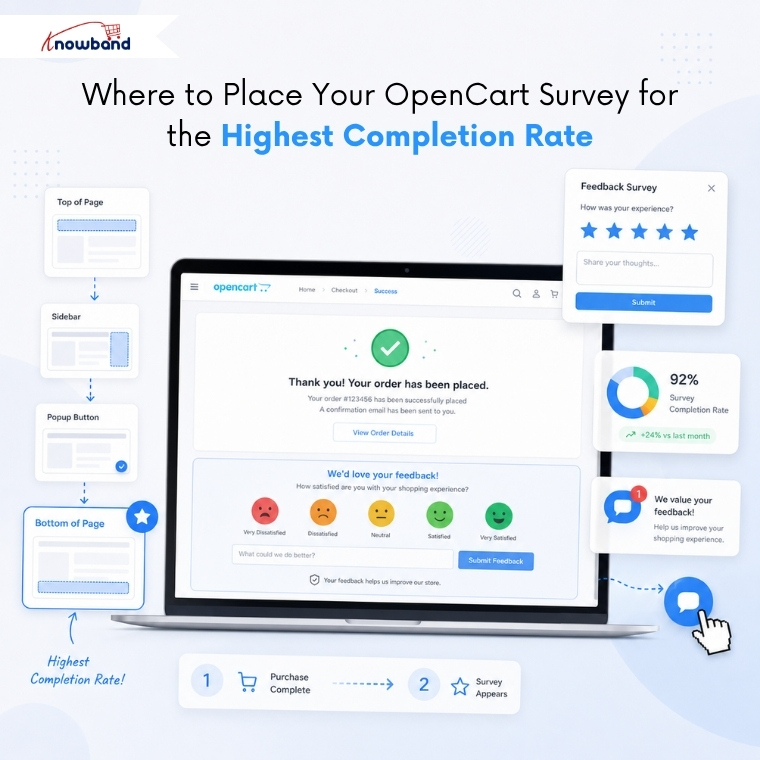
The Placements tab inside each form controls where the form appears on your site. This is where the OpenCart customer feedback plugin displays logic. Pick the page type: Home, Product, Checkout, Information, or Search. Then choose the position on that page: top of content, bottom of content, left column, right column, header, or footer. The form shows up on every page and position you select.
For a post-purchase survey, put it on the Checkout page at the bottom of the content area. This places the form on the order confirmation page, right after a customer completes their purchase. The experience is fresh, the customer is still on your site, and there is nothing to influence their buying decision because the order is already done.
The Settings tab lets you choose between an inline form and a pop-up that opens when a customer clicks a button. The floating button option keeps that button visible in the corner of the screen as the page scrolls, and the form stays easy to reach without getting in the way.
Keeping Your OpenCart Survey Results Spam-Free
Any form on a live website receives bot submissions over time. If spam fills your survey data, the results become unreliable. Spam protection in the OpenCart Form Builder Extension works at three levels.
Cloudflare Turnstile runs quietly in the background and blocks bots. Real customers see no puzzles or extra steps. The IP blocklist lets you block specific addresses or whole ranges using a wildcard. The email blocklist works the same way; one entry like *@mail.ru blocks every address from that domain.
Knowband includes pre-written patterns for the Spam Email Filter field, covering the most common spam sources. Copy them in, and they work immediately, no technical knowledge needed.
Turning Survey Responses Into an Email Marketing Sequence
The Synchronization tab inside each form connects Mailchimp integration and Brevo. Add your API key, choose the list, and every person who fills in the form gets added automatically. Brevo connects the same way.
A customer who gives a high rating is a good candidate for a review request. A customer who reports a problem can receive a follow-up message before they post a negative review anywhere else. Both of these can happen automatically from a single form submission, no manual work needed.
Every response appears in the Form Submissions panel with the date, the form name, what was filled in, and whether your team has already replied. You can reply directly from your admin panel. Exporting submissions regularly lets you track the customer satisfaction score over time and spot patterns across many responses.
Why the Right OpenCart Survey Plugin Pays Off Before Your Next Order Ships
The full setup, building the form, choosing placement, configuring email alerts, and turning on spam filtering, takes under 30 minutes the first time. No developer needed, no outside solutions to manage, no ongoing costs beyond the OpenCart Survey Plugin.
The OpenCart customer feedback plugin handles satisfaction surveys, product feedback, lead generation forms, support requests, and event sign-ups, all from one extension. Every day your store runs without a way to collect structured feedback is another day of useful customer data that you cannot get back.
