1.0 Präsentation
Erweiterung OpenCart Spin and Win permettre l’administrateur du magasin OpenCart d’incorporer une fen tre contextuelle gamifi e dans le front-end du site Web. Der Modulkontext ist interaktiv, wenn OpenCart das Popup-Menü enthält, um 10% des Kunden-Messagingie-Clients zu ändern. Au lieu de cela, le Modul OpenCart Spin und Win Exit Popup de Knowband ajoute un moyen ludique de Collector l’ID de messagerie des clients. Les Kunden doivent saisir leurs Identifiants de Messagerie und Faire Tourner la roue pour gagner des cadeaux ou des r ductions. Wheelio semble tre un v ritable moyen de gagner gros et de faire une bonne affaire. OpenCart Beenden Sie das Popup-Menü, um die Anzahl der Mitarbeiter zu verbessern. Ainsi, l’approche ludique du plugin les d tails personnels du magasin visiteurs.
1.1 Avantages bietet das Modul OpenCart Spin and Win an:
- Erweiterung OpenCart Spin and Win peut aider l’administrateur du magasin sammler les identifiants de messagerie des kunden ohne les ennuyer avec les fen tres contextuelles Conventionnelles.
- Das Plugin OpenCart Spin and Win peut tre configuration für eine reichhaltigere Rotationsrotation l’entr e la sortie des clients ou n’importe o sur le site.
- Le Modul OpenCart Spin und Win de Groupe de connaissances est facile comprendre et utiliser. Aucune Connaissance-Technik ist nicht unbedingt erforderlich, um Cette-Popup-Spiele auf der Website zu erstellen.
- L’administrateur Peut Facilitation Modifier l’aspect et la convivialit de la fen tre contextuelle OpenCart spin et win.
- L’OpenCart Spin and Win schlagen verschiedene Themen und Designs für Roues vor.
- M me l’emplacement et la fr quence de l’affichage contextuel peuvent tre modifi s partir de l’interface d’administration du module contextuel de l’abonn OpenCart Spin and Win.
- Le Plugin OpenCart Spin und Win int gre un int grateur MailChimp et Constant Contact.
- Les couleurs du texte, des boutons et de l’arri re-plan peuvent tre modifi es partir du back-end du module OpenCart Spin and Win.
- La fen tre contextuelle d’intention de sortie d’OpenCart peut r duire le taux de sortie du site.
- Augmentant l’engagement des utilisateurs, la fen tre contextuelle de sortie d’OpenCart erhöht die Chancen auf Conversions.
- L’administrateur peut d finir la dur e d’expiration des Codes de r duction. Les offres limit es dans le temps d clenchent la d cision d’achat instantan e des clients.
Installation de 2.0
Achetez l’extension OpenCart Spin und Win dans la Boutique Knowband. Vous obtiendrez les fichiers suivants: 1. Fichier compress contenant le code source du module OpenCart Spin and Win 2. Manuel de l’utilisateur du plugin OpenCart Spin and Win. Suivez les tapes ci-dessous pour installer le plugin OpenCart Spin und Win dans la boutique OpenCart: 1. D compressez le fichier compress . Vous obtiendrez les dossiers comme indiqu dans l’image ci-dessous:

2. Copiez tous les fichiers und Dossiers du fichier zip dans le r pertoire racine de la configuration d’OpenCart via le gestionnaire FTP. 3. Das Modul für die Absicht, OpenCart Spin und Win zu installieren, wird installiert und verwendet. Allez dans Admin -> Menüprinzipal -> Erweiterungen comme indiqu dans l’image ci-dessous:

4. S lectionnez Spin und Win dans la liste des modules et cliquez sur le Diter .

3.0 Administrationsschnittstelle
L’Erweiterungskontext OpenCart Exit-Intent Offre Un Option de Personnalisierung Facile l’administrateur du Magasin. Die verschiedenen Konfigurationsoptionen werden nicht kritisch und nicht detailliert beschrieben.
Parameter g n raux 3.1
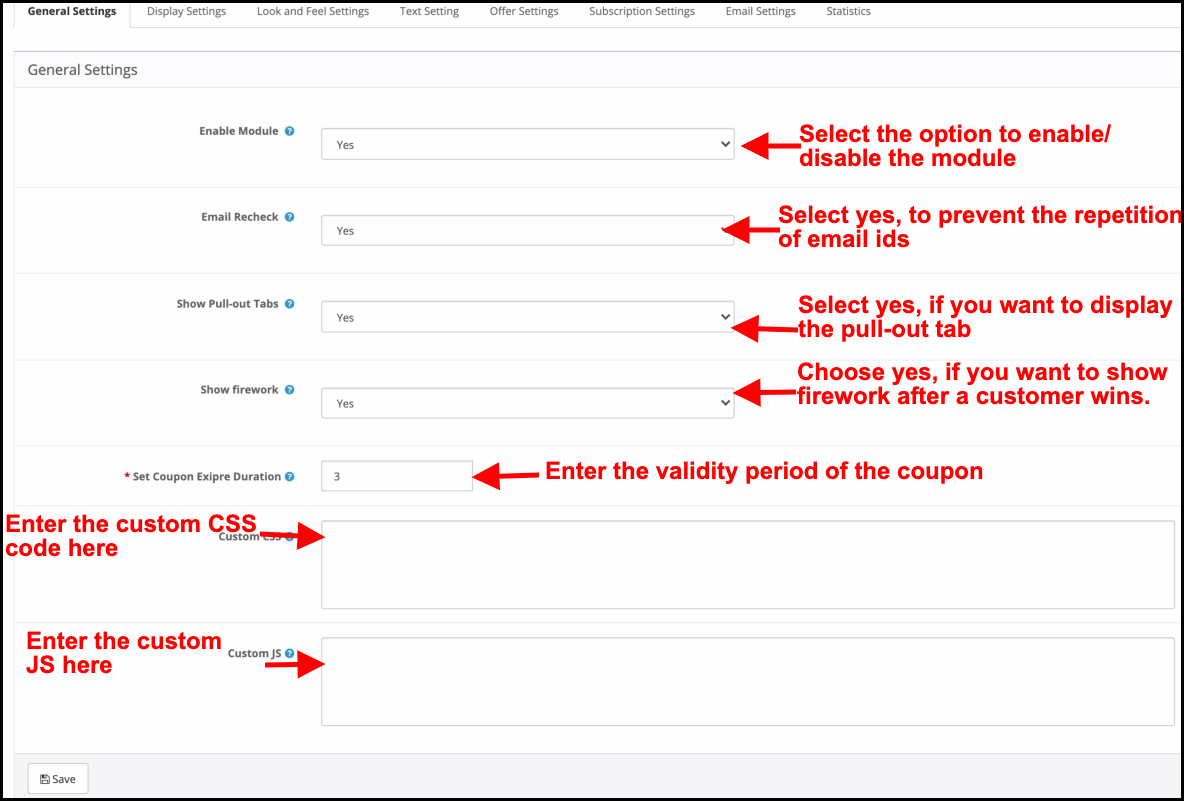
Cet onglet de la fen tre contextuelle d’abonnement OpenCart Spin and Win permet l’administrateur du magasin d’apporter les Modifikationen de base dans la fen tre contextuelle de sortie.

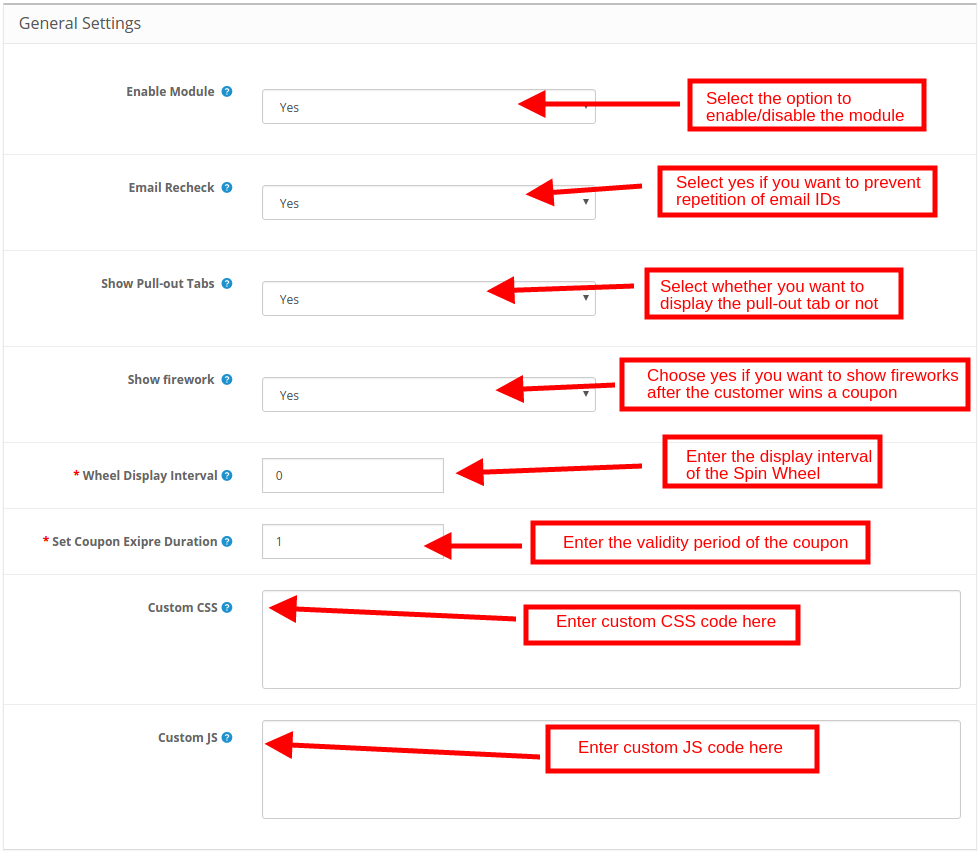
Aktiviertes Modul: S lectionnez ‘jaOpenCart Spin and Win ist das Modul, das das Modul OpenCart Spin and Win enthält.
Rev rifier les E-Mails: Wenn die Option aktiv ist, können die Kunden einen fairen Tourer besuchen, um die Identität der Messagerie zu erkennen. Cette fonctionnalit emp che la r p tition des identifiants de messagerie.
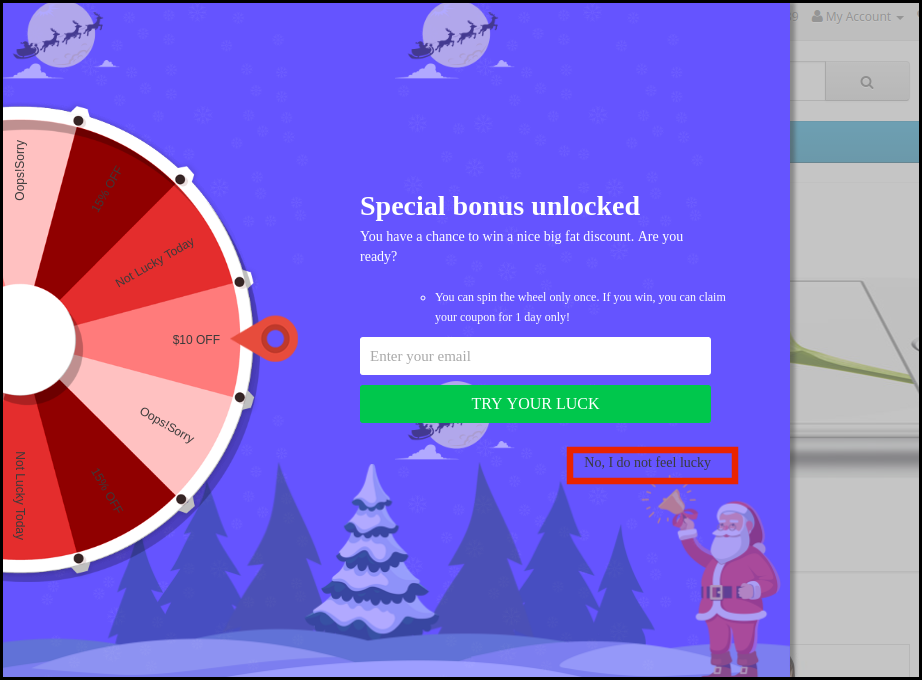
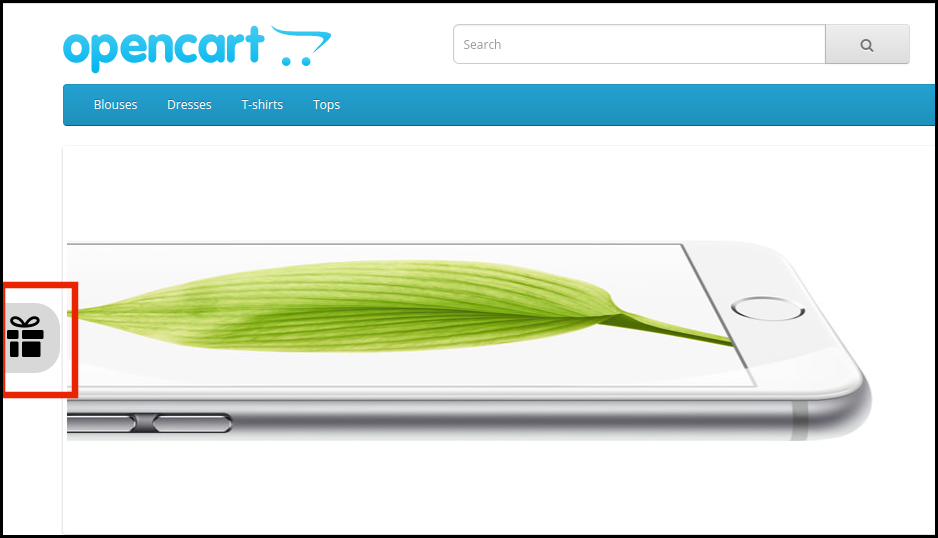
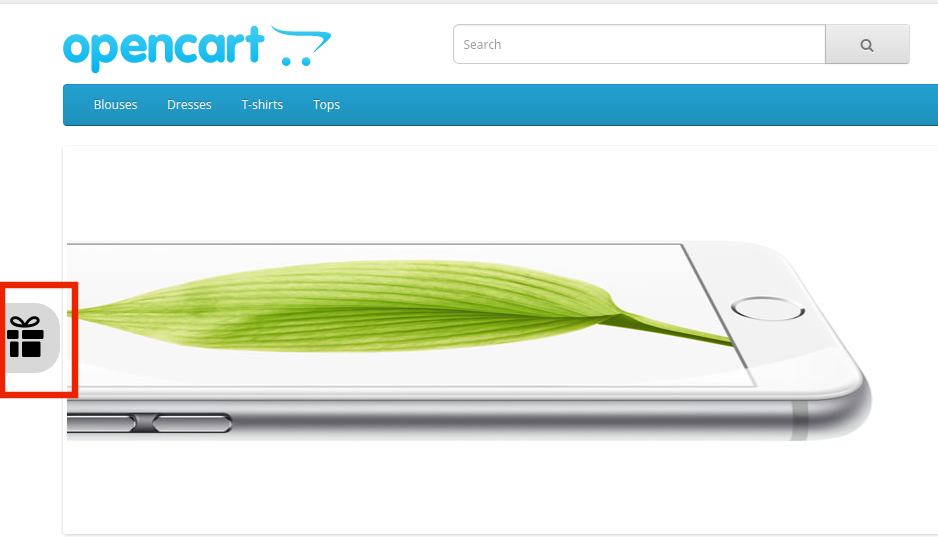
Afficher les onglets d roulants: Si activ , l’administrateur peut afficher un onglet extrahierbar dans le front-end du site. Au cas o le visiteur du magasin ne voudrait pas faire tourner la roue, il peut cliquer sur le lien “Je ne me sens pas Chanceux”.
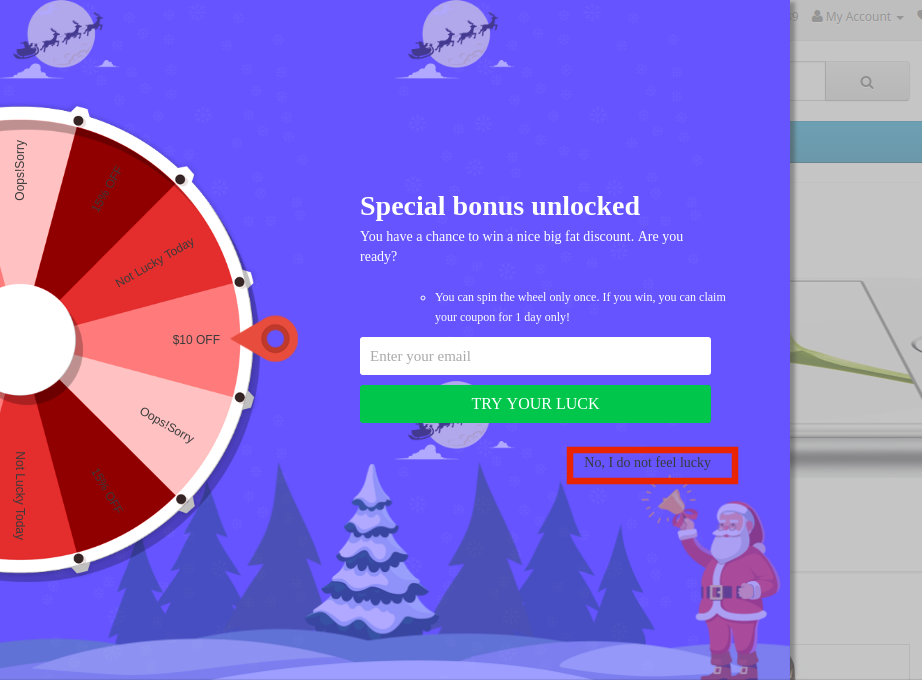
Les Kunden peuvent ramener la roue l’ cran en cliquant sur la Sprache der Retrait comme indiqu dans l’image ci-dessous.
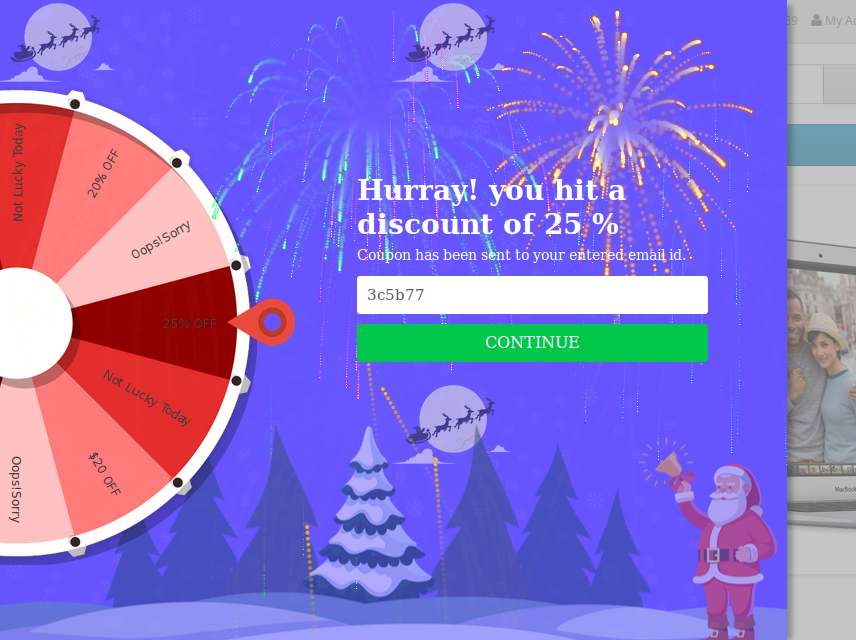
Montrer feu d’artifice: Des feux d’artifice sont affichs sur la roue si les Kunden gagnent une sorte de prix apr s l’avoir fait tourner. Cette fonction peut tre affich e ici.
Intervalle d’affichage des roues: L’administrateur peut entrer l’intervalle apr s lequel la roue sera affich e dans le front-end. Par d faut, c’est 0 , ce qui signie que le client verra la fen tre contextuelle chaque visite.
D finir la dur e d’expiration du coupon: Entrez le nombre de jours apr s lequel le code de coupon expirera.
CSS personnalis : Entrez le code CSS personnalis ici pour effectuer les modifikationen personnalis es.
JS personnalis :“ Saisissez ici le code JS personnalis pour effectuer les modifikationen personnalis es.
3.2 Param tres d’affichage
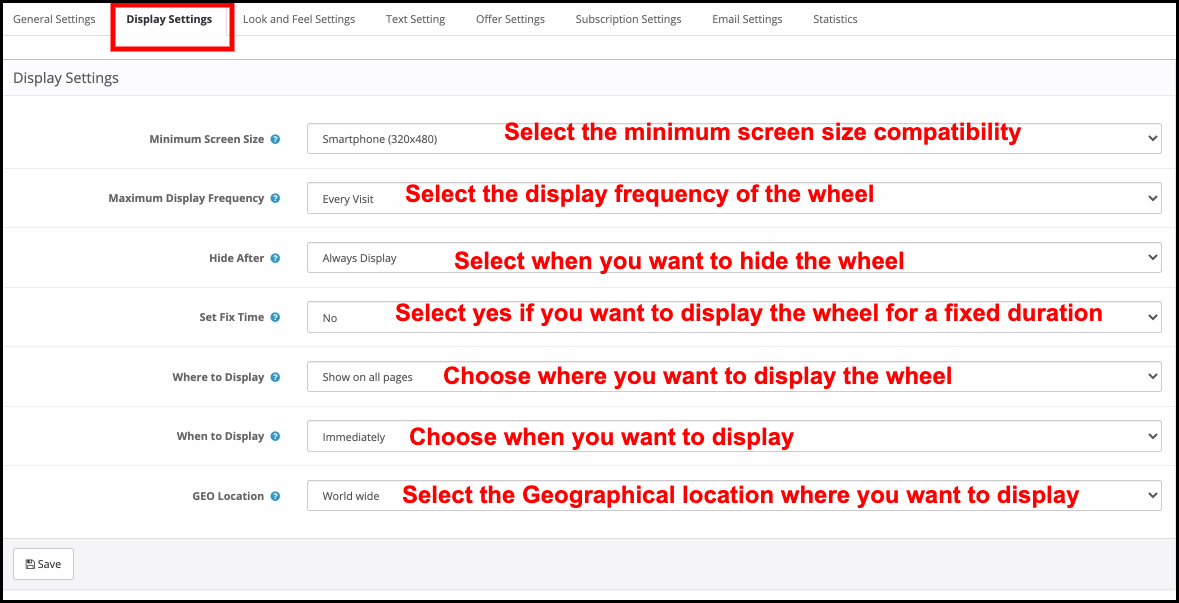
L’administrateur du magasin OpenCart peut modifier le param tre d’affichage partir de cet onglet du plugin OpenCart Spin and Win.
Taille d’ cran dünner: S lectionnez la taille d’ cran minimale avec vous pour que la roue soit kompatibel. La roue de rotation fonctionne sur tout l’ cran au-dessus de celui s lectionn .
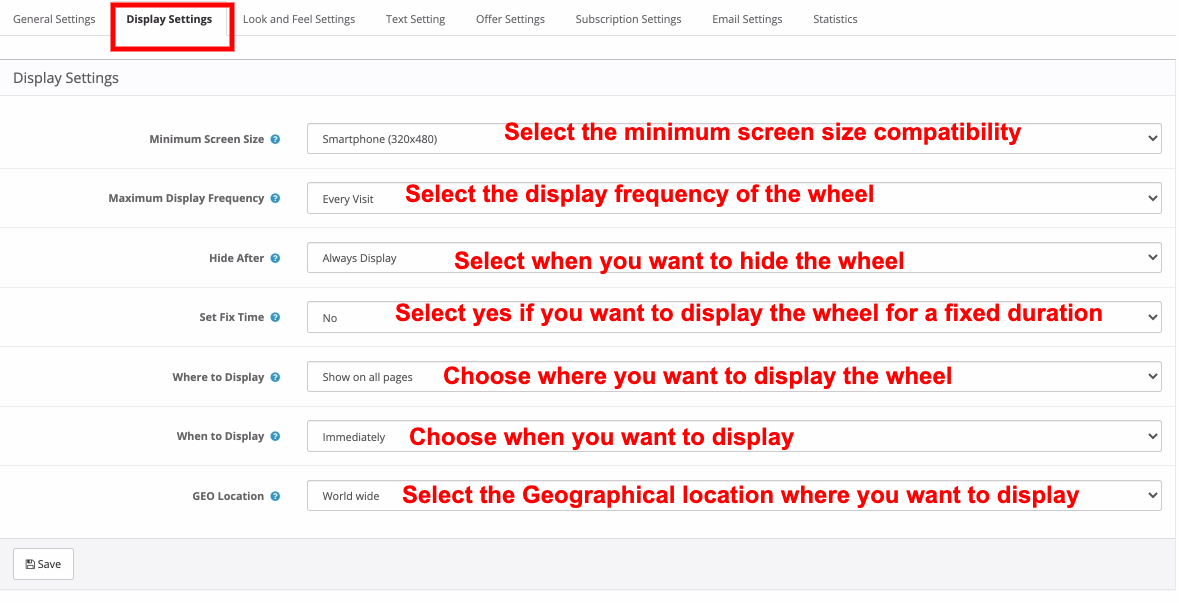
Fr quence d’affichage maximale: S lectionnez ici la fr quence d’affichage de la molette de rotation.
Cacher Apr s: Choisissez le moment o vous souhaitez masquer la fen tre contextuelle ici.
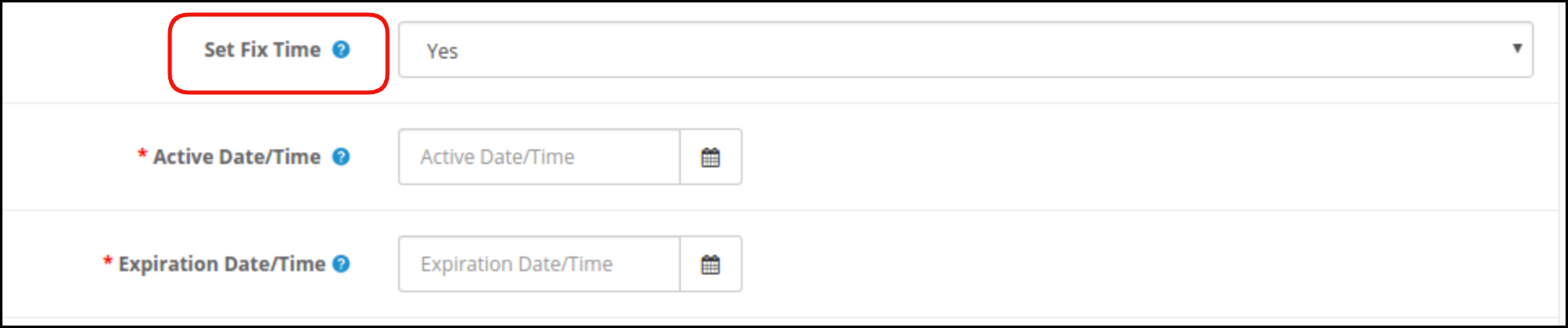
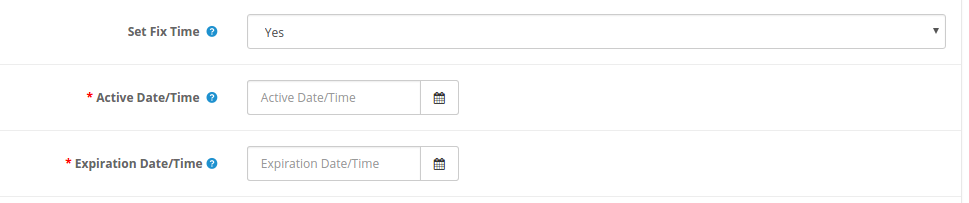
D finir le temps de korrigierung: S lectionnez si vous souhaitez afficher la roue anhänger une dur e fixe ou non. Si “ Oui ” est s lectionn , alors, l’administrateur devra fixer l’heure de d but et de fin comme indiqu ci-dessous:
O afficher: S lectionnez les pages Web du site sur lesquelles vous souhaitez afficher la fen tre contextuelle. La fen tre contextuelle d’intention de sortie OpenCart peut tre plac e l’entr e ou la sortie des visiteurs du magasin.
Wenn ,war Dffichage: , KriegChoisissez le moment o vous souhaitez afficher le spin et gagner la pop-up. Das Pop-up de r compense peut tre affich e imm diatement lorsqu’un utilisateur visite le magasin, ou apr s quelques secondes de visite oder l’heure de sortie ou lorsque vous faites d filer vers le bas un bestimmten guss.
- Cas I: Si “Lorsque le% de d filement vers le bas” est s lectionn , alors l’administrateur doit entrer le pourcentage de d filement, apr s quoi il souhaite afficher la fen tre contextuelle, dans le Champion Erwähnung.
- Cas II: Si Apr s le temps (secondes) est s lectionn , alors l’administrateur doit entrer le temps en secondes, apr s quoi il veut afficher la fen tre contextuelle, dans le champ Erwähnung .
Einlagerung g ographique: S lectionnez la g olocalisation o vous souhaitez afficher la molette. Si Worldwide est s lectionn , alors, il sera affich tous les endroits o le site fonctionne.
3.3 Param tres d’apparence et de convivialit
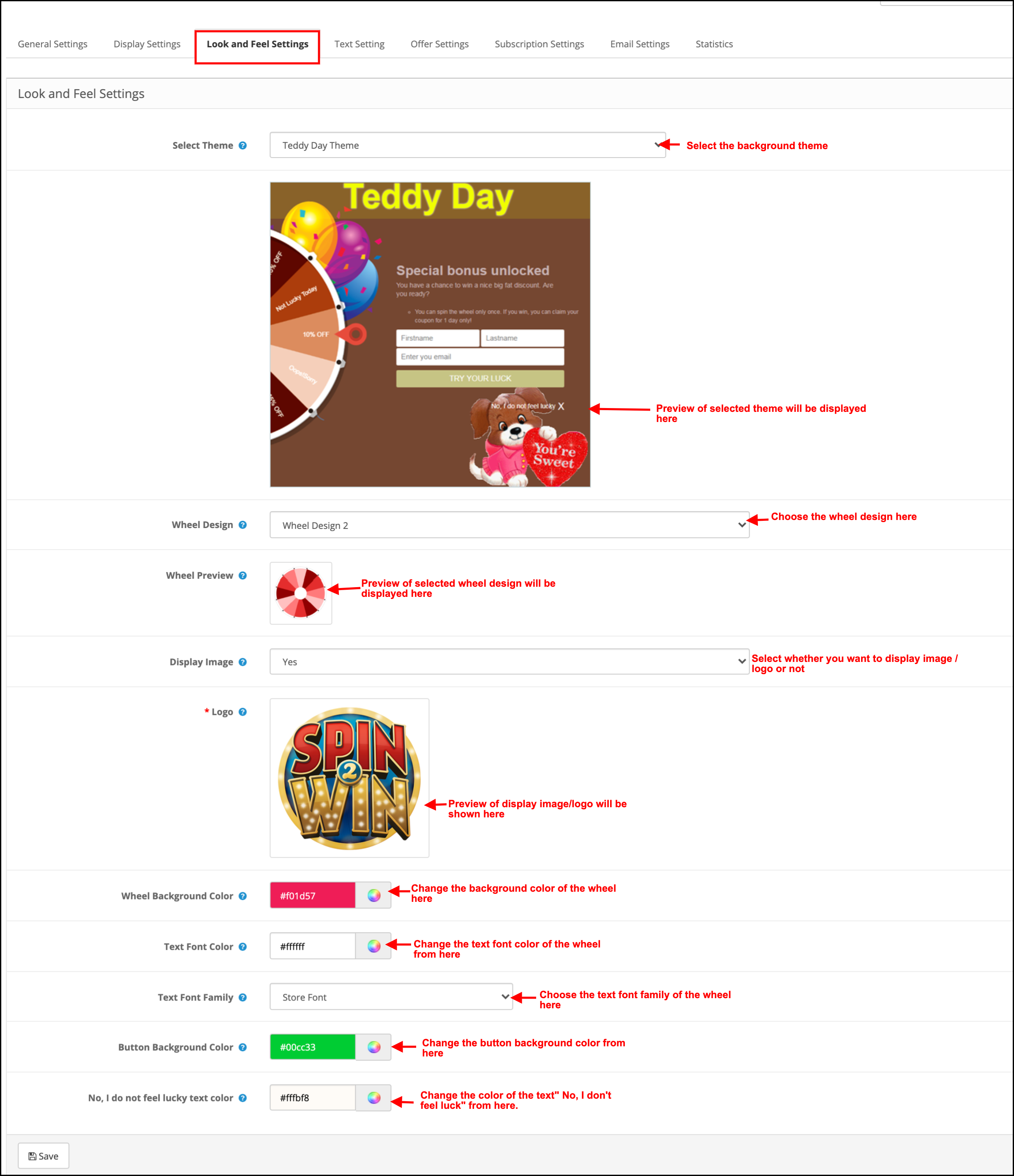
L’administrateur a la possibilit de modifier l’aspect et la convivialit du spin partir de cet onglet de la fen tre contextuelle OpenCart Exit Intent.
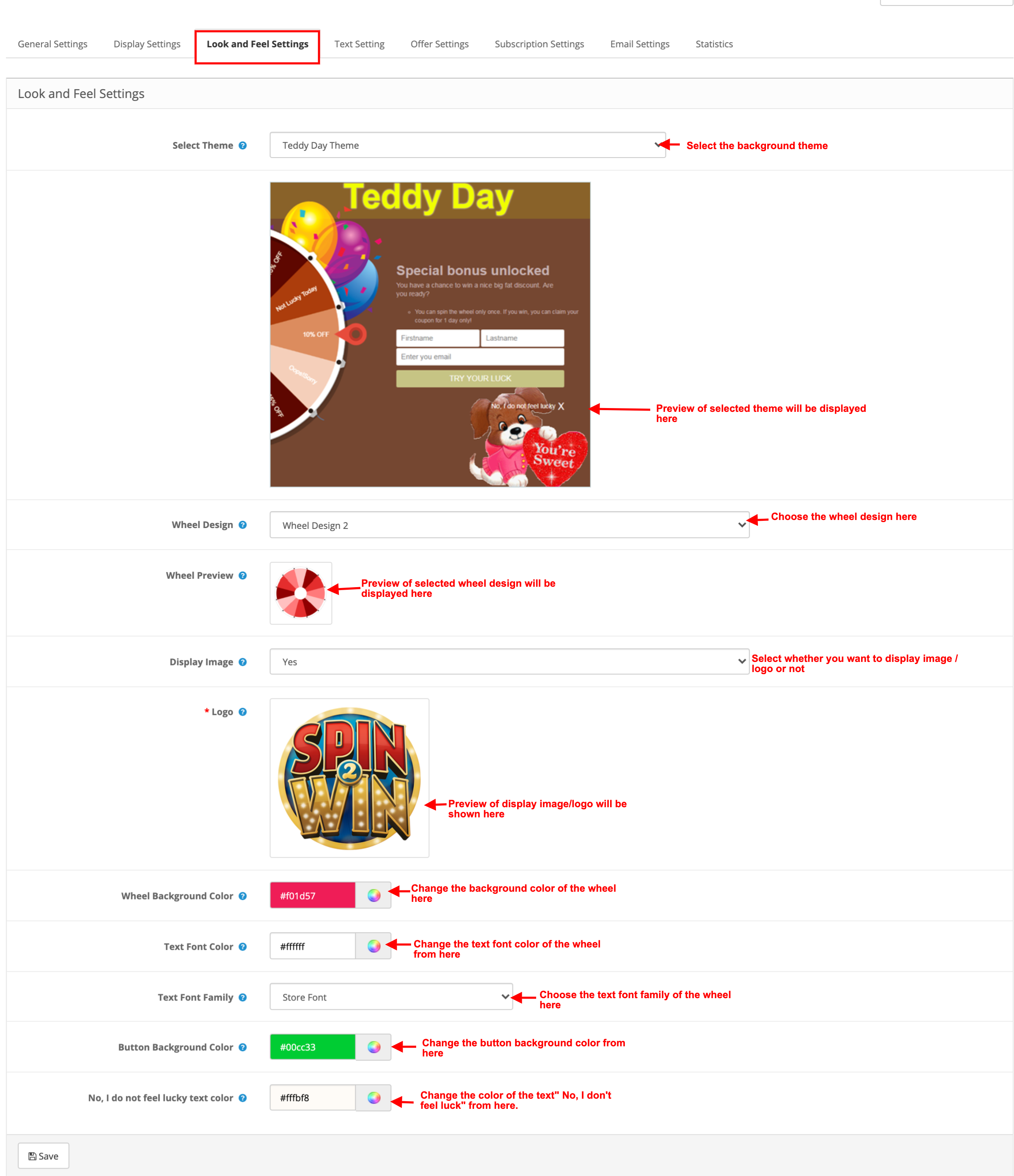
S lectionne un th me: La fen tre contextuelle d’abonnement OpenCart est fournie avec un bestimmte nombre de th mes d’arri re-plan parmi lesquels choisir. L’administrateur peut s lectionner le th me souhait en fonction de diverses Anlässe sagt que No l, Halloween, Thanksgiving, Black Friday, etc. Un aper u du th me s lectionn appara tra sous l ‘onglet du th me s lectionn pour voir quoi il ressemblera sur le frontend du boutique.
Konzeption de Roue: La fen tre contextuelle d’abonnement l’intention de sortie d’OpenCart schlägt m me des roues de Rotation pr con ues vor. L’administrateur peut choisir celui qui entspricht l’interface utilisateur du site.
Aper u de la roue: L’administrateur peut pr visualiser la conception de roue s lectionn e ici.
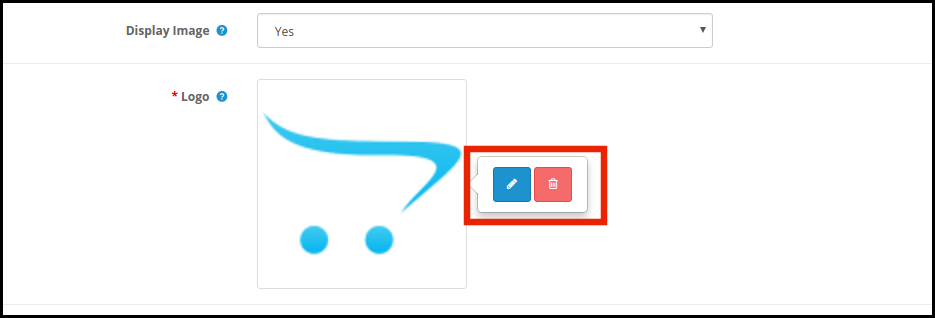
Afficher l’image: L’administrateur a la possibilit d’afficher l’image ou le logo sur la roue. Si “ Oui ” est s lectionn , l’administrateur obtient une option pour s lectionner l’image afficher comme indiqu ci-dessous:
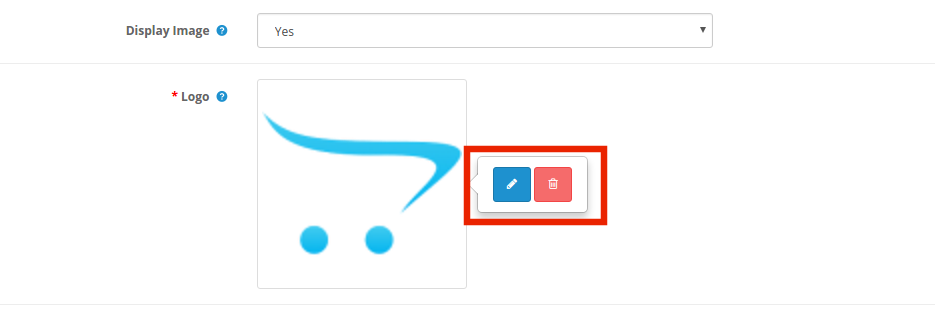
L’administrateur peut modifier ou supprimer l’image en cliquant sur les boutons respektifs.
Couleur d’arri re-Plan de la Roue: S lectionnez ici la couleur d’arri re-plan de la roue.
Couleur de la Police du Texte: Auswahl der Polizei, die die Polizei betrifft.
Famille de polices de texte: Auswahl der Familie der Polizei, die sich um die Zukunft kümmert.
Couleur d’arri re-plan du bouton: La couleur des boutons affichs sur la roue peut tre s lectionn e partir du nuancier.
Nicht, je ne me sens pas Chanceux Couleur: Changez la couleur du lien “Nicht, je ne me sens pas Chanceux” Partir d’ici.
3.4 Parameter de texte
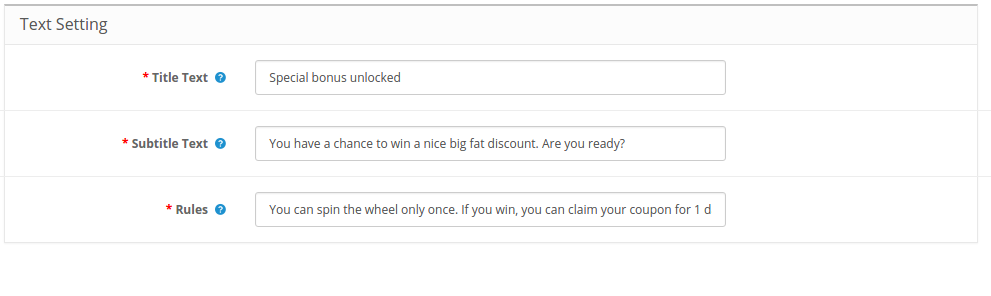
Tous les textes affichs sur le front-end de la roue de rotation peuvent tre modifi s partir de l’onglet Parameter des Texts des Rotationsmoduls und des Victoire d’OpenCart. L’administrateur du magasin peut modifier le texte du titre, le texte des sous-titres et les r gles.
3.5 Parameter von l’offre
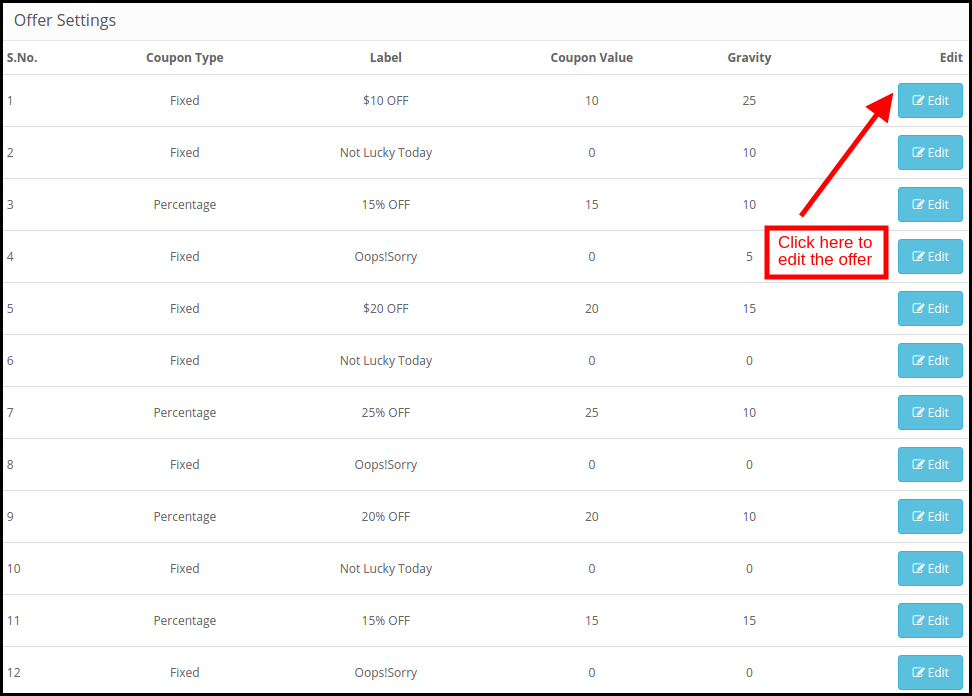
L’administrateur peut modifier les tranches de la roue partir de cet onglet du plugin OpenCart Spin and Win.
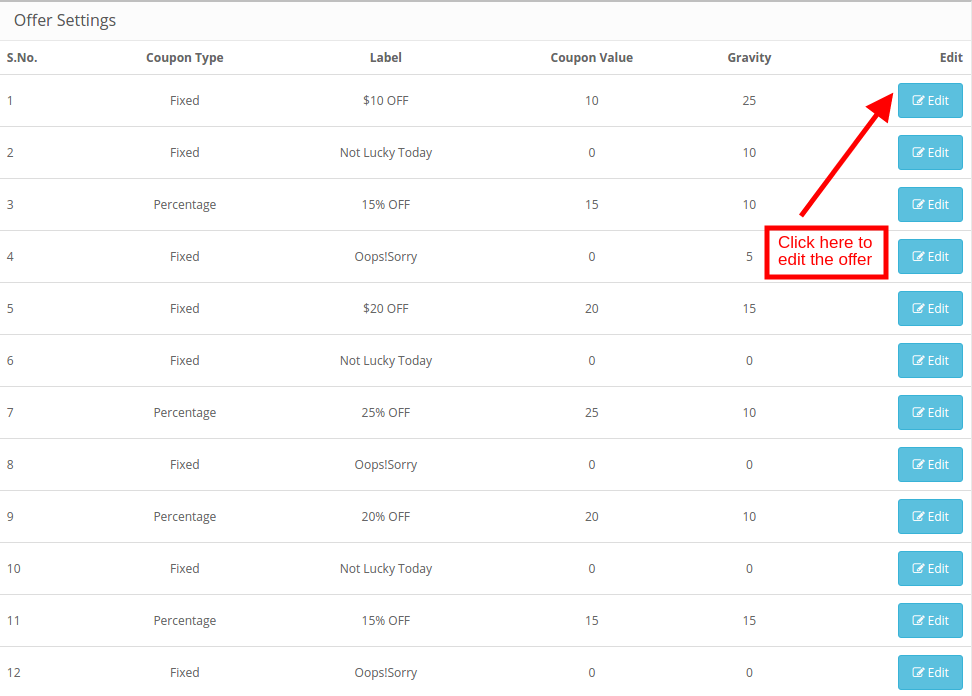
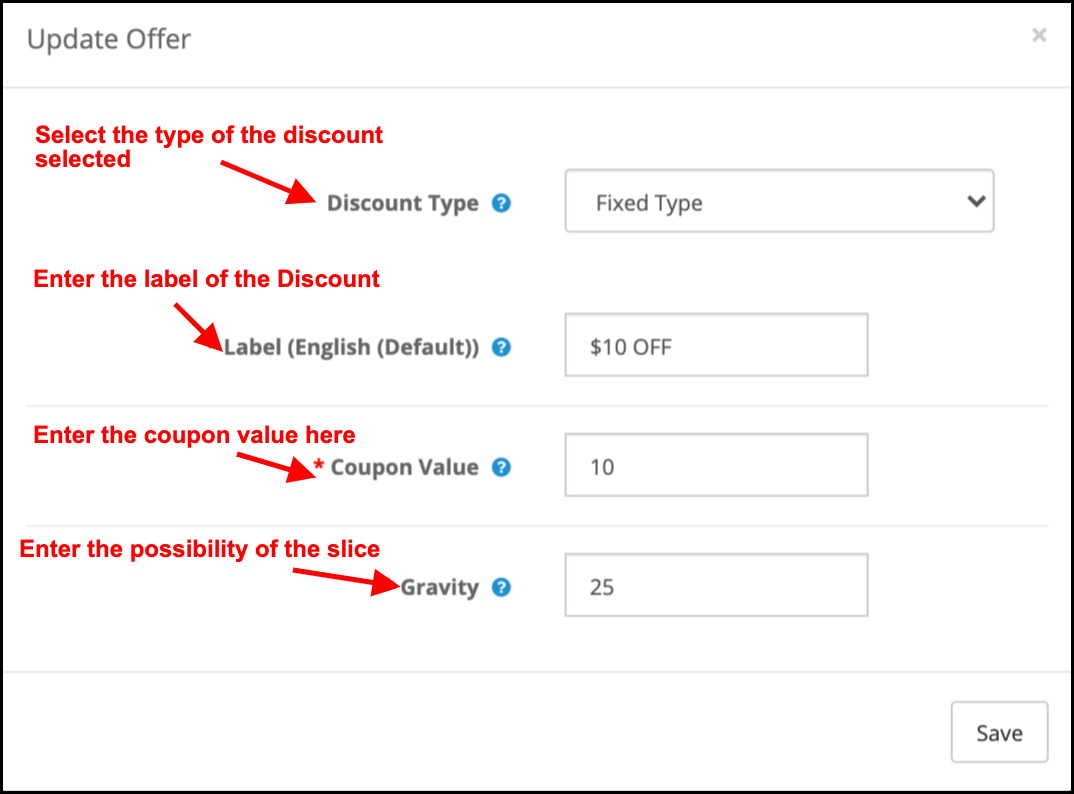
Gutscheintyp: Cela sp cifie le Typ de Coupon Angebot. L’administrateur peut offrir une remise fixe ou en pourcentage.
Tiquette: Entrez l’ tiquette qui sera affich e l’avant de la roue.
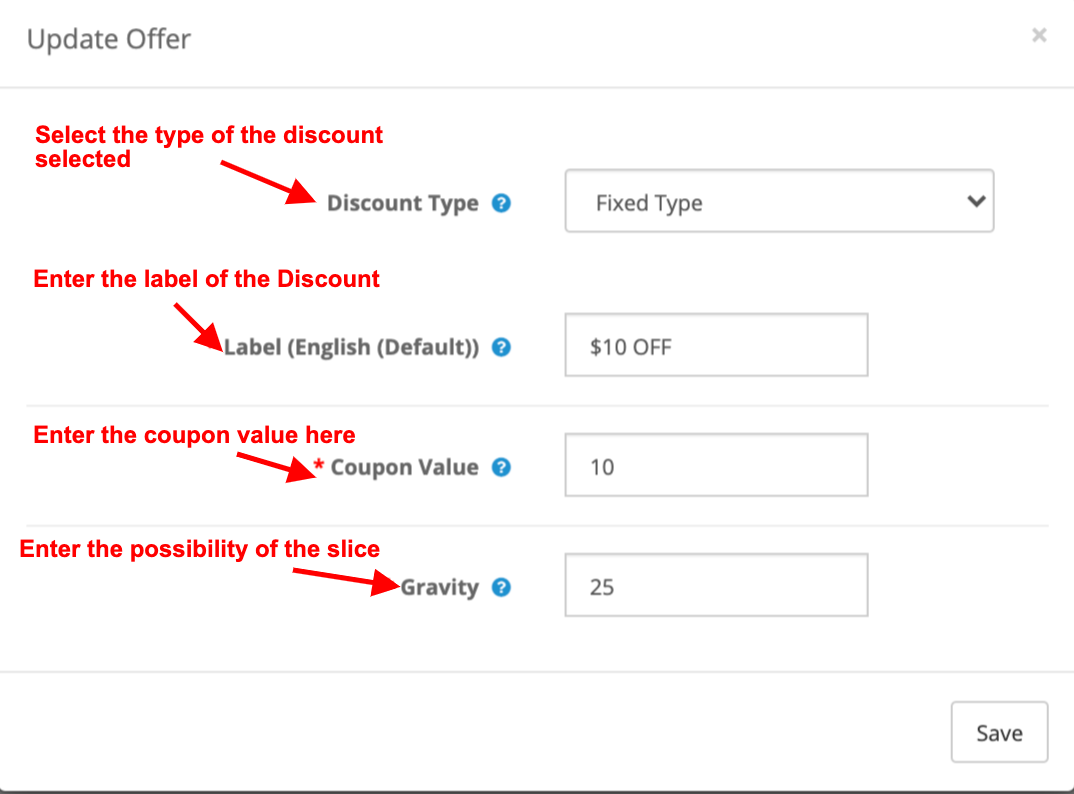
Valeur du Gutschein: Entrez la valeur du Gutscheinangebot.
La gravit : Entrez la possibilit que la tranche apparaisse lorsque la roue est Tourn e. Afin de modifier la tranche de r duction, cliquez sur le bouton Modifier comme indiqu dans l’image ci-dessus.
3.6 , KriegAbonnement Parameter
L’int grateur OpenCart mailen Sie einen int gr MailChimp et Int grateur Constant Contact. Les IDs-E-Mails werden von OpenCart Spin et l’Erweiterung doppelt doppelt synchronisiert, wobei die automatische Automatisierung mit dem Respekt des Magasin-Administrators erfolgt.
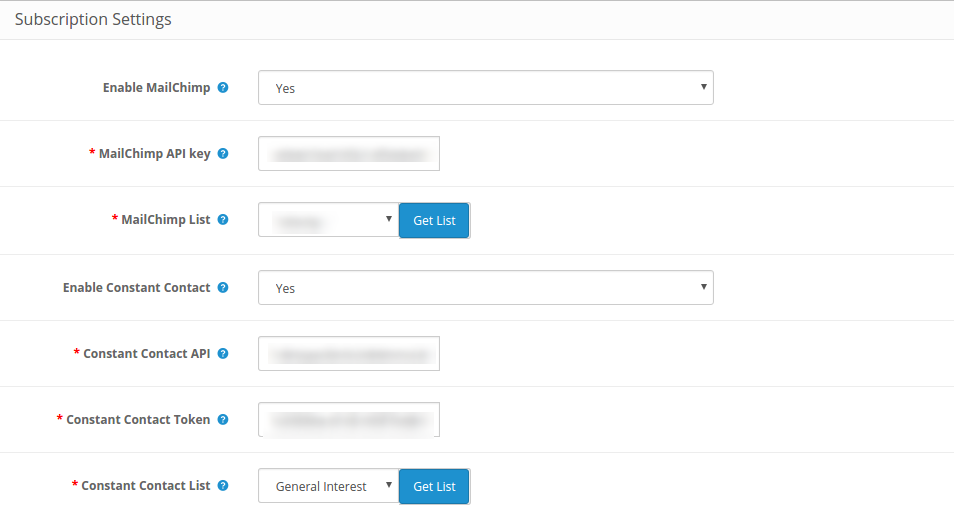
L’administrateur peut activer l’outil marketing respektif en s lectionnant Oui dans la liste d roulante. Afin de configure la connexion, entrez la cl API et le jeton secret. Auswahl der Liste der Identifikatoren der Nachrichtensynchronisationssynchronisation.
3.7 Messparameter
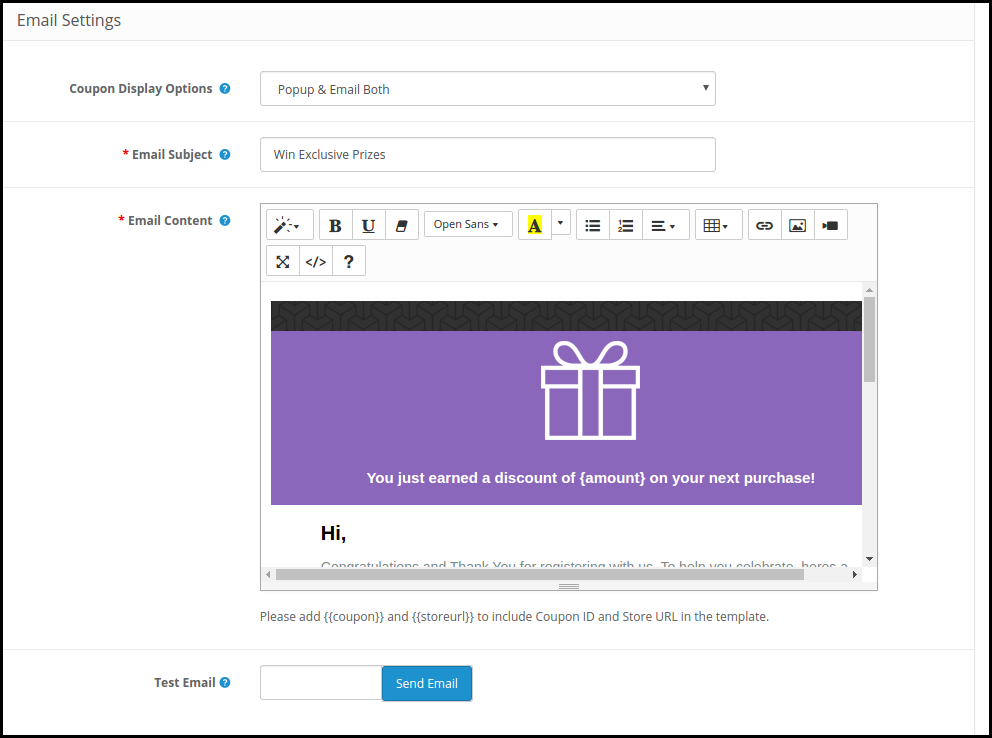
Cet onglet de la fen tre contextuelle d’abonnement OpenCart Spin and Win permet l’administrator du magasin d’envoyer des E-Mails Promotionnels aux Kunden.
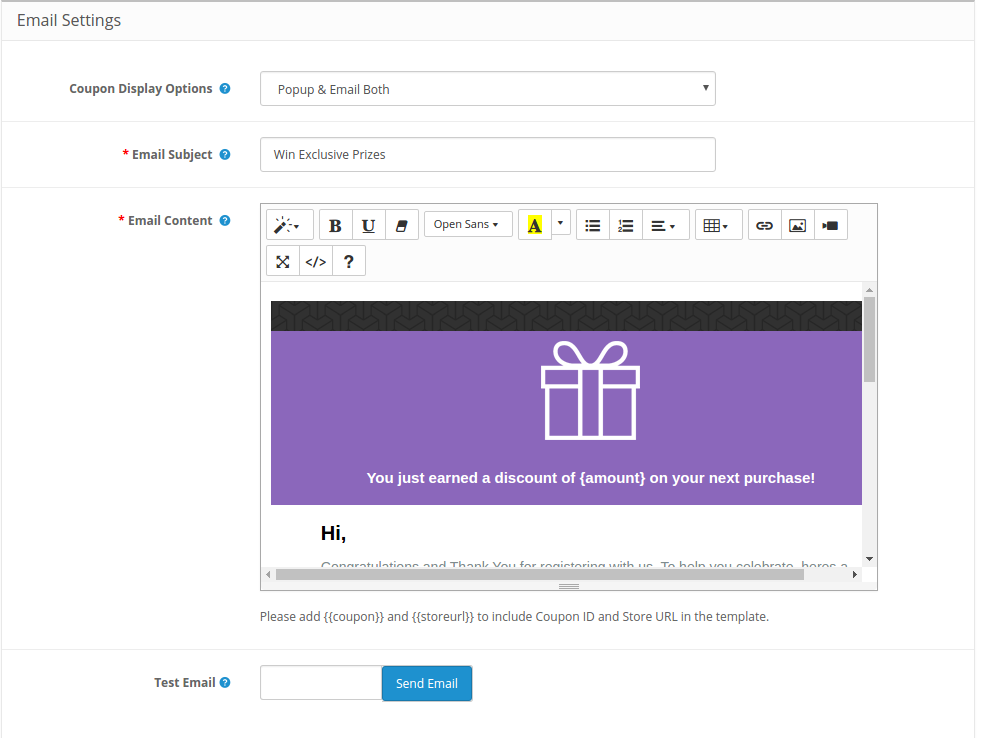
Affichage du coupon: S lectionnez l’emplacement o vous souhaitez afficher le coupon. L’administrateur peut soit l’afficher sur la roue, soit l’envoyer per E-Mail. Cela d pend de l’option s lectionn e dans le Backend du Popup Responsive OpenCart.
Sujet du courriel: Entrez la ligne d’objet de l’e-mail Gesandter aux Kunden.
Contenu de l’e-Mail: Saisissez ici le contenu du mail.
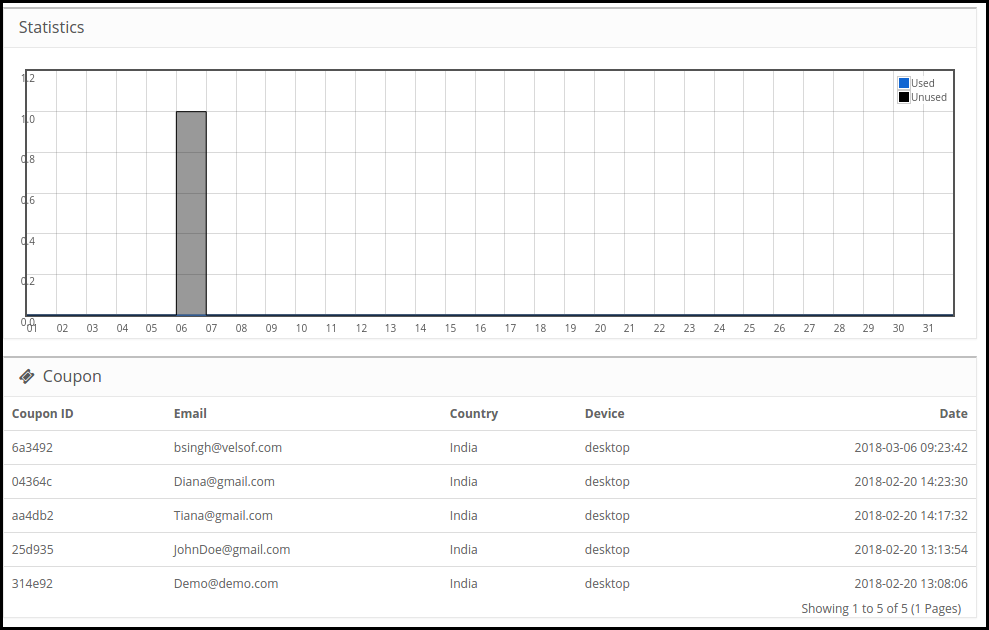
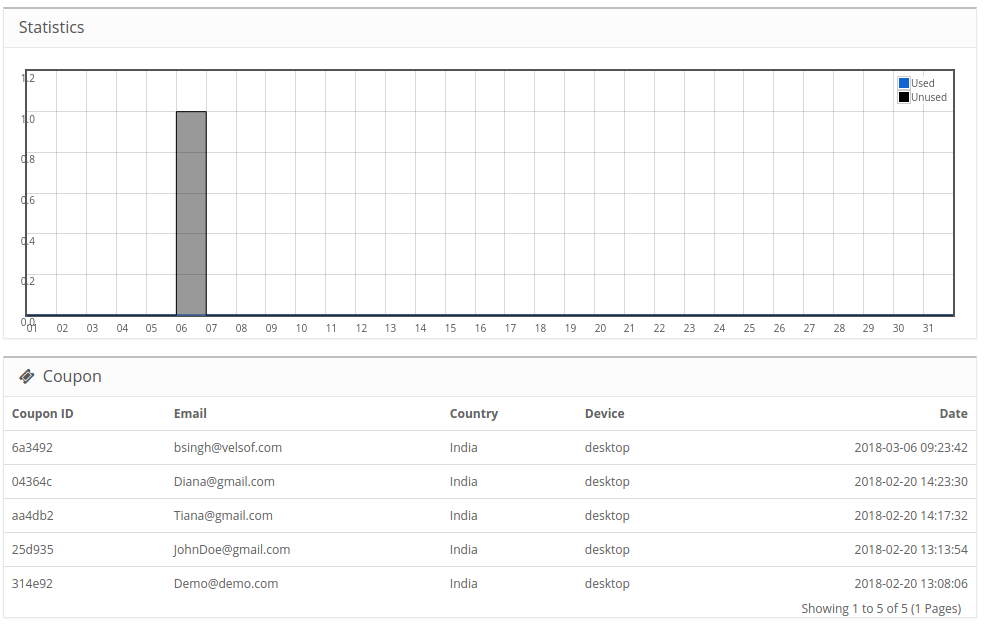
Statistiken 3.8
Le rapport statistique des coupons g n r s et des coupons utilis s / non utilis s peut tre Consult dans cet onglet du module contextuel d’abonnement aux e-mails d’OpenCart.
4.0 Schnittstelle utilisateur du site Web
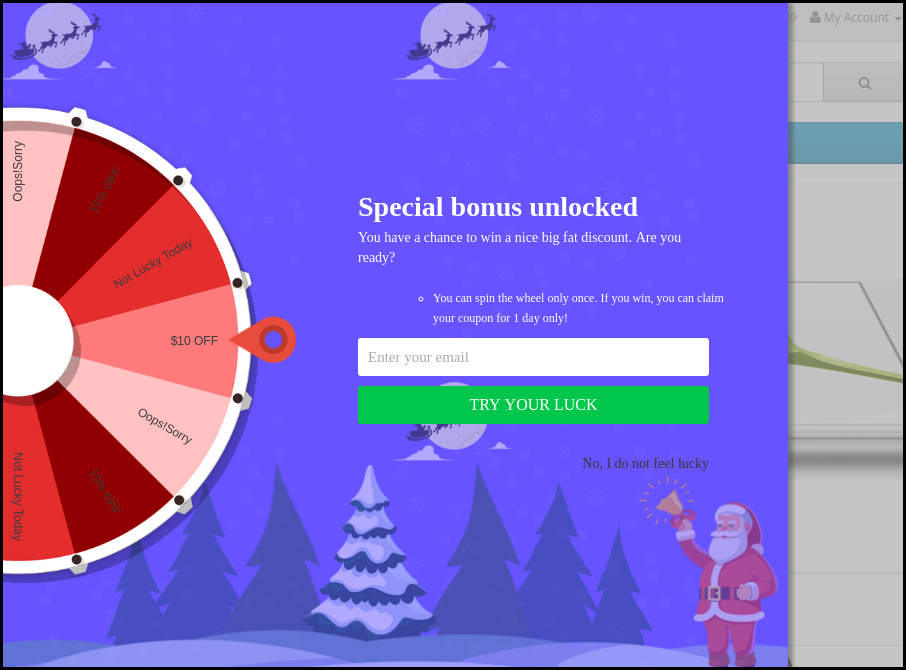
Der Kontext der Rotation ist ein Thema, das sich auf das Front-End des Standorts bezieht, und das Bild, das sich auf das Bild bezieht.
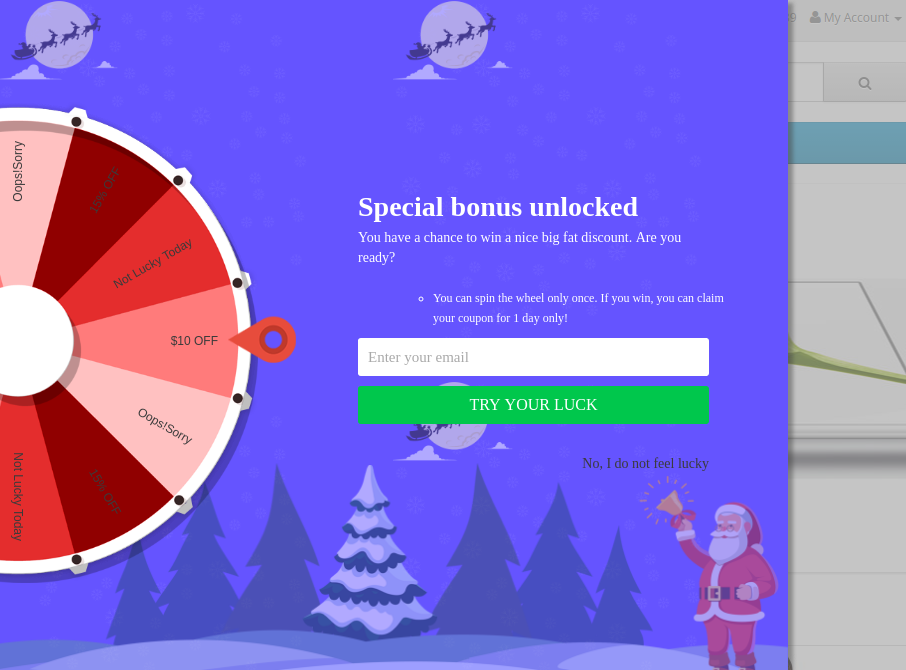
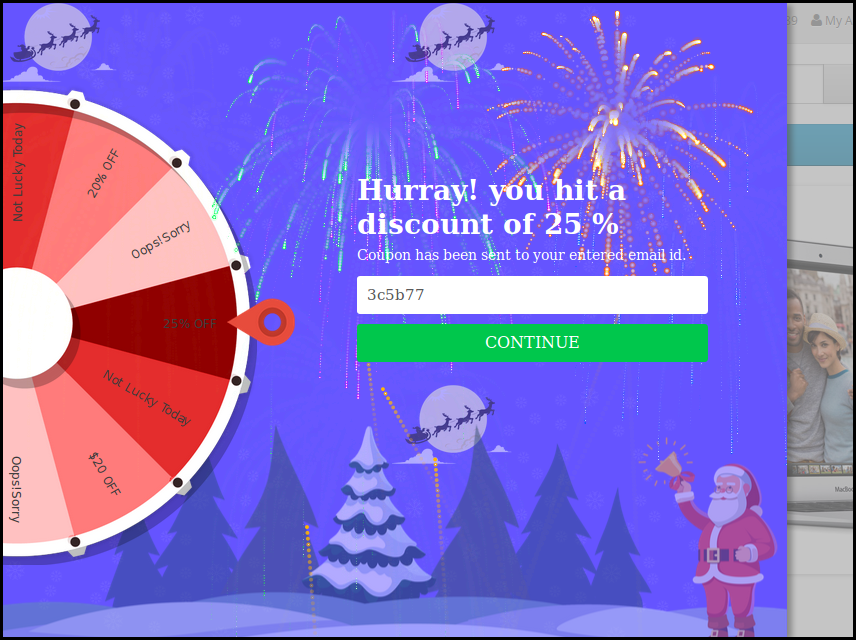
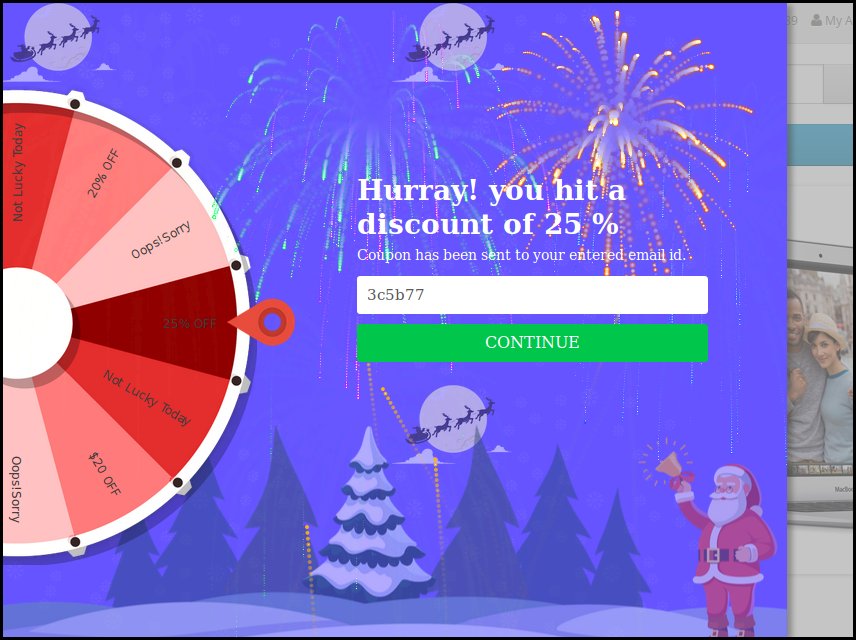
Une fois que le client remporte un prix apr s avoir fait tourner la roue, le coupon sera g n r comme indiqu ci-dessous:
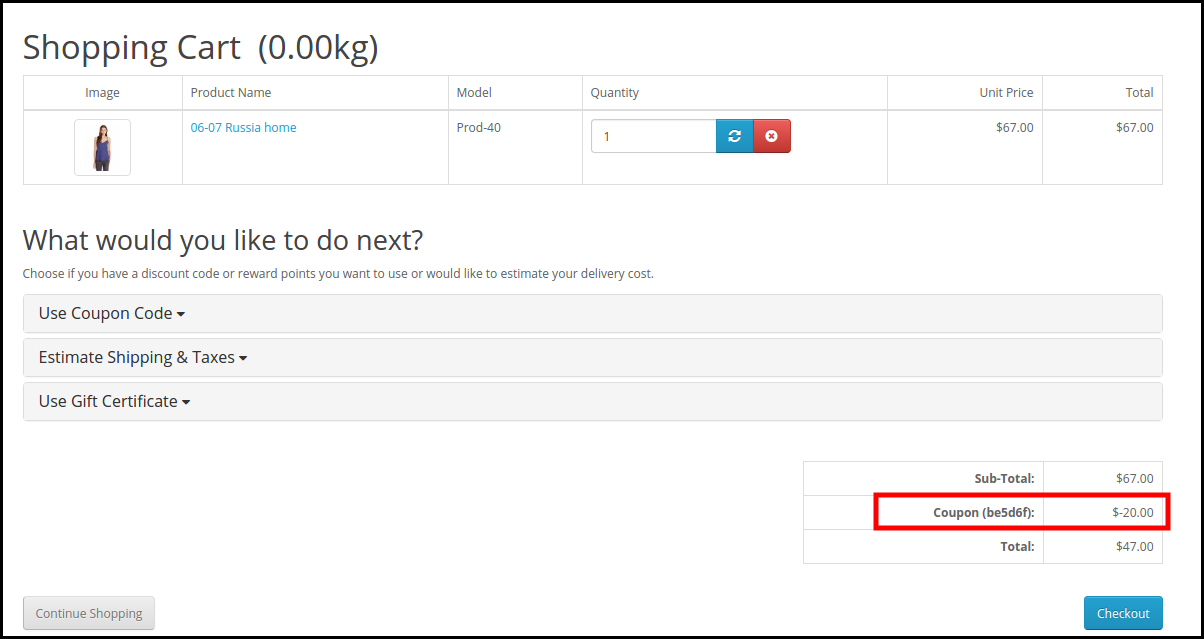
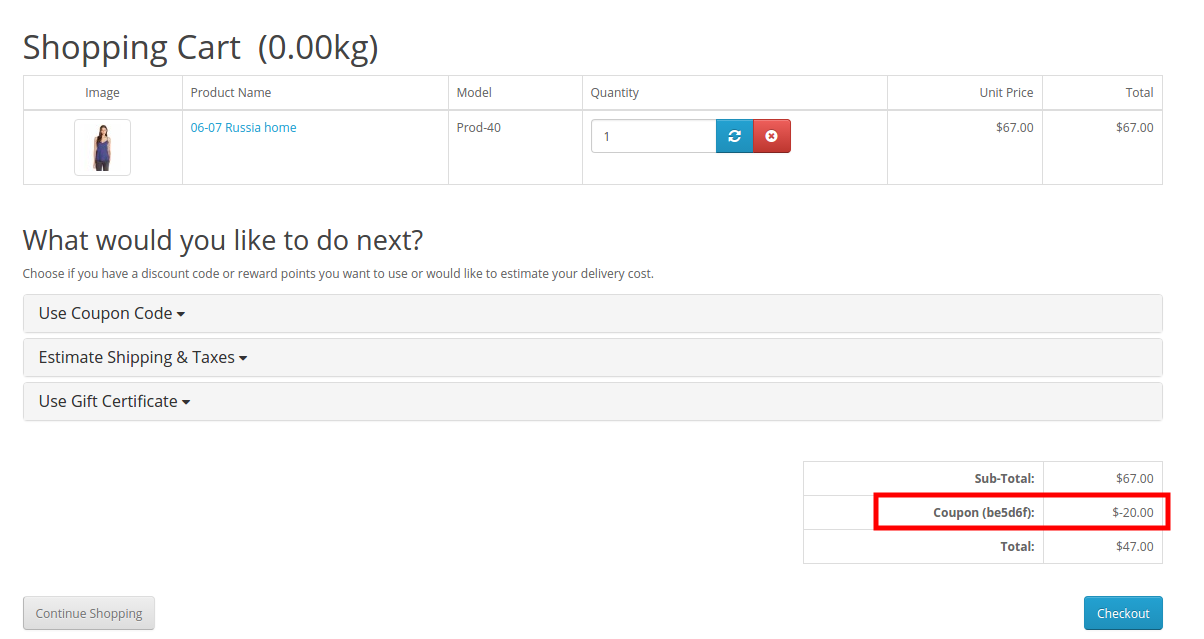
Le client peut r clamer le coupon en cliquant sur Continuer. Ce Code de r duction peut tre utilis sur la Seite de paiement pour obtenir la remise.
Avertissement: Si spin fen tre contextuelle de la roue “Spin and Win” ne s’affiche pas l’avant, veuillez vider le cache ou supprimer les cookies. Parfois, les cookies emp chent la fen tre contextuelle de s’afficher l’avant.
Kaufen , Krieg , KriegD mo Admin
D mo Avantgarde , Krieg