PrestaShop is a leading open-source e-commerce platform, known for its flexibility, powerful features, and zero licensing costs. Known for its intuitive interface, multi-language/currency support, and rich ecosystem of modules and themes, it’s ideal for SMEs creating customised online stores. PrestaShop 9.0 represents a significant milestone, delivering performance upgrades and essential architectural advancements reflecting modern development standards, scalability, and long-term maintainability.
What’s New in PrestaShop 9.0?
PrestaShop 9.0 brings complete core framework modernisation—a major leap forward, redefining how developers and store owners interact with the system.
Core Architecture Changes
Full Symfony Integration: PrestaShop 9 finalises its transition to the Symfony framework, providing a modern, stable foundation for future development. Legacy classes and outdated controllers have been deprecated or replaced, making the system more maintainable and aligned with best practices.
PHP 8.1+ Support: Requires PHP 8.1 or higher, ensuring compatibility with the latest features, improved security, and faster performance.
Doctrine DBAL: The Database Abstraction Layer improves database interactions, offering better abstraction, query building, and testability—especially beneficial for large-scale customisations.
Composer-Centric Development: Composer 2.x now plays a central role in the development workflow, handling dependency management, module integration, and autoloading seamlessly.. This simplifies version control and enhances CI/CD compatibility.
Back Office & Developer Enhancements
While focusing on backend improvements, merchants and developers will notice:
Faster page loads and improved server response times
Cleaner codebase through legacy logic removal
Improved modularity for cleaner, standalone modules
Stronger test coverage for stable, secure releases
Though UI changes are minimal, these under-the-hood updates drastically enhance store stability and maintainability.
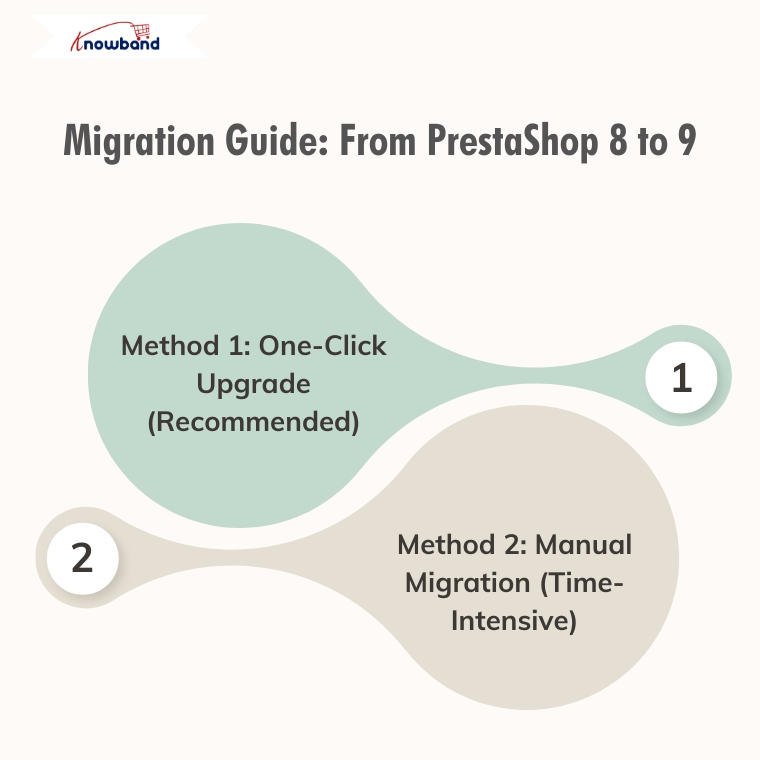
Migration Guide: From PrestaShop 8 to 9
Method 1: One-Click Upgrade (Recommended)
Available Tools:
Official 1-Click Upgrade Module: Standard PrestaShop upgrade module handling version transitions automatically
MigrationPro: Third-party solution supporting migration with comprehensive data transfer
PrestaShop Migrator: Alternative one-click solution for seamless upgrades
Advantages:
Automated process with minimal manual intervention
Built-in data integrity checks
Reduced human error risk
Faster migration time
Automated backup creation
Autoupgrade Backup Process:
BackupInitialization: Process start, clearing leftover temporary files
BackupFiles: Complete backup of store files, themes, modules, images, and custom code
BackupDatabase: Creates a complete backup of the entire database, including all tables and stored data.
Let me know if you prefer a more concise or more detailed version.
BackupComplete: Process finalisation with verification
Rollback Process: If the upgrade encounters issues, easily revert through the autoupgrade module’s “Rollback” section by selecting the backup archive and monitoring rollback progress.
Data Migration: Automatically handles transfer of products, categories, attributes, customer accounts, order history, CMS pages, configuration settings, images, and compatible module configurations.
Method 2: Manual Migration (Time-Intensive)
Fresh PrestaShop 9 installation followed by manual data migration.
Process Overview:
Review Server Requirements: PHP 8.1+, MySQL 5.7+/MariaDB 10.3+, Composer 2.x, Apache/Nginx
Install PrestaShop 9.0: Fresh installation via Git and Composer
Data Migration Strategy: Export from PS8 (products, customers, orders, CMS, configurations) and import to PS9 using native tools, third-party modules, or manual entry
Theme Reconstruction: Rebuild themes using PS9’s updated architecture, adapt to Symfony requirements
Comprehensive Testing: Front office (browsing, checkout, payments, mobile) and back office (product management, orders, reporting) functionality
Recommendation
Method 1(One-Click Upgrade) is strongly recommended for most merchants due to:
Significantly reduced migration time
Lower risk of data loss/corruption
Automated handling of complex data relationships
Built-in rollback capabilities
Professional support availability
Consider Method 2 (Manual Migration) only for specific customisation requirements necessitating a fresh installation or when automated tools are incompatible.
Post-Migration Checklist
Regardless of the chosen method:
Verify all critical store functions
Test payment and shipping integrations
Confirm SEO settings and URL structures
Update DNS and SSL certificates if needed
Monitor site performance and loading speeds
Train staff on interface changes
Final Thoughts
PrestaShop 9.0 sets a strong course toward improved speed, enhanced security, and a more developer-centric ecosystem. Although upgrading requires planning and effort, long-term benefits are considerable—better performance, cleaner code, enhanced scalability, and modern tooling.
If running an older version, evaluate the long-term value of moving to Prestashop 9. If unsure about the process or lacking in-house developers, consulting with a PrestaShop expert or certified partner is highly recommended.
Still deciding whether to switch?
If you’re unsure whether moving from PrestaShop 8 to 9 is the right step for your store, we invite you to check out our detailed comparison and expert insights.
Discover the key benefits, potential risks, and real-world impact of migrating — and make an informed decision for your business.
With the release of PrestaShop 9.0, the platform is moving toward a more modern, performance-oriented, and developer-friendly future. However, as with any major update, merchants and developers are left with an important question: Is now the right time to migrate from PrestaShop 8.1?
In this blog, we’ll explore the key differences between PrestaShop 8.1 and 9.0. From performance upgrades to developer tools, we’ll cover everything you need to know to make an informed decision about your store’s future.
Symfony Framework Upgrade: From 4.4 to 6.4
To begin with, one of the most significant changes in PrestaShop 9.0 is the upgrade of the Symfony framework from version 4.4 to Symfony 6.4, the latest long-term support (LTS) release. This transition ensures better stability, security, and access to modern development tools.
Symfony 6.4 will be maintained with bug fixes through November 2026 and security patches until November 2027, ensuring long-term stability for evolving projects. By comparison, Symfony 4.4—used in PrestaShop 8.1—has already reached the end of its support life. Therefore, PrestaShop 9.0 becomes the smarter choice for long-term projects.
PHP Compatibility and Performance Enhancements
In addition, PrestaShop 9.0 introduces support for PHP 8.1, 8.2, and 8.3. This allows merchants to benefit from improved performance, better memory handling, and modern PHP features.
Unlike PrestaShop 8.1, which stopped at PHP 8.1, the new version embraces the latest PHP releases, representing a major step forward. As a result, PrestaShop 9.0 is better aligned with modern PHP standards and development practices. However, keep in mind that older hosting environments and custom code may require updates to ensure compatibility.
Modern API Platform for Headless Commerce
Furthermore, PrestaShop 9.0 brings a brand-new API system based on API Platform v3, dramatically improving how it interacts with external applications.
This makes it ideal for headless commerce architectures, mobile app integrations, and third-party services. In contrast, PrestaShop 8.1 relied on a legacy API, which lacked the flexibility and scalability modern developers expect. As a result, the new API system opens up a world of opportunities for automation and integration.
PrestaShop 9 debuts a completely reimagined Admin API, built using API Platform—a cutting-edge PHP framework known for its flexibility and power. This innovation marks a significant leap toward creating a more open, extensible, and developer-focused PrestaShop environment.
Here’s what the new Admin API offers:
Simplified integration with external platforms such as ERPs, CRMs, and marketing tools.
Automation-ready architecture that helps reduce manual store management and boosts operational efficiency.
RESTful structure with JSON formatting, ensuring ease of use for developers accustomed to modern API standards.
Future-ready modularity, allowing the system to grow and adapt with community and business demands.
It’s worth noting that the Admin API is still evolving. While the core framework is already in place, additional features and endpoints are being actively developed.
Key Hook Updates in PrestaShop 9
PrestaShop 9 retains most of the widely used hooks from version 8 to ensure module and theme compatibility. Common front-office hooks like displayHeader, displayFooter, displayHome, and displayProductButtons remain supported. In the back office, important hooks such as displayBackOfficeHeader, displayAdminOrderMain, and displayAdminProductsExtra are still available for extending core functionality.
Alongside these, PrestaShop 9 introduces modern Symfony-based hooks like actionSymfonyResponse, actionAfterCartSave, and actionProductFormBuilderModifier. These offer a cleaner, event-driven approach to customisation and are part of the platform’s move toward a more modular, scalable structure.
Redesigned Back Office Using Symfony and Twig
Another significant improvement is the full revamp of the back office, now built with Symfony and Twig for a more modern and maintainable structure. This results in a more intuitive, mobile-friendly, and user-centred admin experience.
For store owners, the redesigned layout means easier navigation and improved productivity. For developers, the shift supports cleaner templating and reduces legacy code dependencies. On the other hand, PrestaShop 8.1 retains a more traditional interface, which may now feel outdated in comparison.
Developer-Focused Improvements
Additionally, PrestaShop 9.0 has replaced several outdated libraries used in previous versions. For example:
Guzzle HTTP Client → Symfony HTTP Client
SwiftMailer → Symfony Mailer
These updates result in a more secure, efficient, and future-proof module and email handling.
Moreover, the login system has been modernised. Legacy hooks have been removed, and a new actionBackOfficeLoginForm hook has been introduced, offering cleaner and more customizable authentication flows.
Transition Toward Twig Templates
Importantly, PrestaShop 9.0 also makes a bold move toward full Twig integration, gradually replacing the legacy Smarty engine. Twig is now widely used in both front and back offices, offering more readable, modular, and reusable templates.
For theme developers, this is a significant improvement. In contrast, PrestaShop 8.1’s reliance on Smarty limits flexibility and long-term maintainability.
Should You Upgrade to PrestaShop 9.0?
PrestaShop 9.0 brings major improvements—but before upgrading, make sure your store is ready to handle the change. If your themes, modules, and hosting environment are compatible—or can be easily updated—then migrating can bring notable performance and UX benefits.
Alternatively, if your current store depends heavily on legacy plugins or complex custom code, it might be wiser to wait until broader module support becomes available. Testing in a staging environment is highly recommended before committing to a full upgrade.
Migration Tips for Store Owners
Before making the switch, follow these best practices:
Backup your entire store, including the database and any custom files.
Test the upgrade in a staging environment first to avoid disrupting your live store.
Verify compatibility for all third-party themes and modules.
Monitor community feedback for bug reports and migration issues.
Conduct thorough testing, especially checkout, payment, and product display areas.
Final Thoughts
PrestaShop 9.0 marks a major leap toward a modern, secure, and scalable e-commerce platform. From faster performance and updated frameworks to a cleaner developer experience, it brings meaningful benefits for merchants and developers alike.
In conclusion, while migration requires effort and planning, the long-term gains make it a worthwhile investment. Whether you’re a seasoned PrestaShop user or planning your first store, now is an excellent time to explore what version 9.0 can do for your business.
If you’re looking for a reliable solution to ensure a smooth upgrade, KnowBand offers custom module development and PrestaShop 9.0-ready extensions that can accelerate your transition. Their expert support and robust library of PrestaShop modules make them a valuable partner during major upgrades.
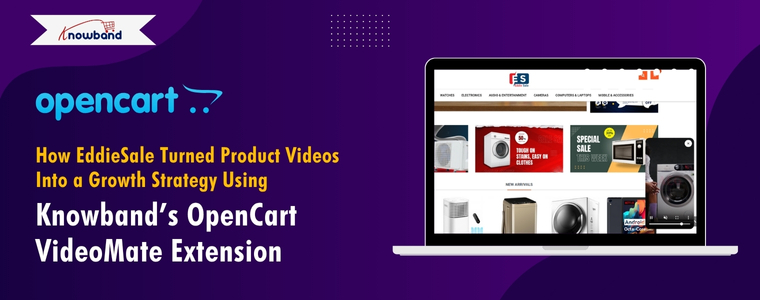
In today’s fast-paced eCommerce world, product visuals are no longer enough — customers expect immersive experiences that build trust and help them make quick buying decisions. For EddieSale, a growing online store powered by OpenCart, this meant going beyond static images and text. Their breakthrough came with Knowband’s OpenCart Video Manager Extension, a powerful plugin that allowed them to seamlessly integrate product videos into their store. What started as a simple upgrade turned into a full-fledged growth strategy, driving higher engagement, better conversion rates, and a noticeable boost in customer confidence.
When Amanda started EddieSale, an online electronics store, her vision was clear: to offer reliable, affordable tech products that customers could trust. From Bluetooth speakers to smartwatches and other home gadgets, her store was packed with the kind of everyday electronics that modern shoppers love.
But within a few months, Amanda noticed something many small business owners face: while visitors were browsing her store and even adding items to their carts, a lot of them weren’t checking out. Traffic was steady, but sales were not keeping up.
It wasn’t a problem with pricing or product selection. The real issue was something Amanda didn’t expect—her product pages weren’t telling the full story.
Understanding the Customer Gap
Amanda realized that while her product photos were clear and her descriptions detailed, they still weren’t enough for electronics buyers.
“People want to see tech in action,” she explained. “They want to hear how the speaker sounds, watch how the smartwatch screen responds, or understand how a camera performs. A static photo just doesn’t cut it for those kinds of products.”
Customers were curious but hesitant. They had unanswered questions. Amanda thought about hiring someone to custom-code video sections into her product pages, but as a small business owner, time and budget were tight.
Discovering the OpenCart VideoMate Extension
While looking for OpenCart extensions that could help, Amanda came across Knowband’s VideoMate Extension for OpenCart. The promise was simple: let store owners easily add videos to product pages, the homepage, category listings, and more—without touching a single line of code.
“It sounded like exactly what I needed—something easy and flexible,” Amanda said.
She installed the Plugin and was pleasantly surprised at how smooth the process was. Within a couple of hours, she had product demo videos, unboxing clips, and reviews from YouTube integrated directly into her store.
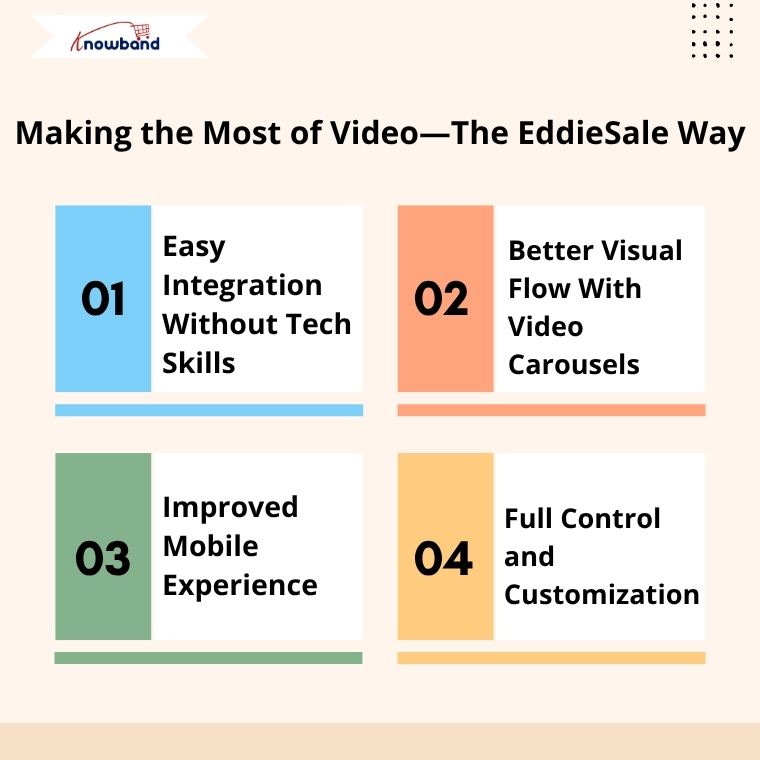
Making the Most of Video—The EddieSale Way
Amanda started by focusing on her top-selling categories. She added short demo videos for Bluetooth speakers, tutorials for smartwatches, and real-life usage clips for home security cameras.
Here’s what stood out to her:
1. Easy Integration Without Tech Skills
Amanda didn’t need a developer or a learning curve. The admin panel was intuitive. She could upload or embed videos, change their placement, and even preview them in real time.
2. Better Visual Flow With Video Carousels
She made use of the video carousel feature to showcase seasonal gadgets and customer favorites on her homepage. This not only made the store look more modern but kept users engaged longer.
3. Improved Mobile Experience
Since most of EddieSale’s traffic came from smartphones, it was important that videos looked good on all devices. Fortunately, the Extension was fully responsive—everything adjusted automatically, from the homepage to product pages.
4. Full Control and Customization
Whether Amanda wanted to show one video or ten, the Plugin gave her control over layout, order, and placement. She could test different setups and make changes anytime without external support.
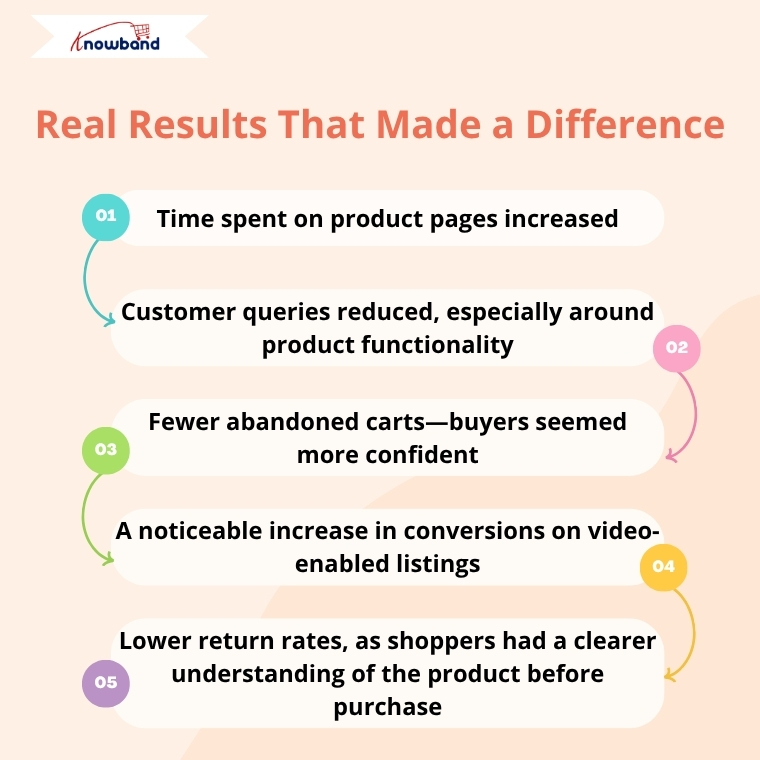
Real Results That Made a Difference
After just a few weeks of using VideoMate, Amanda started to notice tangible improvements:
Time spent on product pages increased
Customer queries reduced, especially around product functionality
Fewer abandoned carts—buyers seemed more confident
A noticeable increase in conversions on video-enabled listings
Lower return rates, as shoppers had a clearer understanding of the product before purchase
Customers even left comments saying they appreciated being able to “see the product in real life” before making a decision.
Building Trust Through Transparency
For Amanda, the biggest success wasn’t just the increase in sales—it was the trust she built with her audience.
“VideoMate helped me bring my products to life. I didn’t have to change my entire site or hire anyone. Just by showing how products work, I was able to connect with my customers better—and that made all the difference.” said Amanda
A Simple Extension With a Big Impact
Amanda continues to use the VideoMate Extension as part of her store’s strategy. Every time she adds a new product or runs a seasonal campaign, she pairs it with video content. It’s now a natural part of how EddieSale operates.
For other OpenCart store owners wondering if it’s worth the effort, Amanda has this advice:
“If your product needs more than a photo to explain, don’t wait. This Extension saves time, builds trust, and helps your store stand out—without making your life harder.”
Final Thoughts
EddieSale’s success story is proof that even small tweaks—like adding product videos—can have a big impact. By using Knowband’s OpenCart VideoMate Extension, Amanda didn’t just improve her product pages—she gave her customers the confidence they needed to click “buy.”
If you’re looking for a genuine way to enhance your OpenCart store and give your customers a better experience, VideoMate might just be your store’s next smart move.
As online competition intensifies, offering a streamlined and user-friendly shopping journey has become critical for success. Unfortunately, cart abandonment remains one of the most significant challenges for online retailers. In fact, studies reveal that a significant percentage of customers leave without completing a purchase simply because the checkout process is too long or complex. That’s where the Prestashop One Page Supercheckout module becomes a game changer.
If you’re looking to reduce bounce rates, increase conversions, and offer a faster checkout experience, then the Prestashop Quick Checkout addon by Knowband is the perfect solution.
Why Quick Checkout Matters
The moment a customer decides to buy, speed is everything. However, when checkout feels like a hassle, customers often give up and leave their cart behind.
Fortunately, the Prestashop simplified checkout addon is built to address this exact issue. By merging all checkout steps, billing, shipping, and payment, into one single, user-friendly page, it simplifies the buyer journey and speeds up the purchase process.
Whether you’re just starting out or already running a well-established online store, having a quick checkout extension integrated can make a big difference in your sales figures.
With One Page Super Checkout for Prestashop stores can integrate multiple payment options in a single, streamlined checkout. Supported gateways include PayPal, Stripe, Authorize.Net, Square, Razorpay, and flexible Buy Now Pay Later solutions. The Prestashop Fast Checkout Addon also allows payments via Apple Pay, Google Pay, and other modern wallets, helping reduce cart abandonment and improve conversion rates.
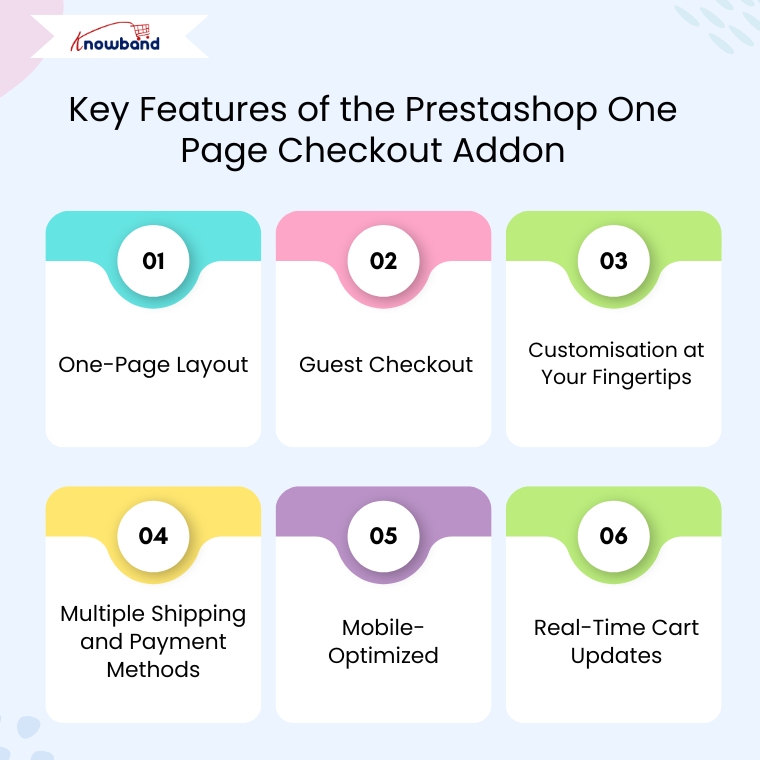
Key Features of the Prestashop Quick Checkout Addon
One-Page Layout
Unlike the traditional multi-step process, the Prestashop Quick Checkout Module brings everything together on one page. As a result, customers can view their cart, enter shipping details, and complete payment, all without having to click through multiple screens. This reduces friction and encourages faster transactions.
Guest Checkout
Not every customer wants to register for an account. Therefore, this quick checkout addon for Prestashop allows you users complete purchases as guests, eliminating unnecessary steps and improving the customer experience.
Customisation at Your Fingertips
You don’t need to be a developer to make changes. Furthermore, the module allows store owners to add, remove, or rearrange fields easily. You can also enable or disable certain sections based on your business needs. This makes the Prestashop fast checkout addon highly adaptable for different types of stores.
Multiple Shipping and Payment Methods
Offer your customers the freedom to choose from different shipping services and payment gateways. Additionally, you can also set visibility rules based on customer location or order value, making the process smarter and more flexible.
Mobile-Optimized
With more and more users shopping via mobile devices, the One Page Checkout Prestashop module is designed to work flawlessly on smartphones and tablets. Moreover, a responsive design ensures that the checkout page is smooth and clutter-free on all screens.
Real-Time Cart Updates
Customers can add or remove products and see real-time updates in their cart summary, no page refresh required. Consequently, this live update feature enhances usability and speeds up decision-making.
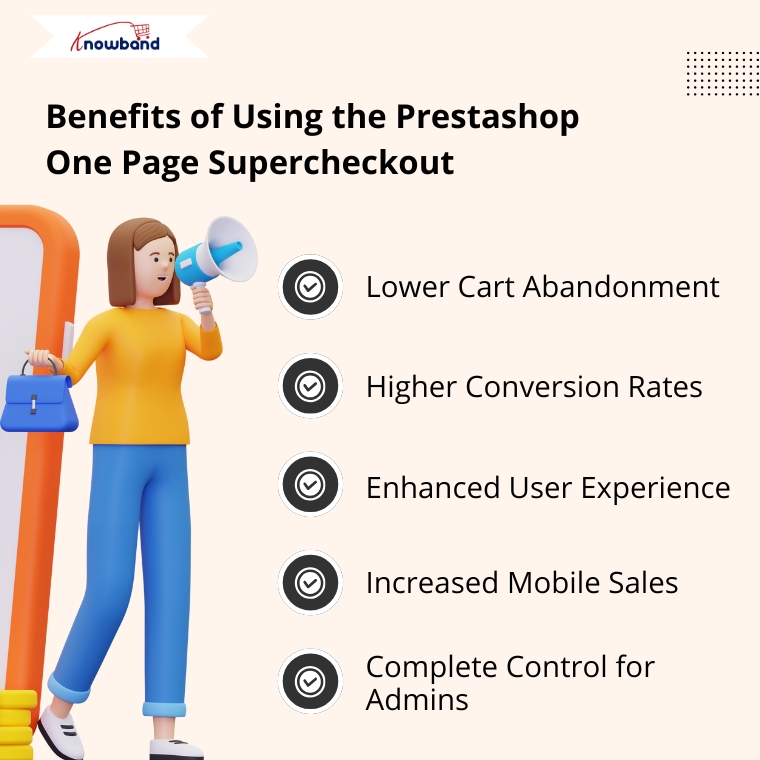
Benefits of Using the Prestashop One Page Supercheckout
Lower Cart Abandonment
By eliminating unnecessary steps, the Prestashop Quick checkout addon significantly reduces the chances of customers leaving before completing their purchase.
Higher Conversion Rates
The shorter the journey to checkout, the higher the likelihood of conversion. Therefore, the simplified process encourages impulse purchases and provides a frictionless shopping experience.
Enhanced User Experience
Whether a customer is tech-savvy or not, the intuitive design of the quick checkout extension Prestashop ensures everyone can complete their order without confusion.
Increased Mobile Sales
Thanks to its responsive design, the Prestashop One Page Checkout works seamlessly on all devices, ensuring you don’t lose out on mobile shoppers.
Complete Control for Admins
You’re not stuck with a one-size-fits-all layout. Instead, the Prestashop simplified checkout addon gives you the tools to create a checkout page that reflects your brand and suits your specific needs.
Why Choose Knowband’s Supercheckout Module?
Knowband has become a trusted name when it comes to reliable and feature-rich Prestashop modules. Their Prestashop fast checkout addon is no exception. It’s trusted by thousands of eCommerce businesses worldwide and comes with excellent support, regular updates, and full documentation.
Moreover, the module supports additional features like social login, delivery date options, newsletter subscription, and more, making it more than just a basic quick checkout addon for Prestashop.
Final Thoughts
In the competitive e-commerce landscape, speed and simplicity are the keys to success. The Prestashop One Page Supercheckout module by Knowband offers everything you need to deliver a faster, easier, and more enjoyable checkout experience.
From reducing cart abandonment to improving mobile usability and boosting conversions, this all-in-one Prestashop One Step Checkout Addon is a smart investment for any online store.
So why wait? Upgrade your checkout experience today with the Prestashop simplified checkout addon and turn more visitors into loyal customers.
Elevate your online store with the WooCommerce VideoMate Plugin—a powerful, all-in-one solution designed to seamlessly integrate eye-catching video content throughout your e-commerce experience. Whether you want to enhance product pages, create immersive landing sections, or boost buyer engagement, this Video Manager for WooCommerce helps you tell your brand story in the most captivating way. From increasing dwell time to converting views into sales, it’s the ultimate plugin for visual-driven growth.
You can easily showcase promotional clips, product tutorials, reviews, or user-generated content. Add videos to any part of your site—homepages, product listings, or category pages—without compromising your theme or layout. The plugin’s intuitive interface gives you full control over video placement and presentation, helping you align visuals perfectly with your branding strategy.
Moreover, this WooCommerce Video Manager plugin supports popular formats like Instagram reels, YouTube shorts, and TikTok clips, making it simple to upload downloaded trending social media video content that resonates with today’s shoppers. With built-in upload validation, your files are checked for compatibility and size before processing, ensuring smoother performance and a hassle-free experience. Best of all, everything is managed directly from your WordPress dashboard—no coding is needed.
In short, whether you’re running product launches, educational campaigns, or testimonial-driven marketing, the WooCommerce product video Manager extension makes it easy to turn video content into a sales-driving force. Fully responsive and customizable, it’s the perfect tool to craft a visually rich shopping journey that not only grabs attention but keeps customers coming back. Let your videos do the talking and elevate your brand with one smart plugin.
1.0 Transform Your Store with Dynamic, Customizable Video Features
Transform Your WooCommerce Store with Dynamic Video Content: Start by energising your storefront with the WooCommerce VideoMate Plugin—a powerful video manager for integrating engaging, conversion-ready video content. Moreover, this all-in-one WooCommerce video plugin helps present products, share brand stories, and drive sales with ease.
Streamlined Video Uploads and Management: Upload and organize reels, clips, and video assets directly from your WordPress dashboard. The built-in video uploader WooCommerce Plugin offers simple, drag-and-drop management with no technical skills required.
Strategic Placement Across Store Pages: Map videos to specific product pages, categories or home pages. Whether using the WooCommerce product video Extension, you can tailor content placement for maximum visibility.
Responsive, Interactive Displays: After that, showcase content using the WooCommerce video carousel Extension or the sleek WooCommerce floating video widget Plugin. These responsive elements make it easy to highlight tutorials, promos, or featured products in an engaging layout.
Full Customisation and Mobile Optimisation: Moreover, customise autoplay, headers, video counts, and layout styles to match your store’s branding. The entire WooCommerce VideoMate Extension is mobile-optimised and built to deliver a smooth, consistent experience on all devices.
Make Your Homepage Work Harder: In addition, grab attention from the start with the WooCommerce homepage video Extension. Use it to introduce your brand, showcase promos, and product reviews or tell your story right on your storefront’s first impression.
Bring in Social Proof with Ease: Further, integrate trending formats like reels and shorts using the WooCommerce Instagram Video Manager Plugin or embed content from platforms like TikTok and Twitter. Boost credibility with real-time customer engagement without redirecting visitors offsite.
Centralised Admin Control: Lastly, streamline your workflow with one unified dashboard. Whether you’re adjusting a single clip or managing a full library, the WooCommerce Video Manager Plugin simplifies your video strategy
2.0 Installation Guide for WooCommerce VideoMate Plugin
Step 1: Download the Plugin
After purchase completion, download the wcvideomate.zip file, which contains the complete video manager plugin for WooCommerce.
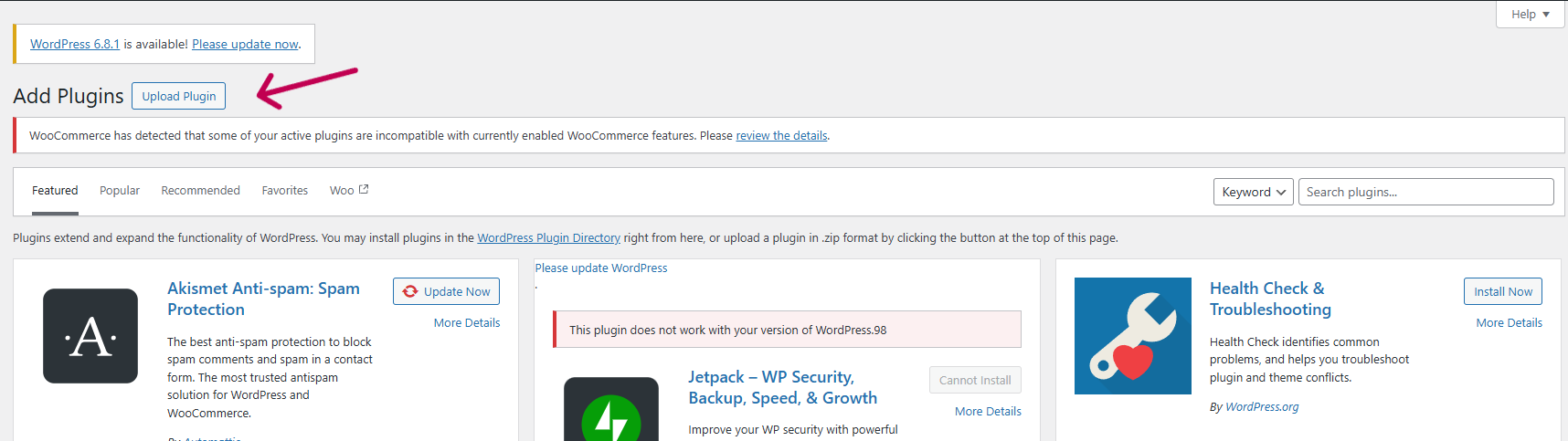
Step 2: Upload via WordPress Plugin Installer
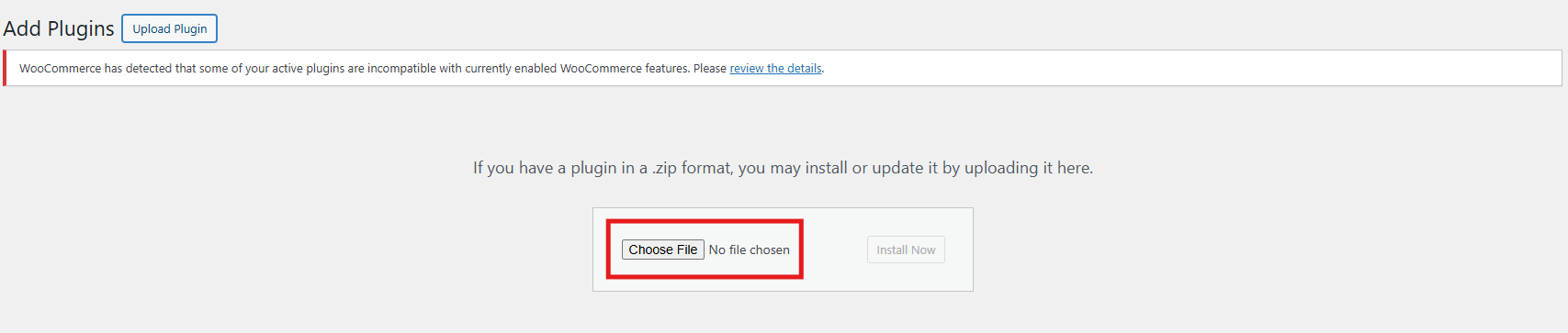
Click on “Upload Plugin” and select the wcvideomate.zip file from your device.
Upload the zipped file and click “Install Now” to begin the installation process.
After the installation is complete, click “Activate Plugin” to start using it on your WooCommerce store.
Step 3: Access the Plugin
Navigate to WooCommerce > VideoMate in your WordPress admin dashboard to begin configuration.
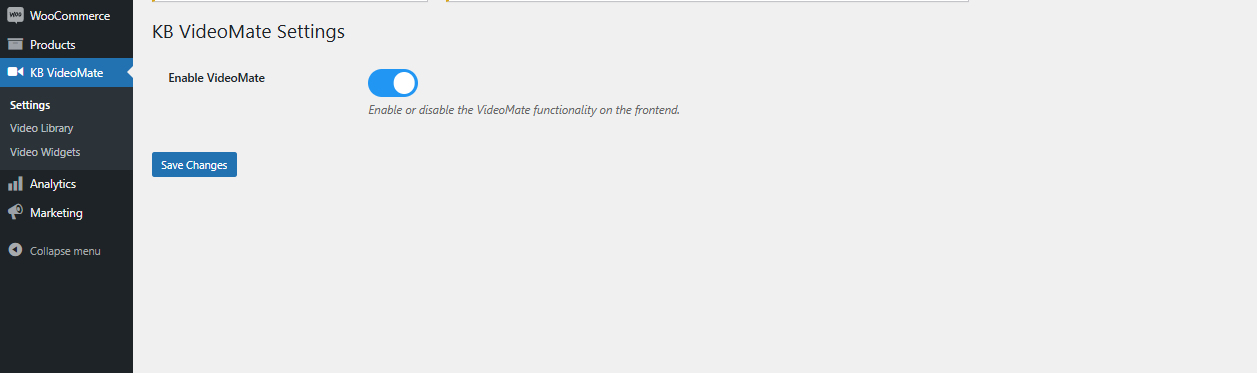
Enable/Disable Plugin: Easily turn the WooCommerce video plugin on or off with a single toggle—no complicated setup needed.
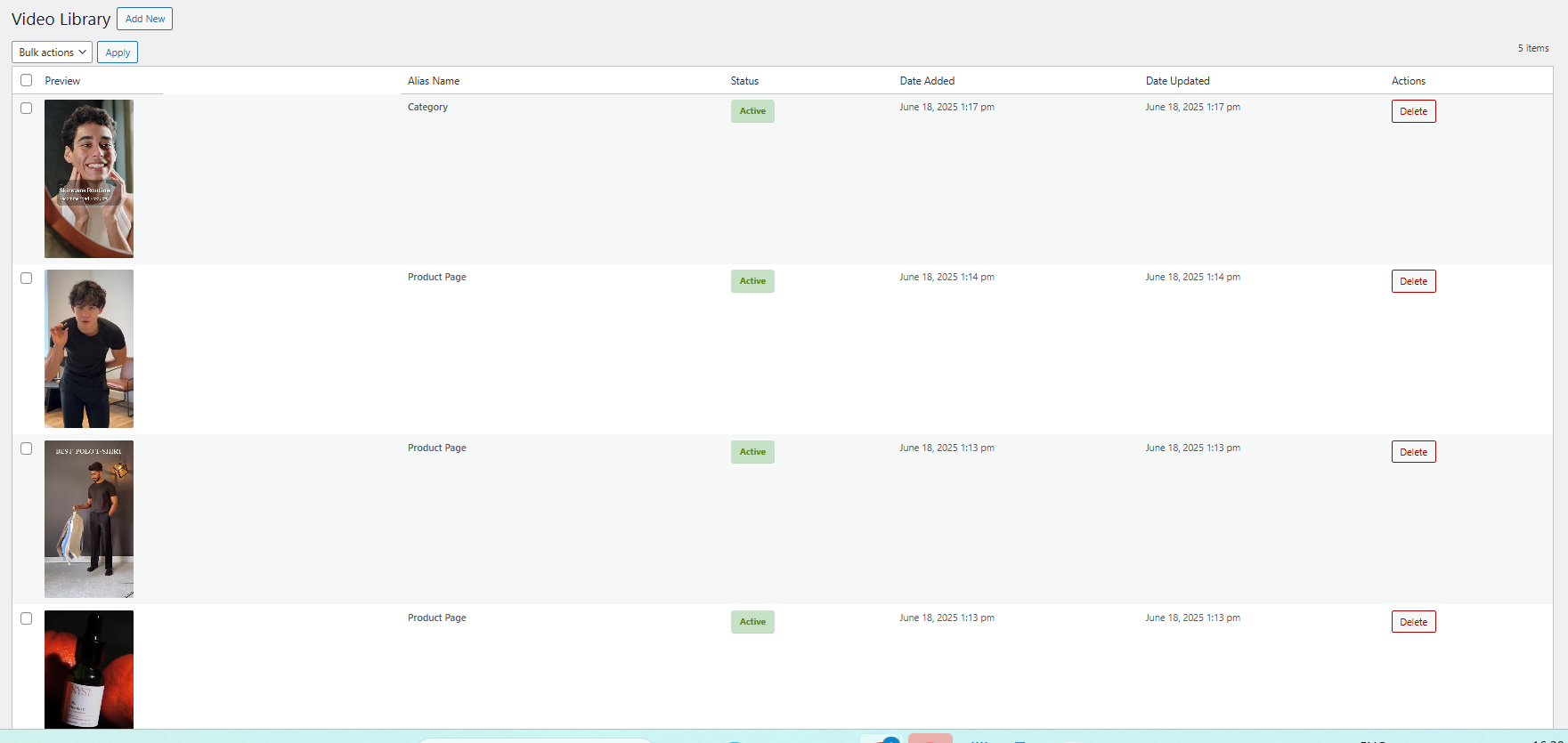
3.2 Video Library Management
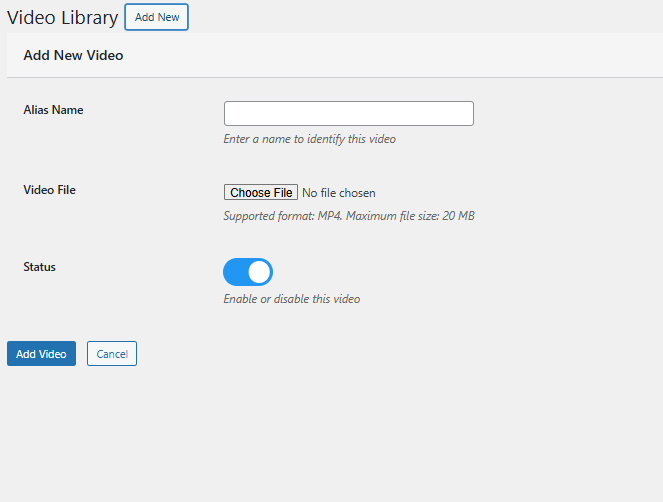
Add New Video: Upload files and assign descriptive names. Furthermore, store administrators can preview videos before configuring widgets using the WooCommerce Video Integration Plugin.
Alias Name: Add the alias name corresponding to the video for identification.
Status Management: Effortlessly enable or disable any video, reel, or clip within the Video Library using the edit option.
Upload: Seamlessly upload saved Instagram or TikTok reels and clips to showcase them on your store using the Social Media Video Plugin for WooCommerce.
Content Removal: Delete any videos you no longer require with a single click—quick and efficient.
3.3 Video Widget Configuration
Widget Title: Set a custom title for your video widget to align with your store’s theme and engage your visitors effectively.
For example, use titles like “Customer Favourites”, “Product Showcases”, or “Tutorial Videos” to guide your customers and create a more personalised experience.
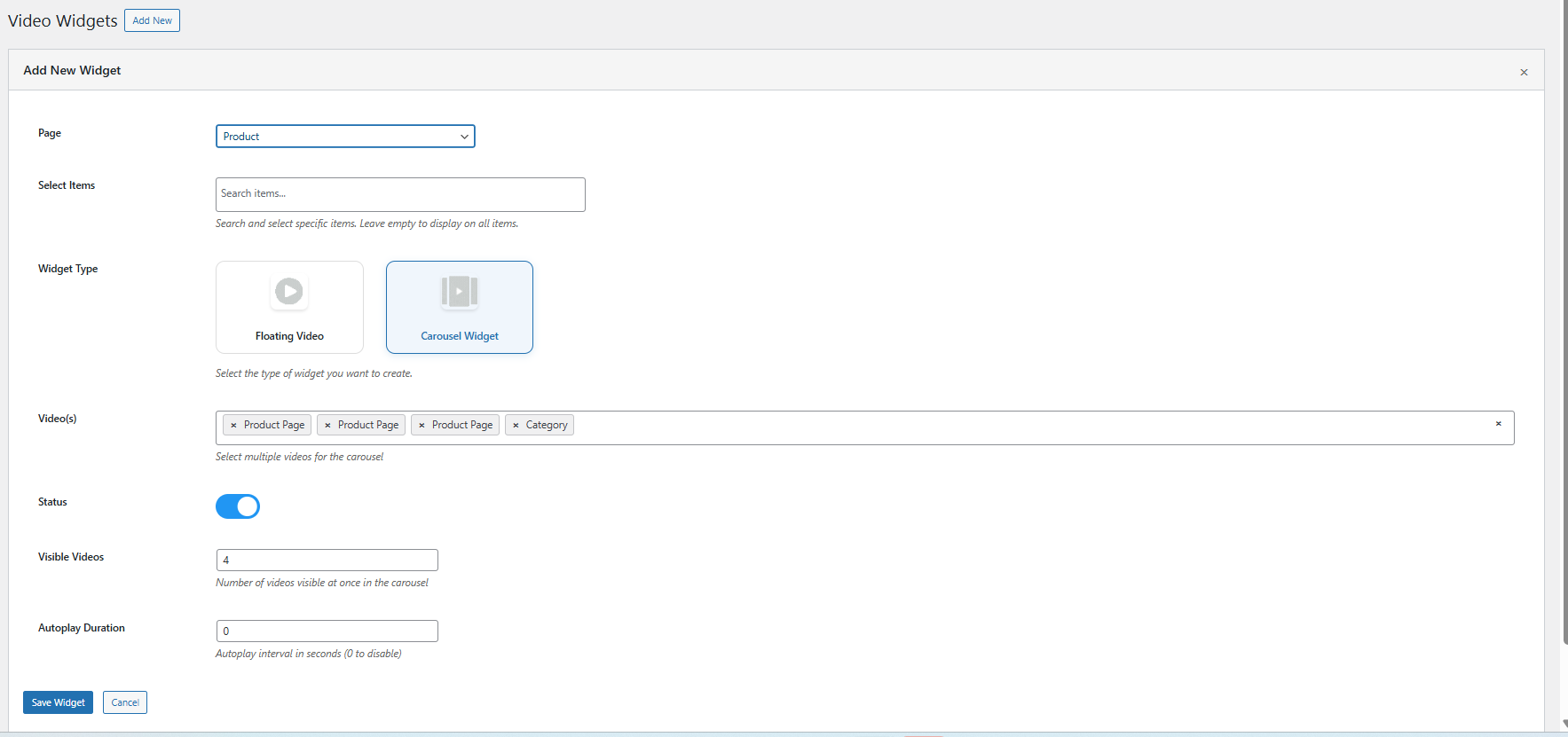
Create a New Widget: Easily configure a new video widget to showcase content on product pages, category listings, or the homepage.
Select Page Type: Choose where the widget will appear—whether on the homepage, specific product pages, or category sections.
Map to Products or Categories: Assign your videos or clips to selected products or categories for targeted and relevant video placement.
Widget Type: Select either a carousel or a floating video widget, depending on your store’s layout, customer browsing habits, or visual design preferences.
Carousel Display: Create engaging multi-video sliders effortlessly with the WooCommerce Video Manager Extension. Use the video carousel feature to showcase several videos in a sleek, scrollable layout. Simply choose the clips you want to feature—ideal for promoting products, highlighting offers, or sharing brand stories in a single interactive view.
Floating: Add a floating widgets for video via the WooCommerce floating video widget extension.
Autoplay Configuration: Adjust how long each video plays automatically by setting a specific timer value in seconds for every widget. This feature ensures videos begin automatically after a specified delay, helping to capture attention without user interaction.
Display Positioning: Customize the exact placement of your floating video to align perfectly with your store’s layout and visual design.
Maximum Video Limit: Limit the video count in the carousel to keep your storefront organized and visually appealing.
Widget Visibility Control: Effortlessly enable or disable individual widgets with a simple toggle. This flexibility is ideal for seasonal campaigns, limited-time offers, or experimenting with different layouts
4.0 Benefits of Using WooCommerce VideoMate Plugin
Keep Customer Hooked with Engaging Videos
To begin with, using video through the WooCommerce product video Extension or product video WooCommerce Extension encourages shoppers to stay longer, explore deeper, and make better-informed buying decisions. As a result, it enhances user experience and reduces bounce rates significantly.
Turn Views into Sales with Video Conversions
Additionally, the WooCommerce VideoMate Plugin is a powerful solution for implementing effective video marketing on WooCommerce stores. By demonstrating product value through in-store video content, you can create emotional connections, build trust, and ultimately drive higher conversion rates.
Place Videos Where They Convert Best
In addition, with the WooCommerce Video Manager Plugin, you can position content exactly where it matters most. Whether it’s on your homepage, product pages or in collections via the WooCommerce video Plugin, your videos remain both strategic and impactful. Plus, display content elegantly using the WooCommerce video carousel Extension for an engaging visual layout.
Plug in Social Proof with TikTok & Reels
Furthermore, enhance your storefront with dynamic, real-time video content using the WooCommerce VideoMate Extension. Easily upload trending TikTok videos and embed clips using the Instagram video on WooCommerce Plugin. Moreover, this is perfect for influencer campaigns, customer testimonials, and user-generated content.
Manage Videos with Ease—No Code Needed
With the intuitive design of the WooCommerce Video Manager Plugin, you can add videos to WooCommerce Plugin-based stores without touching a single line of code. With plugins like the video uploader WooCommerce Plugin by KnowBand, managing your media becomes quick, centralized, and seamless
5.0 Support & Assistance
If you face any issues during installation or while using the plugin, feel free to reach out to our support team:
Fashion Plano, a modern fashion eCommerce brand, was looking for ways to make their online store more engaging and conversion-friendly. While images worked for a basic product showcase, the team realized they needed a more dynamic approach to truly connect with shoppers. That’s when they discovered Knowband’s PrestaShop VideoMate Addon—a powerful video plugin built to bring products to life through rich, visual content.
The Challenge: Making Products More Trustworthy and Engaging
The fashion industry thrives on visuals. But even with high-quality photos, Fashion Plano felt something was missing, a way to convey fabric texture, fit, and real-world use. Customers often had follow-up questions or hesitations, especially for new arrivals. The team knew that product videos could bridge this gap, but they lacked the technical resources to implement it manually.
They needed a solution that was easy to use, flexible, and worked seamlessly with their PrestaShop platform.
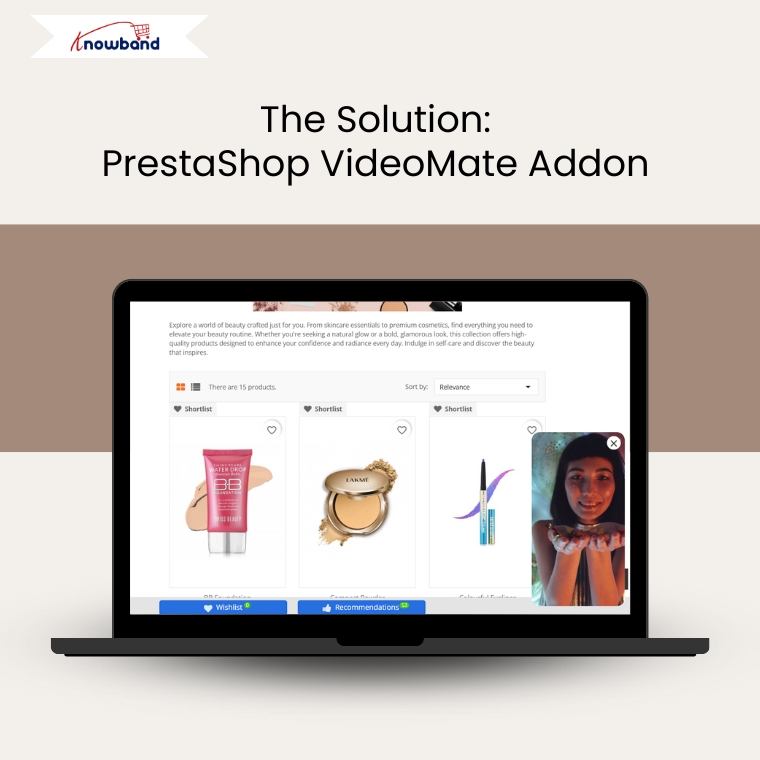
The Solution: PrestaShop VideoMate Addon
After evaluating several options, Fashion Plano partnered with Knowband to implement the PrestaShop VideoMate Addon. This module allowed them to add product videos directly to product pages, the home page, New Arrivals, Best Sellers, and even category sections—all without writing a single line of code.
With just a few clicks, the team could now integrate Instagram, YouTube, and any product review videos across their store, helping customers experience products in a more realistic and interactive way.
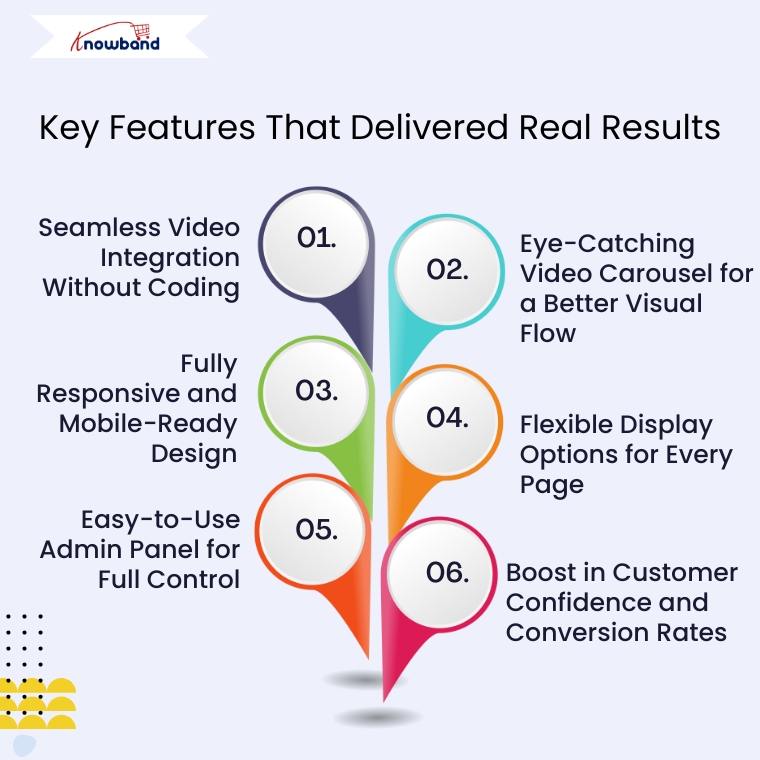
Key Features That Delivered Real Results
1. Seamless Video Integration Without Coding
The biggest win for Fashion Plano was how effortlessly they could integrate videos. Thanks to its simplicity, the PrestaShop Video Addon allows users to add videos from their device and instantly display them on store pages. This way, it eliminated the need for heavy code for video.
Furthermore, the team could now quickly add videos for new collections, styling tips, and detailed product overviews. As a result, this improved product understanding, especially for first-time buyers, and significantly reduced pre-purchase doubts.
2. Eye-Catching Video Carousel for a Better Visual Flow
Another powerful feature is the PrestaShop Video Carousel Extension, which lets store owners create an interactive slider to showcase multiple videos in a clean and attractive layout. For example, Fashion Plano used this to highlight various looks, behind-the-scenes footage, and influencer testimonials.
With this in place, their homepage and category sections became more engaging. As a result, customers could scroll through content without leaving the page, which ultimately helped increase time-on-site and reduced bounce rates.
3. Fully Responsive and Mobile-Ready Design
Fashion Plano’s customers often shop on the go. That’s why the responsive design of the Prestashop Video Manager was a major benefit. Whether browsing from a smartphone, tablet, or desktop, the videos auto-adjust to every screen size without breaking the layout.
This ensured that every visitor had a smooth, consistent experience, which in turn made the store feel more professional and trustworthy.
4. Flexible Display Options for Every Page
With this Video addon for Prestashop, Fashion Plano could place videos exactly where they wanted—on product pages, homepage banners, best sellers, New arrivals, or even within category listings. This flexibility gave them creative freedom to build storytelling-focused product displays.
The module even supports widgets and layout controls, so they could decide how many videos to show, in what order, and where they should appear. As a result, the visual structure of the store improved significantly.
5. Easy-to-Use Admin Panel for Full Control
Managing videos across an entire eCommerce site might sound tricky, but not with this plugin. The admin interface is clean, intuitive, and beginner-friendly. Fashion Plano’s team didn’t need any developer support. They could upload, delete, reorder, and preview video placements—all within minutes.
This ease of use saved them time and gave them more control over their content strategy. It also allowed them to react quickly to seasonal trends or customer feedback by updating video content instantly.
6. Boost in Customer Confidence and Conversion Rates
By showing videos of models wearing the outfits, sharing styling guides, and showcasing real-use scenarios, Fashion Plano built stronger trust with its audience. Shoppers could better understand the product before buying, which helped reduce returns and increased overall satisfaction.
As a result, the brand witnessed a boost in conversions on pages where videos were added.
The Result: A Modern, Video-Driven Shopping Experience
After integrating the PrestaShop Video Manager Addon, Fashion Plano’s store looked and felt more dynamic. As a result, their product pages transformed from static listings into engaging, story-driven experiences. Customers could now explore styles in motion, connect with the brand’s visual identity, and shop with greater confidence.
In a short time, Fashion Plano noticed:
Significantly higher engagement on video-enabled product pages
Notably improved time-on-site metrics
Consequently, increased sales and reduced return rates
Moreover, by embracing video as part of their visual marketing, the brand took a major step forward in modernizing its customer experience.
Ready to Enhance Your Store Like Fashion Plano?
If you’re running a PrestaShop store and looking to create a more compelling, visual, and trustworthy shopping environment, then the PrestaShop VideoMate Addon is the perfect fit.
Whether you want to show product usage, styling ideas, customer testimonials, or behind-the-scenes stories, this module ensures it’s incredibly simple.
With no coding required and complete design flexibility, it helps you:
Easily increase customer trust
Effectively reduce cart abandonment
Ultimately boost conversions
And create a more modern and interactive online store
So why wait? Get started with the PrestaShop Video Manager Extension today and give your products the spotlight they deserve, just like Fashion Plano did.
Elevate your online store with the OpenCart Video Manager Extension, a powerful and flexible extension designed to integrate high-impact video content throughout your e-commerce site. Whether you’re aiming to improve product visibility, boost user engagement, or increase conversions, this all-in-one video plugin for OpenCart makes video integration seamless and efficient.
With support for various display options such as the carousel extension, floating video widget, and single video embeds—you can highlight featured products, promotions, or brand stories directly on your homepage, product pages, or category listings. The module includes flexible placement settings, making it simple to adapt to your layout and marketing goals.
Designed for simplicity, the OpenCart VideoMate extension includes a powerful video uploader built for smooth integration with OpenCart. Moreover, the video manager for opencart features browser-based (client-side) validation to ensure files meet format and size requirements before they’re uploaded, reducing errors and improving speed. A built-in video library makes it easy to manage and organize content right from your admin panel—no technical expertise is needed.
Moreover, you can easily update video status, manage uploads, and organize your media for quick access and consistent presentation. The extension also supports displaying downloaded Instagram and Twitter reels, along with social clips from other platforms—making it a comprehensive, all-in-one video manager extension for OpenCart.
Furthermore, whether you’re aiming to create an immersive shopping experience, build a captivating in-store video gallery, or leverage video content for promotions, tutorials, or customer reviews, this plugin is purpose-built to deliver results. With powerful features like OpenCart homepage video integration and category-level video embedding, you can strategically position engaging content where it captures the most attention and maximizes impact.
Ideal for modern merchants, this video marketing plugin for OpenCart is fully responsive, highly customizable, and designed for ease of use—no coding required. Boost conversions and strengthen customer engagement with this all-in-one e-commerce video extension built to elevate your store’s visual experience.
1.0 Key Features of OpenCart VideoMate Extension
Transform Your OpenCart Store with Engaging Video Content: First and foremost, bring your storefront to life with dynamic video integration. Whether you’re showcasing products, running promotions, or telling your brand story, this all-in-one OpenCart video plugin empowers you to create a visually engaging and conversion-driven shopping experience.
Easy Video Uploads with Built-In Library Management: Next, upload and manage clips, reels, or videos directly from your OpenCart admin panel using the intuitive and reliable video uploader. Organize your media effortlessly and access your complete video library from one centralized location—no coding required.
Targeted Video Placement Where It Matters Most: Moreover, with advanced video mapping, you can assign videos to specific products, categories, or custom pages. Whether using the OpenCart product video extension or the category video plugin, you’re fully in control of where your content appears—maximizing relevance and visibility.
Choose from Multiple Responsive Widget Types: In addition, display multiple videos in an interactive, scrollable layout using either the video carousel or floating video widget. This is ideal for showcasing featured products, tutorials, or promotional clips in a sleek, engaging format.
User-Controlled Video Players: Furthermore, the OpenCart Video Manager Extension is fully responsive, ensuring seamless adaptation across desktops, tablets, and mobile devices for a consistent user experience.
Customize Every Detail with Display Controls: Finally, fine-tune how your videos appear and perform. Set autoplay timers, define widget titles, control the maximum number of displayed videos, and adjust additional display settings—all with ease. These customizable features help align your video content with your store’s branding and customer experience strategy.
Boost First Impressions with Homepage Video Integration: Leverage the OpenCart homepage video extension to capture attention the moment visitors arrive. Significantly, the extension is ideal for showcasing promotions, introducing your brand, or delivering impactful storytelling right on your storefront’s front page.
Enhance Browsing with Category-Level Video Support: Upload videos directly on category landing pages using the OpenCart category video plugin. Showcase themed collections, seasonal content, or product highlights to encourage exploration and boost click-through rates.
Connect Your Store to Social Media Seamlessly incorporate external content with built-in support for Instagram and Twitter video formats on the OpenCart plugin. Showcase real-time engagement, customer testimonials, or influencer partnerships—all without requiring visitors to leave your store.
Fully Responsive and Mobile-Optimized No matter how your customers browse—on desktop, tablet, or smartphone—your video content will look and perform flawlessly. This Knowband’s VideoMate extension for Opencart ensures a smooth, responsive experience across all devices.
Simplified Management with Centralized Admin Control Additionally, manage all video assets, widgets, and settings from a single, user-friendly dashboard. Whether you’re updating a single video or overhauling your entire video strategy, the streamlined admin interface makes everything quick and efficient.
The Complete Video Marketing Toolkit for OpenCart Finally, from promotional clips to product tutorials and authentic social proof, this powerful e-commerce video extension provides everything you need to build a media-rich, high-converting OpenCart store. It’s customizable, responsive, and simple to manage—your all-in-one solution for modern video integration
2.0 Installation Guide for Knowband’s OpenCart VideoMate Extension
Step 1: Download the Extension
After purchasing, download the videomate.ocmod.zip file, which contains the complete video plugin for OpenCart.
1. Unzip the downloaded file – this will contain the videomate.ocmod.zip and necessary folders. 2. Go to the upload folder and locate the admin and catalog files.
3. Copy these files into the root directory of your OpenCart store
Step 2: Upload via Extension Installer
Go to Extensions > Extension Installer in your OpenCart admin panel.
Upload the videomate.ocmod.zip file.
Once installed, go to Extensions > Modifications, and click Refresh to apply changes.
Step 3: Assign User Permissions
Navigate to System > Users > User Groups, then edit your group and enable permissions for extension/module/videomate.
Step 4: Enable the Module
Navigate to Extensions > Extension Installer in your OpenCart admin dashboard.
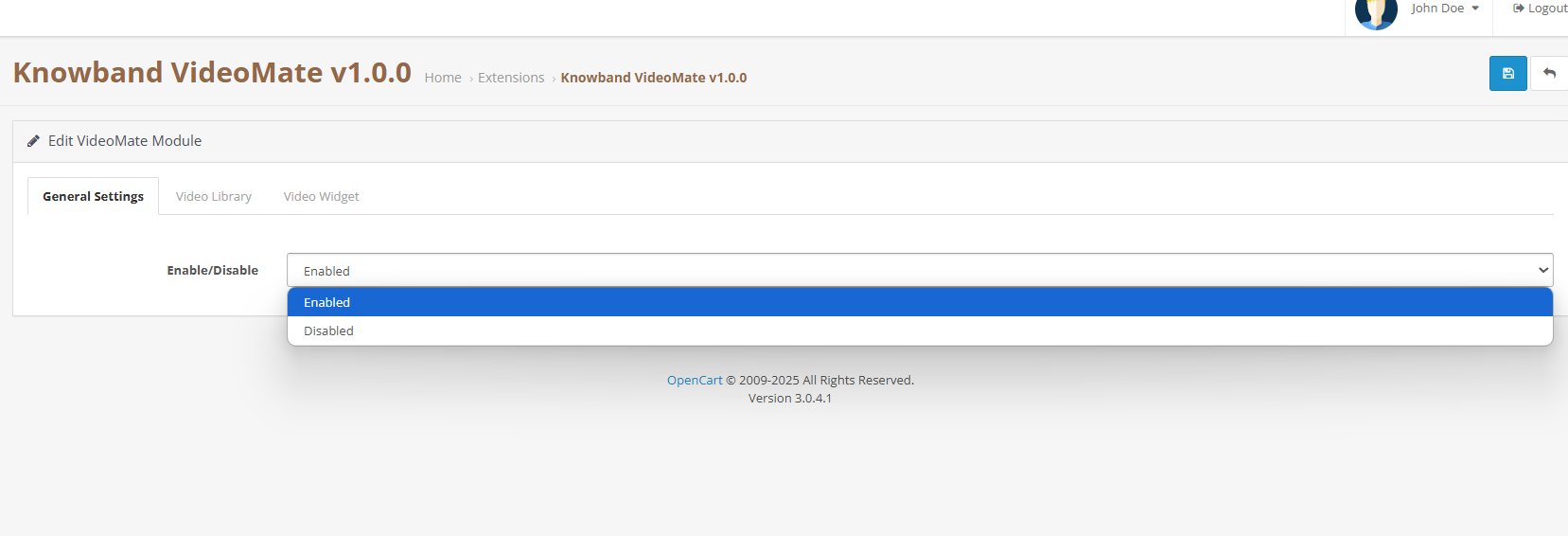
Enable/Disable Module: Easily turn the OpenCart video plugin on or off with a simple toggle as no complex setup is required.
3.2 Video Library Management
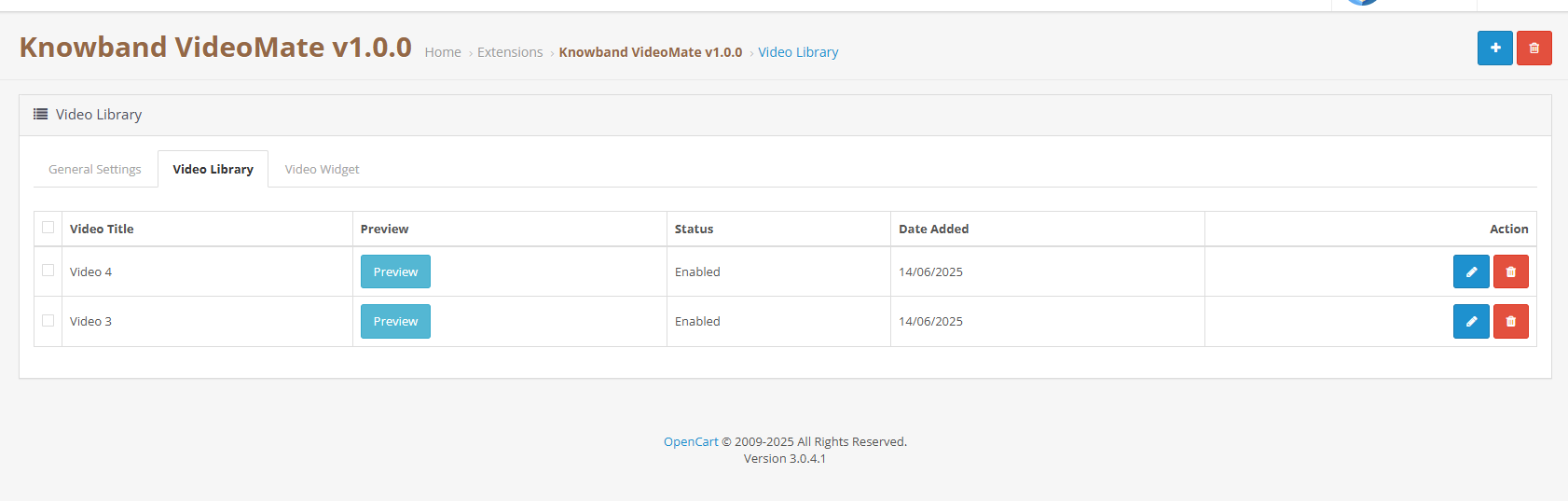
Add New Video: Upload files and assign alias names. Moreover, store owners can preview the videos before setting up the widget using Knowband’s Opencart Video Integration Extension.
Status Toggle: Easily activate or deactivate any video, clips or reel from the Video Library by clicking on edit.
Social Media Videos or Clip Upload: Add downloaded reels, and clips from Instagram or Twitter to display via the social media video OpenCart plugin.
Delete: Remove any videos you no longer need with a single click—quick and hassle-free.
Preview: Preview the videos before mapping to the widgets.
3.3 Video Widget Configuration
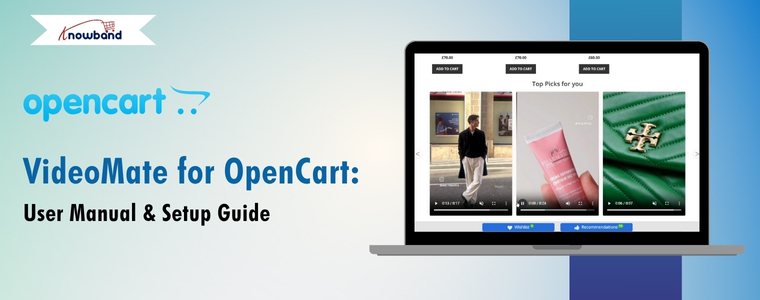
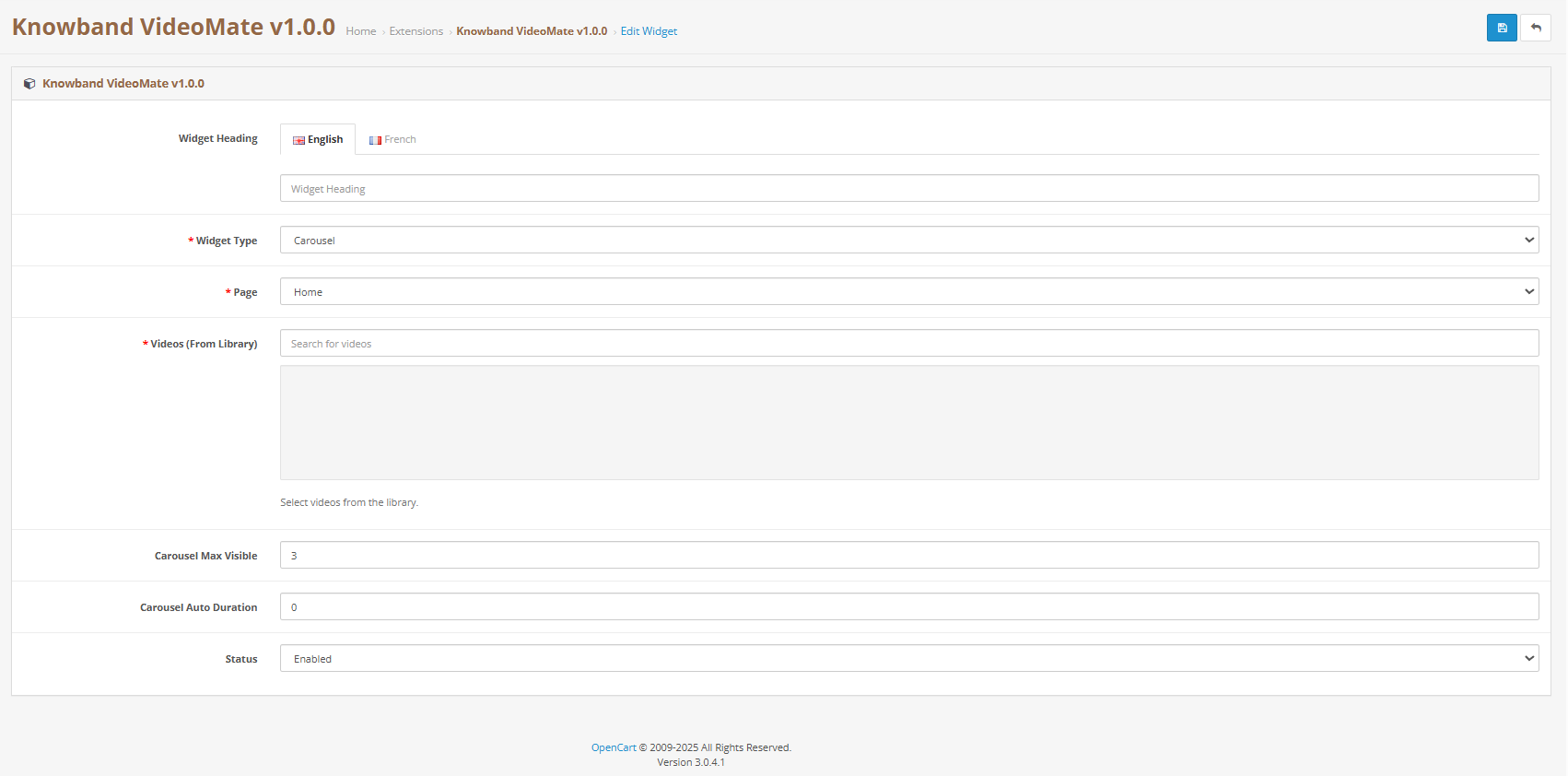
Widget Title: Assign custom titles to each video widget to match your branding or content strategy. For example, use titles like “Top Picks for You”, “Product Highlights”, or “How-To Videos” to guide your customers and create a more personalized experience.
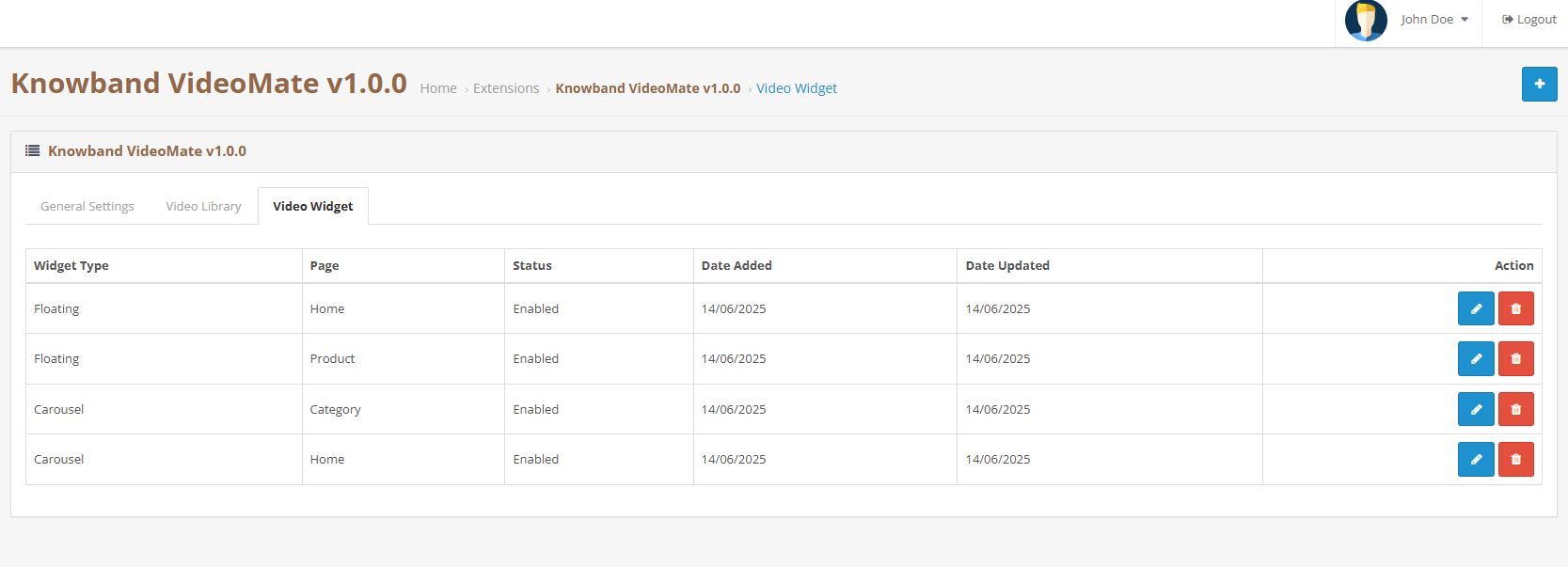
Create a New Widget: Define a new widget for products, categories, home, or custom pages.
Entity Mapping: Select specific products or categories to which you want to add clips or videos.
Widget Type: Choose between a carousel or floating video widget based on your store’s layout, user behaviour, or current design trends. Each option offers a unique way to present engaging video content.
Carousel: Enables multi-video sliders via the OpenCart video carousel extension.
Showcase multiple videos in a sleek, scrollable slider using the OpenCart video carousel extension. Simply select and add the videos you want to be featured in the carousel—perfect for highlighting products, promotions, or brand content in one interactive view.
Floating: Choose Floating as video widgets for videos via the Knowband’s OpenCart floating video widget extension.
Autoplay Settings: Set a custom autoplay timer (in seconds) for each video widget. This feature ensures videos start automatically after a defined delay, helping to capture attention without user interaction.
Widget Positioning: Store owners can choose to place the video to be placed on the right or left. Control exactly where your floating video appears to align with your store’s layout and design
Max Videos: Set the maximum number of videos to display within the carousel to keep your layout clean, focused, and user-friendly.
Widget Status: Easily control the visibility of each widget with a simple enable/disable toggle. Show or hide video sections on demand—perfect for seasonal content, limited-time promotions, or testing different layouts.
4.0 Benefits of Using OpenCart VideoMate Extension
Increase Engagement & Time on the Site First and foremost, using video through the OpenCart product video extension encourages customers to explore products longer and make informed purchase decisions.
Improve Conversion Rates Secondly, VideoMate is ideal for in-store video marketing, which can significantly boost product page conversions by showcasing product value more effectively.
Versatile Video Placements In addition, you can display content on the homepage, category pages, product pages, or custom layouts using various video formats and widget types to suit your store’s needs.
Instagram Video Integration Moreover, enhance your storefront with real-time, dynamic content by uploading downloaded Instagram videos directly into the OpenCart VideoMate plugin—perfect for showcasing social proof, influencer clips, or behind-the-scenes moments.
Easy to Use Lastly, with its intuitive UI and centralized controls, the OpenCart Video Manager Extension makes it simple to add videos to OpenCart plugin-based stores without any technical expertise.
5.0 Tutorial: Watch the Video Guide
To help you set up and use the Opencart Video Manager Plugin, we have created a comprehensive YouTube tutorial. This step-by-step video guide walks you through the installation process, configuration options, and how to effectively add and manage video content on your store.
6.0 Support & Assistance
If you encounter any issues during installation or usage, please contact our support team via:
In today’s competitive eCommerce space, standing out requires more than just great products. It demands immersive, informative, and visually engaging shopping experiences. While product images serve as a basic necessity, they often fail to deliver the full picture. This is where video content becomes a game-changer—and why merchants across platforms are turning to modern video solutions to enhance the aesthetic appeal of their stores and connect with today’s visual-first customers.
Recognizing this growing demand, Knowband has launched the much-anticipated VideoMate Addon. Now available for PrestaShop, WooCommerce, and OpenCart, VideoMate is an all-in-one eCommerce video solution designed to bring your store to life with high-impact video marketing. Whether you want to display how-to guides, showcase product reviews, tell your brand story, or integrate short-form content from social platforms, this robust e-commerce video module simplifies it all.
Why Your Store Needs Video
To begin with, modern customers prefer to see products in action. The video gives them the next best thing to a hands-on experience, offering clarity, confidence, and connection that static visuals can’t match.
Studies show that customers are more likely to convert after watching a product video. That’s because video:
Provides better product understanding
Reduces hesitation and return rates
Builds trust through authenticity
Enhances emotional engagement
Increases time-on-site and improves SEO
Clearly, integrating video isn’t just a creative enhancement—it’s a conversion strategy.
How Video Content Influences Buyer Behavior
More specifically, video content speaks directly to the way online customers consume information. A PrestaShop Video Manager Module, for instance, lets customers see a product’s features, texture, and use cases. Similarly, a well-placed OpenCart product video extension builds credibility with visual proof, making it easier for customers to say “yes.”
Through a Prestashop Video Manager addon, you can share your brand’s mission, showcase behind-the-scenes content, or present video testimonials that make your store feel more human. In addition, short-form content such as downloaded Instagram Reels or Twitter videos can be uploaded using the PrestaShop Instagram Reels Addon or the OpenCart Twitter video plugin—further extending your reach and consistency across channels.
How Knowband’s VideoManager Addon for Prestashop, Opencart & WooCommerce Helps Your Store Stand Out
Fortunately, VideoMate takes the complexity out of video marketing. Whether you’re running PrestaShop, WooCommerce, or OpenCart, this addon allows you to upload, place, and manage videos across your store with ease. As a result, you can enhance product pages, boost homepage engagement, and even feature time-sensitive offers with floating widgets—all without technical skills.
By supporting formats such as a PrestaShop homepage video module, a PrestaShop video carousel module, and a floating video widget for both OpenCart and PrestaShop, VideoMate offers unmatched flexibility.
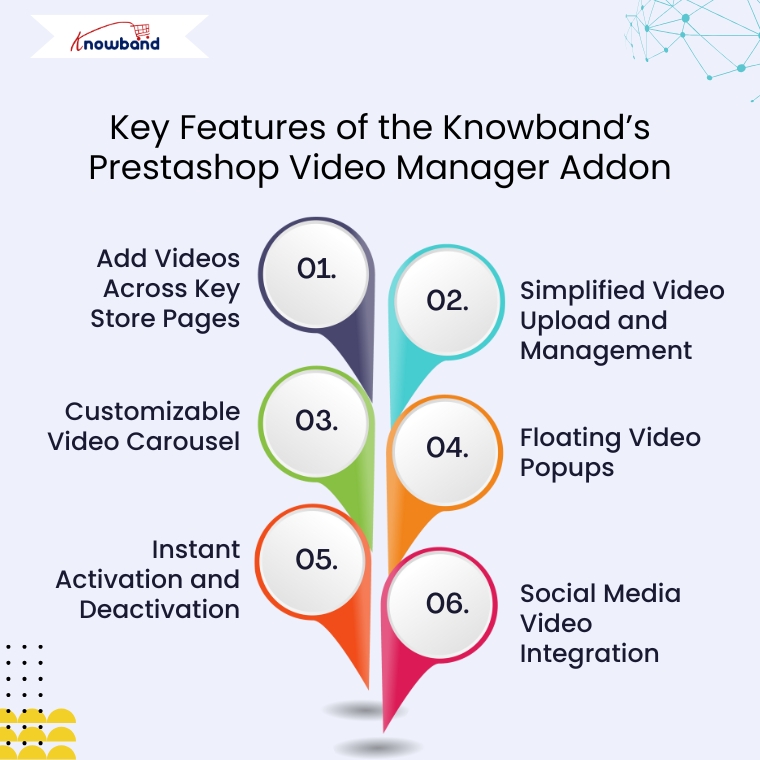
Key Features of the Knowband’s Prestashop Video Manager Addon
Add Videos Across Key Store Pages
First and foremost, VideoMate enables video placement on all crucial store pages. This includes product pages, category pages, homepages, best-seller sections, and even new arrivals. With options like the PrestaShop homepage video module and the OpenCart category video plugin, you can deliver compelling content exactly where it matters most.
Simplified Video Upload and Management
Next, the built-in video uploader for OpenCart video manager extension makes adding videos incredibly simple. Upload directly from your local system, assign content to specific pages, and edit or remove videos anytime—no coding required. This level of ease turns your store into a flexible video-powered selling machine.
Customizable Video Carousel
To further boost interactivity, the PrestaShop video carousel module and its OpenCart equivalent let you create scrollable, auto-playing video sections. Add custom headings, adjust transition timing, and control how many videos are displayed. This not only modernizes your store’s design but also improves customer engagement.
Floating Video Popups
For time-sensitive promotions or feature highlights, the floating video widget module for PrestaShop and OpenCart floating video extension provide an elegant solution. These popups can be positioned left or right, and are designed to attract attention without disrupting the browsing flow.
Instant Activation and Deactivation
For ultimate control, you can enable or disable videos directly from the admin panel. Whether you’re running seasonal campaigns, testing performance, or updating content, you have real-time flexibility without needing developer support.
Social Media Video Integration
Lastly, the PrestaShop social media video addon and OpenCart video plugin support embedded content from platforms like Instagram and Twitter. This means you can repurpose engaging short-form content—such as reels, product clips, or influencer shoutouts—right into your store. It’s a powerful way to unify your eCommerce and social marketing efforts.
Conclusion
In conclusion, integrating video into your online store is no longer just an enhancement—it’s a necessity. The VideoMate Addon equips merchants on PrestaShop, OpenCart, and WooCommerce with the trending features needed to transform static shopping experiences into engaging, video-rich journeys that build trust and boost sales.
With support for everything from product videos and video carousels to floating widgets and Instagram Reels, this addon combines ease of use with powerful functionality. Whether you’re telling your brand story, showcasing reviews, or launching new collections, VideoMate Plugin for WooCommerce helps you connect with customers in the most compelling way possible.
Explore the full potential of videos with the eCommerce Video Manager Addon because a product seen in videos is a product one step closer to being sold.
VideoMate is a comprehensive PrestaShop video addon designed to transform your online store with engaging video content. As a powerful PrestaShop product video module, VideoMate allows you to easily integrate MP4 videos into your store, creating dynamic and interactive experiences that help showcase your products, promotions, and brand story more effectively.
Furthermore, this versatile PrestaShop VideoMate Addon supports multiple widget types, including responsive video carousels, floating video players, and single video displays, giving you full control over how videos appear across your site. Whether you want to highlight your best sellers, or new products, or simply add captivating videos on the homepage or category pages, VideoMate offers flexible video mapping and display options tailored to your needs.
Additionally, with features like video library management, status toggling, and client-side validation, managing your video assets is effortless and secure. Meanwhile, the floating video module allows you to add stylish, movable video players that users can minimize or close, while the carousel module displays multiple videos with autoplay and navigation controls, ensuring a smooth and modern user experience.
Moreover, designed for seamless integration, Knowband’s PrestaShop product video addon enhances product pages with rich media content that increases user engagement and boosts conversion rates. Ultimately, whether you are looking for a PrestaShop category video module, a homepage video solution, or a full-featured video marketing module, VideoMate offers an all-in-one video widget module for PrestaShop that is responsive, customizable, and easy to manage.
[New] Latest Updates of PrestaShop Video Manager Module v1.0.4
PrestaShop VideoMate Manager v1.0.4 has been released with the following changes:
Dashboard and Reports: Now you can track impressions, plays, product clicks, and add to cart with charts, tables, date filters, and CSV export. Shoppable Video: Attach products to a video, with a product card and Add to cart on the storefront. YouTube and Vimeo: Add videos by link, with cover images fetched automatically or uploaded by you. Widget Controls: Schedule widgets, set delay or scroll triggers, target pages and devices, and choose landscape, portrait, or square video.
[New] Latest Updates of Prestashop Video Manager Module v1.0.3
This major update brings the new enhancement that now you can generate videos using AI Platforms.The Prestashop Video Manager Module now supports AI-powered video generation using Gemini and ChatGPT. Create product and promotional videos automatically with advanced AI technology.
[New] Latest Updates of Prestashop Video Manager Module v1.0.2
The new version of the PrestaShopVideomate module now includes new enhancements that give store owners greater control over video content and how customers interact with the videos.
1. Video Upload Type Options
Now, store owners can choose between two methods of video type for their store:
Direct Upload: They can select and upload video files stored locally on their computer
External URL: Store owners can also add URLs to videos hosted on supported platforms using their URLs, which are publicly accessible.
These options give you flexibility in managing your video content based on your preferred hosting method.
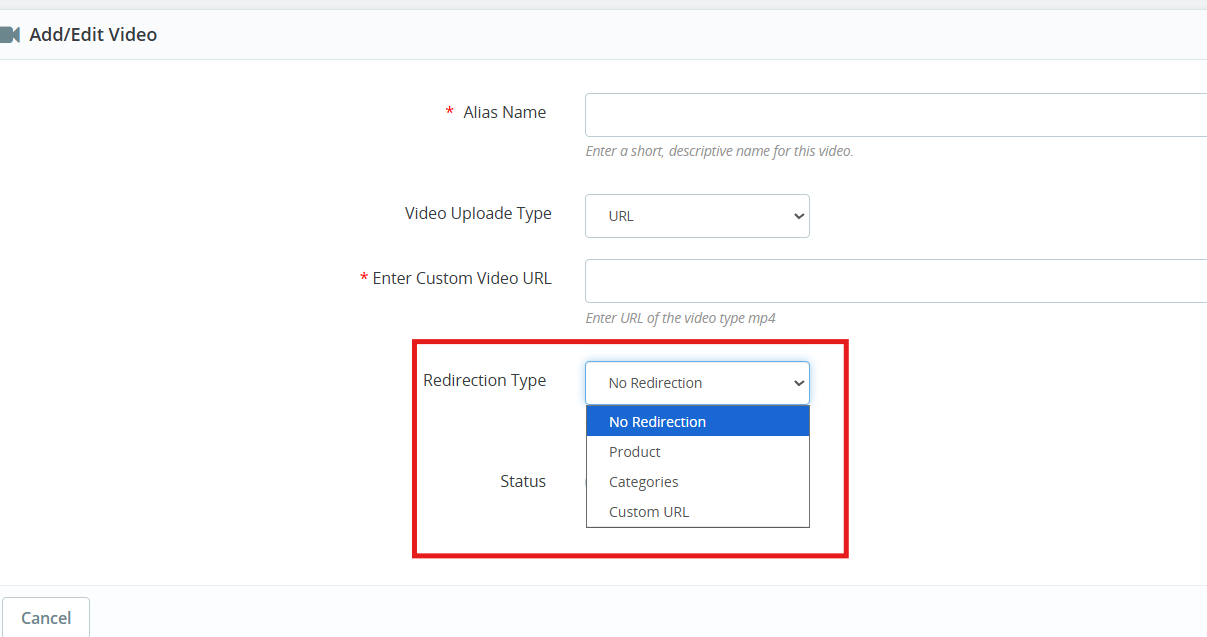
2. Configurable Redirection Settings
The Prestashop Video Manager module introduces redirection controls that determine where customers land after clicking on a video.
You can direct them to redirection URLs of products and categories as well as any custom URL.
3. Video Integration on Product Pages
Videos now appear within the product image gallery on individual product pages. When you add a video, it displays alongside your product photos in the same viewing area.
These key features specially helps in
Demonstrate how products work in real
Keep potential buyers engaged longer on your product pages
Deliver more detailed product information without cluttering the page layout
1.0 Key Features of Prestashop VideoMate Addon
Video Library Management First and foremost, with the VideoMate PrestaShop Addon, upload MP4 videos (up to 50MB) and manage them easily using alias names, status toggle, and in-admin previews.
Video Mapping Management Additionally, this PrestaShop product video addon lets you map videos to products, categories, home pages, Best Sellers, or New Product pages with flexible widget types.
Frontend Video Display. Furthermore, use a carousel, single, or floating widget to display videos beautifully across your store. A responsive video module for PrestaShop ensures smooth playback on all devices.
Broad Widget Placement Moreover, this PrestaShop video carousel module supports placement on product pages, category pages, home pages, and special listings, maximizing visibility and customer engagement.
Custom Widget Configuration In addition, configure widget settings like autoplay, video count, position, and custom headings—making it a PrestaShop custom video display module with high flexibility.
Centralized Admin Panel Subsequently, manage all configurations from a clean admin panel with global enable/disable controls—ideal for store-wide video campaign control.
Optimized Performance & Compatibility Meanwhile, this lightweight PrestaShop MP4 video integration works seamlessly with prestashop versions 1.7 to 8. x.x.
Effective Video Marketing Strategies As a result, a true PrestaShop video marketing module, VideoMate enhances your store’s product pages with engaging video content that boosts conversions and customer trust.
Fully Responsive & Mobile-Friendly Consequently, VideoMate is a responsive video module built specifically for PrestaShop that automatically optimizes video display across all devices, delivering seamless playback on desktop, tablet, and mobile screens.
Knowband’s PrestaShop Addon to Show Product Videos Ultimately, VideoMate serves as your comprehensive video display solution for PrestaShop, offering versatile functionality as a homepage video module, category video module, or floating video module to meet all your site’s video integration needs.
2.0.0 Installation Guide for PrestaShop VideoMate Addon
Step 1: Purchase and download the Knowband’s Prestashop VideoMate Addon After your purchase is complete, you’ll receive the videomate.zip file. VideoMate is your complete PrestaShop video marketing module, designed to transform and enhance your storefront with professional video integration.
Step 2: Access Module Manager Once logged in, go to Modules > Module Manager > Upload a Module to begin the installation of your PrestaShop MP4 video integration solution.
Step 3: Upload and Install the Module Then, drag and drop the videomate.zip file or manually upload it. PrestaShop will automatically install this feature-rich video widget module for PrestaShop.
Step 4: Configure the Addon Finally, click Configure to start managing your video library, mapping videos to products, categories, or special pages like Best Seller and New Product – all with one of the best PrestaShop addons to show product videos.
3.0. Admin Panel Configuration
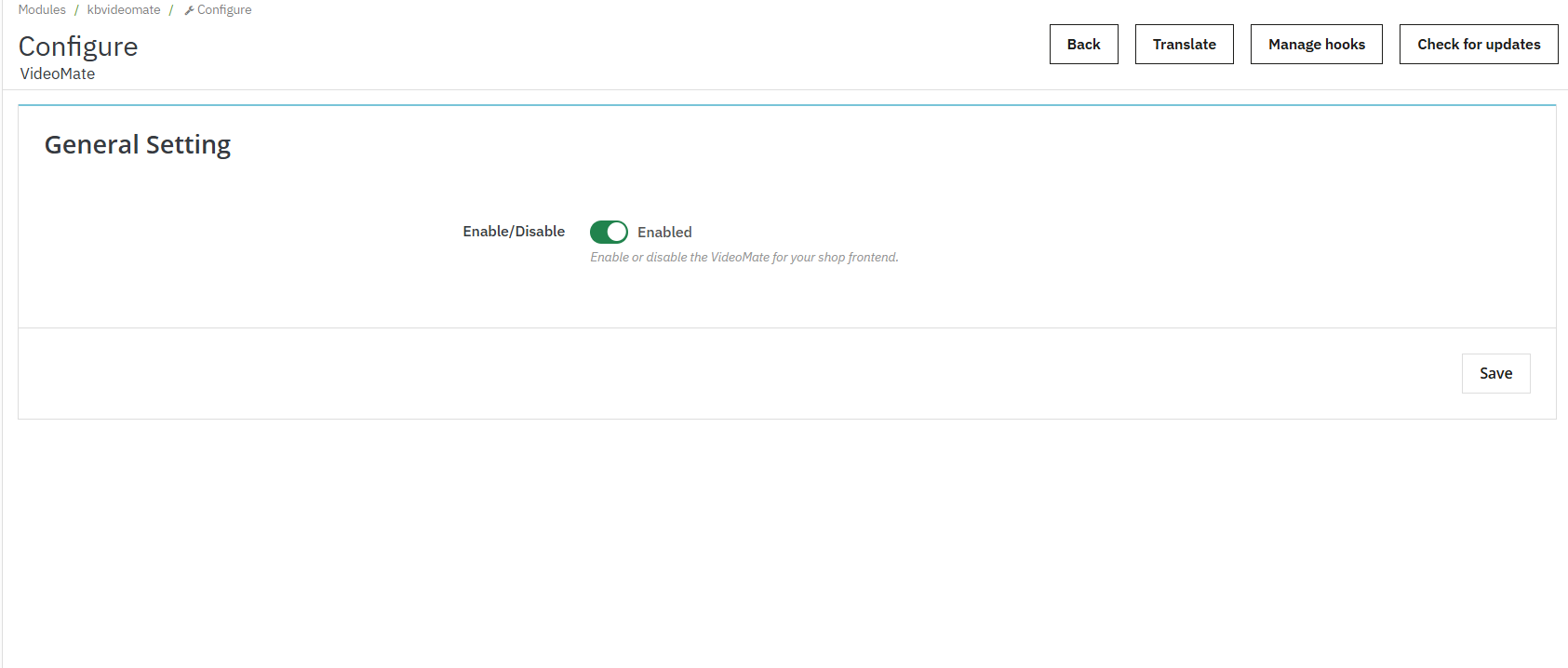
3.0.1 General Settings
Enable or disable the entire video widget functionality across your store with a single toggle. Additionally, this is useful for temporary deactivation without losing configurations.
3.0.2 Video Library Management
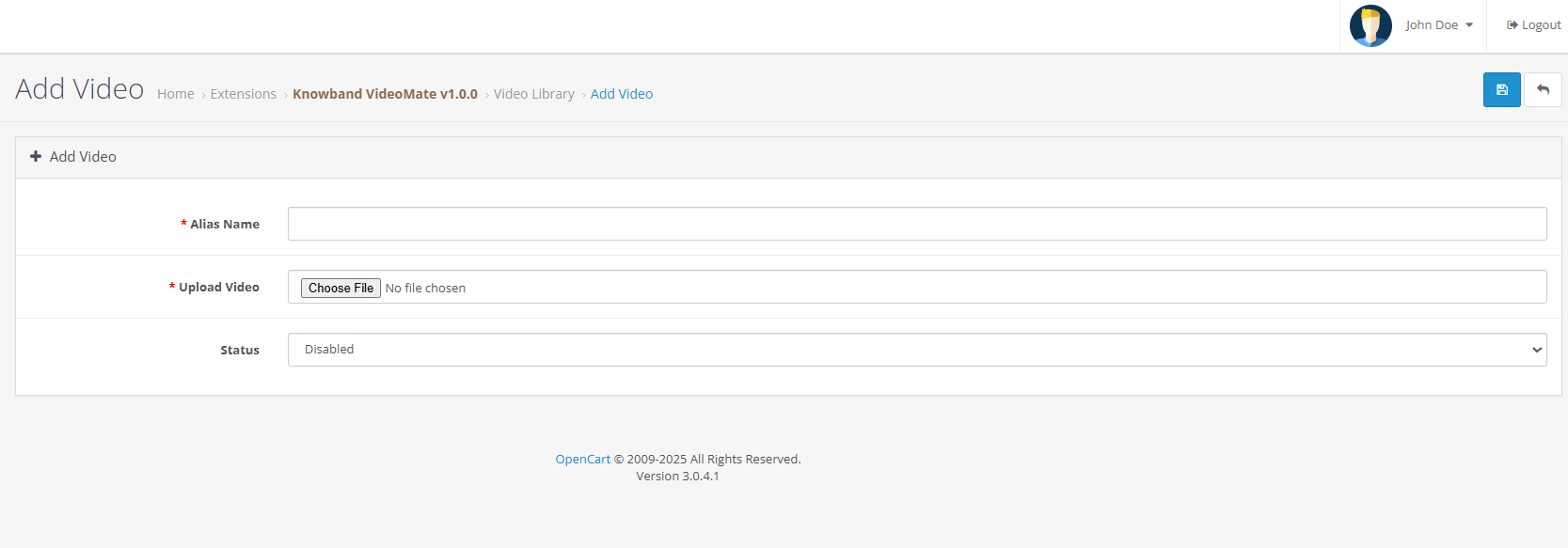
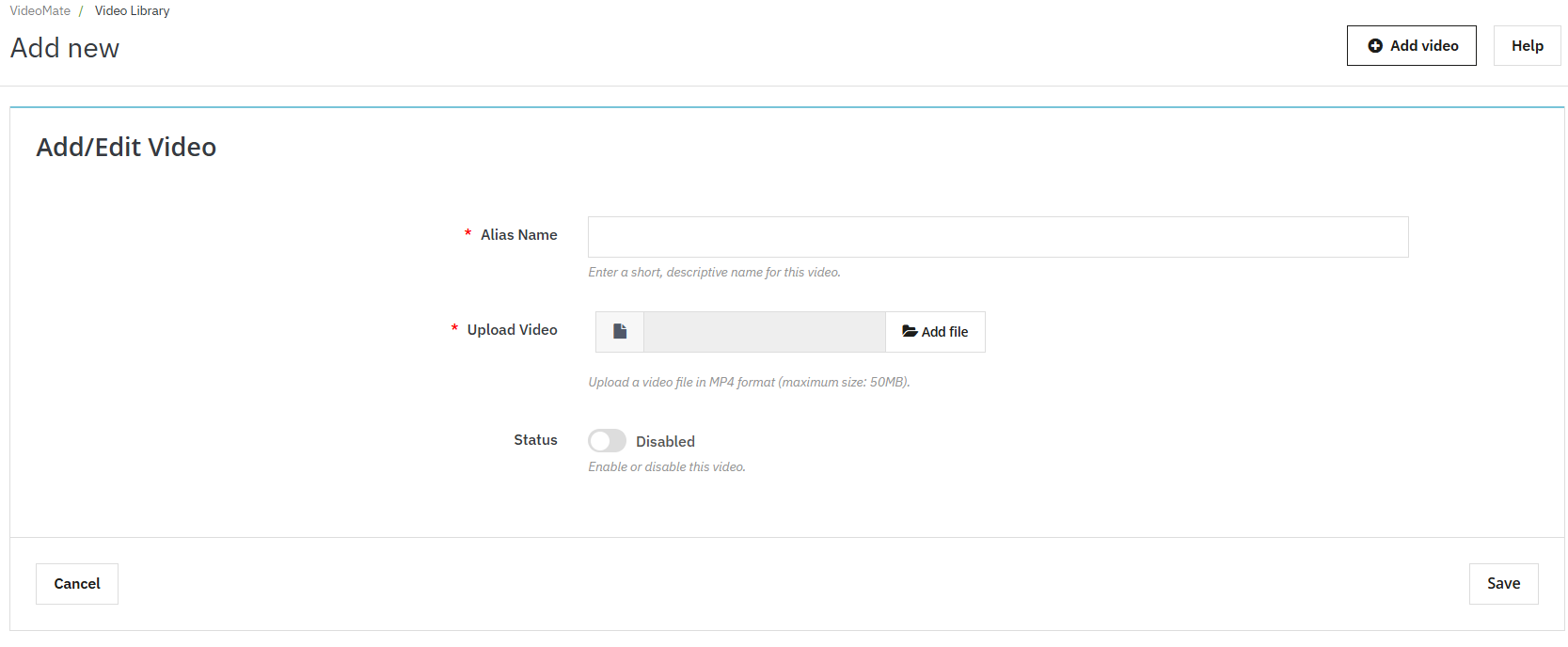
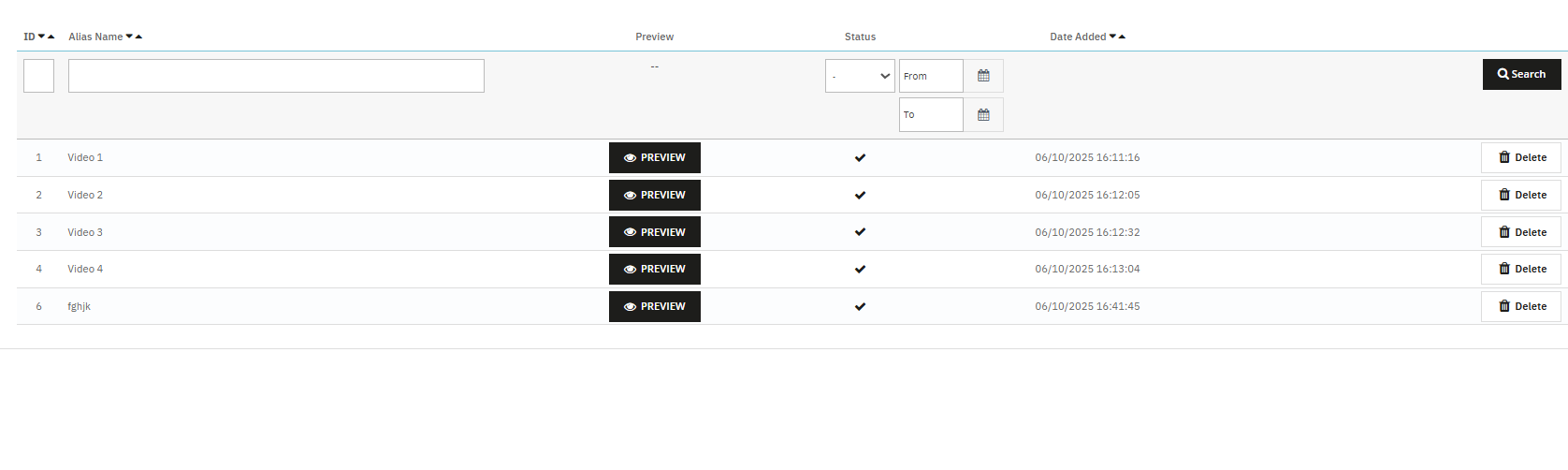
Add New Video: Click “Add New” to upload MP4 videos (up to 50MB) to the library. This feature enables PrestaShop MP4 video integration.
Alias Name: Assign a unique name to each video for easy identification and mapping.
Upload Video: The Videomate allows the store owners to browse and upload mobile-friendly video files in MP4 format.
Preview Option: Knowband’s VideoMate Prestashop Module allows store owners to preview before being mapped or published.
Redirection URL: The store owners can now link their videos to product pages, category pages and custom page URLs using the Prestashop Video Manager Module
3.0.3 AI Video Generation in Prestashop Video Manager Module
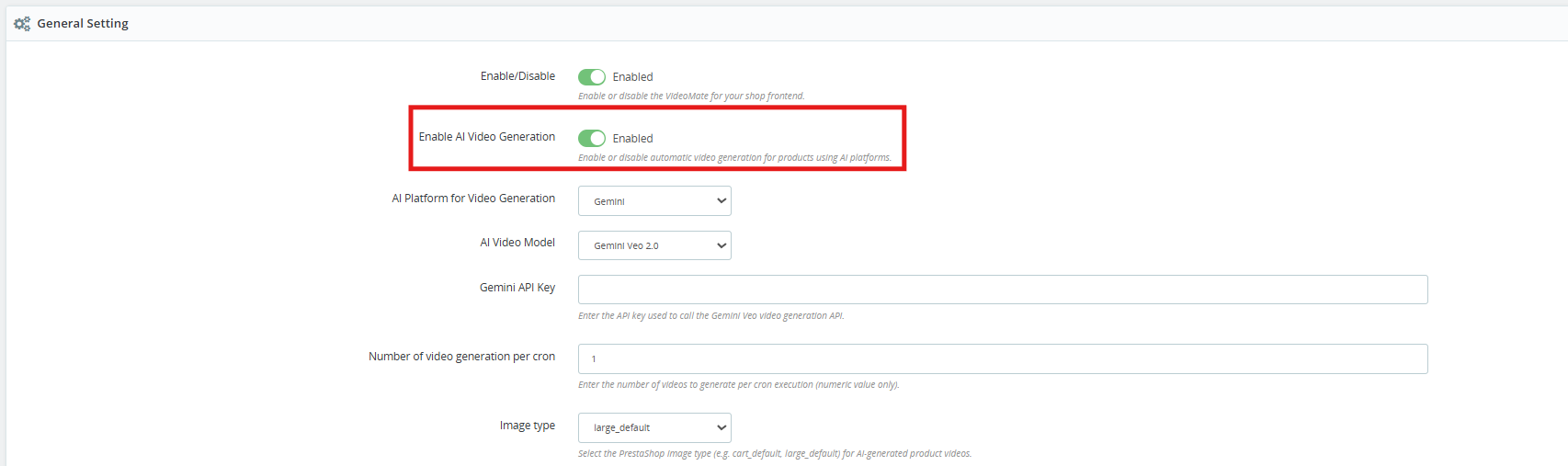
[New] Enable AI Video Generation: Enable this option to start the AI-powered video generation functionality.
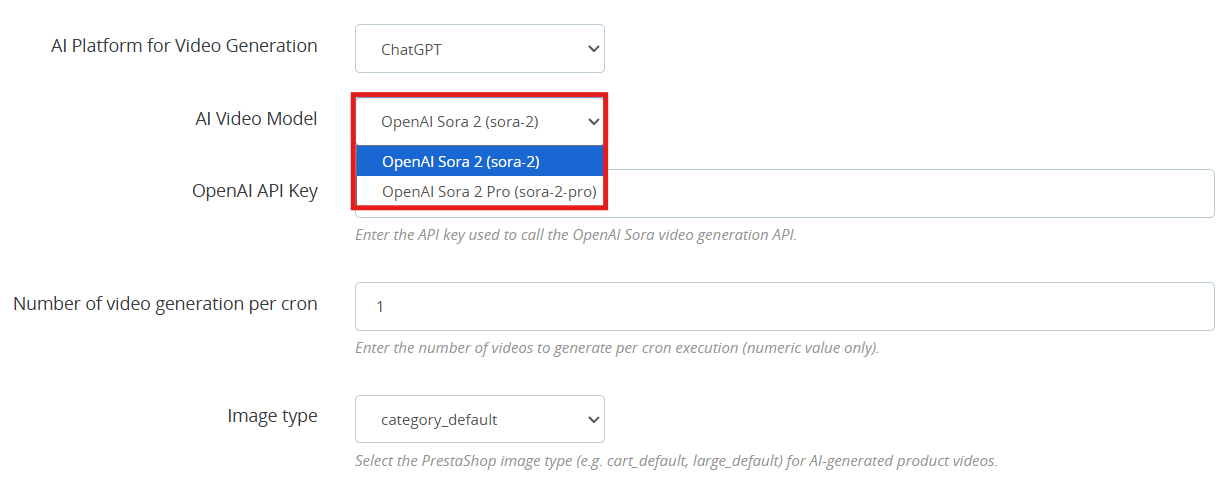
[New] AI Platform for Video Generation: Select either ChatGPT or Gemini as your generation platform. Both AI platforms work well and it really comes down to which fits your requirement and what you are willing to spend.
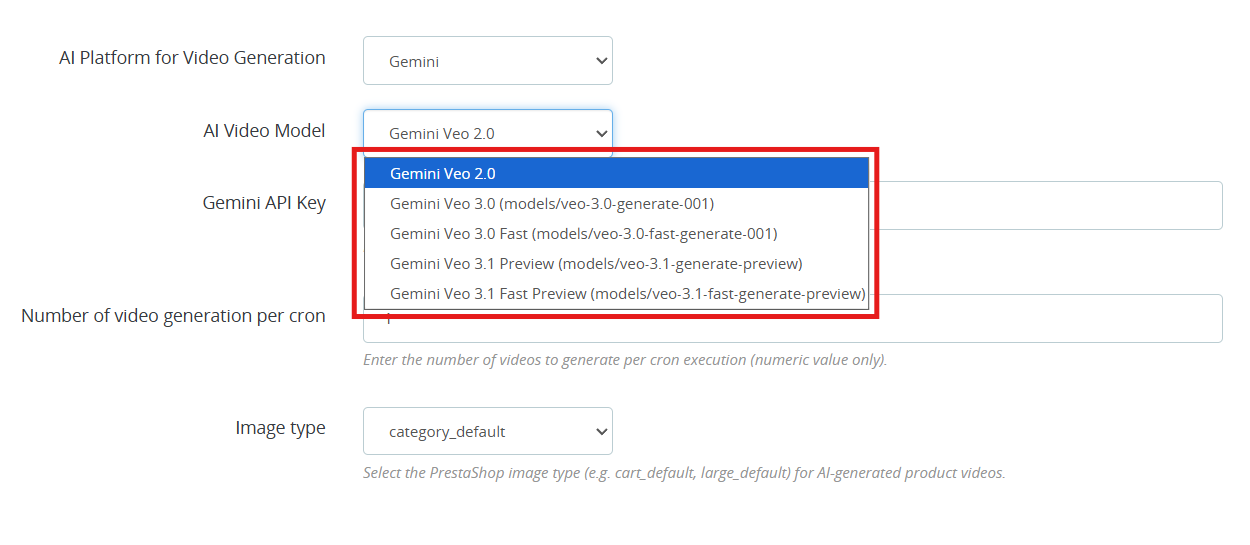
[New] AI Video Generation Models: VideoMate is one of the popular Prestashop AI Video Generation Module which is available right now. Whether you are going with the ChatGPT video generator or the Gemini video generation, you have clear options to work with.
ChatGPT Models (OpenAI)
OpenAI Sora 2: This model turns text prompts into sharp, visually strong videos. A good all-around pick for PrestaShop AI product video generation.
OpenAI Sora 2 Pro: this OpenAI ChatGPT model steps it up with finer detail, support for longer clips, and cleaner results on more complicated scenes. Worth it if your store needs polished, high-end AI-generated product videos.
Gemini Models (Google)
Gemini Veo 2.0 Output in Veo 2.0 is consistent and predictable, which makes it a natural fit for PrestaShop Gemini video generation tasks.
Gemini Veo 3.0 (models/veo-3.0-generate-001) Noticeably better motion handling and prompt accuracy over Veo 2.0. You can go here for PrestaShop marketing video generation or any product showcase.
Gemini Veo 3.0 Fast (models/veo-3.0-fast-generate-001) is designed for throughput. If you are running bulk AI video generation in PrestaShop through cron jobs, this is the one to use.
Gemini Veo 3.1 Preview (models/veo-3.1-generate-preview) handles more nuanced prompts better than previous versions.
Gemini Veo 3.1 Fast Preview (models/veo-3.1-fast-generate-preview) Same generation quality as 3.1 Preview but tuned for speed. It is practical for high-volume PrestaShop product video automation where you cannot afford long wait times.
OpenAI API Key: Paste your OpenAI key here to get PrestaShop ChatGPT video generation running. Steps are in section 3.4.
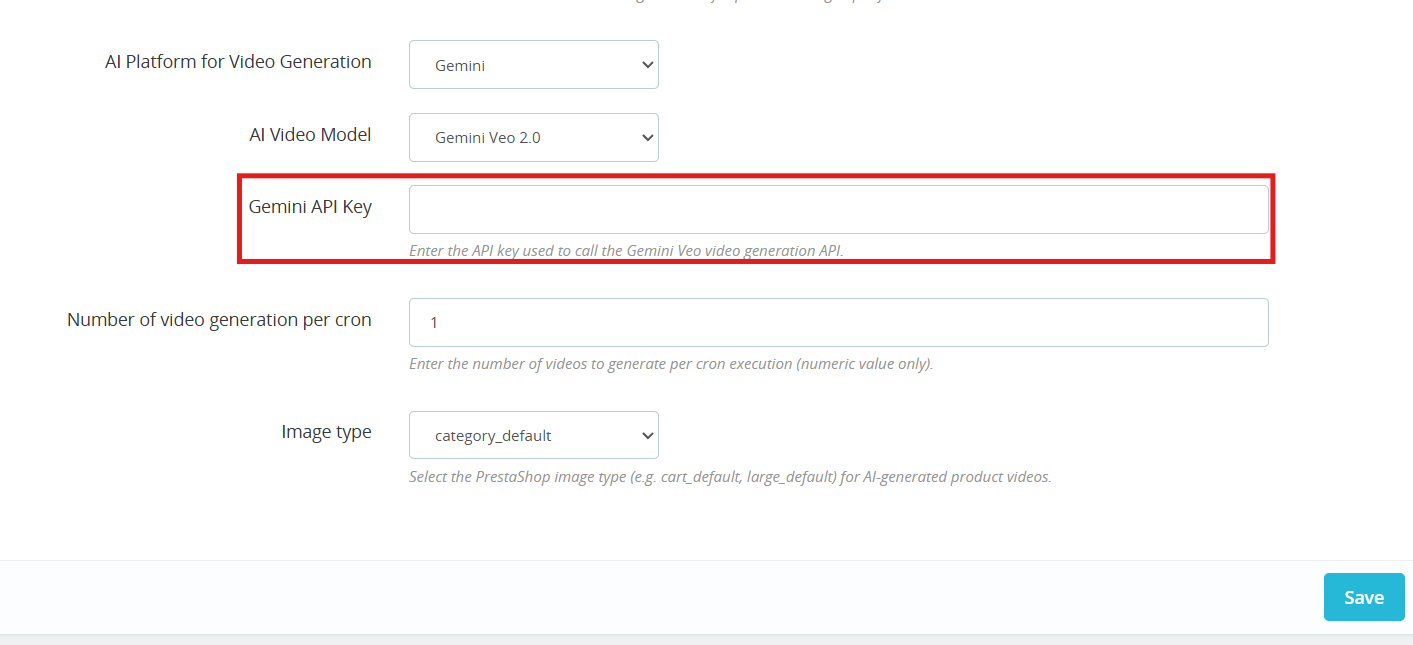
Gemini API Key Add your Gemini key to switch on PrestaShop Gemini AI video generation. Steps are in section 3.5.
Number of Videos per Cron Controls how many videos the PrestaShop AI Video Generation module queues up each time the cron runs.
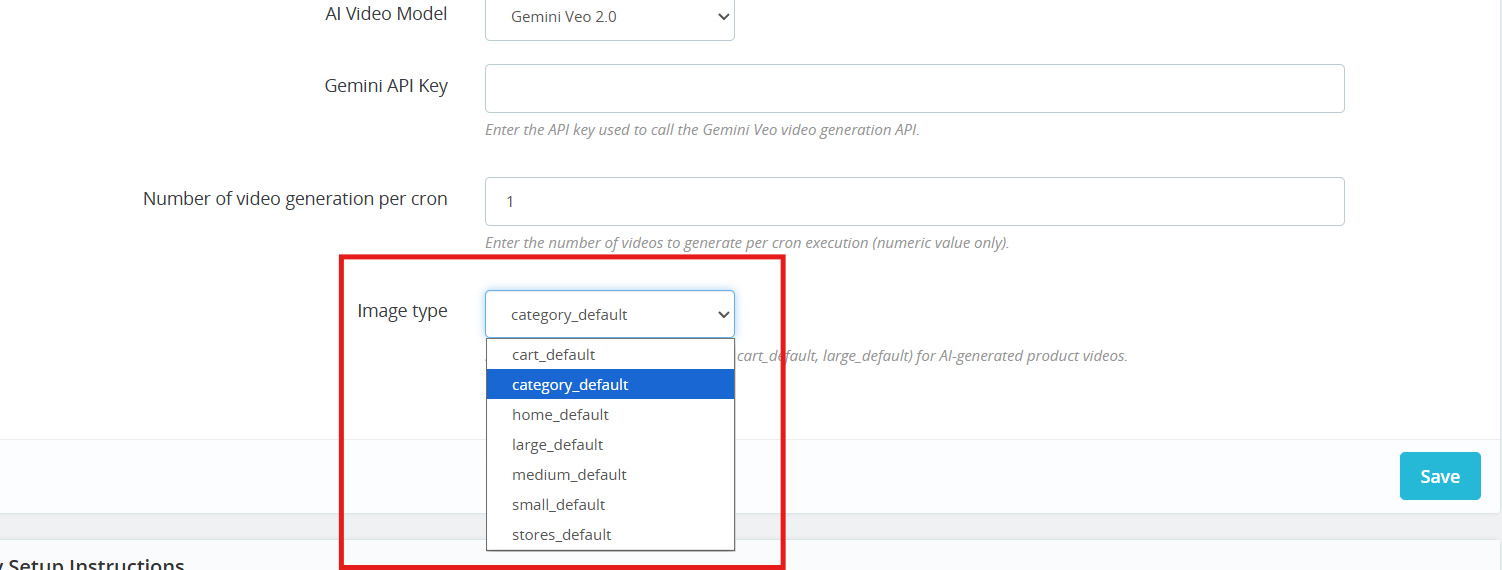
Image Type: Choose which image size gets passed to the AI during PrestaShop AI video generation: cart, large, small, medium, stores, or category.
Cron URL: Run the cron URL provided in the General Configuration section to automatically generate videos using AI.
3.0.4 AI Video Library
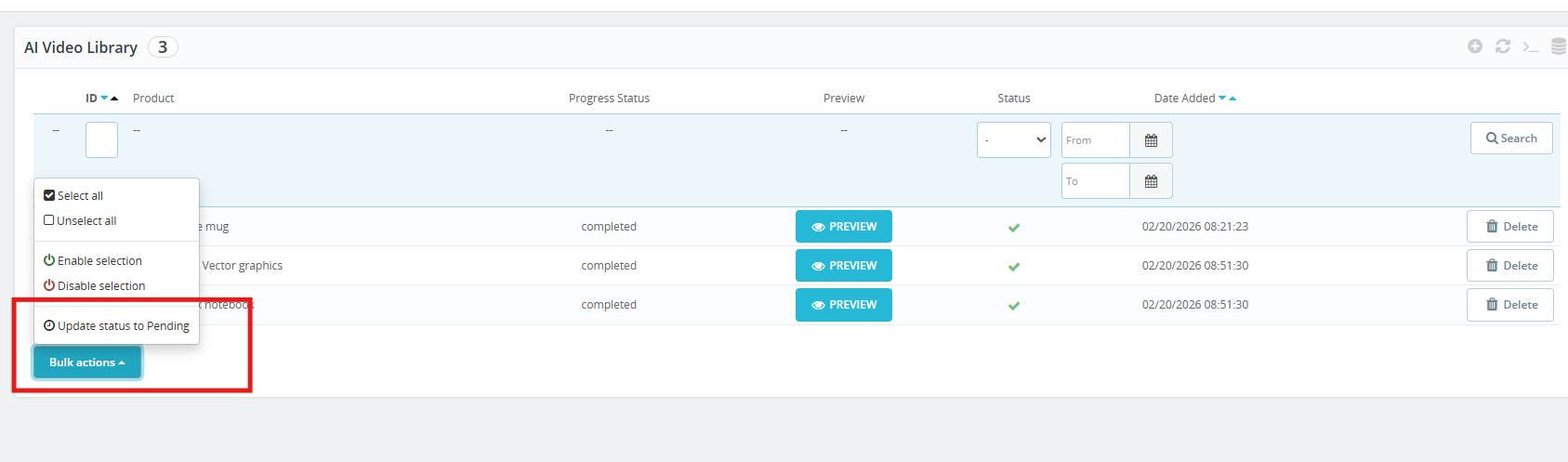
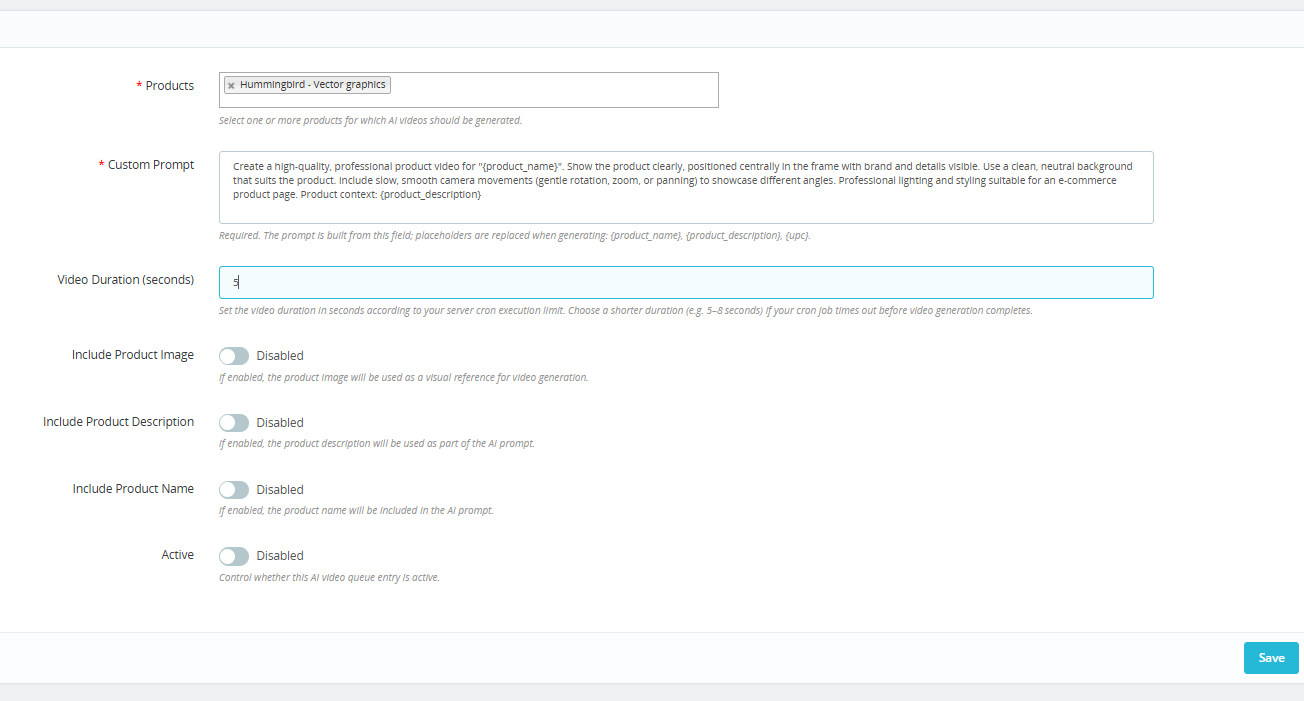
This is where all your PrestaShop AI Video Library entries live, queued, paused, or active. Click + to set up a new one.
Products: Choose the products you want to cover. The PrestaShop AI Video Generation module handles the rest, generating a video for each one through ChatGPT or Gemini.
Custom Prompt: Type out what you want the AI to do. Add in {product_name}, {product_description}, or {upc} where needed. The module add these variable with live product data each time a video runs, which keeps your PrestaShop AI product video prompts scalable without extra manual work.
Video Duration (seconds) Staying in the 5 to 8 second range helps you avoid cutoffs during automated PrestaShop video generation.
Include Product Image: Allow the AI model to take your product photo as a reference so the output stays visually close to the real item. Helps the PrestaShop AI video generator stay on brand.
Include Product Description Gives the AI more to work with. More context generally means more relevant AI-generated product videos in PrestaShop.
Include Product Name Keeps the prompt tied to the right product so there is no mismatch in the final PrestaShop AI video output.
Active: You can enable or disable the AI Generation settings for the product. If this is disabled, then products will not be added to the queue for video generation.
The VideoMate PrestaShop Module exhibit the feature to place the dynamic video widgets across multiple pages.
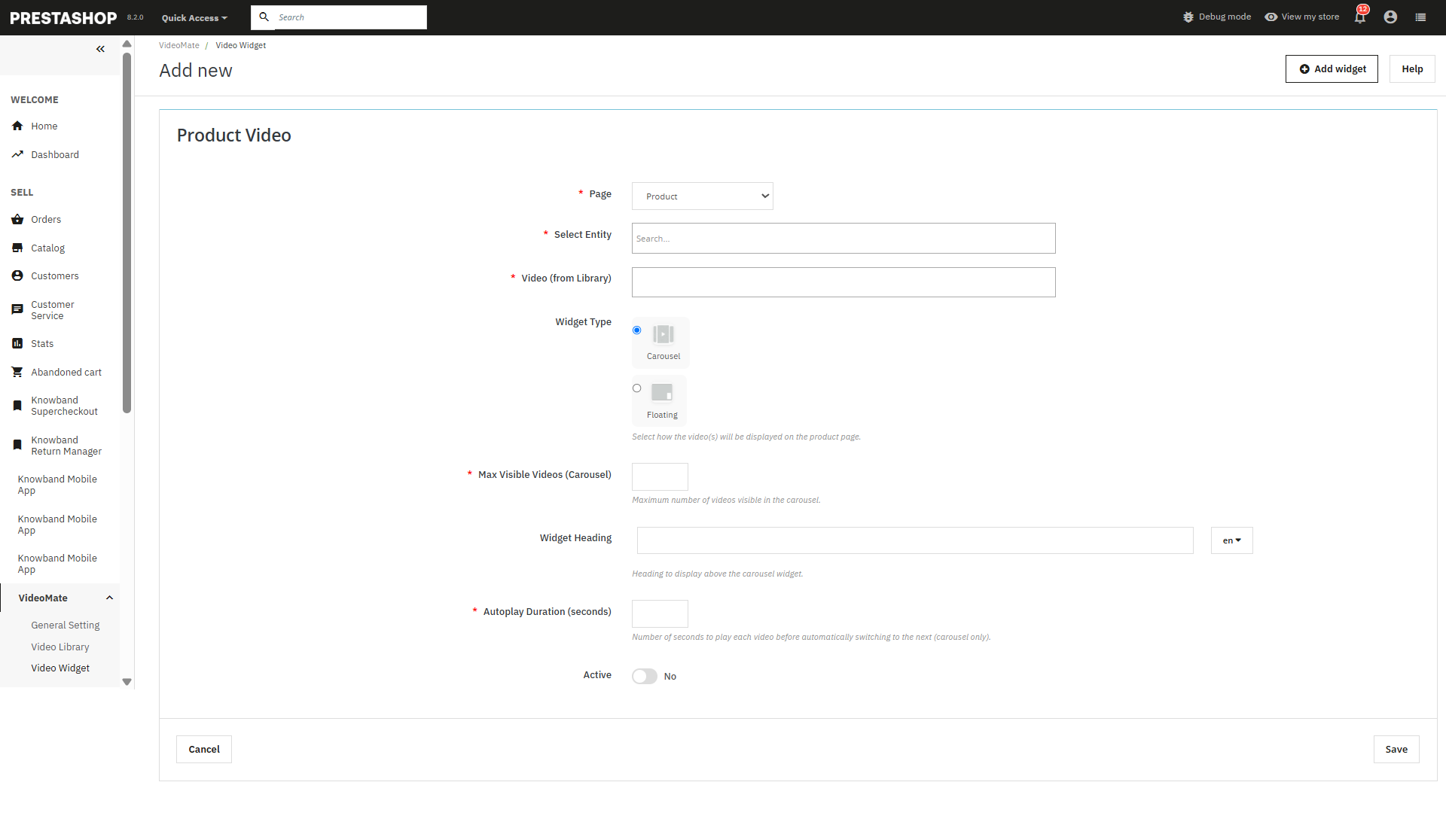
Add New Widget: Click to create a new video widget for YouTube or MP4 videos.
Page Selection: Choose where to display videos — Homepage, Product Page, Category Page, Best Seller, or New Product.
Select Entity: Dynamically assign videos to specific products or categories.
Video Selection: Select from videos already available in your media library.
Widget Type: Select between:
Carousel – For multiple videos in a slider format.
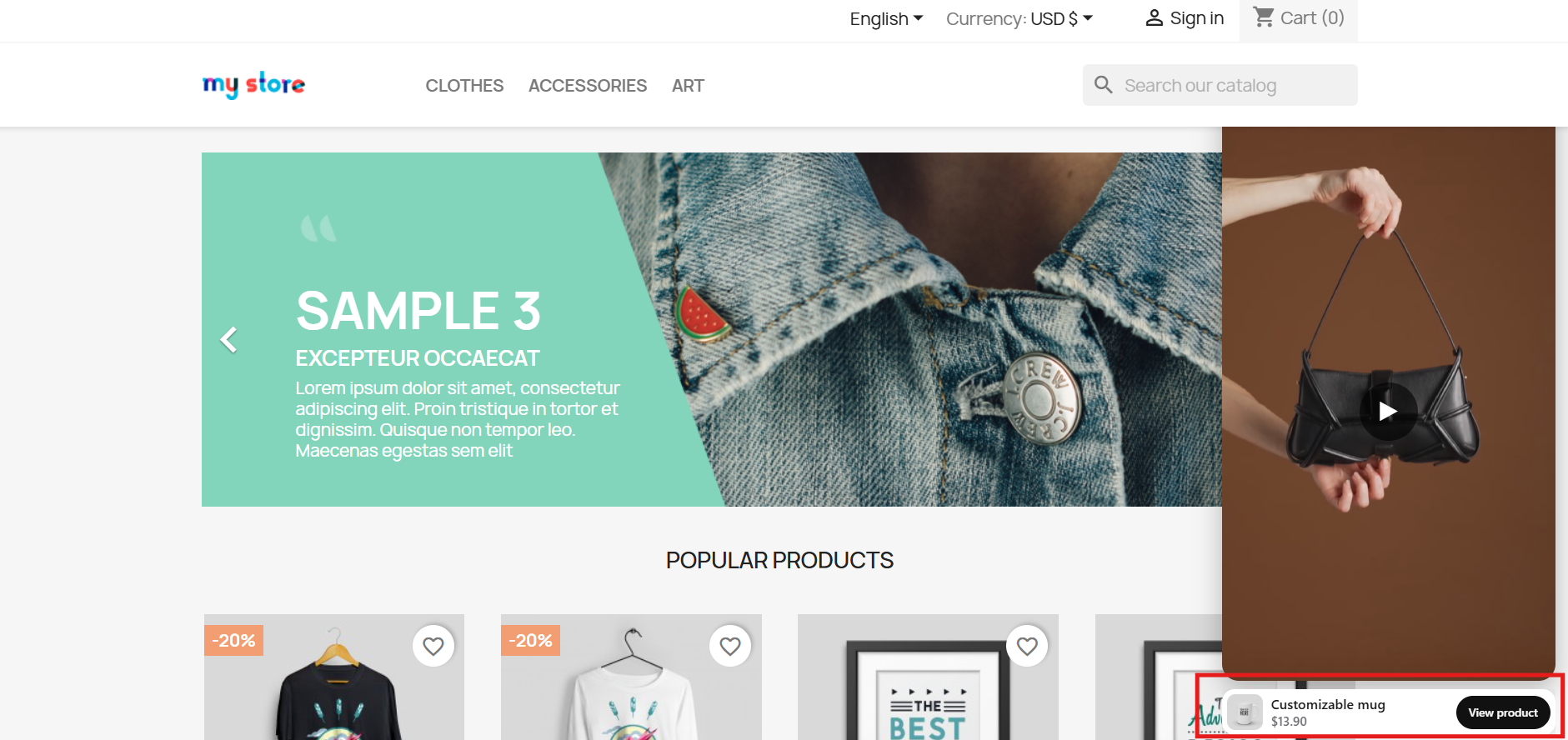
Floating – Provides a movable video player positioned at the bottom-left or bottom-right of the screen.
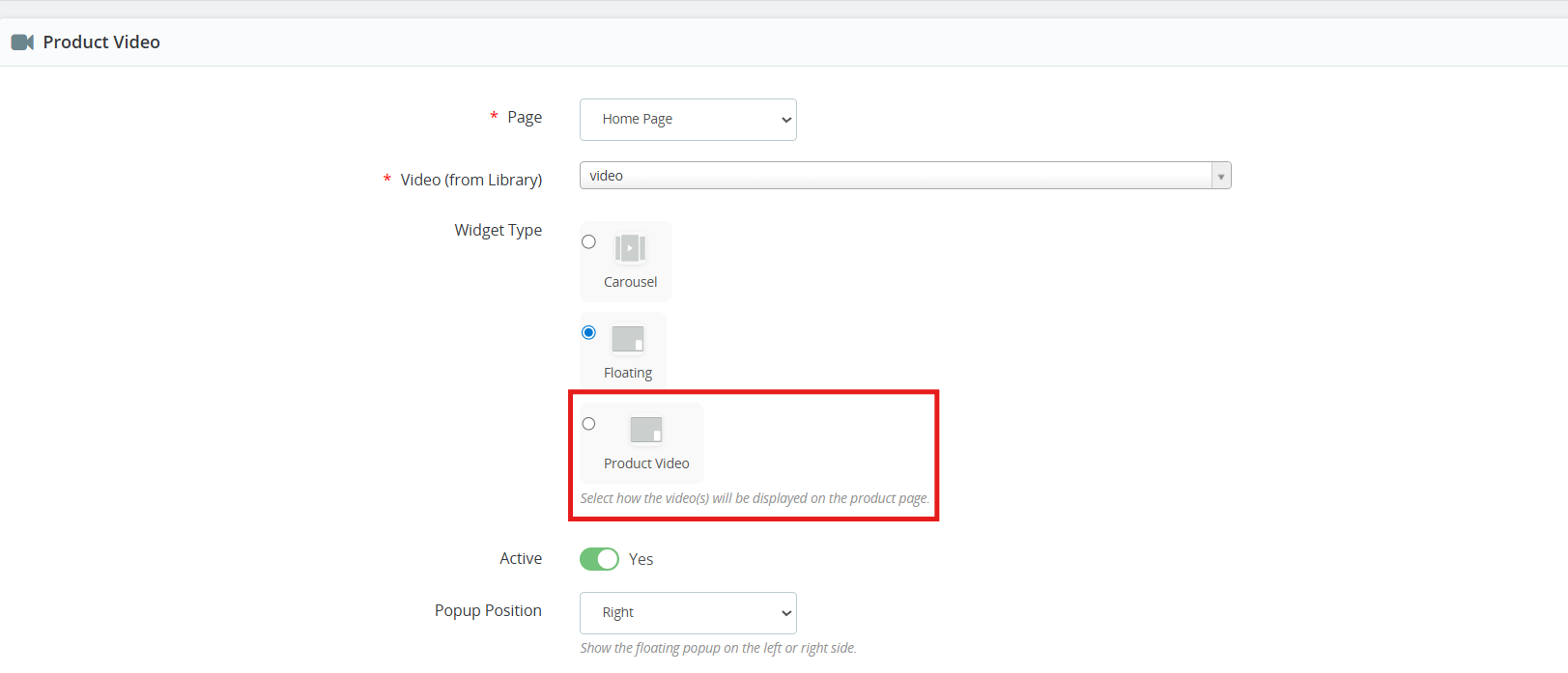
[New] Product Video: Store owners can now add videos to product pages using the new Product Video widget of the PrestaShop Video Manager. The added product videos will be displayed alongside product images on the product image section, allowing merchants to showcase product visuals more effectively.
Maximum Visible Videos: Prestashop video marketing module allows the store owners to define how many videos should be shown in a carousel (shows 5 in case of 5 maximum videos).
Autoplay Video: The Prestashop VideoMate Module allows the e-merchant to set the autoplay time in seconds for videos to begin automatically.
Status (Active/Inactive): This feature of the PrestaShop floating video module enables or disables the status of the widget without deleting it.
Store owners can disable the widgets added in the video Widgets.
Save: Click to save your configurations and apply the widget to your selected pages.
3.0.6 PrestaShop Video Dashboard
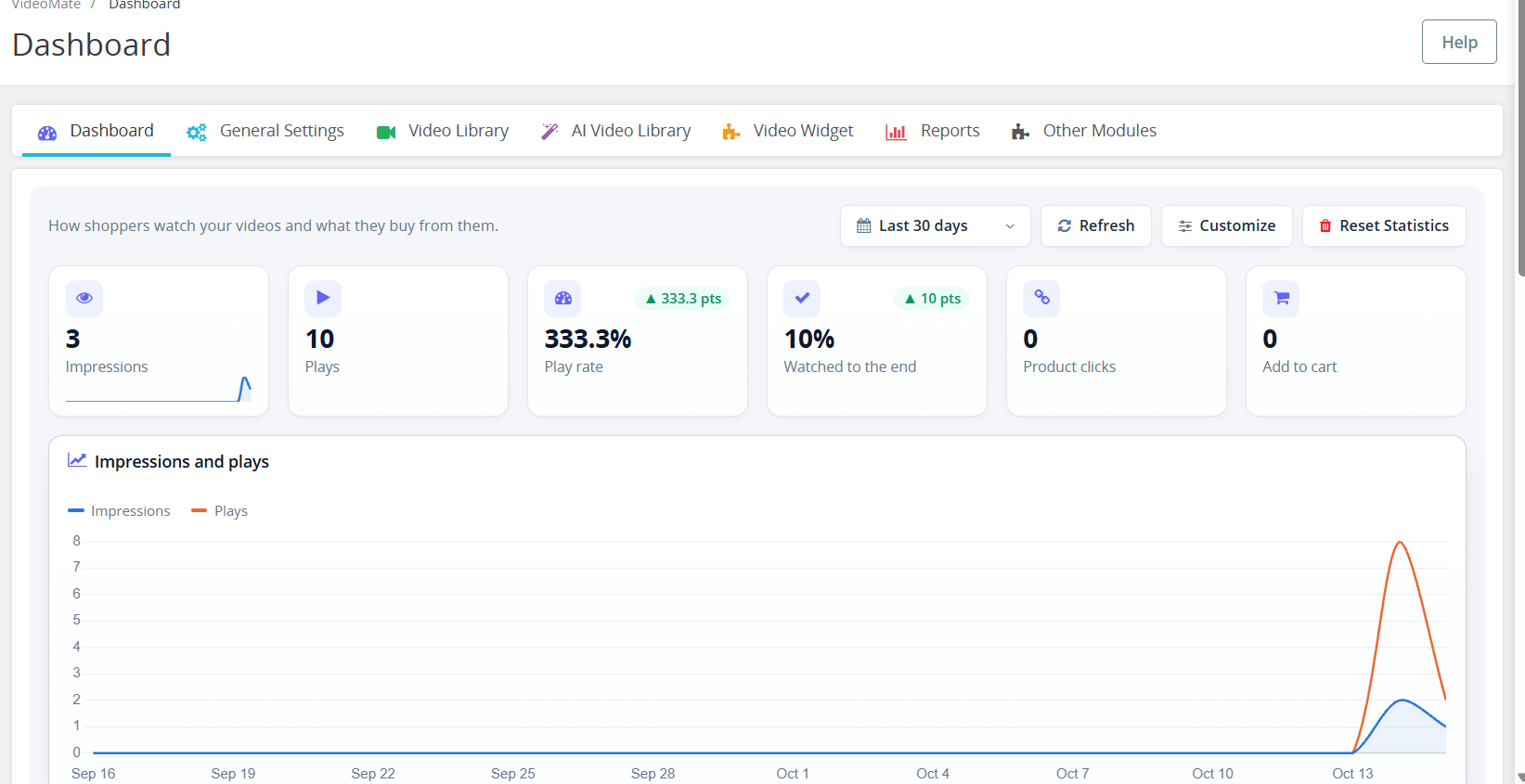
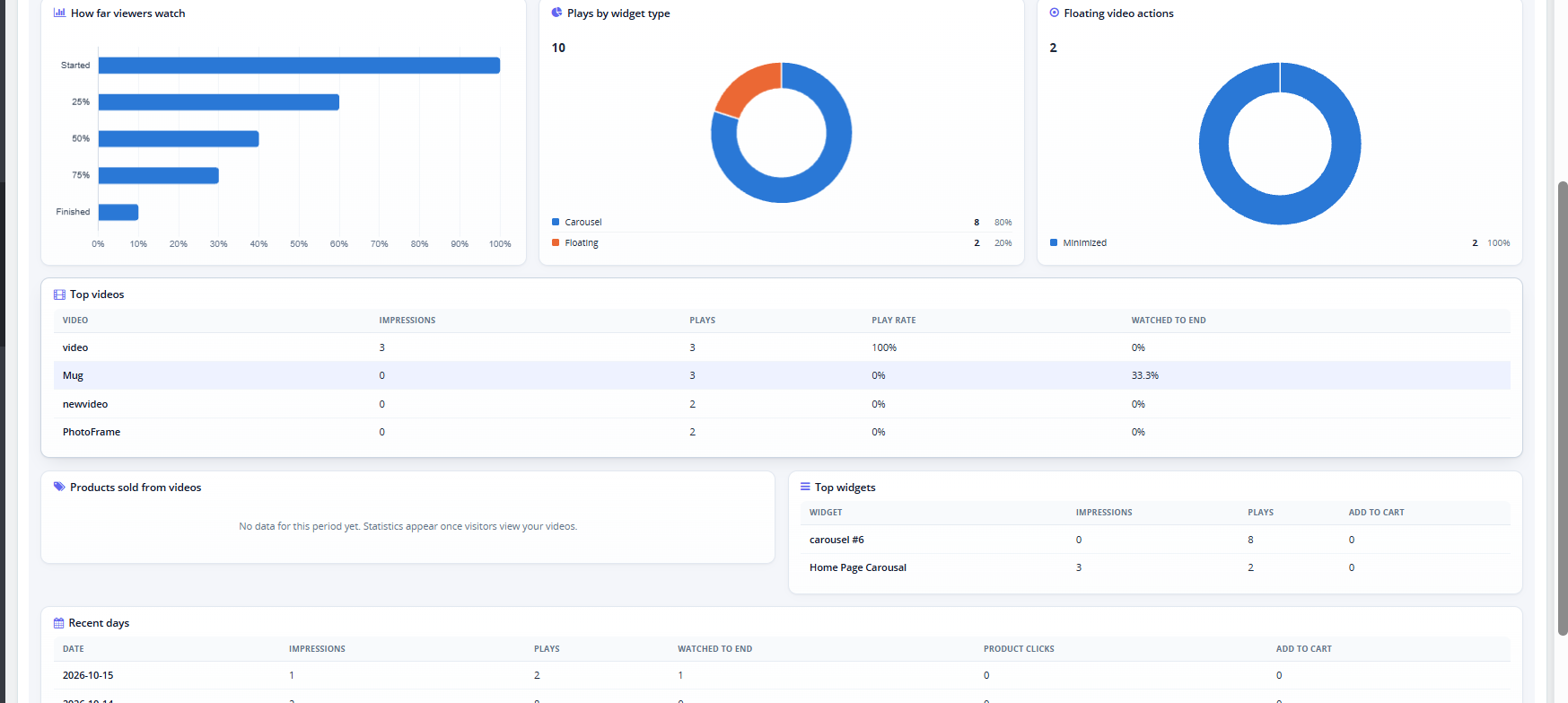
The Dashboard tab within the PrestaShop VideoMate plugin allows for tracking the way the customers watch your videos and which products they purchase through your videos. All your PrestaShop video statistics will be available to you in one place!
Period: choose the time period for all charts. Refresh: refreshes the statistics. Customize: Add, remove, and rearrange dashboard elements. Changes to the layout will be saved only to your admin profile. Clear Statistics: permanently removes the collected statistics. Cards: Impressions, Plays, Play rate, Watched to the end, Product clicks, and Add to cart.
Charts: Impressions and plays over time, how far viewers watch (Started, 25%, 50%, 75%, Finished), plays by widget type, and floating video actions.
Tables: Top videos, Products sold from videos, Top widgets, and Recent days.
3.0.7 YouTube and Vimeo Videos in PrestaShop
This YouTube Vimeo PrestaShop module lets you add videos by link. In Video Library, the Video Source field now includes YouTube and Vimeo. Select one, paste the video link, and the module builds the embed automatically.
3.0.8 PrestaShop Video Cover Image (Poster)
The Poster Upload field sets the PrestaShop video cover image shown before the video plays. It accepts JPG, PNG, or WebP files up to 3 MB, at least 16×16 px. For YouTube and Vimeo videos the cover is fetched automatically, and you can upload your own to replace it.
3.0.9PrestaShop Shoppable Video
You can turn any video into a PrestaShop shoppable video by attaching products to it.
Shoppable Products: start typing a product name and select it from the list. You can attach up to 100 products to one video.
Bulk Add Products: paste product IDs or references, separated by commas or new lines, to add up to 1000 at once.
On the storefront, each attached product appears as a card with the image, name, price, and an Add to cart button. This PrestaShop video add to cart option lets customers buy without leaving the video. After a product is added, a View cart button appears. If a product has options, the card links to its product page instead.
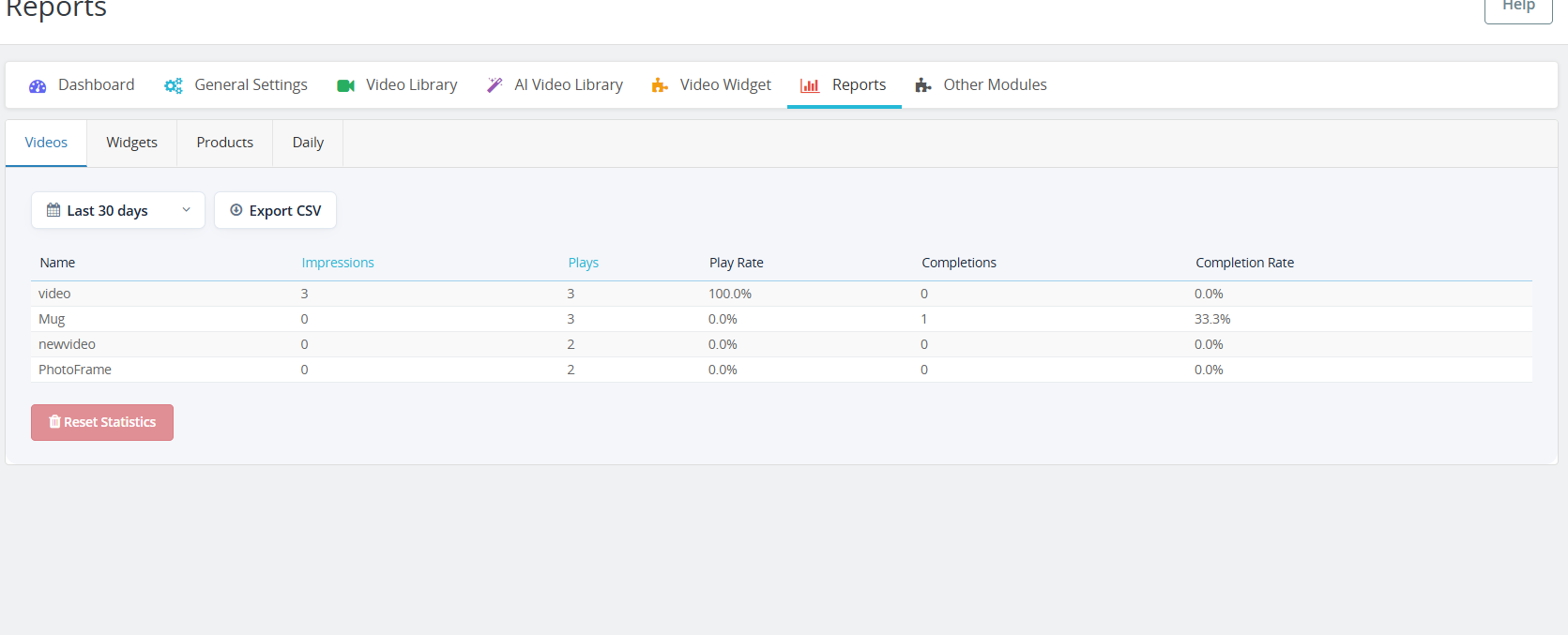
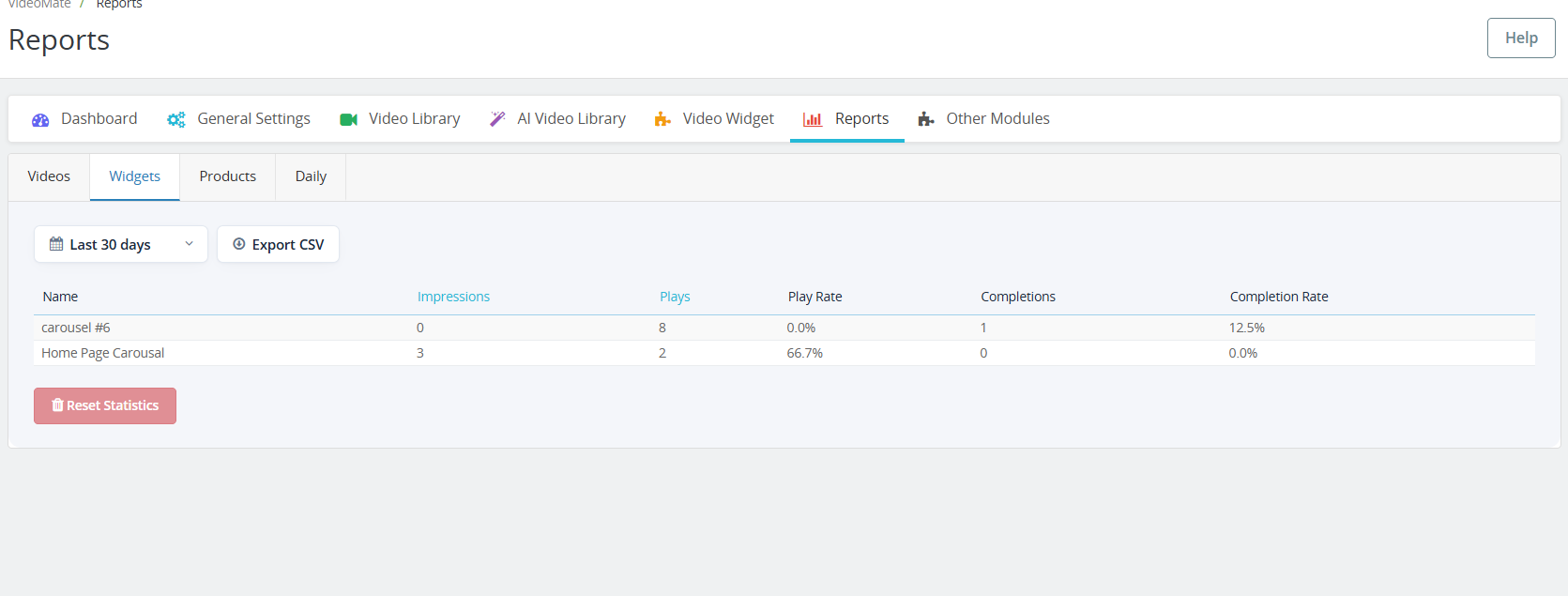
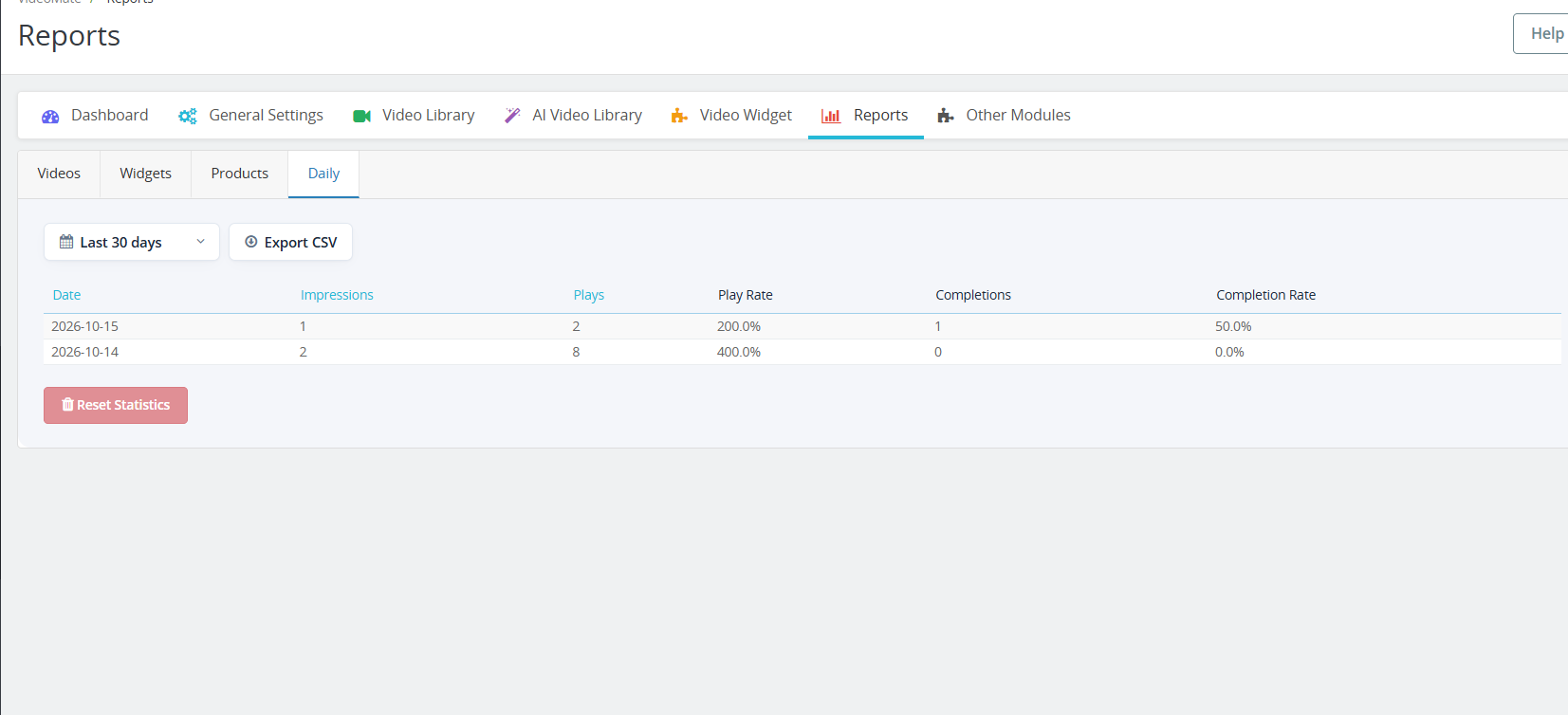
3.1.0 PrestaShop Video Reports
The new Reports tab has four sub-tabs: Videos, Widgets, Products, and Daily. Each one shows impressions, plays, play rate, completions, and completion rate.
Choose a period to filter the data.
Click Impressions or Plays to sort the table.
Click Export CSV to download the table. PrestaShop video reports can then be opened in Excel or Google Sheets.
Click Reset Statistics to clear the recorded data.
4.0 Benefits of PrestaShop VideoMate Module
Boosts Product Engagement
Videos provide a richer shopping experience, helping customers understand product features better and reducing purchase hesitation.
Improves Conversion Rates
Significantly, customers are more likely to convert when they see video demos or tutorials, making VideoMate a powerful PrestaShop product video module for increasing sales.
Flexible Video Placement
Add videos across product pages, category pages, homepage, Best Seller, and New Product pages – ensuring visibility where it matters most.
Multiple Display Options
Choose from the carousel, floating, or single video widgets for a dynamic and responsive presentation tailored to your design.
Supports A & YouTube Links
Furthermore, seamlessly upload MP4 videos (up to 50MB) or trending social media videos, enabling full PrestaShop video integration.
Mobile-Responsive Design
All video widgets are fully responsive, ensuring smooth performance across desktop, tablet, and mobile devices.
Tutorial: Watch the Video Guide
To help you set up and use the PrestaShop VideoMate Module, we have created a comprehensive YouTube tutorial. This step-by-step video guide walks you through the installation process, configuration options, and how to effectively add and manage video content on your store.
If you experience any difficulties during installation or when using the Prestashop VideoMate Extension, our support team is ready to assist you. Reach out to us through email at support@knowband.com or by submitting a ticket at knowband.com/helpdesk for prompt assistance with any technical issues or questions you may have.
Building an eCommerce business demands more than attractive products and competitive prices. Furthermore, successful online retailers understand that data-driven decisions separate profitable stores from struggling ones. However, implementing comprehensive analytics can seem overwhelming for many store owners. Therefore, choosing the right solution becomes critical for long-term success. Moreover, Knowband has developed a powerfulWooCommerce gtag Integrator solution that transforms complex analytics into simple, actionable insights. Additionally, this comprehensive plugin eliminates technical barriers while providing enterprise-level tracking capabilities. Consequently, store owners can focus on growing their business rather than wrestling with complicated code.
Revolutionary Features of Knowband’s Analytics Integration
Seamless Tag Management Implementation
First and foremost, Knowband’s WooCommerce Google Tag Manager Plugin revolutionizes how you handle analytics tracking. Subsequently, this unified WooCommerce GTM Plugin centralizes all your marketing tags in one intuitive dashboard. Furthermore, the Google Tag Manager for WooCommerce integration eliminates the need for manual code modifications.
Additionally, even non-technical users can implement sophisticated tracking systems effortlessly. Therefore, small business owners gain access to the same analytics capabilities used by major eCommerce brands.
Comprehensive Marketing Integration Capabilities
Similarly, the WooCommerce Google Marketing Integration feature connects your store seamlessly with major marketing platforms. Consequently, you can track campaign performance across multiple channels with unprecedented accuracy. Furthermore, the WooCommerce Google Marketing Integration Plugin provides detailed attribution data for every marketing dollar spent.
Additionally, this integration reveals which marketing channels generate the highest-quality customers. Therefore, you can optimize your advertising budget for maximum return on investment.
Advanced Event Tracking System
Meanwhile, the Custom Event Tracking WooCommerce Plugin functionality monitors every crucial customer interaction automatically. For instance, it captures product views, cart additions, and purchase completions in real-time. Moreover, the GTM WooCommerce Plugin provides granular insights into customer behavior patterns throughout the shopping journey.
Furthermore, the WooCommerce Google Event Tracker Plugin helps identify conversion bottlenecks before they impact your revenue. As a result, you can optimize your store’s performance based on actual customer data.
Next-Generation WooCommerce Google Analytics Implementation
Complete Google Analytics Integration
Furthermore, the WooCommerce Google Analytics Integration component delivers comprehensive data collection across your entire store. Subsequently, the WooCommerce Google Analytics Integration Extension ensures accurate tracking on every page and interaction. Additionally, the WooCommerce Google Analytics Integration Plugin handles complex eCommerce scenarios automatically.
Therefore, you receive detailed insights into customer demographics, shopping preferences, and behavioral patterns. Moreover, this data enables informed decisions about inventory management, pricing strategies, and marketing campaigns.
Advanced GA4 Implementation
In addition, the WooCommerce GA4 Integration brings cutting-edge analytics capabilities to your store. Similarly, the WooCommerce GA4 Integration Plugin provides enhanced tracking features unavailable in previous versions. Furthermore, the WooCommerce GA4 Integration Extension ensures your analytics remain future-proof as platforms evolve.
Consequently, you benefit from improved data accuracy, enhanced privacy controls, and machine learning insights. Additionally, GA4’s predictive capabilities help forecast customer behavior and business trends.
Enhanced Gtag Integration Features
Moreover, the WooCommerce gtag Integrator streamlines your tracking implementation without compromising site performance. Subsequently, the WooCommerce gtag Integration Plugin maintains optimal loading speeds while collecting comprehensive data. Furthermore, the WooCommerce gtag Integrator offers flexible configuration options for diverse business needs.
Therefore, you can maintain excellent user experience while gathering valuable analytics insights.
Comprehensive eCommerce Tracking Capabilities
Detailed Event Monitoring System
Additionally, WooCommerce GA4 eCommerce Events provide precise transaction tracking and revenue attribution. For instance, you can monitor purchase patterns, product performance, and customer lifetime value accurately. Furthermore, these events help identify your most profitable products and customer segments.
Granular Control Over Tracking Events
Furthermore, Knowband’s solution offers complete control over specific tracking events. Consequently, you can enable or disable monitoring based on your unique business requirements:
Customer Journey Tracking: Monitor page views to understand navigation patterns, while category views reveal popular product sections. Additionally, product detail tracking shows which items generate the most interest.
Purchase Behavior Analysis: Moreover, add-to-cart events provide purchase intent data, while cart removal tracking identifies potential obstacles. Similarly, checkout progression monitoring helps optimize your conversion funnel.
Advanced Analytics Features: Additionally, internal search tracking captures valuable keyword data, while UTM parameter collection ensures accurate campaign attribution across all marketing channels.
Comprehensive Measurement Solutions
Furthermore, the WooCommerce gtag Integrator provides advanced analytics specifically designed for online retailers. Subsequently, you can track sophisticated metrics including customer acquisition costs, repeat purchase rates, and seasonal trends. Therefore, strategic business decisions become data-driven rather than assumption-based.
Key Benefits for WooCommerce Store Owners
Simplified Implementation Process
Most importantly, this comprehensive solution eliminates technical complexity from advanced analytics implementation. Instead of hiring expensive developers, you can deploy enterprise-level tracking yourself. Therefore, businesses of all sizes can access professional-grade analytics capabilities.
Enhanced Decision-Making Capabilities
Moreover, accurate data collection transforms how you make business decisions. As a result, you can optimize marketing campaigns, improve product offerings, and enhance customer experiences based on real performance data rather than guesswork.
Improved Marketing ROI
Additionally, comprehensive tracking identifies your most profitable marketing channels and campaigns. Hence, you can focus resources on strategies that generate the highest returns while eliminating wasteful spending on underperforming initiatives.
Simple Setup and Configuration
User-Friendly Installation Process
First, this WooCommerce gtag Integrator features straightforward installation procedures with step-by-step guidance. Additionally, intuitive configuration wizards walk you through the entire setup process. Therefore, you can start collecting valuable analytics data within minutes of installation.
Moreover, the WooCommerce No-Code Google Tag Manager Integration provides beginner-friendly instructions requiring zero technical knowledge. Furthermore, store administrators can easily access Google Tag Manager and Google Analytics consoles to retrieve necessary integration credentials.
Ongoing Support and Optimization
Moreover, regular monitoring ensures your tracking remains accurate and comprehensive. Furthermore, continuous optimization helps identify new opportunities for improvement and growth.
Conclusion
In conclusion, implementing comprehensive analytics integration is essential for modern WooCommerce store success. Therefore, investing in the right tracking solution provides long-term benefits that far exceed initial implementation costs. Moreover, the combination of simplified setup and powerful insights makes this solution invaluable for serious retailers.
Additionally, with features including automated event tracking, advanced eCommerce measurement, and seamless platform integration, this plugin addresses every aspect of store analytics. Furthermore, it provides the solid foundation necessary for data-driven growth strategies that deliver sustainable results.
Finally, whether you’re launching a new venture or scaling an existing store, comprehensive analytics integration remains crucial for understanding your customers and maximizing your eCommerce potential.