GA4 & GTM Events for WooCommerce: Unlock Advanced Tracking with Ease

In today’s competitive eCommerce landscape, data-driven decision-making is key to success. For WooCommerce store owners, understanding customer behavior is critical to optimizing sales and improving marketing strategies. With the right tools, tracking advanced eCommerce events can be a breeze. Introducing Knowband WooCommerce Google Tag Manager Module, a solution that simplifies the integration of GTM and GA4, allowing store owners to unlock the full potential of their analytics.

Why Use Google Tag Manager for WooCommerce?

Google Tag Manager for WooCommerce enables you to manage tags and track events without touching your website’s code. With the WooCommerce GTM Module, you can seamlessly implement and track events like page views, add-to-cart actions, purchases, and more.

Thus, integrating GA4 with your WooCommerce store through the WooCommerce GA4 Integration Module provides deeper insights into user behavior. This data allows you to make informed decisions, create targeted campaigns, and improve your store’s overall performance.

Key Benefits of Using the WooCommerce GTM Extension!

Streamlined Tag Management:

The WooCommerce Google Marketing Integration Plugin simplifies the implementation of tracking tags for your store. Moreover, you can easily manage all your tags from a single GTM interface, saving time and effort.

Advanced Event Tracking:

The Custom Event Tracking WooCommerce Plugin enables you to track specific customer interactions, such as product views, clicks, and purchases. This level of detail helps you understand the customer journey and optimize your sales funnel.

Enhanced Marketing Integrations:

With the WooCommerce Google Marketing Integration, you can connect your store with essential Google tools like GA4, gtag, and Ads. 

Accurate eCommerce Data:

The WooCommerce GA4 eCommerce Events feature allows you to collect accurate data about sales, revenue, and customer behavior. This data is invaluable for improving your store’s performance.

Ease of Use:

The WooCommerce Google Analytics Integration Plugin is designed with user-friendliness in mind. Thus, even if you’re not a tech expert, you can set up and manage the integration with minimal effort.

How the WooCommerce Google Tag Manager Module Works?

The WooCommerce Google Tag Manager Module acts as a bridge between your store and Google’s analytics tools. It allows you to:

  • Add and manage Google Tag Manager snippets to your WooCommerce store.
  • Configure GA4 tracking and events without coding.
  • Track key eCommerce actions such as purchases, cart updates, and product views.
  • Monitor custom events specific to your store’s requirements using the WooCommerce Google Event Tracker Plugin.

Once integrated, the WooCommerce GTM Extension ensures that all tracking data is sent to Google Analytics 4 in real-time. Furthermore, this seamless process eliminates the need for manual tracking setups and reduces errors.

Key Features of the WooCommerce GA4 Integration Addon!

The WooCommerce GA4 Integration Addon comes with several features designed to meet the unique needs of WooCommerce store owners:

Pre-configured Events: Automatically track essential events like product impressions, clicks, and transactions.

Customizable Tracking: Use the WooCommerce gtag Integration Plugin to create custom event tracking tailored to your business goals.

Real-time Analytics: Access real-time data for a comprehensive understanding of user behavior.

eCommerce Reporting: The WooCommerce eCommerce Measure Module provides detailed reports on sales performance, revenue, and conversions.

Multi-platform Integration: Works seamlessly with other Google tools, ensuring your marketing efforts are cohesive and effective.
Integrate Advanced Analytics to Your Store

SHOP NOW

Why Choose the WooCommerce GA4 Integration Plugin?

The WooCommerce GA4 Integration Plugin is a game-changer for eCommerce businesses. By leveraging the power of WooCommerce Google Analytics Integration, store owners can gain a deeper understanding of their customers.
Here’s why this plugin is a must-have:

  • It automates complex tracking processes.
  • It provides accurate insights into customer behavior.
  • It empowers you to create data-driven marketing strategies.
  • It helps you optimize your sales funnel based on real-time data.

Setting Up the WooCommerce gtag Integration Extension!

Getting started with the WooCommerce gtag Integrator is quick and easy:

Install the Plugin: Download and install the WooCommerce gtag Integration Extension from the plugin repository or your provider.

Connect to Google Tag Manager: Link your GTM account to the plugin.

Enable GA4 Tracking: Set up the WooCommerce GA4 Integration Module to track key events.

Customize Events: Use the plugin’s features to track custom events for your store.

Monitor Results: Access detailed analytics in GA4 to monitor performance and make data-driven decisions.

Conclusion!

The GA4 & GTM Events for WooCommerce integration is essential for any store owner looking to optimize their analytics and enhance their marketing efforts. Therefore, by using the WooCommerce Google Tag Manager Module, you can easily track advanced eCommerce events, gain valuable insights, and drive growth.

Whether you’re a small business owner or managing a large-scale eCommerce platform, the WooCommerce Google Analytics Integration Extension empowers you to unlock the full potential of your store’s data. Don’t let valuable insights go untapped—invest in the WooCommerce GTM Module today and take your analytics to the next level.
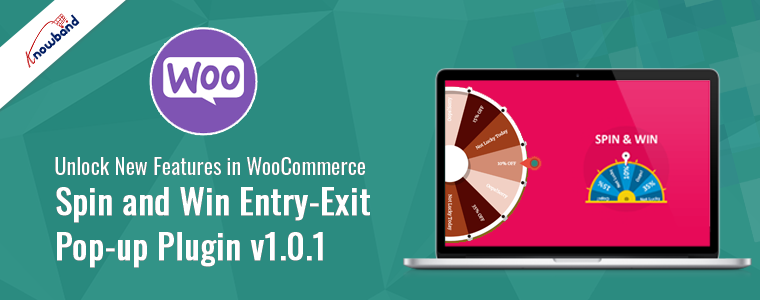
Unlock New Features in WooCommerce Spin and Win Entry-Exit Pop-up Plugin v1.0.1!

In the competitive world of eCommerce, engaging customers and driving conversions are crucial for success. At Knowband, we are thrilled to announce the release of the updated version of our WooCommerce Spin and Win Entry Exit Pop-up Plugin, v1.0.1. Furthermore, this latest version comes with exciting new features and improvements designed to enhance user engagement and boost your WooCommerce store’s performance.

Advanced Customization Options:

The new version of the WooCommerce Spin and Win Plugin offers advanced customization options, allowing you to tailor the pop-up to match your brand’s identity perfectly. You can now customize the color scheme, text, and design elements more extensively, ensuring that the pop-up integrates seamlessly with your website’s aesthetics. This level of customization helps create a consistent and appealing user experience.

Improved Responsiveness:

Understanding the importance of mobile traffic, the WooCommerce Responsive pop-up Plugin now ensures flawless performance across all devices. Whether customers are browsing on a desktop, tablet, or smartphone, they will enjoy a smooth and engaging experience with the Spin and Win pop-up. This improvement helps you reach a broader audience and enhances the overall user experience.

Integration with Email Marketing Services:

The WooCommerce Email Subscription Pop-up Plugin now offers seamless integration with popular email marketing services like MailChimp. This makes it easier than ever to grow your email list and send targeted email campaigns to your subscribers. Thus, by capturing email addresses through engaging pop-ups, you can build a robust subscriber base and nurture customer relationships effectively.

New Gamification Elements:

We’ve added new gamification elements to the WooCommerce Interactive pop-up Plugin. In addition to the spin-the-wheel game, you can now incorporate other interactive elements by choosing between various theme options available in the module backend.

Furthermore, these new features provide a variety of engaging experiences for your customers, making the process of winning discounts and rewards even more exciting.

Benefits of Using the Updated Plugin!

Implementing Knowband’s WooCommerce Spin and Win pop-up on your store offers numerous benefits:

Increased Email Subscriptions: The gamified nature of the WooCommerce Newsletter Subscription Pop-up Plugin makes it an effective tool for capturing email addresses. Thus, by offering a fun and rewarding experience, you encourage more visitors to subscribe to your newsletter.

Higher Conversion Rates: The WooCommerce Exit Pop-up Plugin helps reduce cart abandonment by re-engaging visitors who are about to leave your site. Therefore, by offering them a last-minute discount or incentive, you can turn potential abandonments into conversions.

Enhanced User Engagement: The interactive elements of the WooCommerce Spin and Win Plugin keep users engaged on your site for longer periods. This not only improves their shopping experience but also increases the likelihood of them making a purchase.

Getting Started with WooCommerce Spin and Win Entry-Exit Pop-up Plugin v1.0.1!

Getting started with the latest version of the WooCommerce Spin and Win Plugin is easy. Download the plugin from the Knowband website or the WooCommerce marketplace and install it on your WooCommerce store. Navigate to the plugin settings in your WooCommerce dashboard to customize the appearance, set targeting rules, and integrate with your email marketing service. Create your first spin-the-wheel campaign by setting up the rewards, customizing the design, and specifying the display rules. Once everything is configured, launch your campaign and start engaging your visitors.

Get the Plugin for Opencart, Prestashop, or Magento 2!

In addition to our WooCommerce Spin and Win Plugin, we offer the Spin and Win plugin for Prestashop, Opencart, and Magento 2 platforms. These versions bring the same exciting gamified pop-up experience to a broader range of eCommerce stores. Whether you’re using Prestashop, Opencart, or Magento 2, our Spin and Win plugin helps you engage customers with interactive entry and exit pop-ups, boost email subscriptions, and increase conversion rates. Furthermore, with features like advanced customization, seamless email marketing integration, and enhanced targeting rules, the Spin and Win plugin is designed to optimize user engagement and drive sales across multiple eCommerce platforms.

Knowband’s WooCommerce Spin and Win Entry-Exit Pop-up Plugin

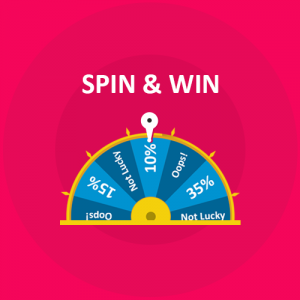
Engage your customers with an exciting spin-and-win experience on your WooCommerce store! Boost interaction and reward your visitors instantly with this fun and easy-to-use module.

SHOP NOW

Conclusion!

The WooCommerce Spin and Win Entry-Exit Pop-up Plugin v1.0.1 by Knowband is a must-have tool for any WooCommerce store looking to enhance user engagement, boost email subscriptions, and increase conversion rates. Furthermore, with its features and improvements, this plugin offers a comprehensive solution for capturing visitor attention and driving sales. Upgrade to the latest version of our Spin and Win Plugin today and unlock its full potential for your WooCommerce store.

By leveraging the WooCommerce Spin and Win Plugin, you can create a more interactive and rewarding shopping experience for your customers, ultimately leading to greater success for your eCommerce business.