QR code is a type of two dimensional barcode which is abbreviated from Quick Response Code . It is an optical label which contains information about the item. It is simply attached to the item. It contains black squares which are arranged in a squares grid with white background.
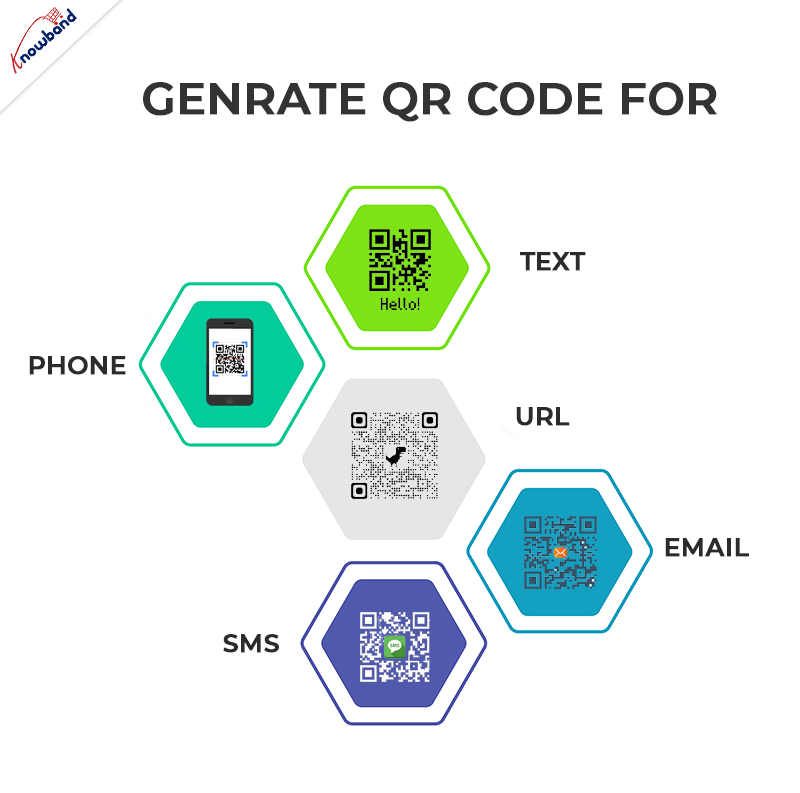
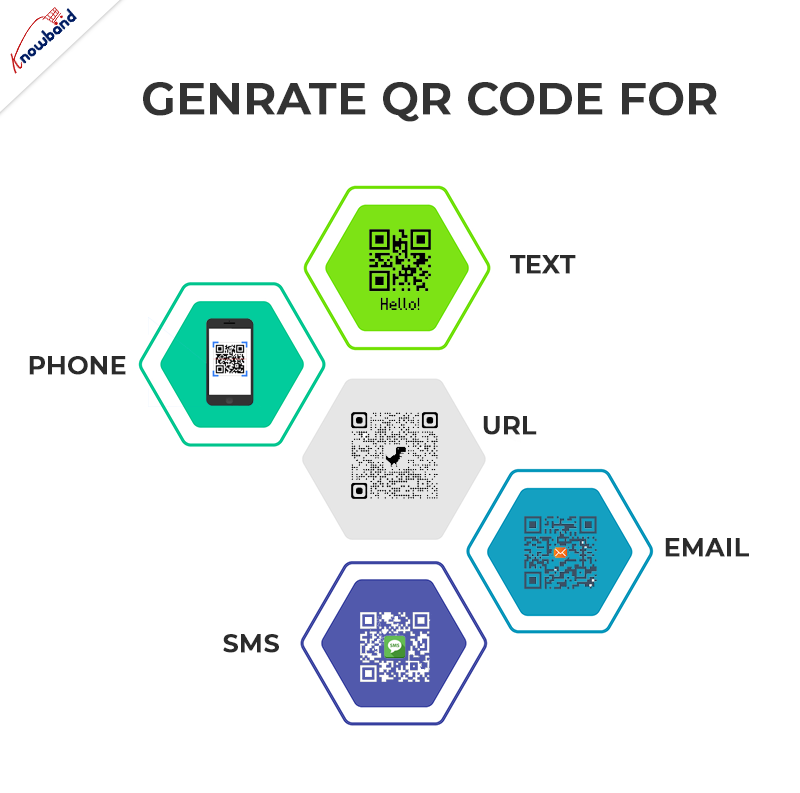
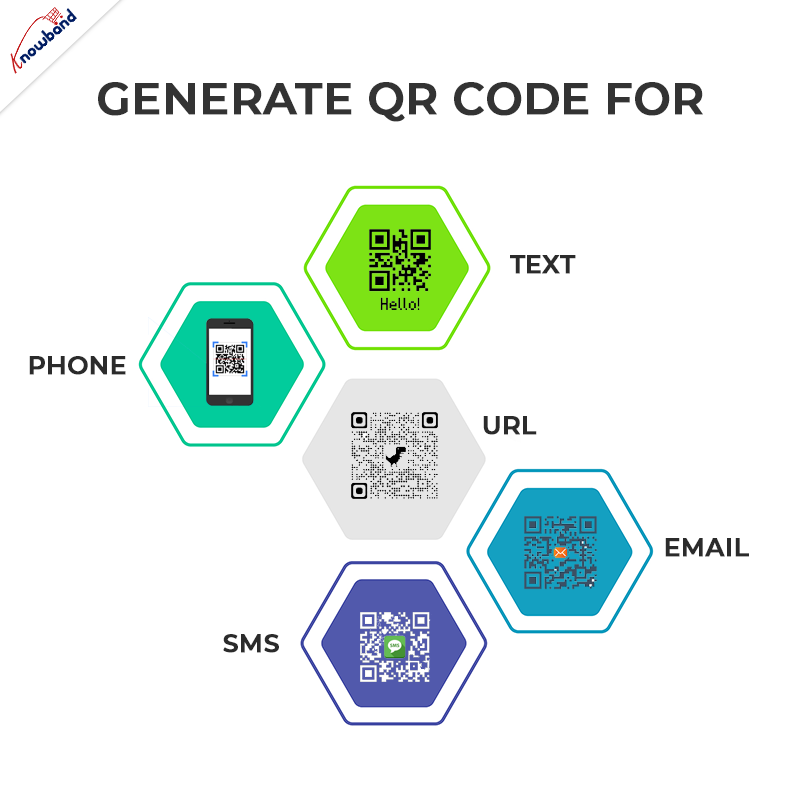
In this blog we will learn how to generate QR code using PHP step by step. With the help of simple PHP script you can generate QR code for Text, Phone, URL, Email and SMS.
In this project you need to create two files:
- qrcode.php
- index.php

STEP 1: Define class QrCode in qrcode.php:
1. Create a class QrCode. In this class, we will define the URL for GOOGLE CHART API and functions to generate the QR code for Text, Phone, URL, Email and SMS.
<span style="vertical-align: inherit;"><span style="vertical-align: inherit;">class QrCode {</span></span>
<span style="vertical-align: inherit;"><span style="vertical-align: inherit;">
}</span></span>
STEP 2: Define URL of Google chart API in QrCode Class:
1. We create variables to store the URL of Google chart API and data which is used to create the QR code.
<span style="vertical-align: inherit;"><span style="vertical-align: inherit;">class QrCode {</span></span><span style="vertical-align: inherit;"><span style="vertical-align: inherit;">
//URL OF GOOGLE CHART API</span></span><span style="vertical-align: inherit;"><span style="vertical-align: inherit;">
private $apiUrl = 'https://chart.apis.google.com/chart';</span></span><span style="vertical-align: inherit;"><span style="vertical-align: inherit;">
// DATA TO CREATE QR CODE</span></span><span style="vertical-align: inherit;"><span style="vertical-align: inherit;">
private $data;</span></span><span style="vertical-align: inherit;"><span style="vertical-align: inherit;">
}</span></span>
STEP 3: Define Functions to generate QR code of different types in QrCode Class:
We have the following types and functions for the same in which we can generate the QR Code:
1.URL
<span style="vertical-align: inherit;"><span style="vertical-align: inherit;">// Function which is used to generate the URL type of QR Code.</span></span><span style="vertical-align: inherit;"><span style="vertical-align: inherit;">
public function URL($url = null) {</span></span><span style="vertical-align: inherit;"><span style="vertical-align: inherit;">
$this->data = preg_match("#^https?\:\/\/#", $url) ? </span><span style="vertical-align: inherit;">$url : "https://{$url}";</span></span><span style="vertical-align: inherit;"><span style="vertical-align: inherit;">
}</span></span>
2.Text
<span style="vertical-align: inherit;"><span style="vertical-align: inherit;">// Function which is used to generate the TEXT type of QR Code.</span></span><span style="vertical-align: inherit;"><span style="vertical-align: inherit;">
public function TEXT($text) {</span></span><span style="vertical-align: inherit;"><span style="vertical-align: inherit;">
$this->data = $text;</span></span><span style="vertical-align: inherit;"><span style="vertical-align: inherit;">
}</span></span>
3. EMAIL
<span style="vertical-align: inherit;"><span style="vertical-align: inherit;">// Function which is used to generate the EMAIL type of QR Code.</span></span><span style="vertical-align: inherit;"><span style="vertical-align: inherit;">
public function EMAIL($email = null, $subject = null, $message = null) {</span></span><span style="vertical-align: inherit;"><span style="vertical-align: inherit;">
$this->data = "MATMSG:TO:{$email};SUB:{$subject};BODY:{$message};;";</span></span><span style="vertical-align: inherit;"><span style="vertical-align: inherit;">
}</span></span>
4.PHONE
<span style="vertical-align: inherit;"><span style="vertical-align: inherit;">// Function which is used to generate the PHONE type of QR Code.</span></span><span style="vertical-align: inherit;"><span style="vertical-align: inherit;">
public function PHONE($phone) {</span></span><span style="vertical-align: inherit;"><span style="vertical-align: inherit;">
$this->data = "TEL:{$phone}";</span></span><span style="vertical-align: inherit;"><span style="vertical-align: inherit;">
}</span></span>
5.SMS
<span style="vertical-align: inherit;"><span style="vertical-align: inherit;">// Function which is used to generate the SMS type of QR Code.</span></span><span style="vertical-align: inherit;"><span style="vertical-align: inherit;">
public function SMS($phone = null, $msg = null) {</span></span><span style="vertical-align: inherit;"><span style="vertical-align: inherit;">
$this->data = "SMSTO:{$phone}:{$msg}";</span></span><span style="vertical-align: inherit;"><span style="vertical-align: inherit;">
}</span></span>
6. CONTACT


Prestashop AI Chatbot Addon
Create and launch a perfect AI Chatbot created using PHP for prestashop store.
<span style="vertical-align: inherit;"><span style="vertical-align: inherit;">// Function which is used to generate the CONTACT type of QR Code.</span></span><span style="vertical-align: inherit;"><span style="vertical-align: inherit;">
public function CONTACT($name = null, $address = null, $phone = null, $email = null) {</span></span><span style="vertical-align: inherit;"><span style="vertical-align: inherit;">
$this->data = "MECARD:N:{$name};ADR:{$address};TEL:{$phone};EMAIL:{$email};;";</span></span><span style="vertical-align: inherit;"><span style="vertical-align: inherit;">
}</span></span>
STEP 4: Define Functions to save the QR Code image in QrCode Class:
<span style="vertical-align: inherit;"><span style="vertical-align: inherit;">//Function which is used to save the qrcode image file.</span></span><span style="vertical-align: inherit;"><span style="vertical-align: inherit;">
public function QRCODE($size = 400, $filename = null) {</span></span><span style="vertical-align: inherit;"><span style="vertical-align: inherit;">
$ch = curl_init();</span></span><span style="vertical-align: inherit;"><span style="vertical-align: inherit;">
curl_setopt($ch, CURLOPT_URL, $this->apiUrl);</span></span><span style="vertical-align: inherit;"><span style="vertical-align: inherit;">
curl_setopt($ch, CURLOPT_POST, true);</span></span><span style="vertical-align: inherit;"><span style="vertical-align: inherit;">
curl_setopt($ch, CURLOPT_POSTFIELDS, "chs={$size}x{$size}&cht=qr&chl=" . urlencode($this->data));</span></span><span style="vertical-align: inherit;"><span style="vertical-align: inherit;">
curl_setopt($ch, CURLOPT_RETURNTRANSFER, true);</span></span><span style="vertical-align: inherit;"><span style="vertical-align: inherit;">
curl_setopt($ch, CURLOPT_HEADER, false);</span></span><span style="vertical-align: inherit;"><span style="vertical-align: inherit;">
curl_setopt($ch, CURLOPT_TIMEOUT, 30);</span></span><span style="vertical-align: inherit;"><span style="vertical-align: inherit;">
$img = curl_exec($ch);</span></span><span style="vertical-align: inherit;"><span style="vertical-align: inherit;">
curl_close($ch);</span></span><span style="vertical-align: inherit;"><span style="vertical-align: inherit;">
if ($img) {</span></span><span style="vertical-align: inherit;"><span style="vertical-align: inherit;">
if ($filename) {</span></span><span style="vertical-align: inherit;"><span style="vertical-align: inherit;">
if (!preg_match("#\.png$#i", $filename)) {</span></span><span style="vertical-align: inherit;"><span style="vertical-align: inherit;">
$filename .= ".png";</span></span><span style="vertical-align: inherit;"><span style="vertical-align: inherit;">
}</span></span><span style="vertical-align: inherit;"><span style="vertical-align: inherit;">
return file_put_contents($filename, $img);</span></span><span style="vertical-align: inherit;"><span style="vertical-align: inherit;">
} else {</span></span><span style="vertical-align: inherit;"><span style="vertical-align: inherit;">
header("Content-type: image/png");</span></span><span style="vertical-align: inherit;"><span style="vertical-align: inherit;">
print $img;</span></span><span style="vertical-align: inherit;"><span style="vertical-align: inherit;">
return true;</span></span><span style="vertical-align: inherit;"><span style="vertical-align: inherit;">
}</span></span><span style="vertical-align: inherit;"><span style="vertical-align: inherit;">
}</span></span><span style="vertical-align: inherit;"><span style="vertical-align: inherit;">
return false;</span></span><span style="vertical-align: inherit;"><span style="vertical-align: inherit;">
}</span></span>
STEP 5: Create a new file index.php.
1. In this file we call the function to generate the QR Code of different types which we defined in qrcode.php.
2. To generate the Text QR code you need to call the TEXT function in your index.php file.
<span style="vertical-align: inherit;"><span style="vertical-align: inherit;"><?php</span></span><span style="vertical-align: inherit;"><span style="vertical-align: inherit;">
// Include qrcode.php file.</span></span><span style="vertical-align: inherit;"><span style="vertical-align: inherit;">
include "qrcode.php";</span></span><span style="vertical-align: inherit;"><span style="vertical-align: inherit;">
// Create objects</span></span><span style="vertical-align: inherit;"><span style="vertical-align: inherit;">
$qc = new QRCODE();</span></span><span style="vertical-align: inherit;"><span style="vertical-align: inherit;">
// Create Text Code</span></span><span style="vertical-align: inherit;"><span style="vertical-align: inherit;">
$qc->TEXT("Knowband");</span></span><span style="vertical-align: inherit;"><span style="vertical-align: inherit;">
// Save QR Code</span></span><span style="vertical-align: inherit;"><span style="vertical-align: inherit;">
$qc->QRCODE(400,"Knowband_text.png");</span></span><span style="vertical-align: inherit;"><span style="vertical-align: inherit;">
?></span></span>
3. To generate the URL QR code you need to call the URL function in your index.php file.
<span style="vertical-align: inherit;"><span style="vertical-align: inherit;"><?php</span></span><span style="vertical-align: inherit;"><span style="vertical-align: inherit;">
// Include qrcode.php file.</span></span><span style="vertical-align: inherit;"><span style="vertical-align: inherit;">
include "qrcode.php";</span></span><span style="vertical-align: inherit;"><span style="vertical-align: inherit;">
// Create objects</span></span><span style="vertical-align: inherit;"><span style="vertical-align: inherit;">
$qc = new QRCODE();</span></span><span style="vertical-align: inherit;"><span style="vertical-align: inherit;">
// Create URL Code</span></span><span style="vertical-align: inherit;"><span style="vertical-align: inherit;">
$qc->URL("Knowband.com");</span></span><span style="vertical-align: inherit;"><span style="vertical-align: inherit;">
// Save QR Code</span></span><span style="vertical-align: inherit;"><span style="vertical-align: inherit;">
$qc->QRCODE(400,"Knowband_url.png");</span></span><span style="vertical-align: inherit;"><span style="vertical-align: inherit;">
?></span></span>
4. To generate the EMAIL QR code you need to call the EMAIL function in your index.php file.
<span style="vertical-align: inherit;"><span style="vertical-align: inherit;"><?php</span></span><span style="vertical-align: inherit;"><span style="vertical-align: inherit;">
// Include qrcode.php file.</span></span><span style="vertical-align: inherit;"><span style="vertical-align: inherit;">
include "qrcode.php";</span></span><span style="vertical-align: inherit;"><span style="vertical-align: inherit;">
// Create objects</span></span><span style="vertical-align: inherit;"><span style="vertical-align: inherit;">
$qc = new QRCODE();</span></span><span style="vertical-align: inherit;"><span style="vertical-align: inherit;">
// Create EMAIL Code</span></span><span style="vertical-align: inherit;"><span style="vertical-align: inherit;">
$qc->EMAIL("Knowband@test.com","Subject","Message");</span></span><span style="vertical-align: inherit;"><span style="vertical-align: inherit;">
// Save QR Code</span></span><span style="vertical-align: inherit;"><span style="vertical-align: inherit;">
$qc->QRCODE(400,"Knowband_email.png");</span></span><span style="vertical-align: inherit;"><span style="vertical-align: inherit;">
?></span></span>
5. To generate the PHONE QR code you need to call the PHONE function in your index.php file.
<span style="vertical-align: inherit;"><span style="vertical-align: inherit;"><?php</span></span><span style="vertical-align: inherit;"><span style="vertical-align: inherit;">
// Include qrcode.php file.</span></span><span style="vertical-align: inherit;"><span style="vertical-align: inherit;">
include "qrcode.php";</span></span><span style="vertical-align: inherit;"><span style="vertical-align: inherit;">
// Create objects</span></span><span style="vertical-align: inherit;"><span style="vertical-align: inherit;">
$qc = new QRCODE();</span></span><span style="vertical-align: inherit;"><span style="vertical-align: inherit;">
// Create PHONE Code</span></span><span style="vertical-align: inherit;"><span style="vertical-align: inherit;">
$qc->PHONE("1234567890");</span></span><span style="vertical-align: inherit;"><span style="vertical-align: inherit;">
// Save QR Code</span></span><span style="vertical-align: inherit;"><span style="vertical-align: inherit;">
$qc->QRCODE(400,"Knowband_phone.png");</span></span><span style="vertical-align: inherit;"><span style="vertical-align: inherit;">
?></span></span>
6. To generate the SMS QR code you need to call the SMS function in your index.php file.
<span style="vertical-align: inherit;"><span style="vertical-align: inherit;"><?php</span></span><span style="vertical-align: inherit;"><span style="vertical-align: inherit;">
// Include qrcode.php file.</span></span><span style="vertical-align: inherit;"><span style="vertical-align: inherit;">
include "qrcode.php";</span></span><span style="vertical-align: inherit;"><span style="vertical-align: inherit;">
// Create objects</span></span><span style="vertical-align: inherit;"><span style="vertical-align: inherit;">
$qc = new QRCODE();</span></span><span style="vertical-align: inherit;"><span style="vertical-align: inherit;">
// Create SMS Code</span></span><span style="vertical-align: inherit;"><span style="vertical-align: inherit;">
$qc->SMS("1234567890");</span></span><span style="vertical-align: inherit;"><span style="vertical-align: inherit;">
// Save QR Code</span></span><span style="vertical-align: inherit;"><span style="vertical-align: inherit;">
$qc->QRCODE(400,"Knowband_sms.png");</span></span><span style="vertical-align: inherit;"><span style="vertical-align: inherit;">
?></span></span>
7. To generate the CONTACT QR code you need to call the CONTACT function in your index.php file.
<span style="vertical-align: inherit;"><span style="vertical-align: inherit;"><?php</span></span><span style="vertical-align: inherit;"><span style="vertical-align: inherit;">
// Include qrcode.php file.</span></span><span style="vertical-align: inherit;"><span style="vertical-align: inherit;">
include "qrcode.php";</span></span><span style="vertical-align: inherit;"><span style="vertical-align: inherit;">
// Create objects</span></span><span style="vertical-align: inherit;"><span style="vertical-align: inherit;">
$qc = new QRCODE();</span></span><span style="vertical-align: inherit;"><span style="vertical-align: inherit;">
// Create CONTACT Code</span></span><span style="vertical-align: inherit;"><span style="vertical-align: inherit;">
$qc->CONTACT("knowband","Address","1234567890","knowband@test.com");</span></span><span style="vertical-align: inherit;"><span style="vertical-align: inherit;">
// Save QR Code</span></span><span style="vertical-align: inherit;"><span style="vertical-align: inherit;">
$qc->QRCODE(400,"Knowband_contact.png");</span></span><span style="vertical-align: inherit;"><span style="vertical-align: inherit;">
?></span></span>
STEP 6: Run script file (index.php) in your environment:
If all goes well then the filename will be named “knowband_text.png” and other which you want downloaded and saved in your computer.
NOTE: You can generate only 1 type of QR Code at a time.
Click here to download the complete code.
With 13+ years of excellence in information technology, we provide web and app development technologies on various frameworks. You can also explore a wide range of Prestashop, Opencart, WooCommerce, Shopify, and Magento 2 ready-to-use eCommerce extensions.
In case you have queries/suggestions, you can reach out to our technical support portal at our email address support@knowband.com.
Take a look at our bestseller module One Page Supercheckout for Prestashop here:

Prestashop One Page Checkout Addon
The Prestashop One Page Checkout by Knowband simplifies the checkout process, enhancing user experience and boosting conversions for your online store.
For more information of Prestashop One Page Checkout module, visit: https://www.prestacheckout.com/