The OpenCart LLMs TXT Generator Plugin is a powerful extension designed to generate an llms.txt file for your store. This file contains well-structured information about the store catalogue, including products, categories, and CMS pages, making it easier for AI platforms to understand and access your content.
Today, customers increasingly rely on AI-powered platforms such as ChatGPT, Gemini, DeepSeek, Perplexity, and Claude to search for products and get recommendations. As AI-driven searches continue to grow, having your products recommended by these platforms can significantly improve your store’s visibility and reach.
To address this, Knowband has developed the OpenCart LLMs TXT Generator Plugin, which enables AI platforms to discover, understand, and recommend your products more effectively.
The llms.txt file generated by the Knowband OpenCart LLMs TXT Generator allows AI crawlers and AI answer engines to access store content in an organised and structured format. By placing this file on your server, your store becomes compatible with modern AI search engines and AI product recommendation models such as ChatGPT, DeepSeek, Gemini, Perplexity, and Claude.
Using this AI product recommendation extension for OpenCart improves AI product discovery, supports accurate AI-generated answers, and ensures that your store content is correctly identified and referenced when users search for product- or store-related information on AI-driven platforms.
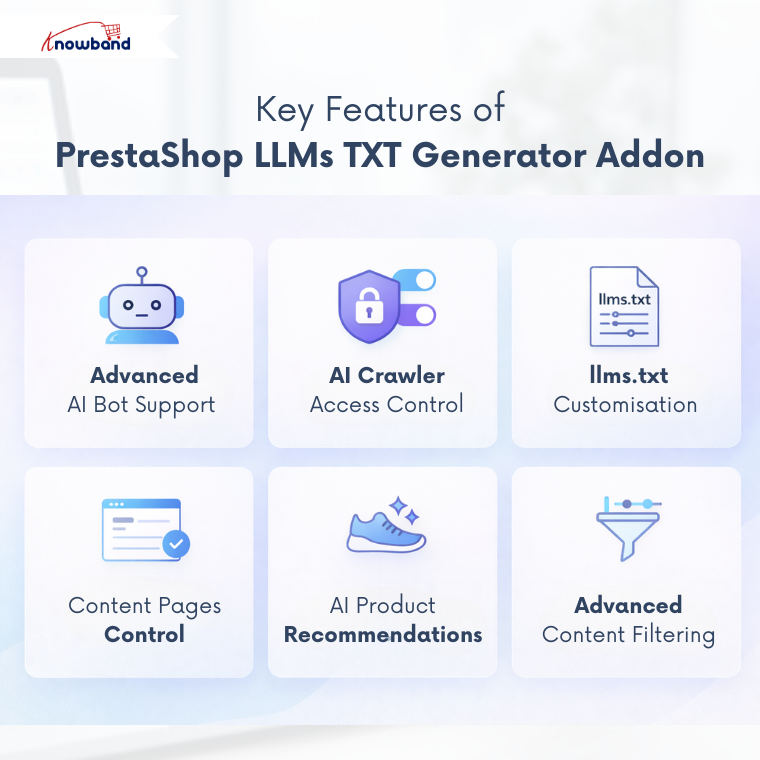
1.0.0 Key Features of OpenCart LLMs TXT Generator Extension
Support for Advanced AI Model Bots
This OpenCart extension supports access for multiple advanced AI crawler bots used by modern AI answer engines and generative AI search platforms, including:
- DeepSeekBot
- GPTBot
- Anthropic AI
- PerplexityBot
- Google-Extended
Supporting these AI bots ensures compatibility with AI product discovery and ChatGPT product recommendations.
AI Crawler Access Control
The Knowband OpenCart LLMs TXT Generator Extension allows administrators to control which AI crawlers can access store content via the llms.txt file.
Customisation of llms.txt File
The OpenCart LLMs TXT Generator Add-on by Knowband allows store admins to add additional content to the llms.txt file.
Customisation options are available for:
- Store descriptions
- Product llms.txt entries
- Category product llms.txt entries
- CMS page llms.txt entries and more
Access Control for Content Pages
This feature allows admins to choose which content pages—such as product pages, category pages, and CMS pages—should be included in the llms.txt file.
This ensures AI engines generate accurate responses and access only the selected content.
Product Recommendation Compatibility
The OpenCart LLMs TXT Generator Add-on is built to support evolving AI search and AI product recommendation systems. By generating a structured llms.txt file with clear instructions, your store content remains aligned with next-generation AI answer engines like ChatGPT and other recommendation platforms.
Content Filtering
The Knowband OpenCart LLMs TXT File Generator allows store admins to filter and select specific products, categories, and CMS pages for inclusion in the llms.txt file.
This provides complete control over what data is made available for AI product discovery, AI crawler indexing, and generative AI search.
2.0.0 Installation Guide for Knowband Opencart LLMs TXT Generator Addon
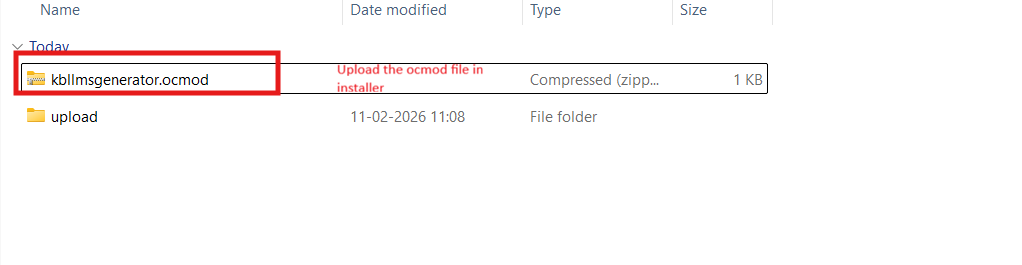
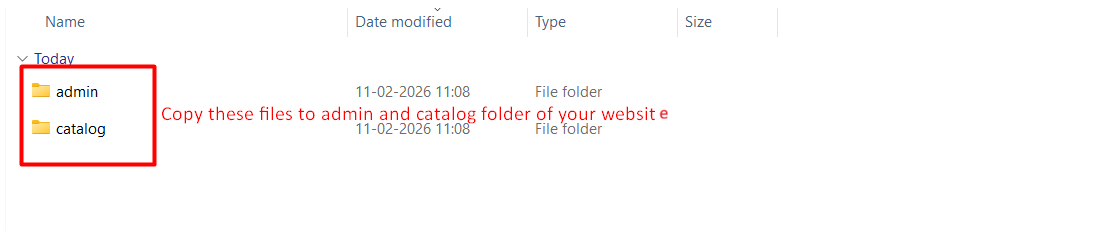
3.0.0 Backend/Admin Panel of Opencart Product Recommendation by ChatGPT Extension
3.1 General Settings

- Enable/Disable Extension:
This option in the llms.txt file generator for AI is used to enable or disable the functionality of the Opencart LLMs.txt Generator Extension. - Store Name:
Store admins enter their store name in this field. This Opencart LLMs.TXT Generator Extension also supports the languages that are added in the store. - Store Description:
This field is used to add the store description to the llms.txt file generated by the Extension. Furthermore, it helps to describe the store and its catalogue based on the provided content. - Product Batch Size:
This field in the Opencart LLMs txt File Generator Addon allows you to define how many products are processed per batch during cron execution. By default, 30 products are processed in one batch. - Category Batch Size:
This field of category batch size allows the cron to process a specified number of categories per batch. - CMS Batch Size:
This field allows the cron to process CMS pages per batch. By default, 5 CMS pages are processed in one batch during cron execution in the Extension. - Cron Execution (Batch Processing): This cron job in the Opencart LLMs TXT generator runs in batches. Each execution processes one batch only, for products, categories and CMS pages. After updating settings like general settings, content filtering and customisation of files, running the cron is necessary to reflect any changes.
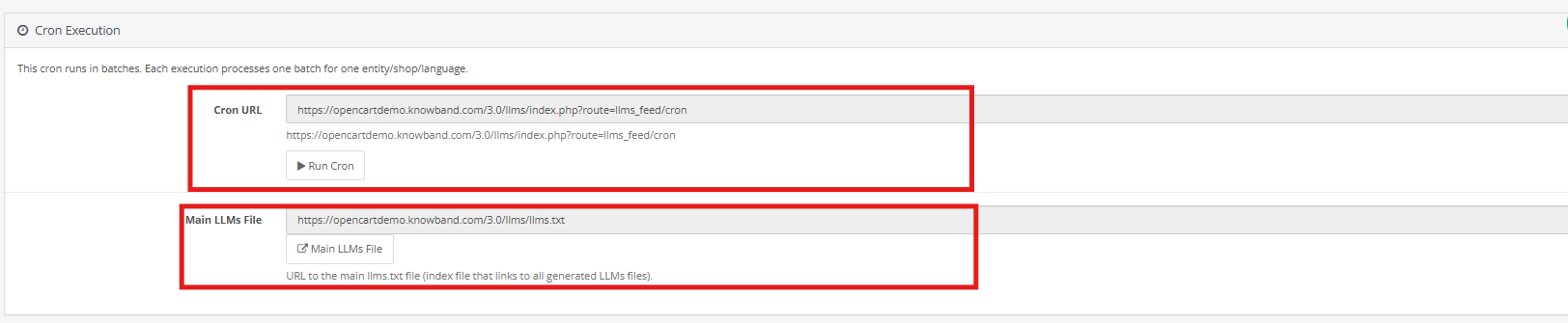
3.2 Crawlers Setting
This crawler setting in Opencart LLMS TXT Generator allows the store owners to manage the AI model’s bots like GPTbot, Google Extended Gemini Bot, DeepSeek and many more
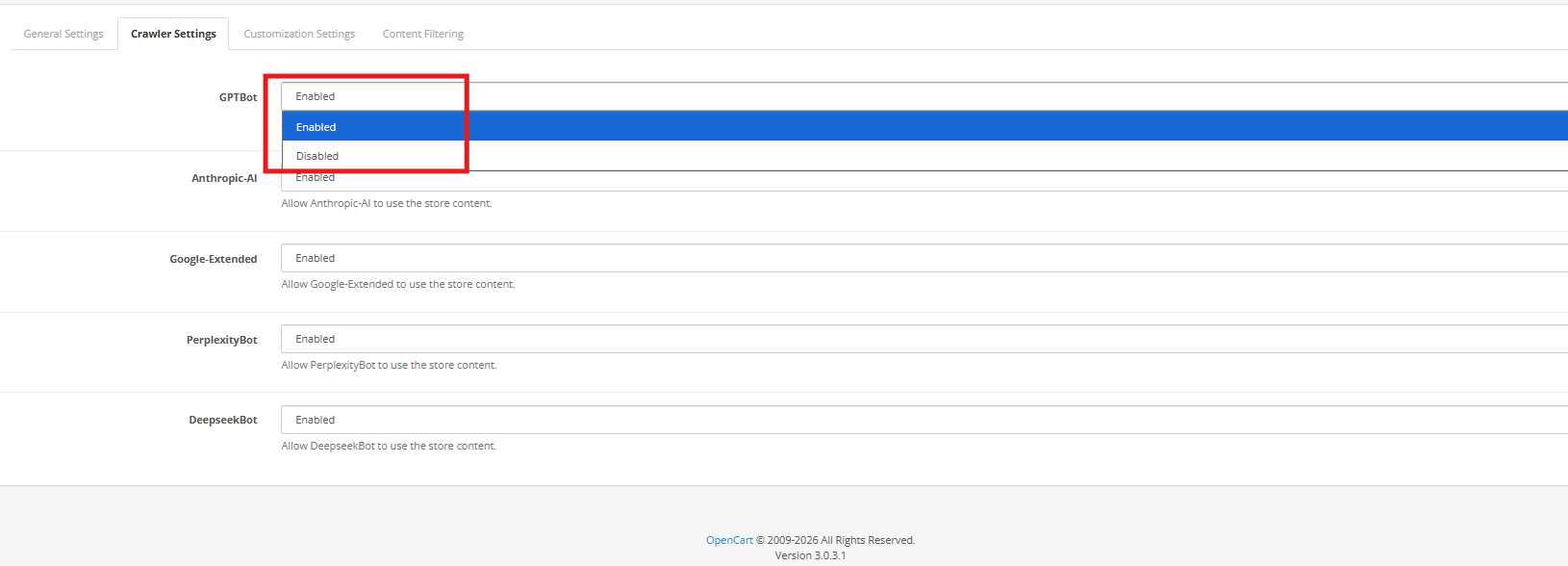
GPTBot: AI Crawler of OpenAI ChatGPT, collects the data to train the ChatGPT AI Models. You can allow or disallow this using the
DeepseekBot: AI crawler bot of deepseek which gathers public web data of the store to train and refine DeepSeek’s large language models
Google-Extended: This Google’s AI-specific crawler (separate from Googlebot) allows the collection of content specifically for training Google’s AI models (like Gemini),
PerplexityBot: This web crawler of perplexity AI is used to fetch up-to-date web content to generate cited answers and summaries
Anthropic-AI: This web crawler of Anthropic is used to collect public web data to train and improve Claude AI models. You can enable or disallow all the AI Crawler bots.
3.3 Content Filtering

The Content Filtering functionality enables store administrators to decide exactly which store data is included in the generated llms.txt file. This gives you full control over the information shared with AI crawlers and answer engines, ensuring that only meaningful and approved content is exposed while private or irrelevant data remains excluded.
1. Shop Context
The Shop Context setting is designed for OpenCart installations with multiple stores. It allows administrators to select a specific store and generate a dedicated llms.txt file for that shop. Each store can have its own configuration, ensuring accurate and store-specific content generation.
2. Product Details
The Product Details filter determines which products appear in the llms.txt file. Store owners may include all products or restrict the selection based on business needs. Options include adding only active products, featured items, or manually selected products, while excluding others from being shared.
3. Category Details
The Category Details filter helps manage category-level content. Administrators can choose which categories should be included, allowing inactive or unnecessary categories to be excluded. This keeps the file well-structured and focused on relevant store data.
4. CMS Pages
The CMS Pages filtering option allows you to control which CMS pages are included in the CMS llms.txt file. This is useful for preventing internal, draft, or temporary pages from being shared, while still making essential pages such as policies and informational content available to AI platforms.
3.4 Customization
The Customization features of the OpenCart LLMs.txt Generator allow store owners to add additional context to the generated llms.txt files. These options help enhance product, category, and CMS information with helpful notes, improving how AI crawlers interpret your store content.
1. File Boundaries Customisation
The File Boundaries option allows you to insert custom text at the beginning and end of the llms.txt file. This can be used to add general instructions, notes, or explanations without altering the core store data, helping crawlers understand the file structure more clearly.
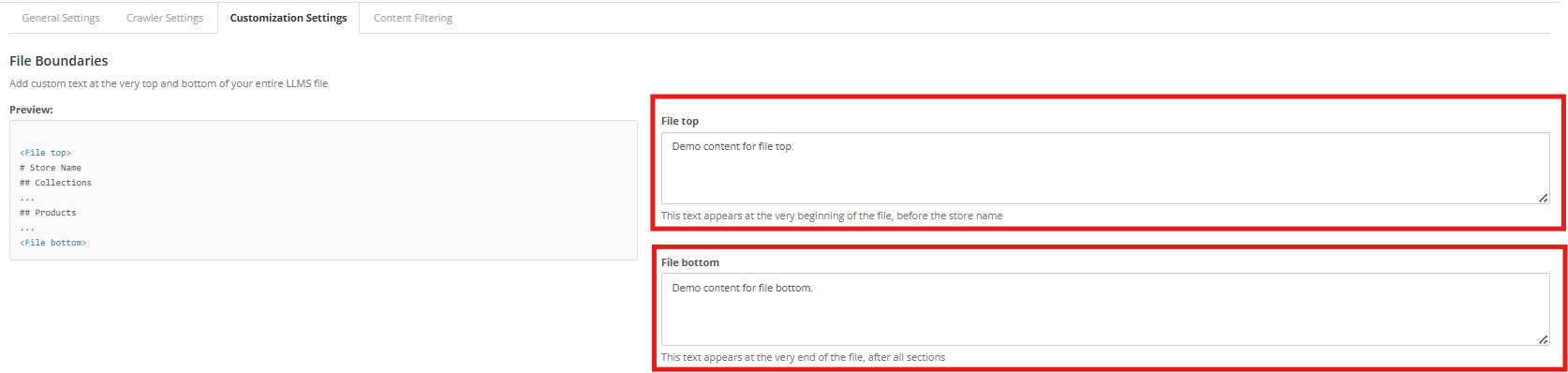
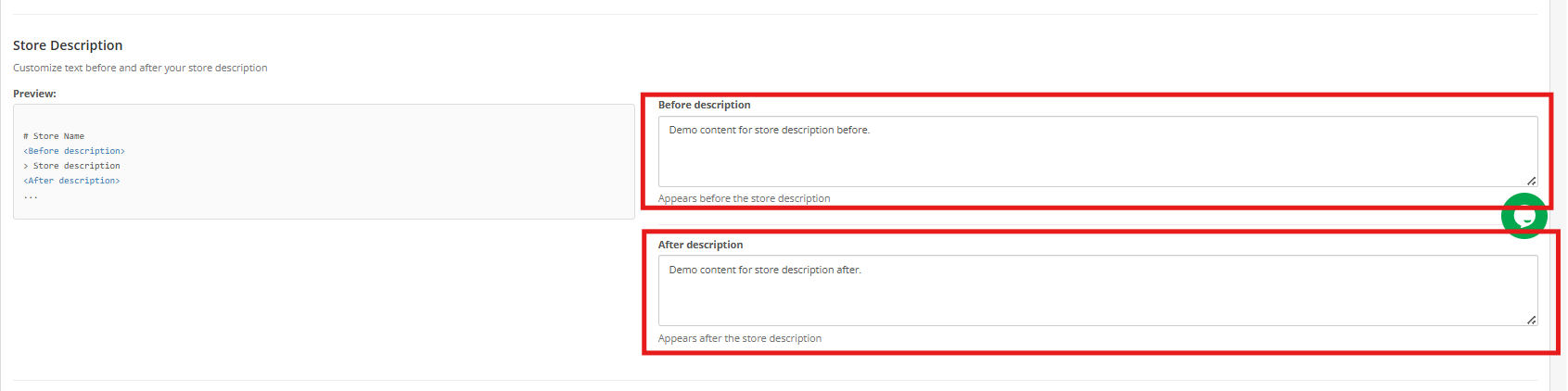
2. Store Description
The Store Description customisation lets you add content before and after the store description section in the llms.txt file. This helps define your store’s purpose, key offerings, or any special instructions, making it easier for AI-driven platforms to generate accurate responses related to your business.
3. Category Section Customisation
With Category Section Customisation, store owners can add explanatory text before and after the categories section. This is useful for clarifying category organization, naming patterns, or relationships, allowing crawlers to interpret category data more accurately.

4. Product Section Customisation
The Product Section Customisation feature allows you to include additional notes before and after the product details section. These notes can provide general product-related guidelines or context without modifying the actual product information, improving AI understanding and recommendations.

5. CMS Pages Section Customisation
The CMS Pages Section Customisation option enables administrators to add contextual notes around the CMS pages section. Since CMS pages often contain key information such as policies, FAQs, and shipping details, this added context helps AI systems better interpret non-product content.

Pro Tip:
Maintain strong SEO practices across your product, category, and CMS pages to improve visibility on AI-powered search platforms. As AI technology advances, your store should evolve with it—use this extension to ensure AI models can accurately understand and recommend your business.