
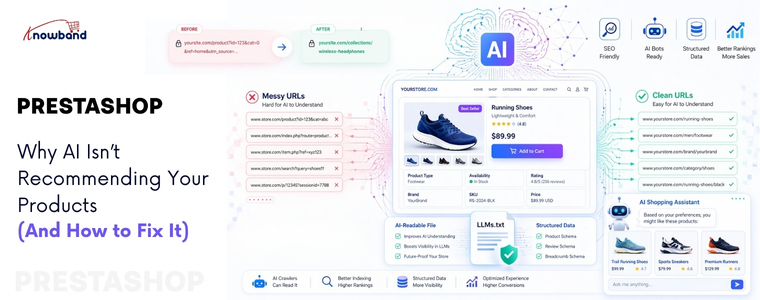
Direct answer: AI usually ignores your products when your data lacks structure, your URLs confuse crawlers, and your website fails LLM protocols. Use a PrestaShop llms.txt generator and clean URLs to improve AI visibility and increase your chances of being surfaced in answers.
Understanding the Real AI Visibility Problem
Most merchants blame spammy backlinks for the real AI visibility from LLMs. However, that misses the point. AI models like ChatGPT, Gemini, and Claude read your site differently than Google does. They need explicit instructions from your content. Additionally, they require clean URLs and structured text files.
Your product may rank on Google. Yet, that does not guarantee AI visibility. These two systems operate separately. Therefore, you need a dedicated strategy for large language models on your PrestaShop store.
Why Traditional SEO Fails for LLMs
- Googlebot crawls JavaScript. LLMs do not.
- Keywords matter to search engines. Structure matters to AI.
- Backlinks build domain authority. Meanwhile, clean data builds machine trust.
A furniture store ranked #2 for “office chair” on Google. Nevertheless, ChatGPT never recommended their products. Why? Their URLs contained random numbers. Additionally, their site lacked an LLMs.txt file. Consequently, AI could not fetch the information to their systems.
Step-by-Step Fixes to Regain AI Recommendations
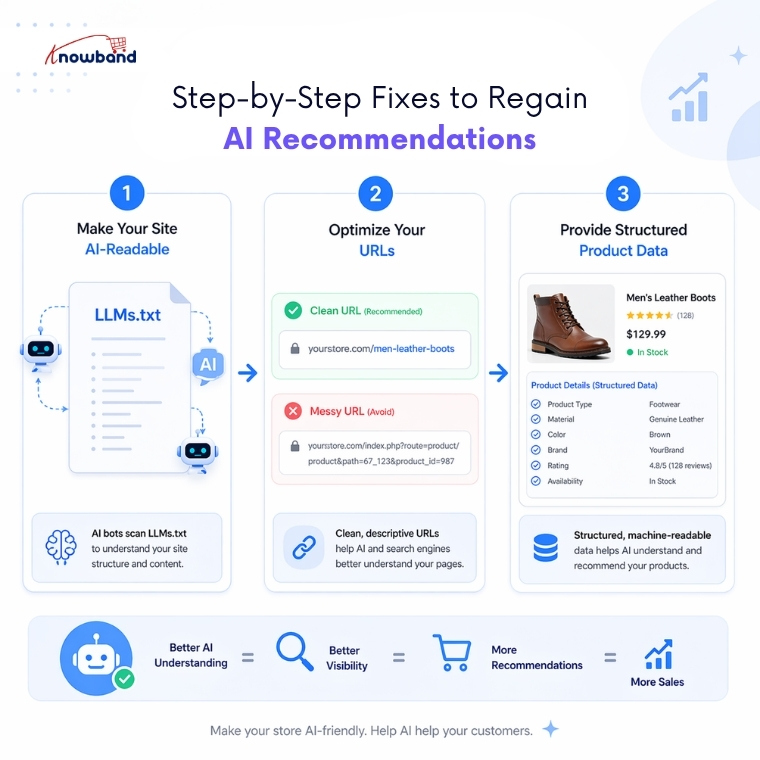
Follow these three steps. Each targets a specific LLM requirement for your PrestaShop store.
Step 1: Deploy an LLMs.txt File Immediately Using the Knowband Prestashop LLMS.txt File Generator
Use a PrestaShop llms.txt file generator addon to generate an llms.txt automatically to create a machine-readable map of your store. This file helps AI systems locate key pages faster
How to create LLMs.txt for PrestaShop:
- Download the PrestaShop LLMs.txt Generator Module
- Add the store details in the configurations
- Select the crawlers of LLMs models like gptbot, Claude Anthropic bot, DeepSeek bot, and many more which you want to be active
- Select the content that you want to add on the LLMs.txt file, e.g., specific products, categories, or CMS pages
- Run the cron job. Your LLMs.txt file will update automatically on the server
Practical example: An electronics retailer, Eddie Sales, added an LLMs.txt file pointing to 500 product pages. Within one week, Claude and Perplexity started recommending their electronic items. As a result, AI traffic increased by 180%.
Step 2: Optimise Every URL for AI Parsing
AI models read URL content. They extract meaning from slashes and words. For instance, a URL like /p?id=3847 tells AI nothing. In contrast, a URL like /men-leather-boots-brown-size-10 tells AI everything.
How to optimize PrestaShop URLs:
- Download the PrestaShop SEO URL Optimizer Module
- Remove product ID, category ID, and supplier ID from the URLs of the catalog
- Remove .html from the URLs of the catalog
- Manage duplicate URL rewrite products
Example before optimization:
https://psm.knowband.com/urlcleaner/16/en/casual-dresses/3-printed-dress.html
Example after optimization:
https://psm.knowband.com/urlcleaner/16/en/casual-dresses/printed-dress.html
After enabling the remove product ID option, the module removes the product ID from the URL. Both product URLs become clean and identical. This PrestaShop SEO URL Optimiser Module offers three redirection options including 301, 302, and 303 to the store owner.
Step 3: Write Product Data for Machine Consumption
LLMs prefer bullet points over paragraphs. Moreover, they value consistency over creativity. Write every product description as structured data first. Then, add human-friendly text second.
Machine-ready product format in product description from the backend:
- Start with a one-sentence summary
- List five to seven attributes as bullet points
- End with a use-case statement
For example, a kitchenware brand rewrote 200 product descriptions. Each followed the same template. Each included material, dimensions, care instructions, and best use. As a result, AI recommendations tripled within two weeks.
Advanced AEO and GEO Strategies
Answer Engine Optimisation (AEO) and Generative Engine Optimization (GEO) require different tactics than traditional SEO. Therefore, apply these three techniques immediately on your PrestaShop store.
Use Direct Answers Above Product Descriptions
Place a 40–60-word direct answer at the top of every product page. Answer one specific question. For example, “What problem does this solve?” or “Who should buy this?” AI models extract these answers for featured snippets and voice search.
Build Internal Linking with Descriptive Anchor Text
LLMs follow links to understand relationships. Hence, use anchor text like “see our waterproof jackets” instead of “click here.” This teaches AI the context between products in your PrestaShop catalogue.
FAQ
Q1: What exactly is an LLMs.txt file?
A plain text file that lists your website’s most important pages. AI models can use it to better discover and understand your PrestaShop content.
Q2: How does PrestaShop SEO URL optimisation affect ChatGPT recommendations?
ChatGPT and similar AI systems use URL structure as a context signal. Clean, descriptive URLs help them understand product categories and attributes more clearly.
Q3: Can I use my existing sitemap.xml instead of LLMs.txt?
No. A sitemap.xml helps search engines, while an LLMs.txt file is a simpler, emerging format aimed at improving AI accessibility and content discovery.
Q4: How often should I update my LLMs.txt file?
Update it whenever you add or remove products. Weekly updates work well for most stores, while large catalogs may benefit from daily updates.
Q5: Will fixing URLs hurt my existing Google rankings?
No, if you use proper 301 redirects. Search engines typically handle this smoothly, and rankings stabilize over time.
Q6: Which AI crawlers should I enable in the LLMs.txt generator?
Enable GPTBot, Claude (Anthropic bot), PerplexityBot, and DeepSeek bot. You can also include Google-Extended for Google’s AI systems.
Conclusion
AI ignores your PrestaShop products for one clear reason. You have not made your site readable for language models. Google rankings no longer guarantee AI visibility. Therefore, deploy an LLMs.txt file using the PrestaShop LLMs.txt Generator Module today. Moreover, optimise every URL with the PrestaShop SEO URL Optimiser Module. Finally, write product data as structured answers. These three actions take one weekend. Yet, they have delivered AI recommendations for years. Instead, start building for LLMs. Your PrestaShop products deserve a place in every AI answer.
