
Tag: database management app
Barcode To Sheet : FAQs
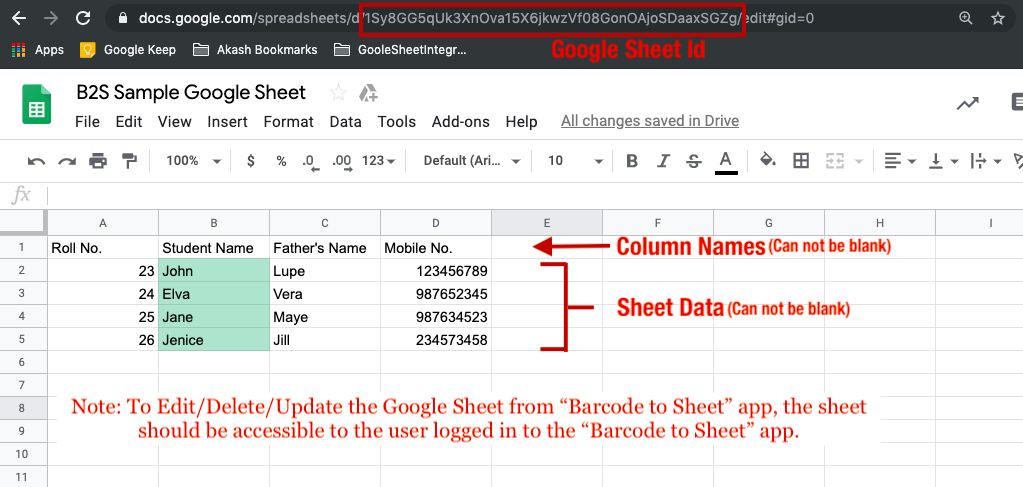
#1 What is Google Sheet Id?
The Google Spreadsheet ID is the value between the “/d/” and the “/edit” in the URL of the sheet. You may even use this ID to generate an online QR Code and use the same to import sheet on the app.
#2 Can we create 2 sheets with the Same google sheet Id?
Yes, you can create 2 sheets with the same Google Sheet ID in the Barcode To Sheet App.
#3 Which Android/iOS version does application supports?
It supports Android Version 4.2 and above while for iOS, it supports from version 9 onwards.
#4 Can I create custom forms and columns for the sheets?
This is one of the best features of the application. You can always create the number of columns in the sheets in the desired way. Apart from this, you can also choose the data type in order to avoid making wrong entries in the system.
#5 Can I try before I buy it?
Yes, the application is completely free of cost to download and use. You will have to pay to use advanced features in the application such as dropdown and radio button options. We even provide a 5-day trial for the subscription in order to let the user evaluate the services before paying.
#6 Can I change my subscription plan later?
Yes, the subscription plans can be changed anytime you want. Just click on the cart icon in the header in the Enterprise Tab of the application. You will see a list of available subscriptions that you want to subscribe too. Once the plan has been changed then the users will get the benefit of the same subscription plan only.
#7 Can I use this application in the corporate environment?
Yes, the application can be used in the corporate environment without any sort of restrictions. In fact, this particular application intended to be used from individuals, small-scale industries to large corporates. Anyone can use the application without any restrictions on usage as per the different services offered in the application.
#8 Which Barcode Types are supported by the application?
The application allows you to scan, read or capture any of the major code scanning systems. This may include QR code scanning, ISBN scanning, EAN-13, EAN-8, UPC-A, UPC-E, URL scanning, Product Attributes, Calendar events and much more.
#9 How can I create a new sheet?
Creating a sheet in Barcode To Sheet App is way facile. You can simply add sheet title, columns and create a sheet. Once the sheet is created, data can be entered as per the available columns.
#10 Differences between Pro, Pro+ and Enterprise versions.
Please check our Pricing section for the differences between the various versions available in the Barcode To Sheet App:
https://www.knowband.com/blog/b2s-pricing/
#11 Can I use picture Pack in Enterprise version?
No, the picture pack can only be used in the Pro+ version of Barcode To Sheet Application.
#12 Not able to get Data from google sheet.
The users who have access to edit data in the sheet can only add or edit data from the sheet. In case you are not getting any data from the sheet you need to confirm that the user entering the data in the sheet has access.
#13 Can I validate the data imported from Google Sheet?
Right now, we don’t have the functionality to validate the date from the sheet. You can create a blank sheet in-app from an online Google Sheet and edit the mobile sheet columns from “Edit Sheet” options. Once the validations are added, the data entered in the google sheet will also be validated.
#14 Can you apply google sheet formulas in the mobile App?
No, you can’t import a google sheet on the mobile app. Instead, you can add a new derived column on the Google Sheets so that when you enter the data in the sheet from the mobile app, it will be added in the google sheet along. The new column added only in Google Sheet (Not in the mobile app) will get calculated and will be reflected there (Not on mobile sheet).
Download App From:
For more info, visit our website or drop your message at support@knowband.com

Barcode To Sheet : Plans & Pricings
Do you find data entry to be a tedious and boring job? One method for creating unique forms and saving the data in CSV, XML, and Excel format is the Barcode to Sheet app. You can save the information in the sheet in a variety of formats using a barcode scanner. The free Barcode scanner makes it simple for eCommerce business owners to enter and maintain information about their products and services. The application is helpful for maintaining inventories and logistics as well.


Integrate Your PrestaShop Store with AI Chat Support
Boost engagement and conversions with instant AI replies, multilingual support, and real-time order updates.
Choose The Best Plan For Your Use:
Standard(Pro) Version :
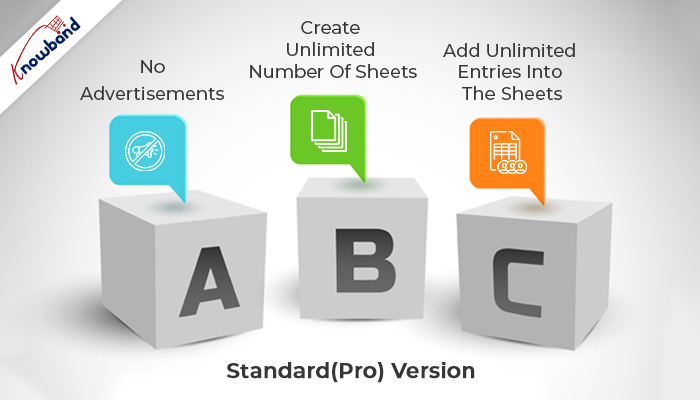
- No Advertisements
- Create Unlimited Number Of Sheets
- Add Unlimited Entries Into The Sheets
Pro+ Version : $9.99
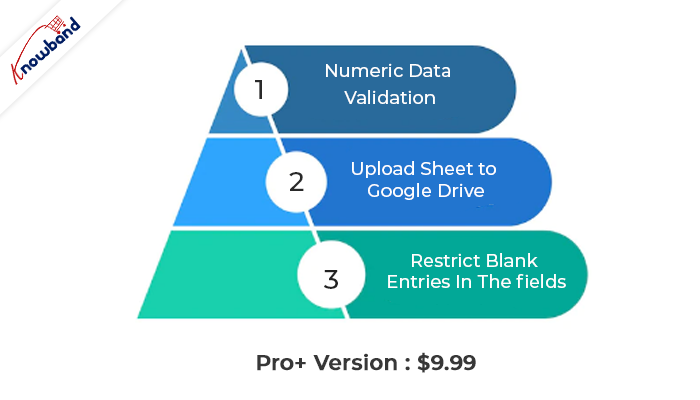
- No Advertisements
- Create Unlimited Number Of Sheets
- Add Unlimited Entries into The Sheets
- Restrict Blank Entries In The fields
- Numeric Data Validation
- Enhance Experience With Radio Button Options
- Upload Sheet to Google Drive
- **Options To Add Images To The Sheet (Add-on)**
- **Option To Add/Import/Export Google Sheet in App (Add-on)**
- Columns Type Available as Text, E-mail, Web, Latitude, Longitude
Enterprise Version :
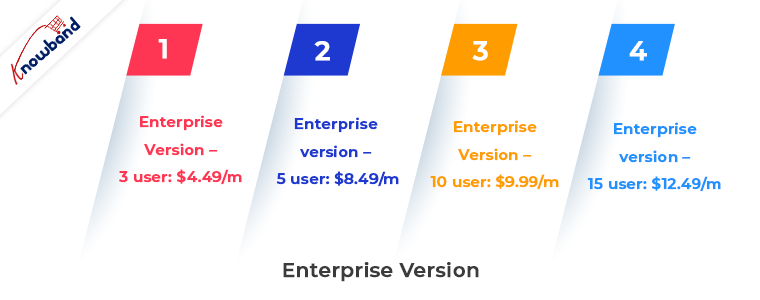
Enterprise version – 3 user: $4.49/m
Enterprise version – 5 user: $8.49/m
Enterprise version – 10 user: $9.99/m
Enterprise version – 15 user: $12.49/m
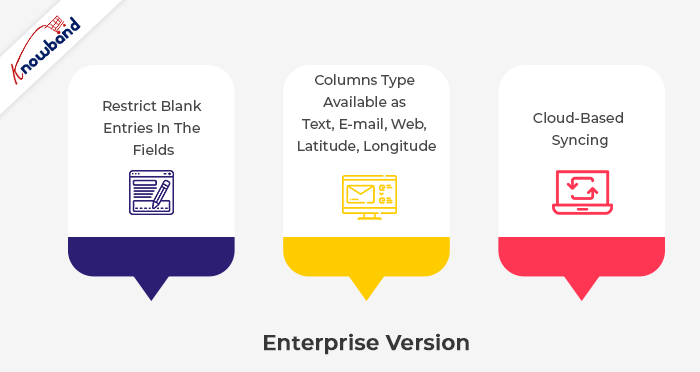
- No Advertisements
- Create Unlimited Number of Sheets
- Add Unlimited Entries Into The Sheets
- Restrict blank entries in the fields
- Numeric Data Validation
- Cloud-based Syncing
- Real-Time Data Modification In The Sheet
- Enhance Experience With Radio Button Options
- Upload Sheet to Google Drive
- Columns Type Available as Text, E-mail, Web, Latitude, Longitude
Download App From:
Additional feature:
- Downloading the spreadsheet to your SD card or emailing it from your phone
- Editing the row and column names as needed in the spreadsheet
- Editing manually scanned data; deleting columns at any time from the spreadsheet
- Copying the entire spreadsheet with or without the data.
Use in the eCommerce industry
The app can be used by owners of e-commerce stores to quickly and easily enter information such as ISBN, EAN-13, EAN-8, UPC-A, UPC-E, text, URLs, and product attributes.
Message us
Contact us at support@velsof.com if you need help, have a question, need assistance, or need custom modifications to suit your professional needs.
Please remember to leave us a review in the comments below.
For more info, visit our website.