The WooCommerce AI Content Generator Plugin is a powerful plugin designed to help WooCommerce store owners effortlessly create high-quality product content. By integrating the advanced capabilities of Claude AI, ChatGPT API, Gemini API, and DeepSeek, the plugin enables the generation of SEO-optimized product, category and CMS page descriptions, meta titles, and meta descriptions, all while maintaining a natural and authentic brand voice.
Moreover, the AI Content Generator for WooCommerce also functions as a robust, AI-powered plugin for seamless content creation across multiple languages. As a result, your store can connect with global customers and expand its reach without compromising quality or consistency.
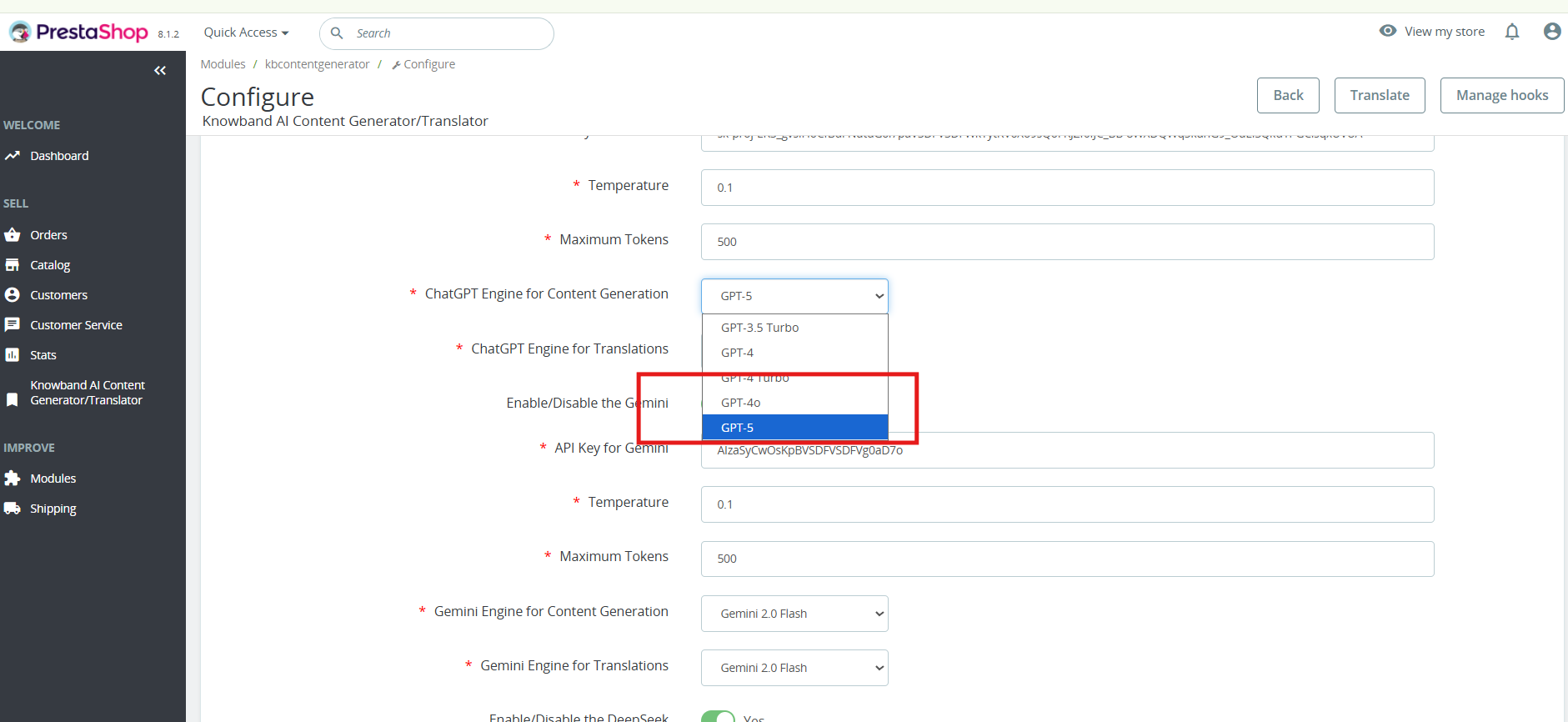
Furthermore, Knowband’s WooCommerce AI Generator Plugin offers a variety of AI Models for content generation. Store owners can select from ChatGPT options like GPT-3.5 and GPT-4.0; Claude models such as Haiku 3, Haiku 3.5, Sonnet 3.5 (Old), and Sonnet 3.5 (New); along with Gemini variants, including Gemini 1.5 Pro, 1.5 Flash, 1.5 Flash-8b, 2.0 Flash, and 2.0 Flash – Lite Preview. In addition, DeepSeek offers both chat and coder reasoner models.
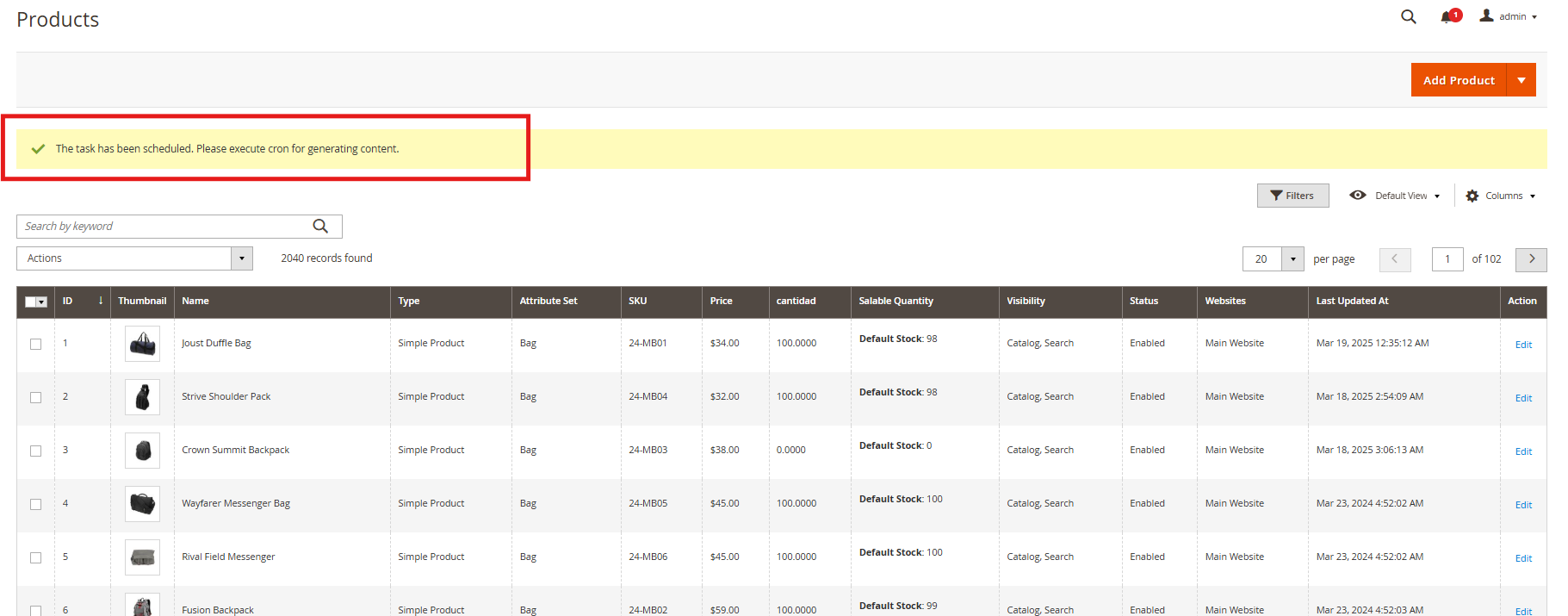
With support for bulk content generation, the plugin dramatically reduces the time and effort required for manual writing. Whether you’re creating content from scratch or updating existing product information, the WooCommerce AI Content Generator ensures accuracy, consistency, and speed.
Additionally, the WooCommerce SEO AI Content Generator plugin supports content generation for category pages and CMS pages, including About Us, FAQs, Shipping Policy, and more. This means you can create a fully optimized, content-rich WooCommerce store without needing to write manually. Whether launching a new store or updating an existing one, users can apply AI assistance to all key areas of their website.
1.0 Key Features of the WooCommerce AI Content Creation Extension
AI-Powered Content Generation
The WooCommerce Claude AI Content Generator Extension automatically creates high-quality product and category descriptions, meta titles, meta descriptions, and CMS page content by leveraging advanced AI technologies—including ChatGPT, Claude, Gemini, and DeepSeek. This ensures your entire store’s content is professional, engaging, and SEO-optimized.
Enhanced SEO Performance
All generated content follows best SEO practices, thereby improving your store’s search engine rankings and boosting visibility through strategic keyword placement and well-structured metadata.
Flexible AI Model Selection
The AI Content Generator for WooCommerce offers a wide variety of AI models for content creation. Store owners can choose from ChatGPT options like GPT-3.5 and GPT-4.0; Claude models including Haiku 3, Haiku 3.5, Sonnet 3.5 (Old), and Sonnet 3.5 (New); Gemini variants such as Gemini 1.5 Pro, 1.5 Flash, 1.5 Flash-8b, 2.0 Flash, and 2.0 Flash – Lite Preview; as well as DeepSeek Chat and Coder Reasoner.
User-Friendly Interface
Designed for ease of use, the extension provides an intuitive interface that allows store owners, regardless of technical experience, to generate professional, high-quality content quickly and effortlessly.
Bulk Processing Capabilities
Ideal for stores with large product catalogues, the WooCommerce DeepSeek AI Content Generator enables bulk content generation for multiple products simultaneously—saving both time and effort.
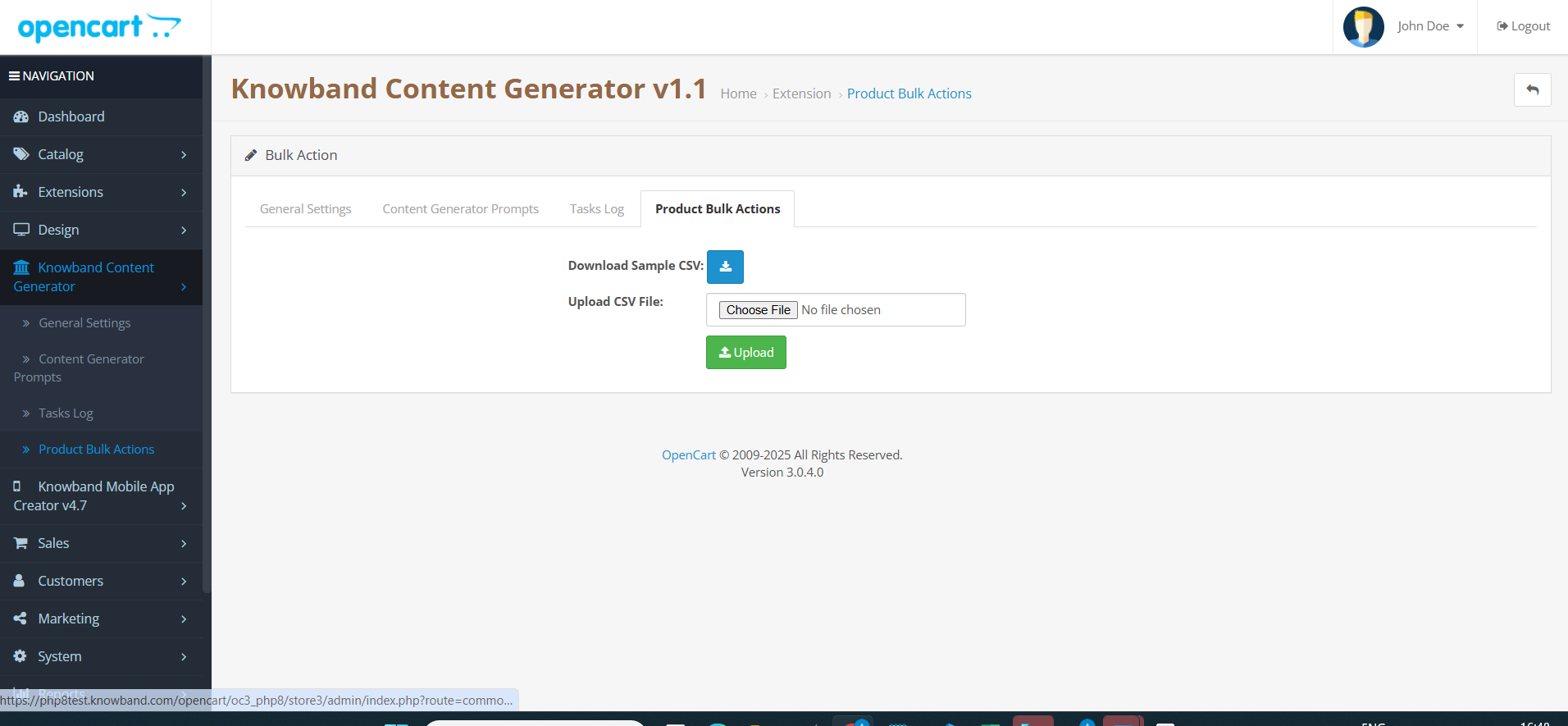
Additionally, it supports bulk CSV import, allowing users to upload files and select specific entries for AI-generated content creation or updating, which offers flexible and efficient content management.
Comprehensive Activity Tracking
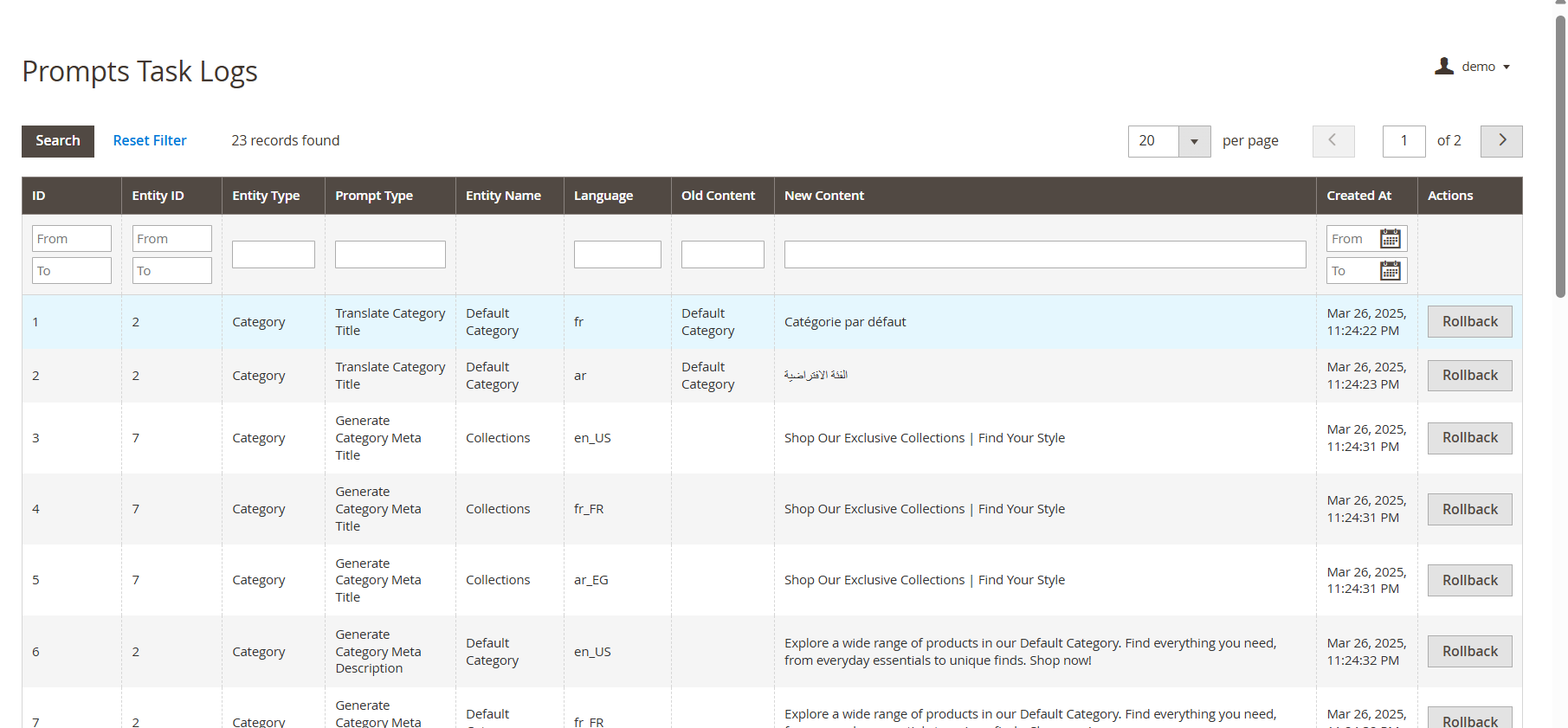
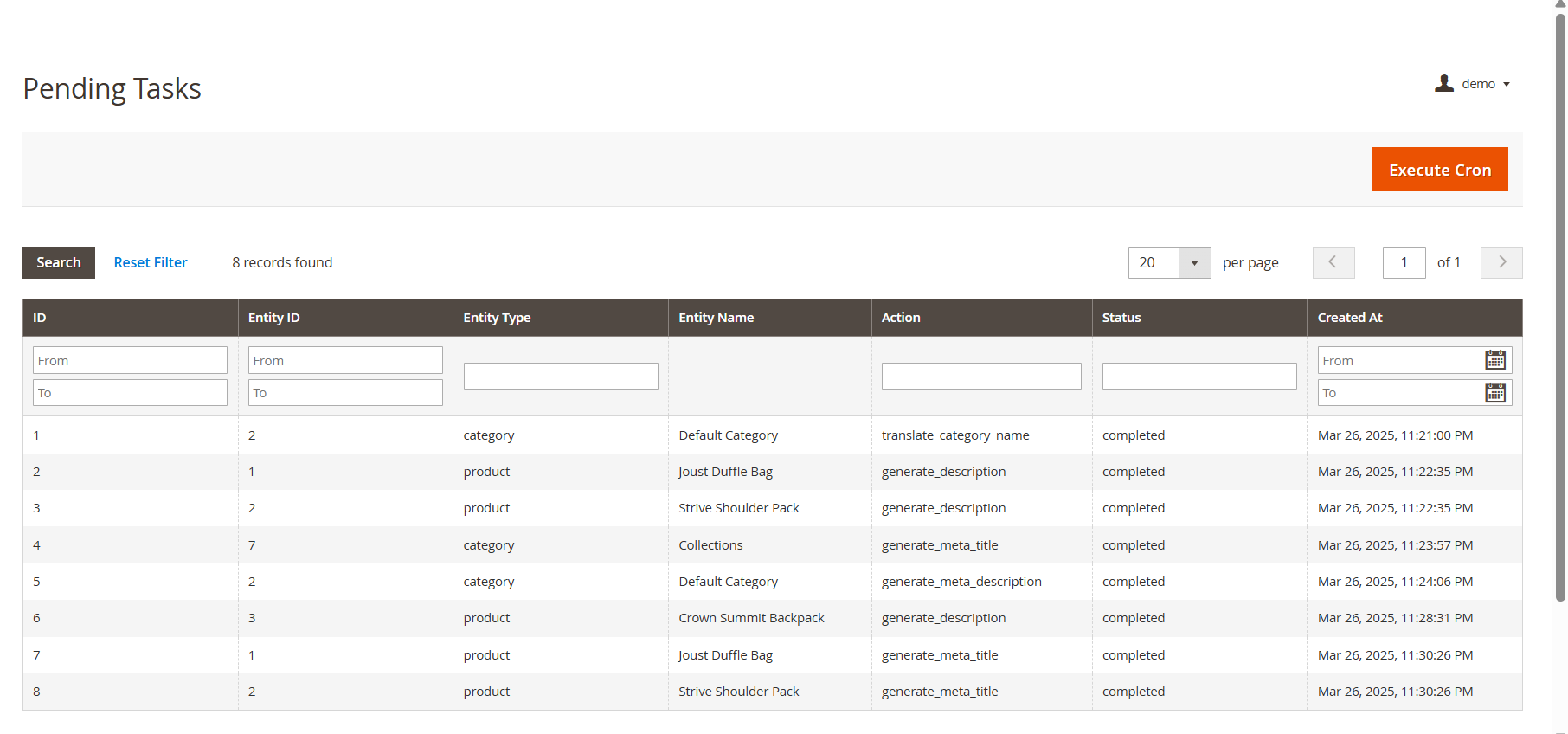
The plugin keeps a detailed log of all actions taken, including timestamps and summaries of changes. As a result, store owners benefit from transparency and easy tracking of content updates and modifications.
2.0 Benefits of WooCommerce AI Content Generator Plugin for E-Merchants
Time Savings
AI Product Description Generator WooCommerce quickly generates high-quality content in minutes, reducing manual writing efforts and freeing you to focus on your core business.
Improved SEO Performance
Create AI-optimized product content that follows SEO best practices to boost search engine rankings and organic traffic.
Superior Content Quality
Generate professional, engaging, and brand-consistent product descriptions that enhance your store’s credibility.
Cost Efficiency
Save on copywriting expenses by automating content creation with advanced AI technology.
Competitive Edge
Stay ahead by providing better, faster, and more accurate product information than your competitors.
Enhanced Customer Experience
Deliver clear, detailed content that helps customers make informed decisions and increases conversions.
Performance Monitoring
Track all AI-generated content changes with an activity log to review and improve your content strategy over time.
3.0. Installation Steps of the AI CMS Page Content Generator WooCommerce
Follow these simple steps to install the WooCommerce AI Content Generator Plugin on your WooCommerce site:
Step 1: Purchase the Plugin
Buy the WooCommerce AI Content Generator plugin from the Knowband store. After purchase, you will receive a zipped file containing the plugin’s source code.
Step 2: Access the WordPress Dashboard
Access your WordPress admin dashboard, then navigate to Plugins → Add New.

Step 3: Upload the Plugin
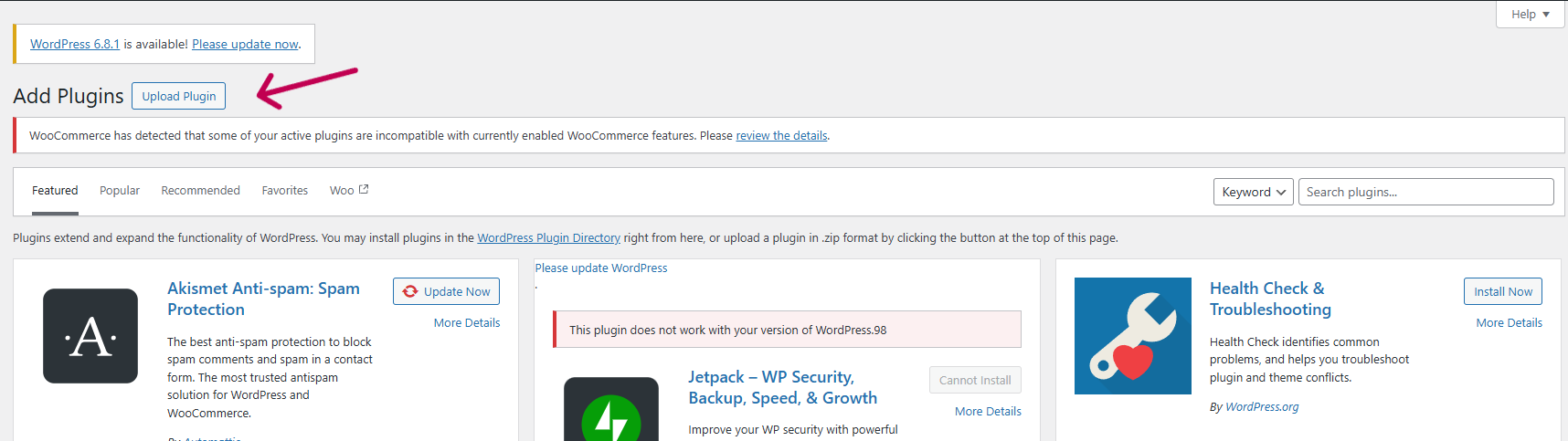
On the “Add Plugins” page, click the Upload Plugin button.
Step 4: Upload the File
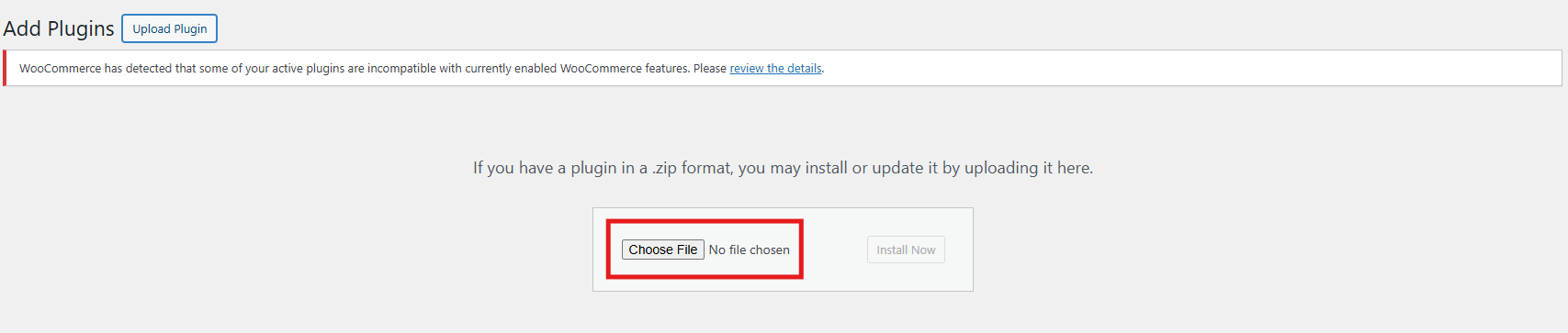
Click Choose File, select the zipped plugin file you downloaded, and upload it.
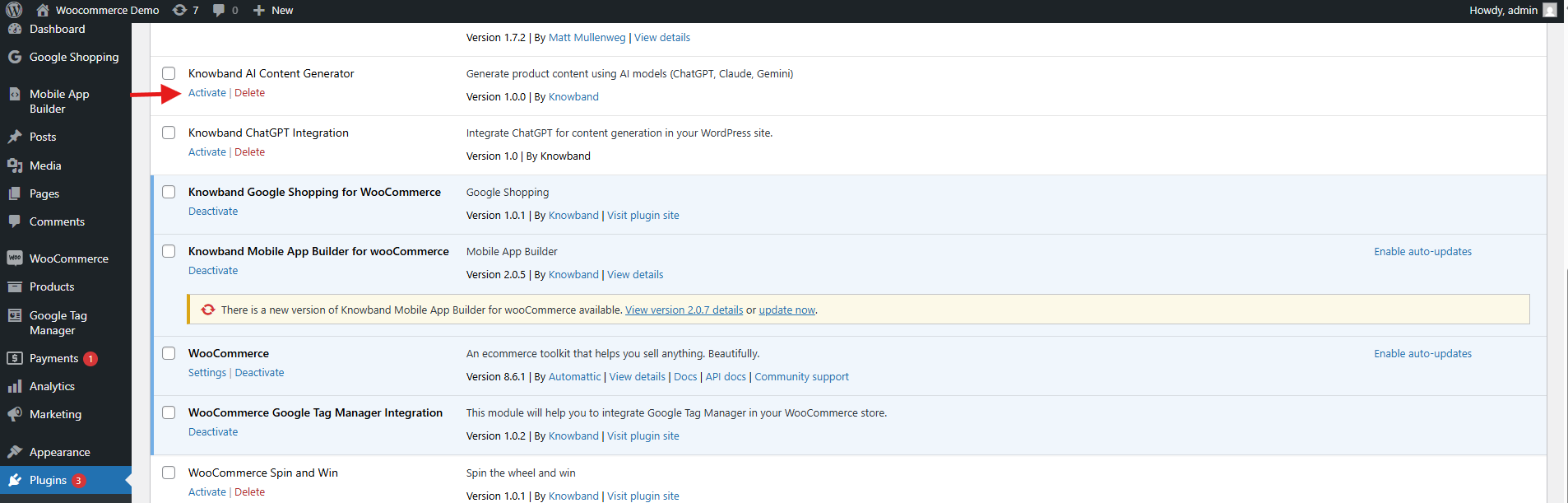
After the upload completes, click Activate Plugin.
4.0 API Key Generation
Steps to Generate Anthropic Claude API
- Visit Anthropic’s website, and click “Start Building”.
- Sign up for an account, and go to your Dashboard.
- Click on the Create key.

4. Copy the key and make sure to copy it.

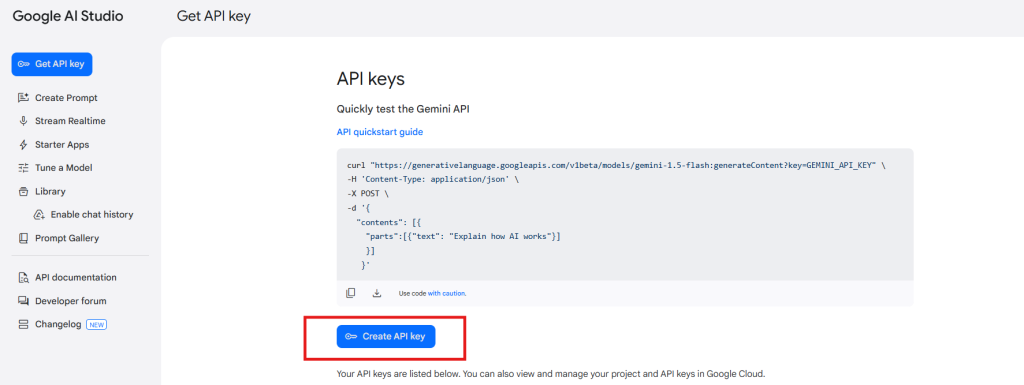
Steps to Generate Gemini API for AI Content Generator for WooCommerce
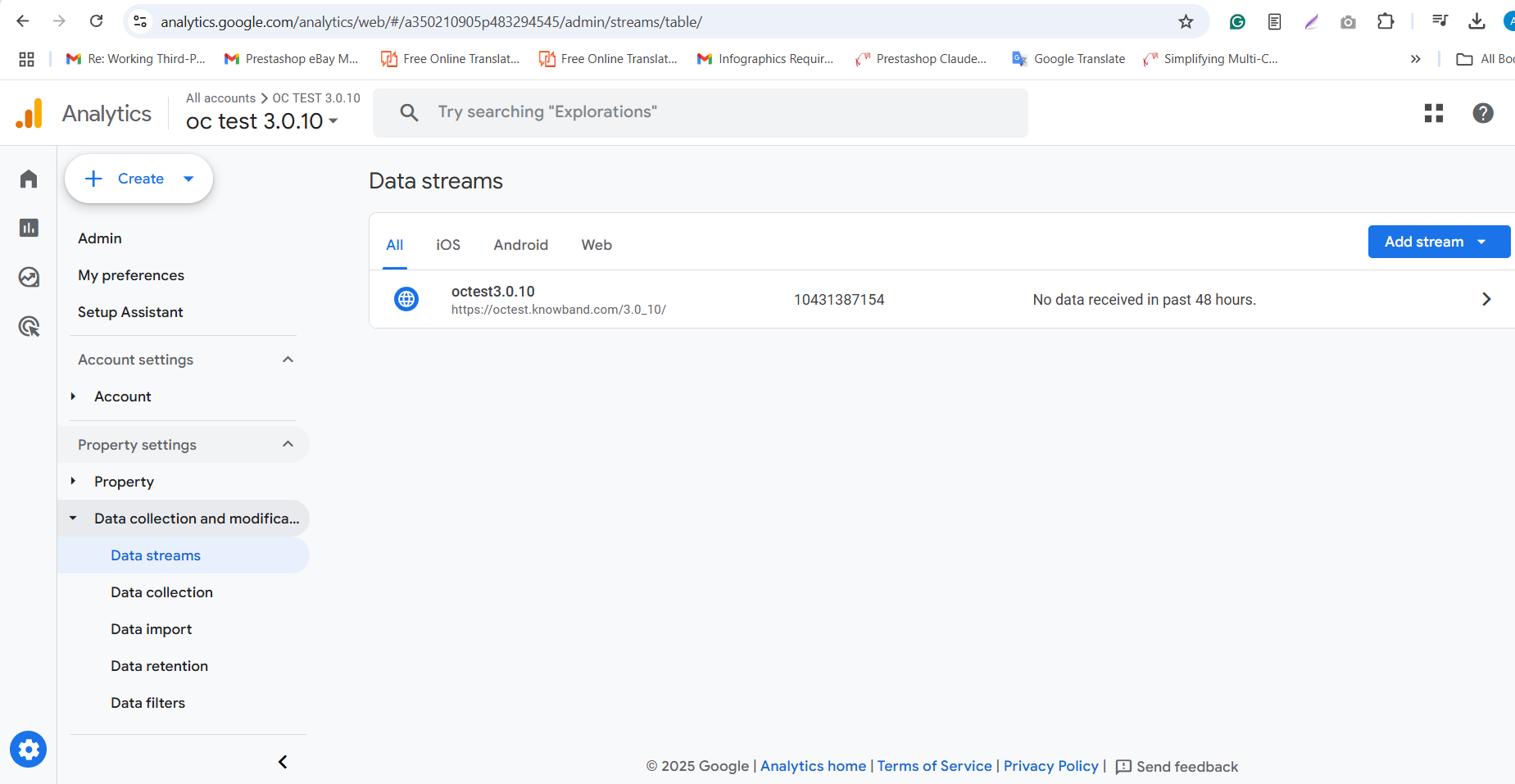
- Visit the Google AI Studio website.
- Create your API Keys by clicking ”Get API Key”.

3. Copy the Key for the Plugin.

Steps to Generate ChatGPT API Key for WooCommerce AI Content Generator
- Go to OpenAI’s website and sign in.
- Create your API Key by clicking Create API Key.

3. Make sure to copy the key immediately and store it safely.

DeepSeek API Content Generation Steps
Follow these steps to generate content using the DeepSeek API within the WooCommerce AI Content Generator plugin:
Step 1: Get Your DeepSeek API Key
- Register or log in to your DeepSeek account at their official website.
- Navigate to the API section and create or copy your unique API key.

3. Copy the API key to enable the functionality of DeepSeek AI Engine in WooCommerce AI Content Generator Plugin

4. Copy the DeepSeek API key for the OpenCart AI Content Generator Extension
4.0.0 Admin Interface of Knowband’s WooCommerce AI Content Generator Plugin
4.0.1 General Settings of WooCommerce Claude AI Content Generator
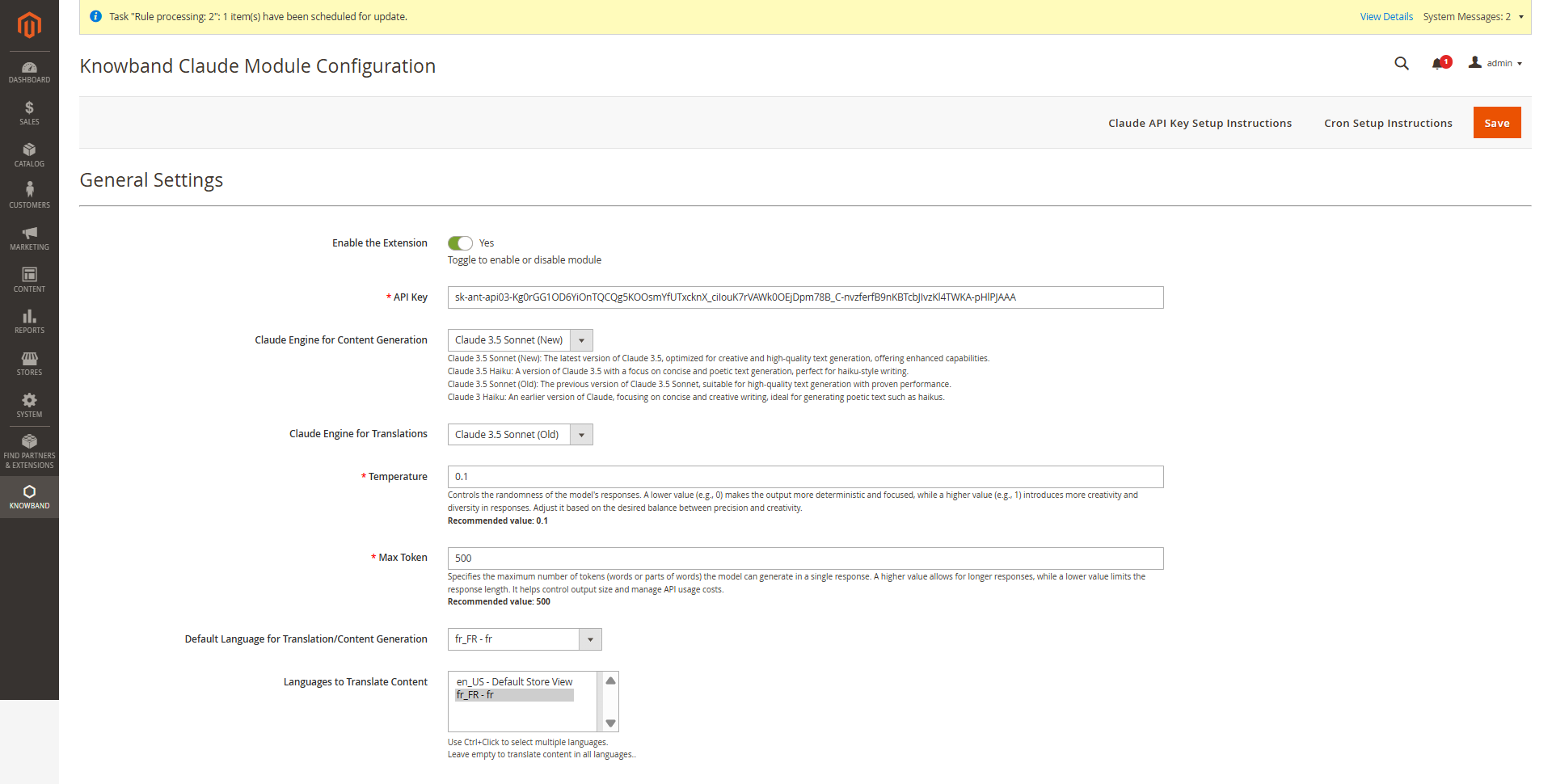
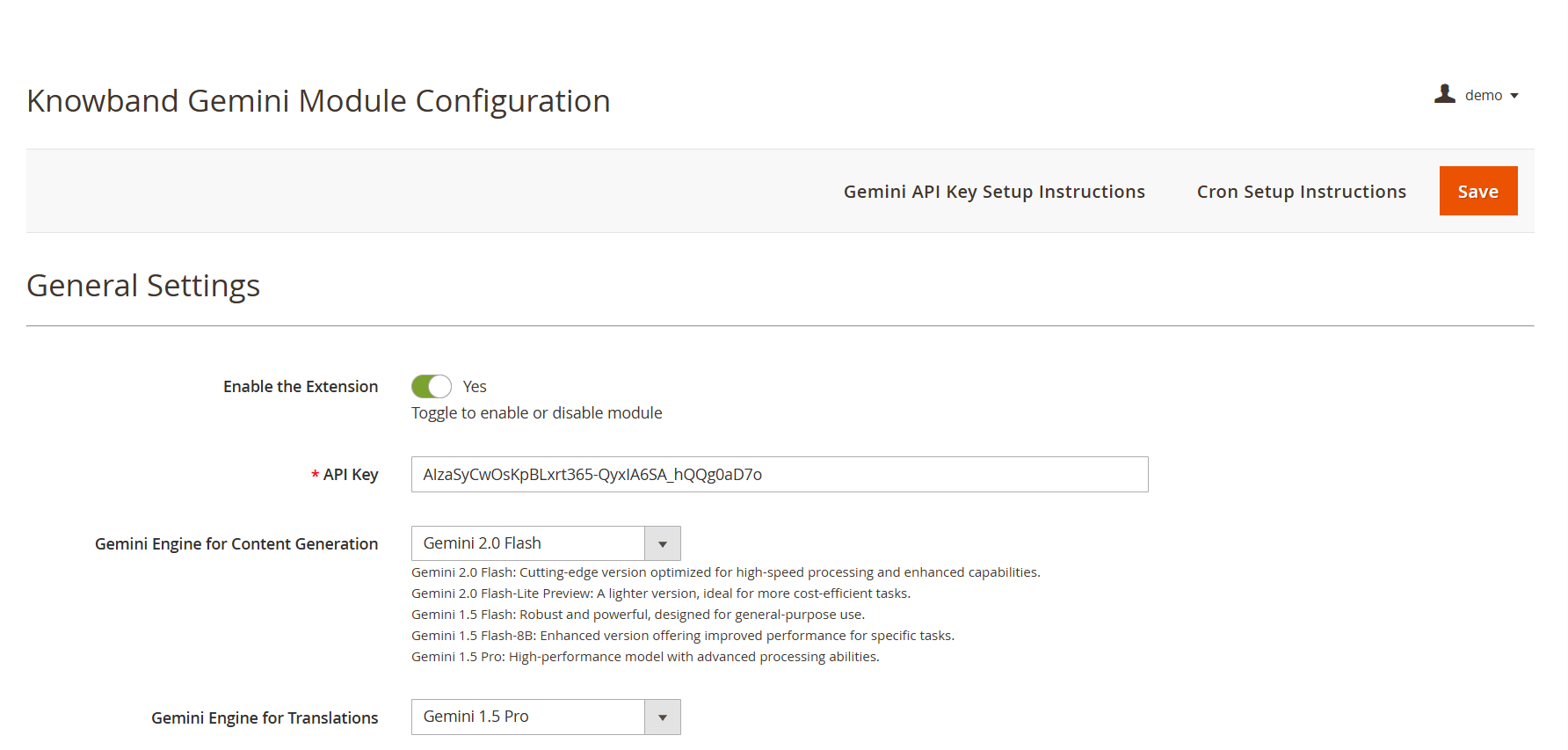
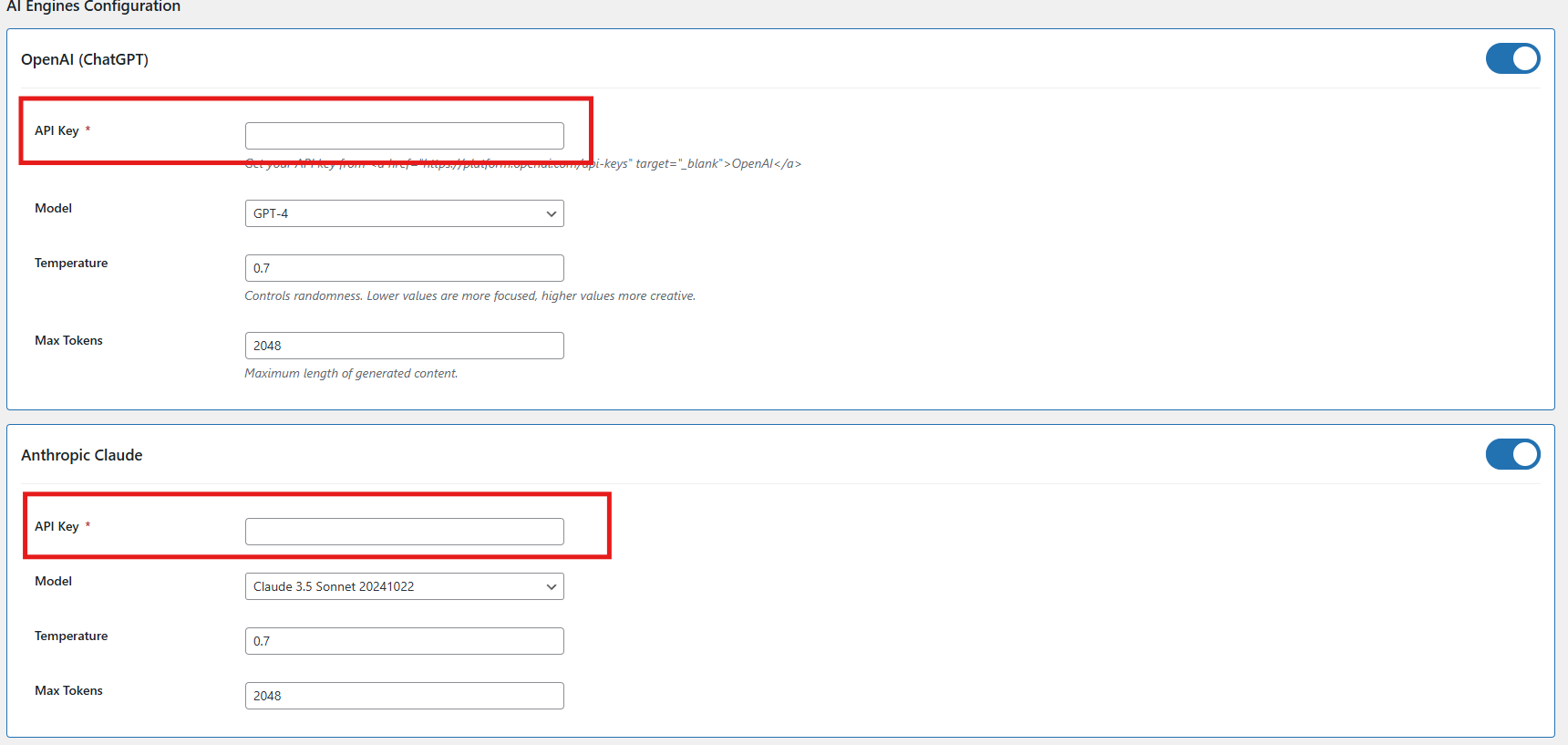
The WooCommerce Bulk AI Content Generator Extension allows store admins to customize AI settings and efficiently handle large-scale content generation tasks.

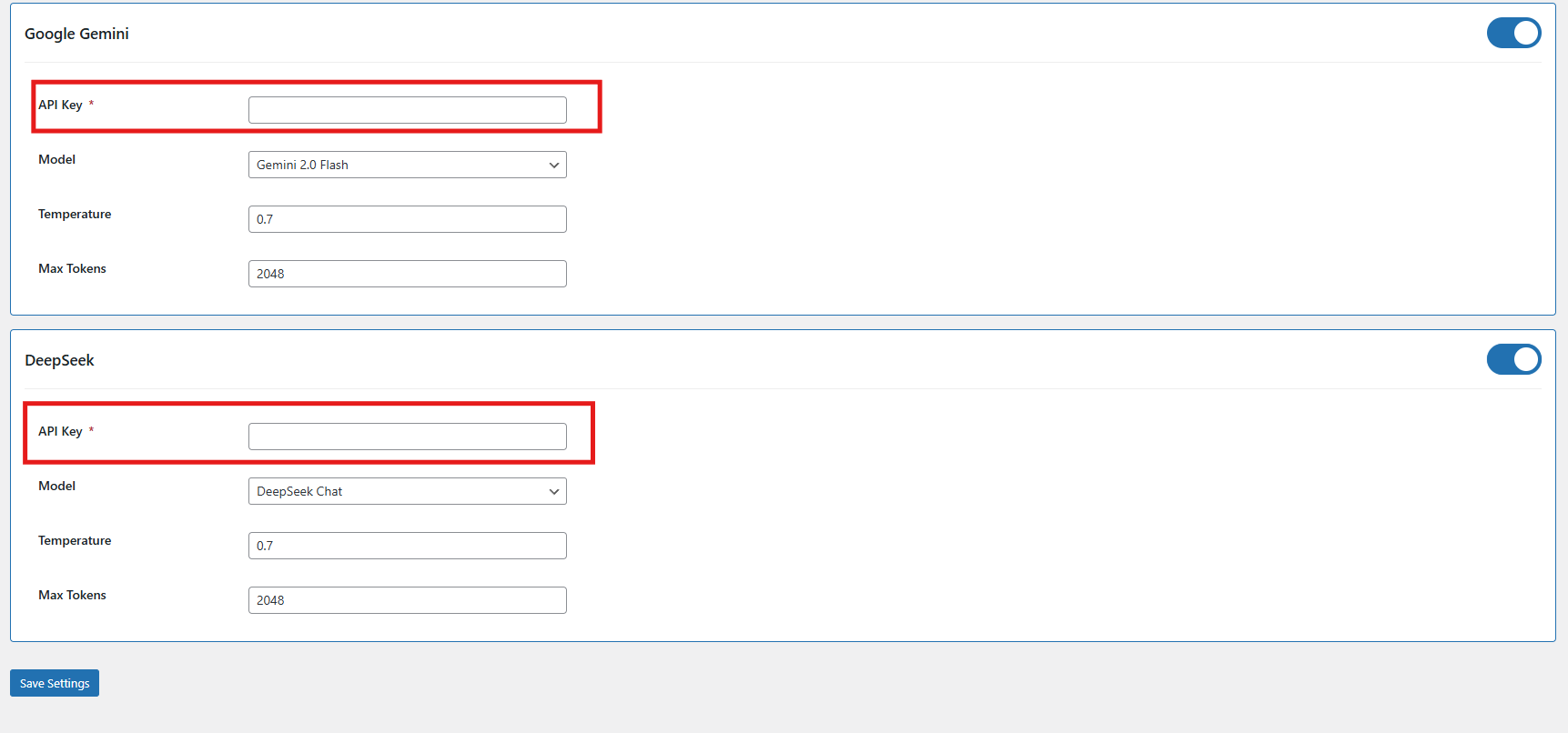
Configuration Options:
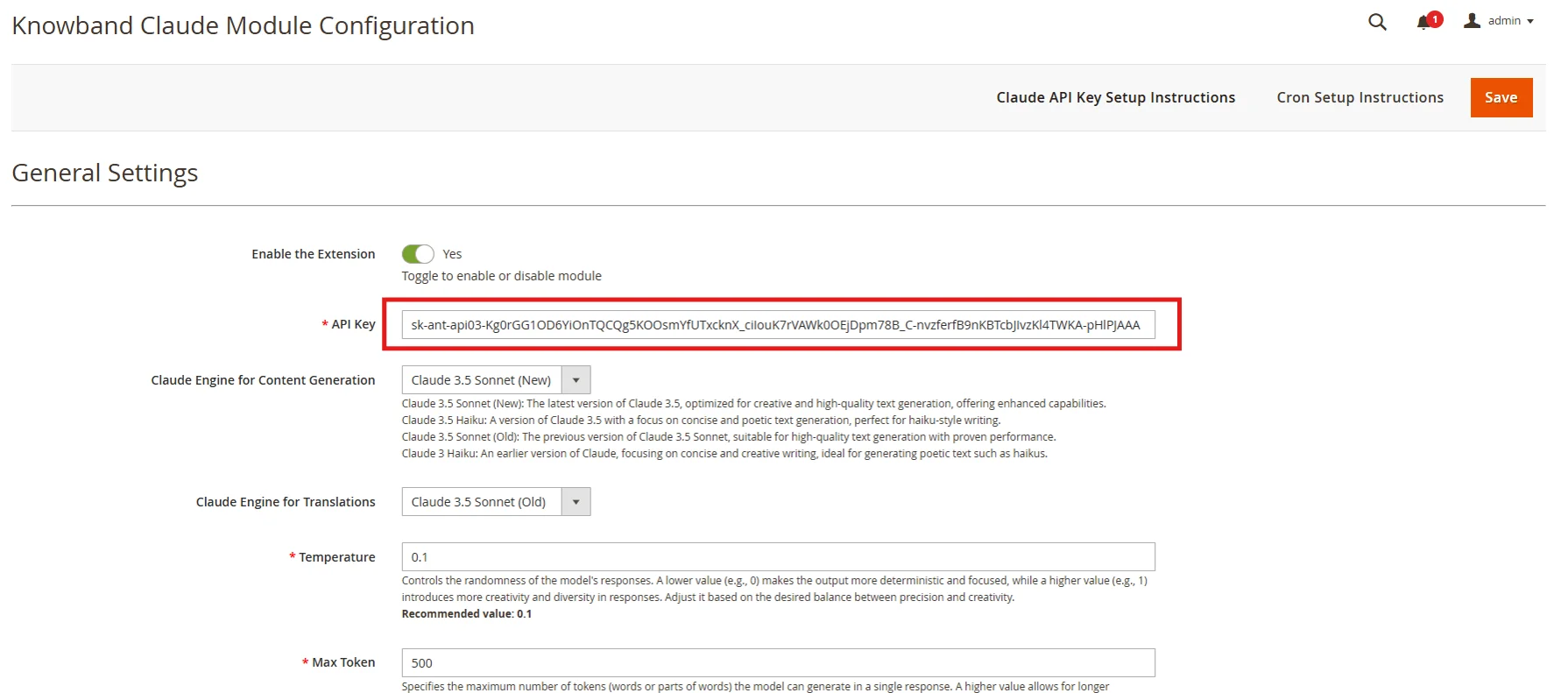
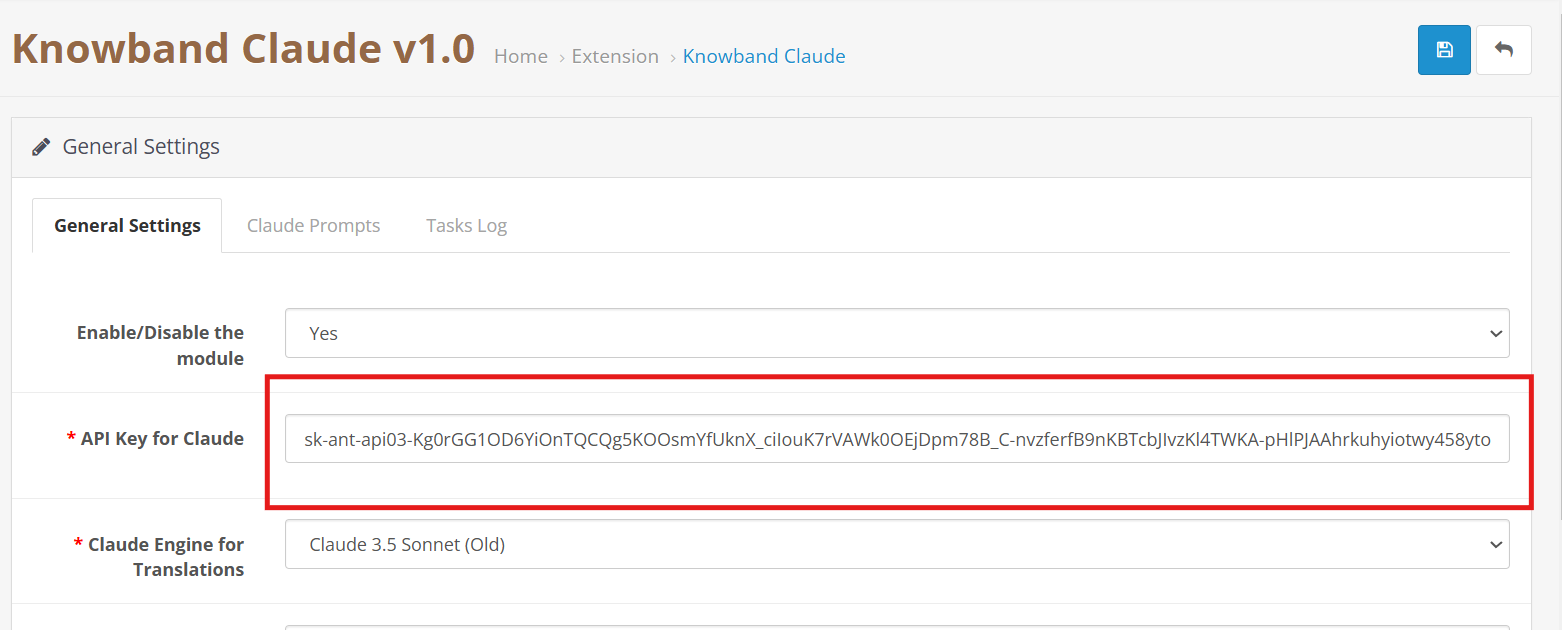
- Enable/Disable- Enable or disable the module as per your need.
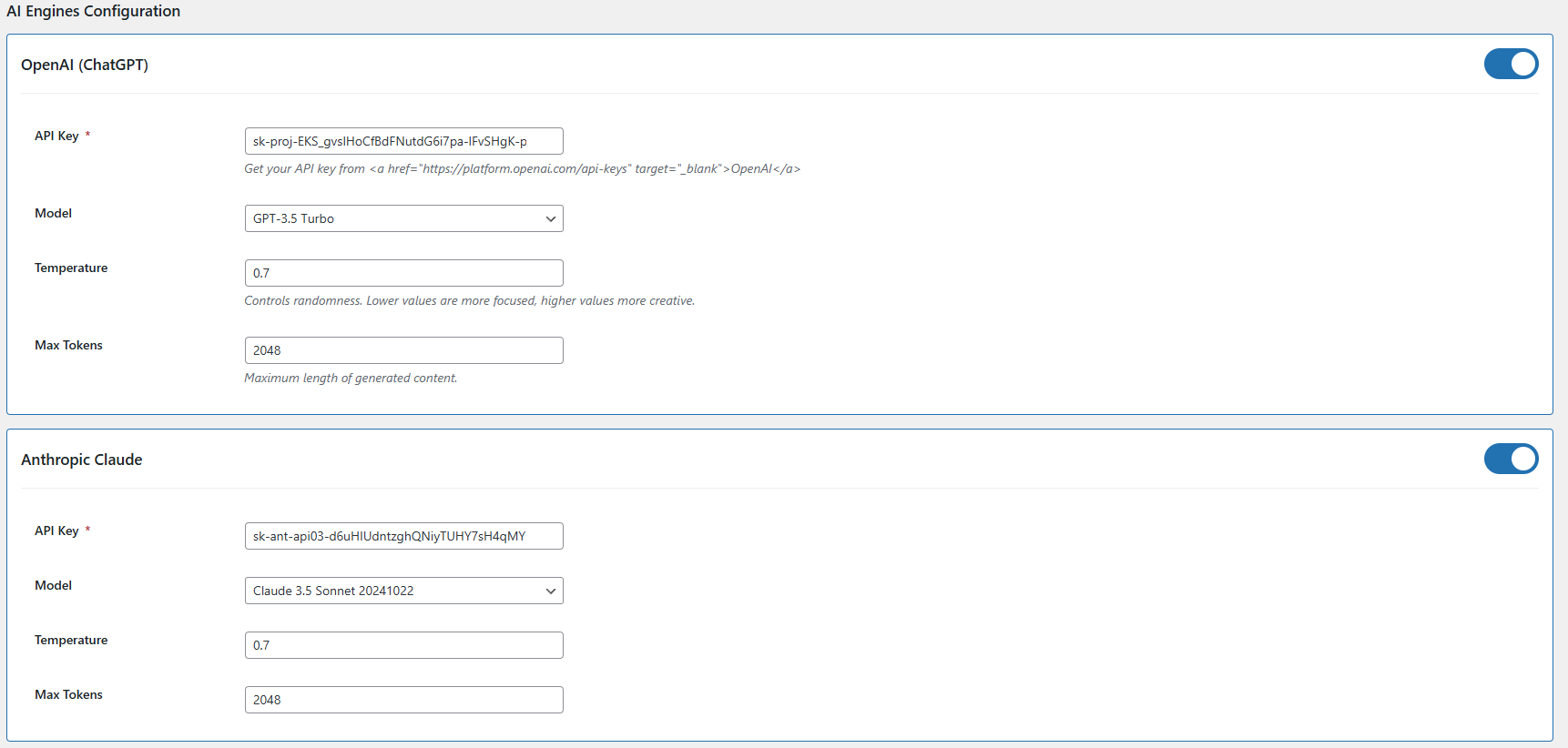
- API Key Configuration – Add API keys for all supported AI models, including Claude, ChatGPT, Gemini, and DeepSeek, to ensure seamless integration and functionality.
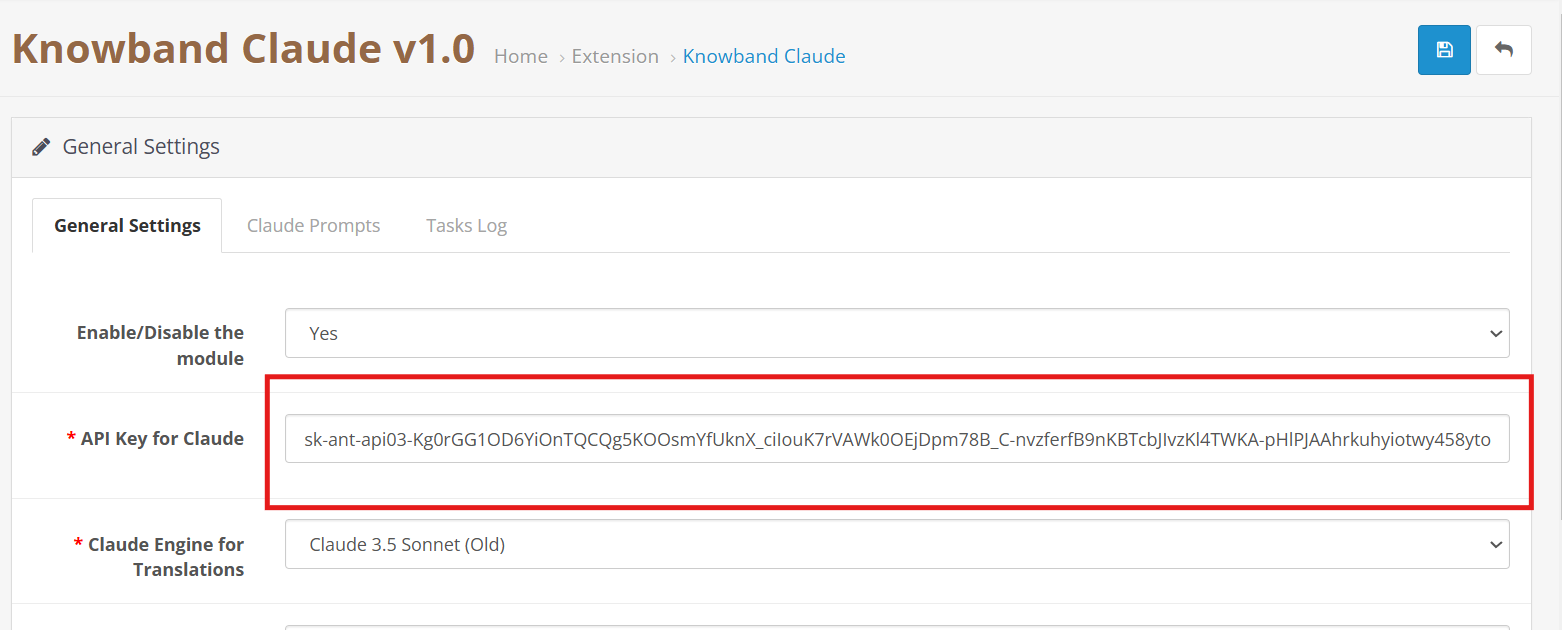
- Claude Engine Toggle – Quickly enable or disable the Claude AI engine with a single click based on your content generation needs.
- API Key for Claude – Enter the necessary API key to activate Claude AI’s features for content generation and language.
- Claude Model Selection – Select from a range of Claude AI models, such as Haiku 3, Haiku 3.5, Sonnet 3.5 and Sonnet 3.5, to power your content creation tasks.
- Token- Add the token limit for the content generator default 2048, you can add up to 32000 as a token limit which will apply to all AI models
- Enable/Disable ChatGPT – Turn the ChatGPT AI engine on or off to control its role in generating content for your store.
- API Key for ChatGPT – Enter your ChatGPT API key to activate content generation capabilities.
- Select ChatGPT Model – Choose between ChatGPT 3.5 and ChatGPT 4.0 for generating high-quality, SEO-friendly content.
- Enable/Disable Gemini AI – Easily activate or deactivate the Gemini AI engine to manage content creation workflows.
- API Key for Gemini – Provide your Gemini API key to enable its integration with the content generator.
- Select Gemini Model – Choose from Gemini models like 1.5 Pro, 1.5 Flash, 1.5 Flash-8b, 2.0 Flash, or 2.0 Flash–Lite Preview based on your performance and output needs.
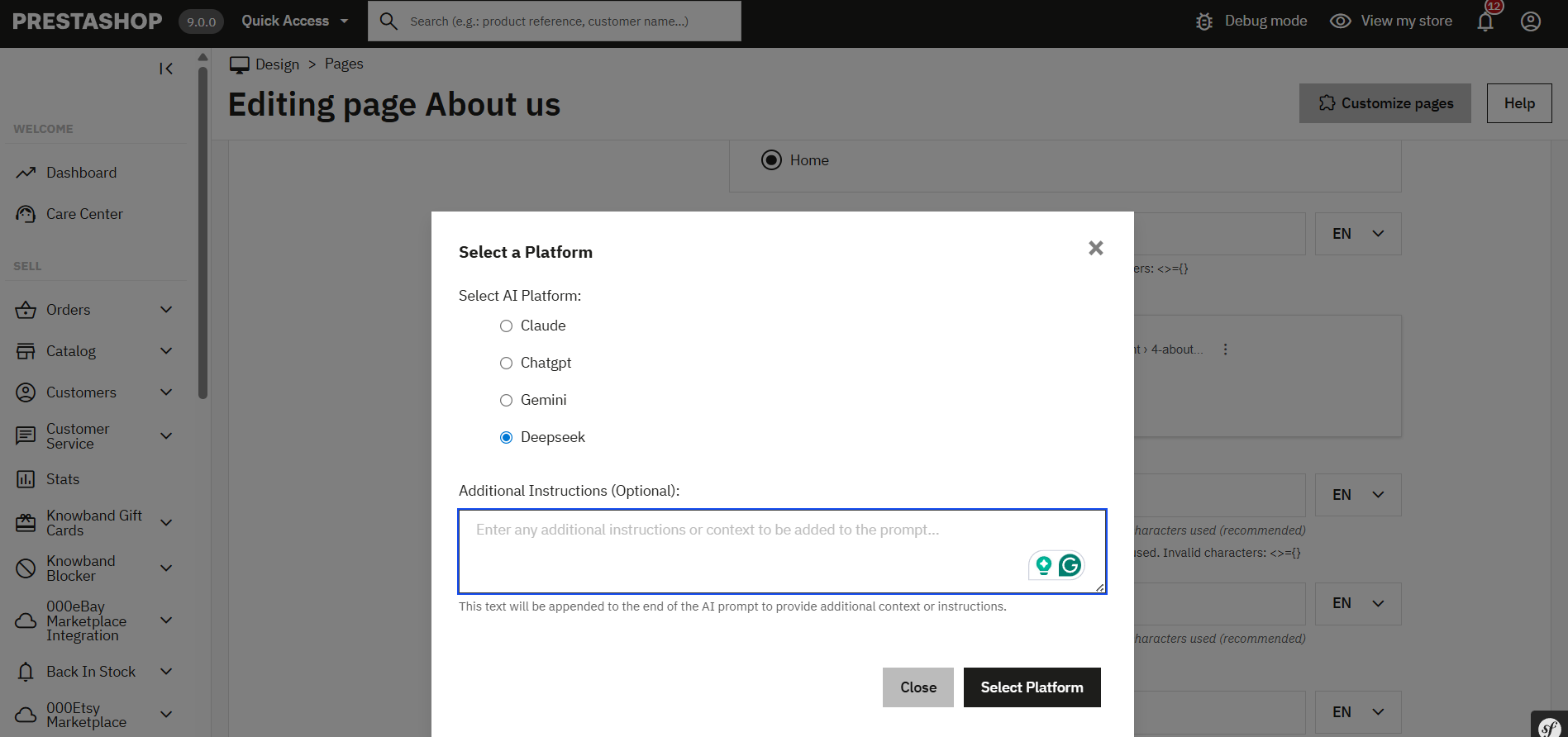
- DeepSeek Model – Enable the DeepSeek engine by selecting the preferred mode for content generation.
- Select DeepSeek Model Type – Choose between the Chat or Coder model based on the type of content you need to generate.
- Temperature Setting – Adjust the creativity level of AI-generated content (range: 0.0 to 1.0). Lower values offer more consistency, while higher values produce more creative outputs.
4.0.2 Content Generation Prompts for WooCommerce Gemini AI Content Generator Plugin
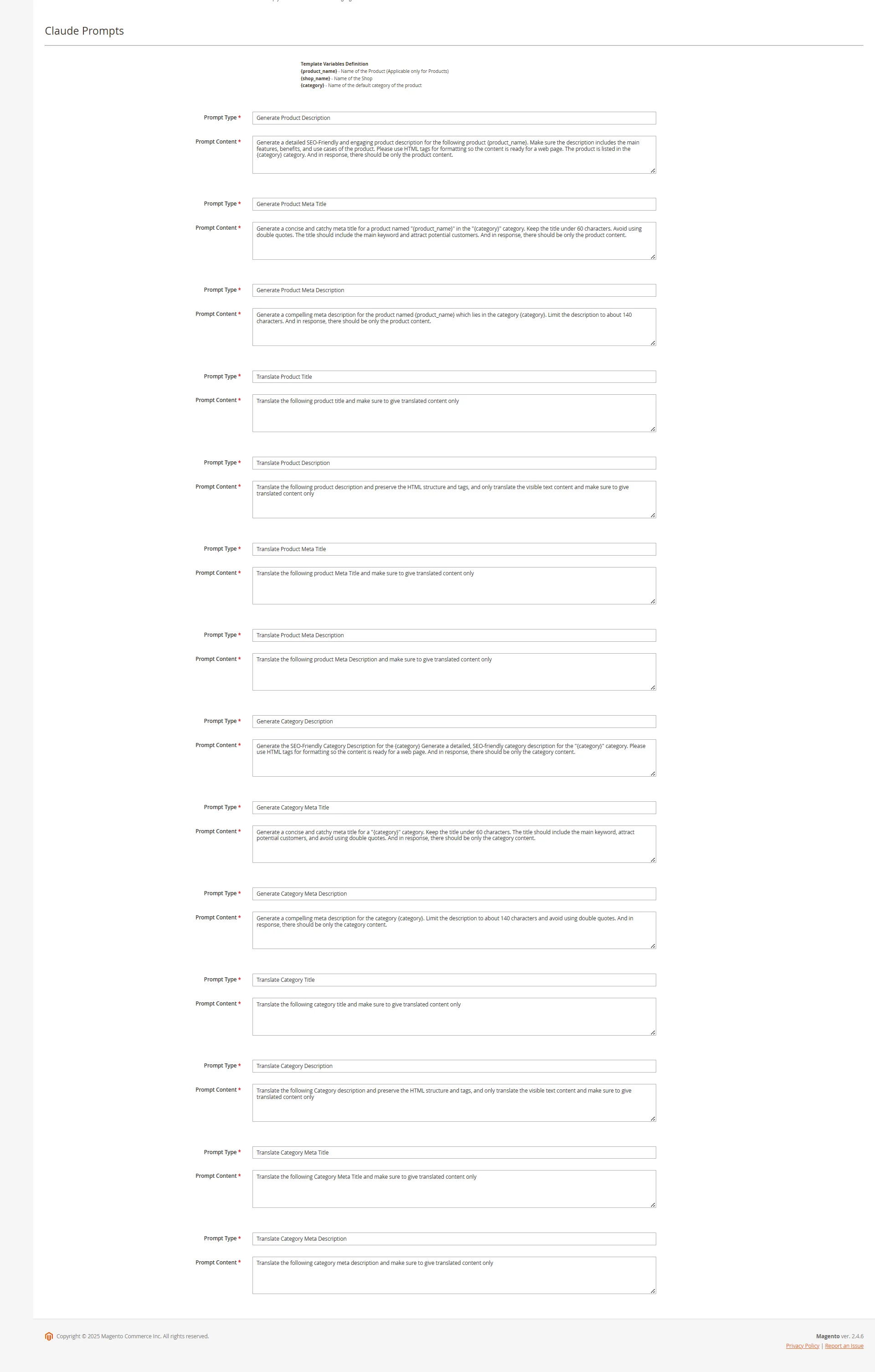
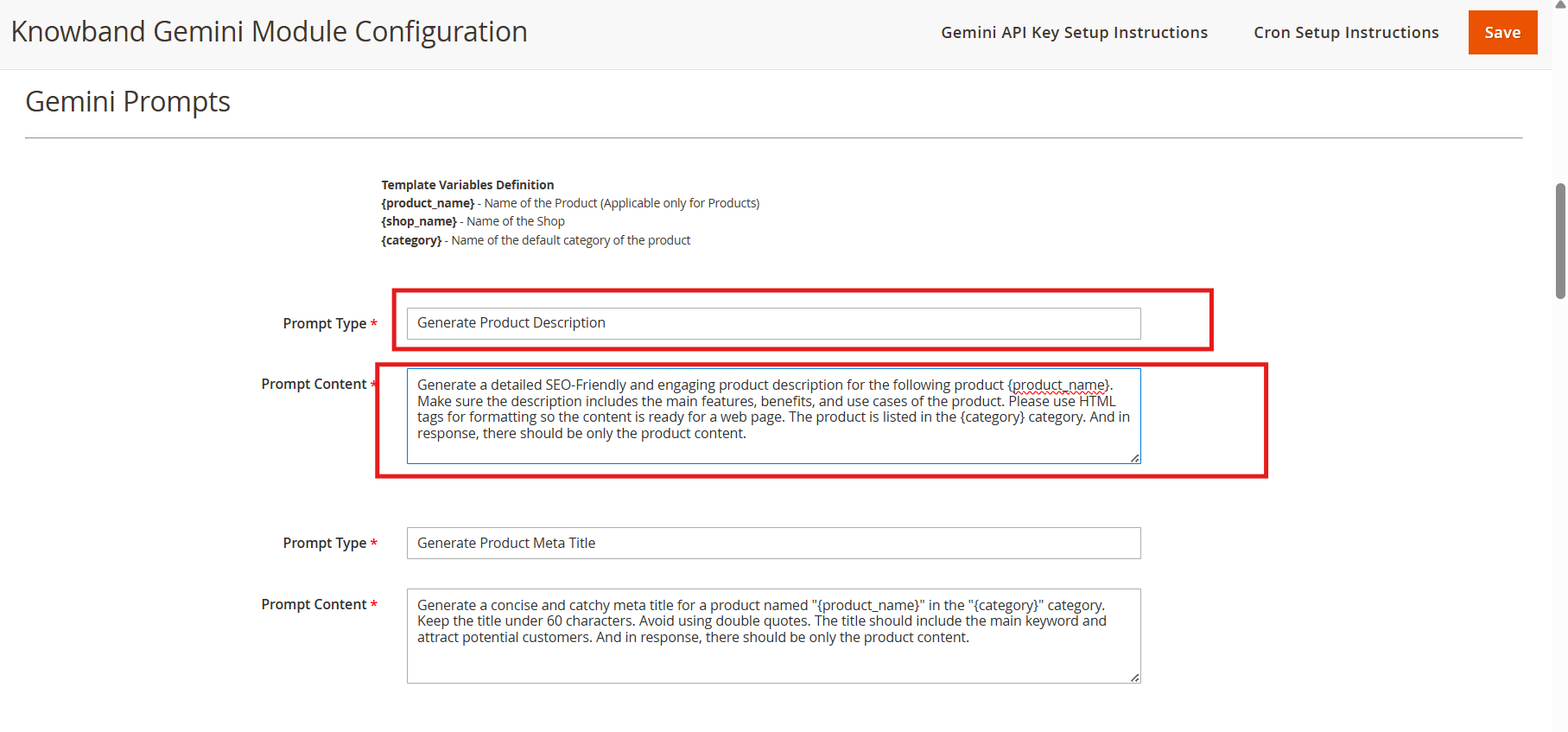
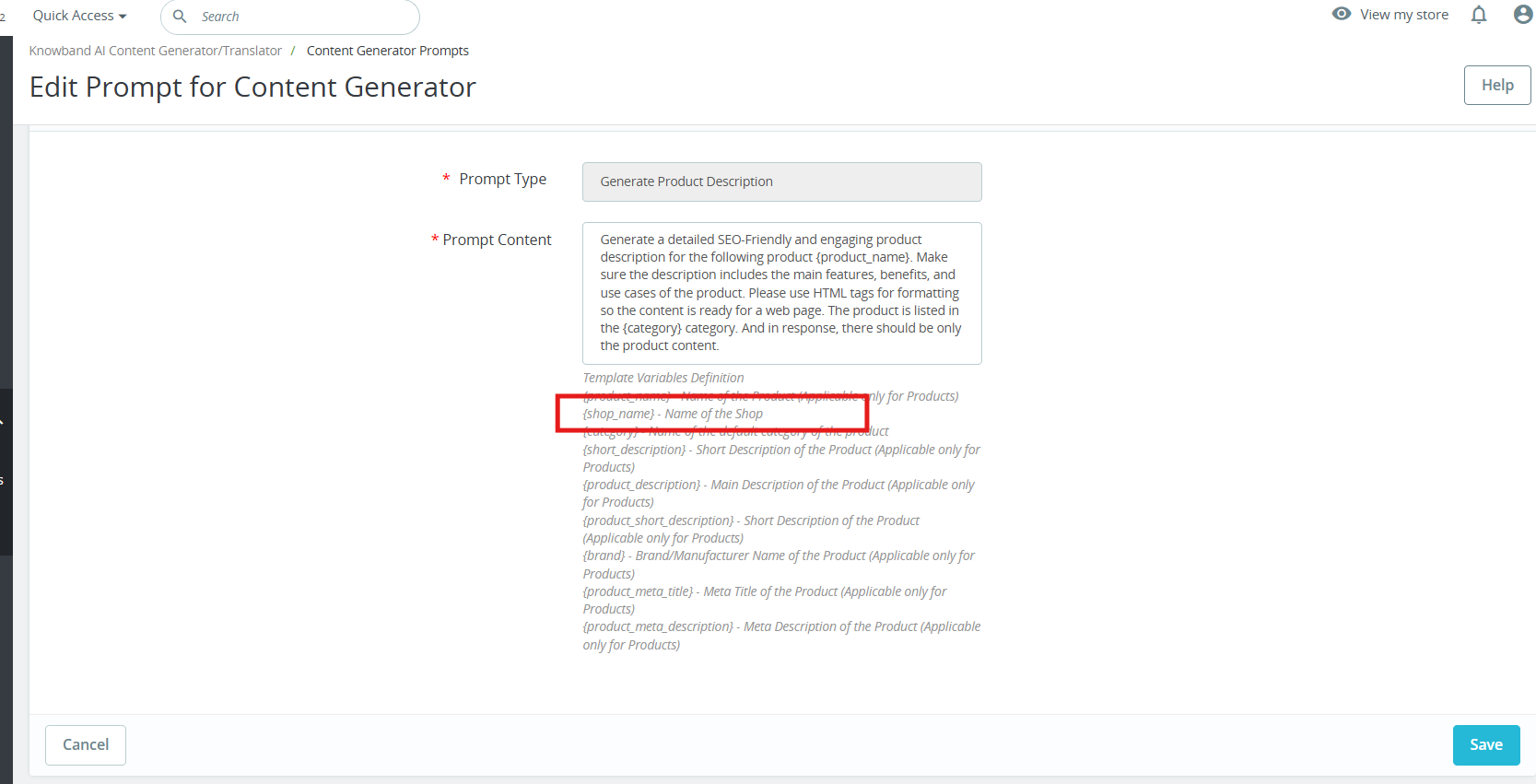
The Knowband WooCommerce Gemini AI Content Generator plugin offers ready-to-use AI prompts tailored specifically for e-commerce content creation.
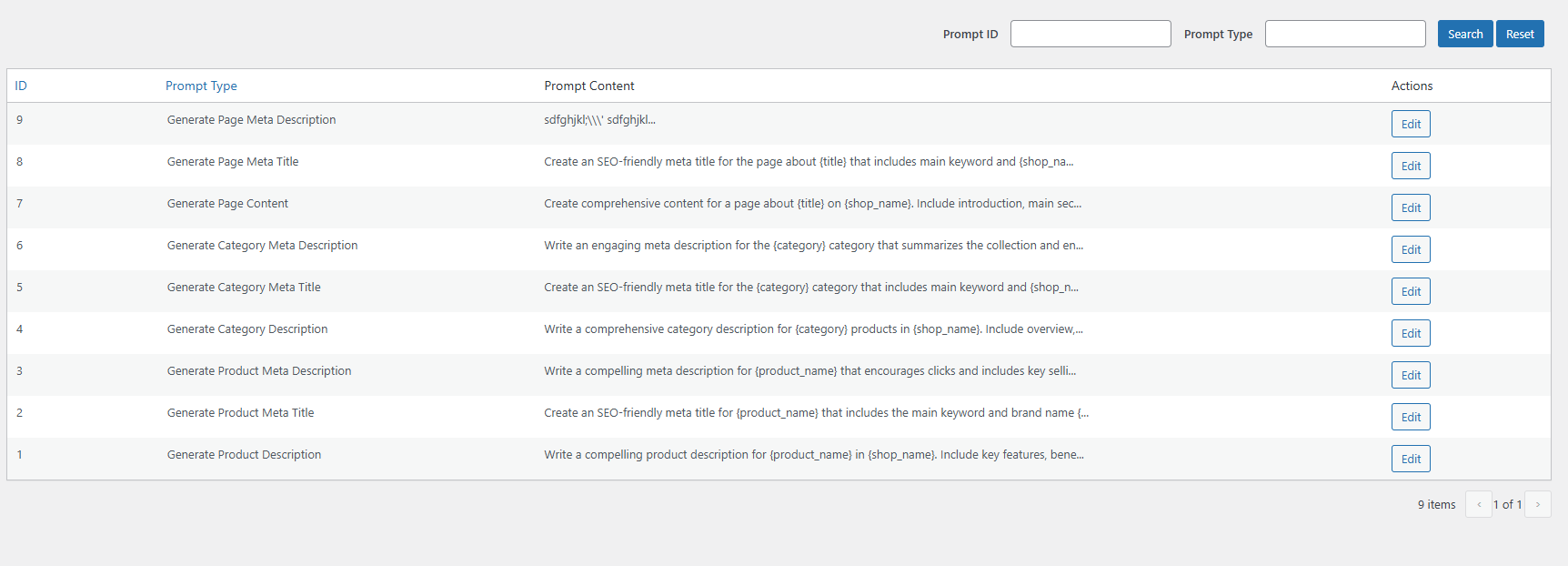
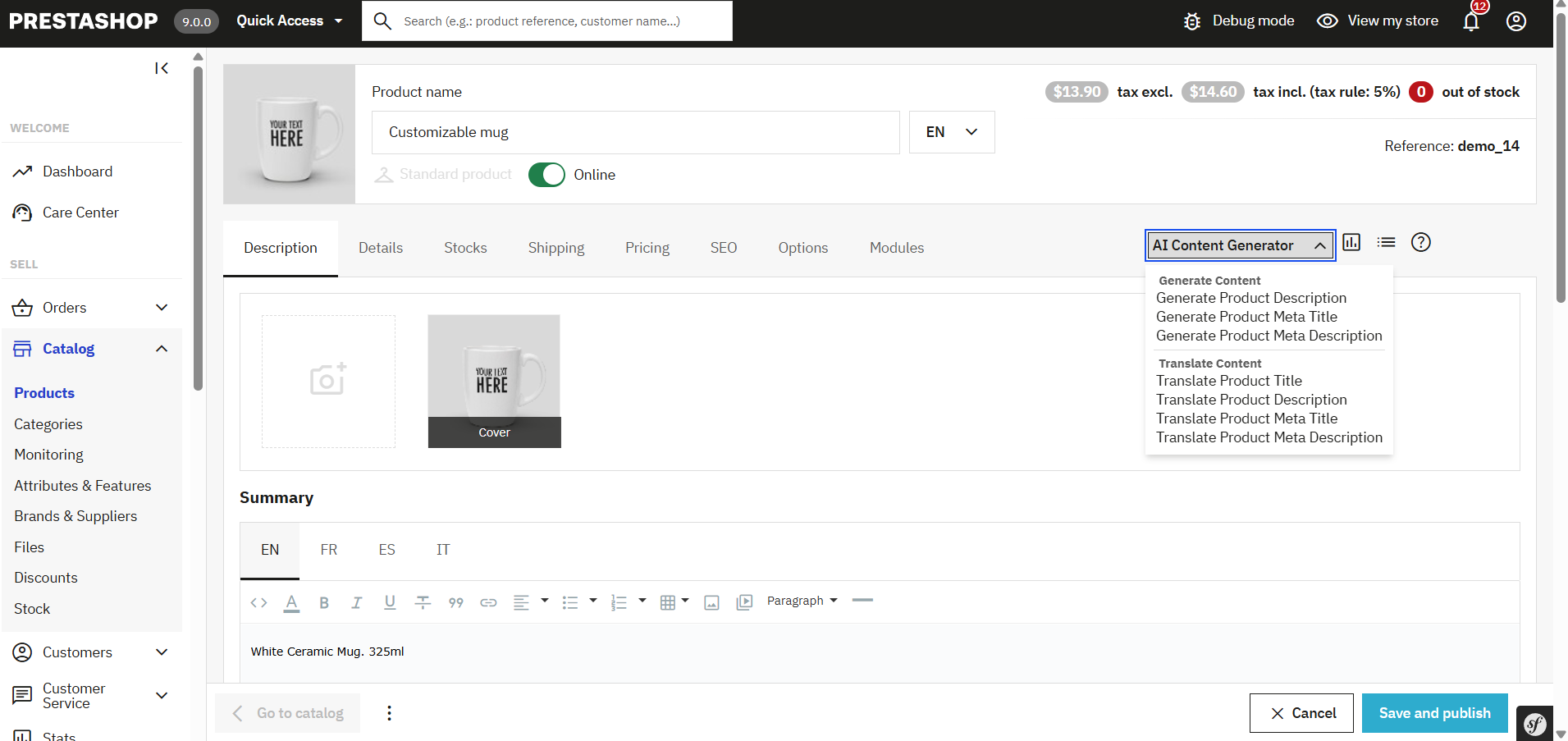
Product Content Generation Prompts
- Generate Product Description- Creates SEO-optimized and well-structured product descriptions that emphasize key features and benefits.
- Generate Product Meta Title- Generates concise, keyword-rich meta titles under 60 characters to improve search visibility.
- Generate Product Meta Description- Crafts engaging meta descriptions within 140 characters designed to attract clicks.
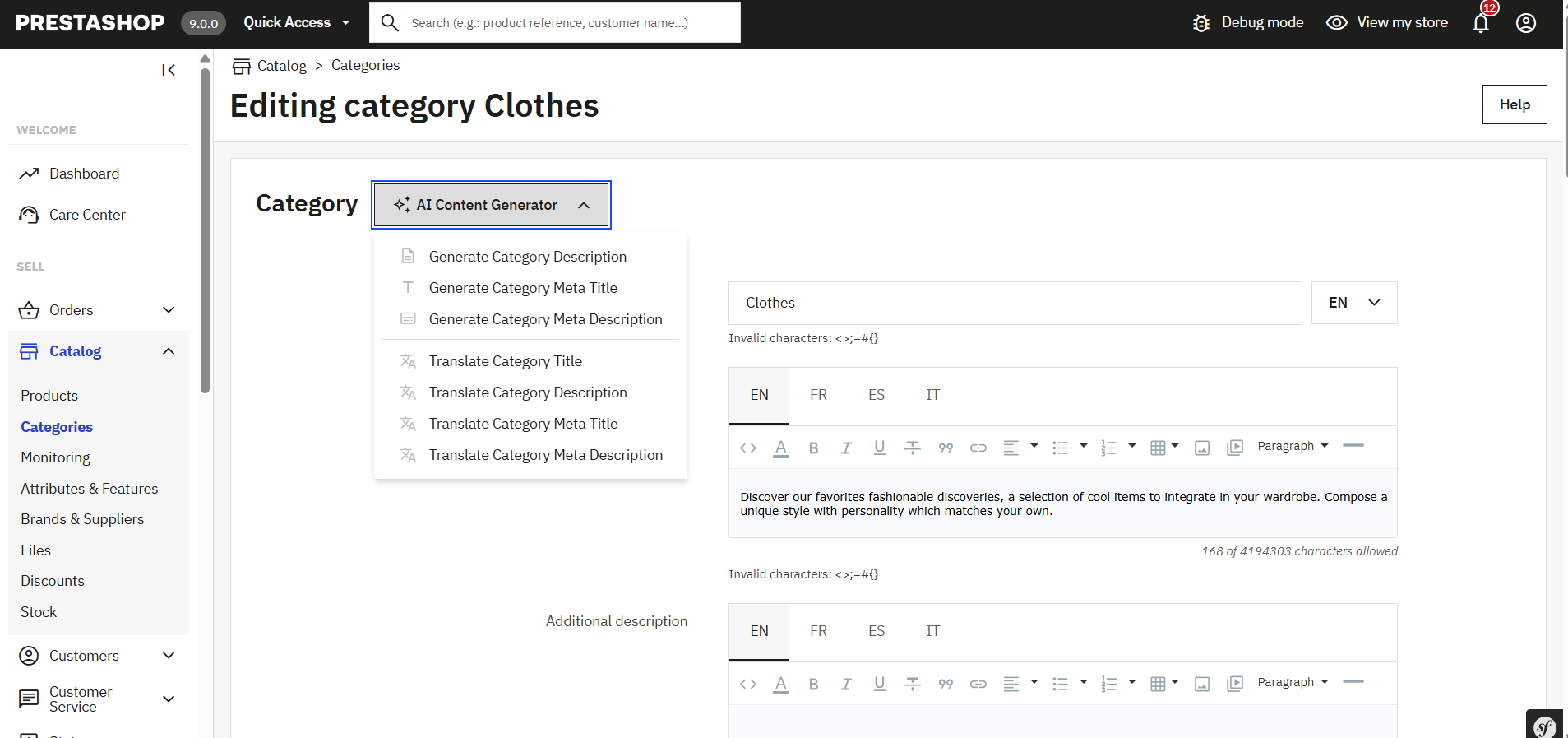
Category Content Generation:
- Generate Category Description- Develop detailed category content with proper HTML formatting for better presentation.
- Generate Category Meta Title- Produces keyword-focused category titles under 60 characters to boost SEO.
- Generate Category Meta Description- Creates clear and concise category descriptions within 140 characters for search engines.
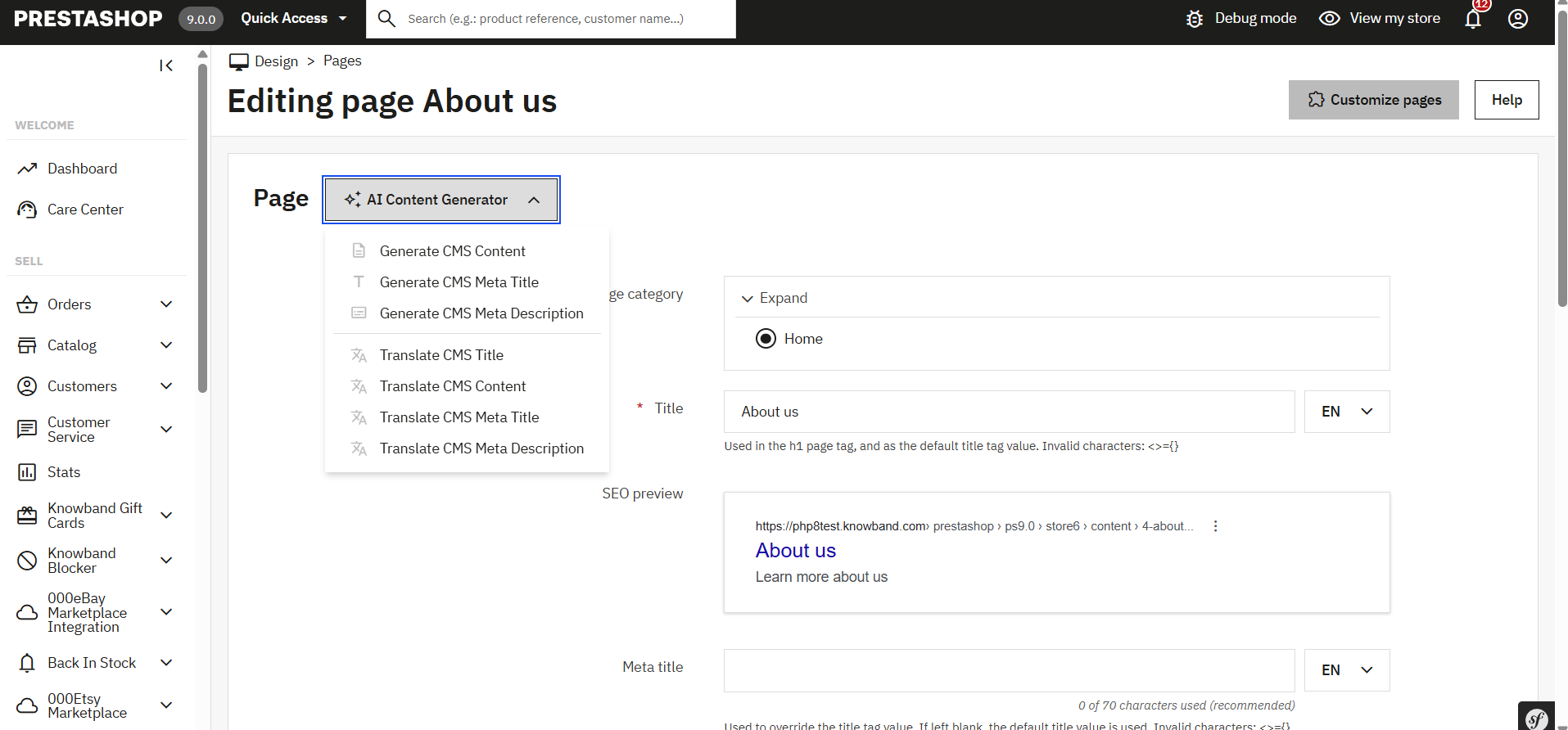
Page Content Generator for Multi-engine AI Content Generator for CMS and Products
- Generate Page Meta Description: Create an SEO-friendly meta description that summarizes the CMS page content clearly and effectively.
- Generate Page Meta Title: Generate a concise meta title including main keywords and your store’s name for better search ranking.
- Generate Page Content: Produce well-structured, engaging content for CMS pages to inform and attract your visitors.
5.0. Bulk Product Content Generation
The SEO Meta Content Generator WooCommerce exhibit the feature that allows you to generate product content for multiple products at once by uploading a CSV file. This saves time and effort when managing large product catalogues.
Steps To Generate Bulk Product Content
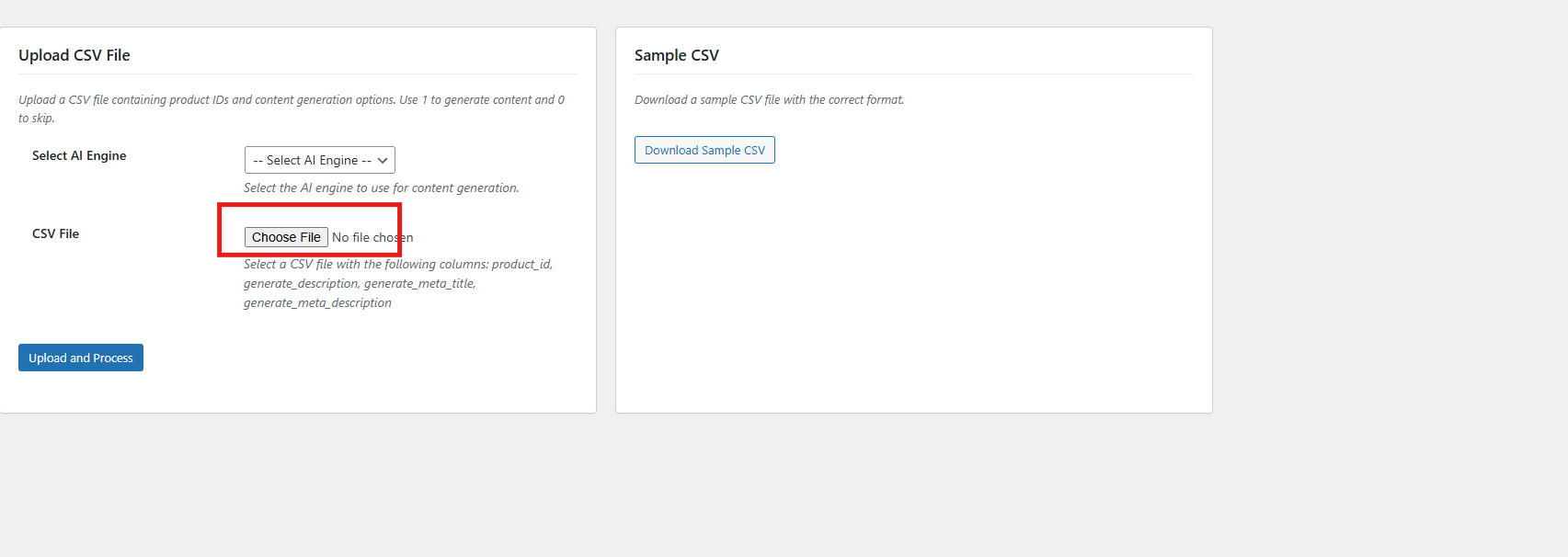
1. Upload CSV File
Upload the CSV file by clicking Choose File and selecting your file.
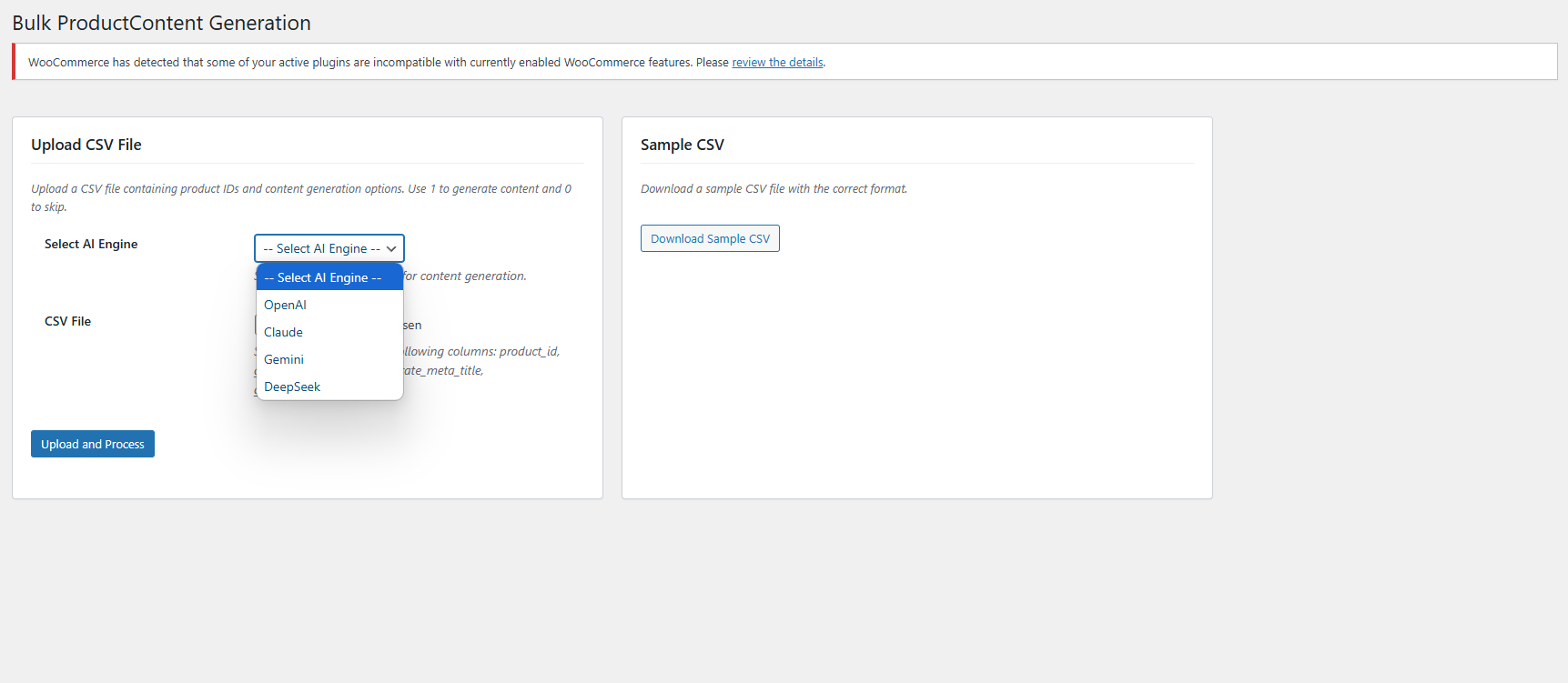
2. Select AI Engine
Choose your preferred AI engine from the dropdown menu.
3. Upload and Process
After selecting your file and AI engine, click the Upload and Process button to start generating content for the products listed in your CSV. The plugin will process the file and create the requested content accordingly.
6.0. Task Logs In WooCommerce AI Content Extension
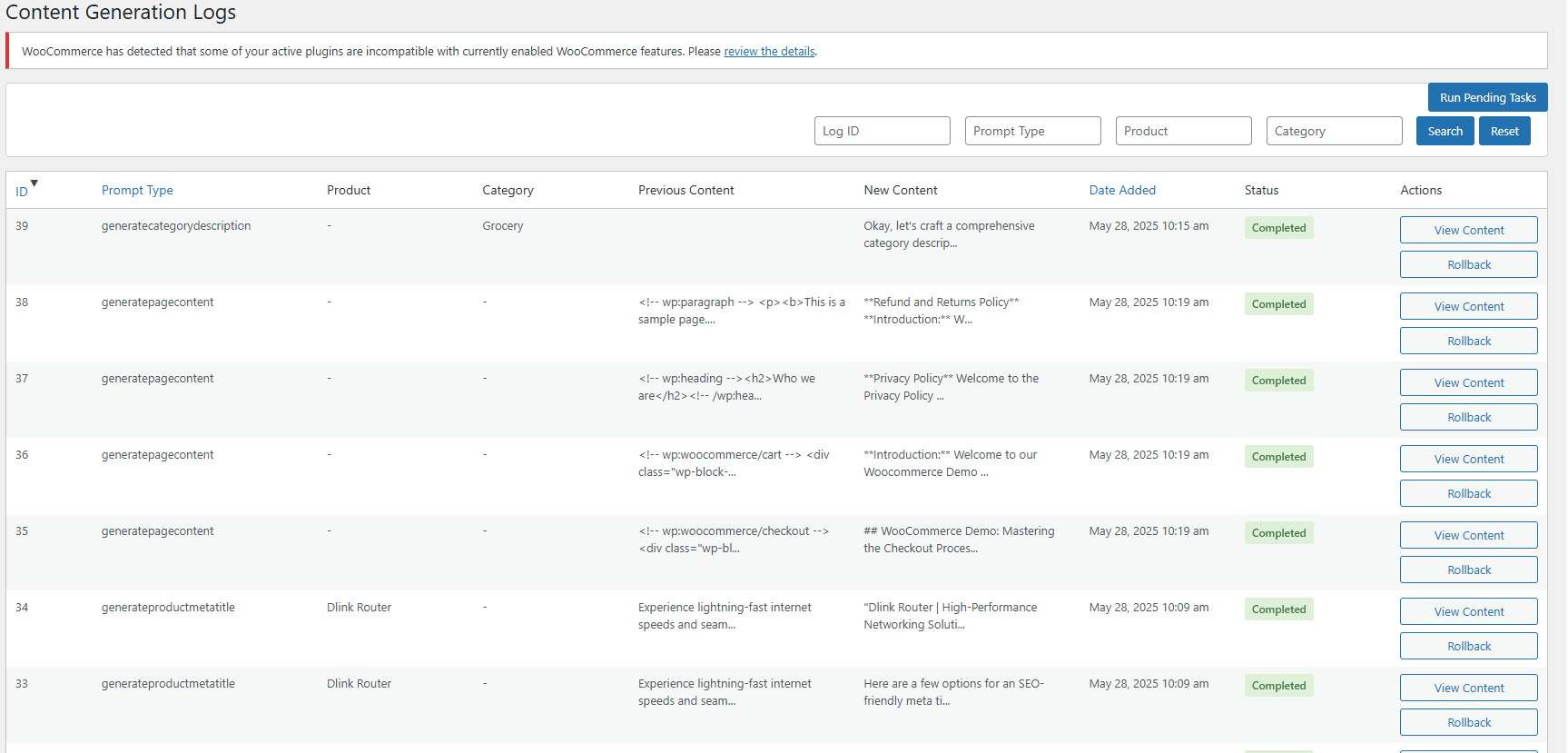
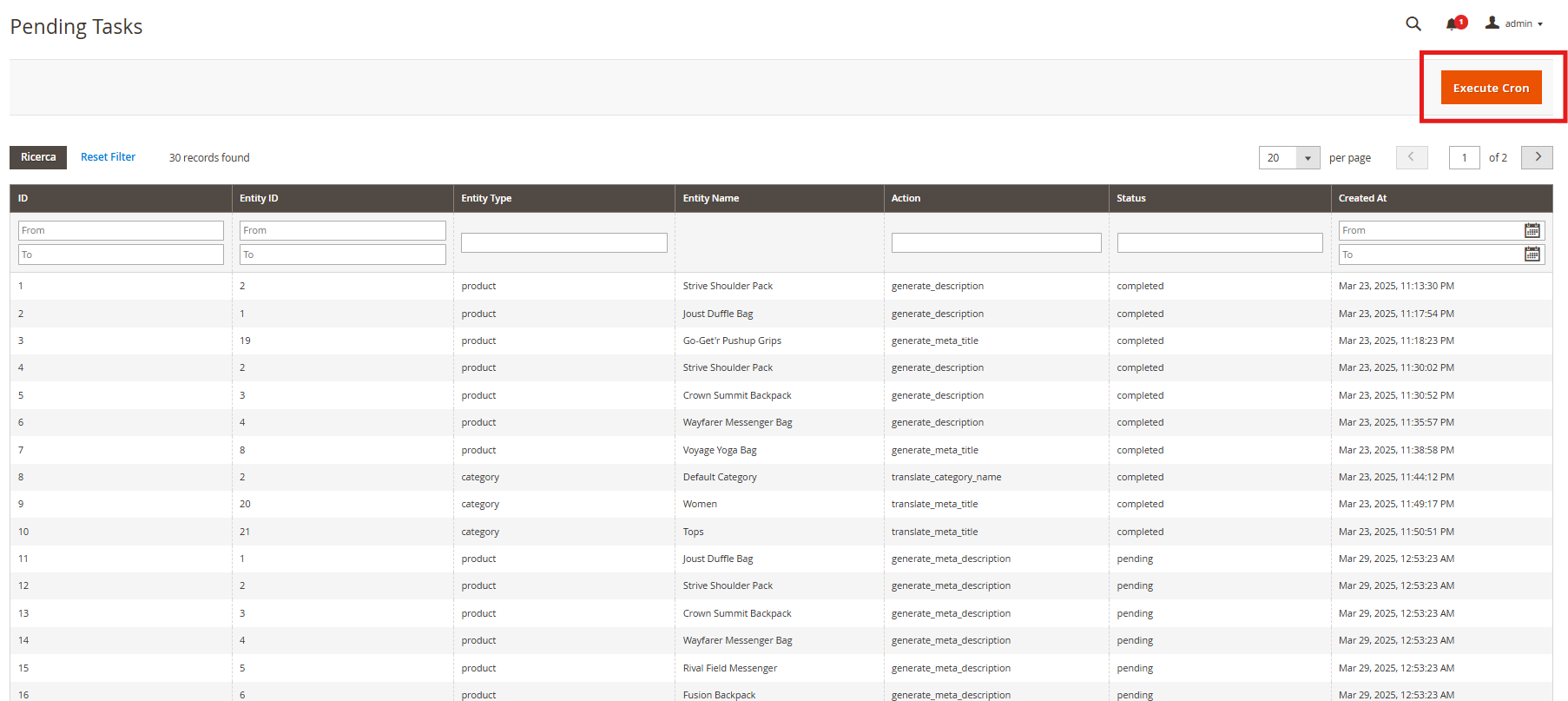
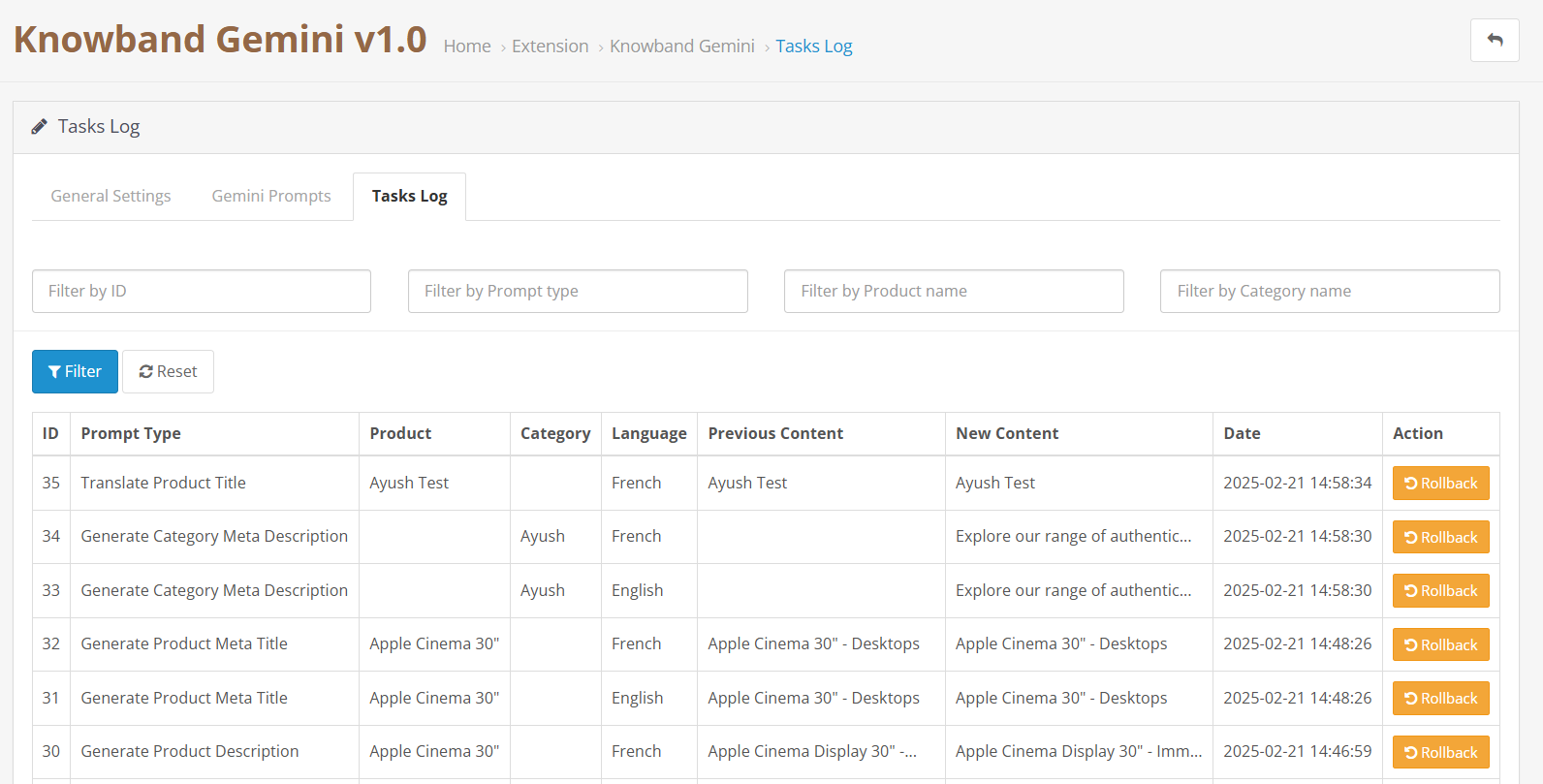
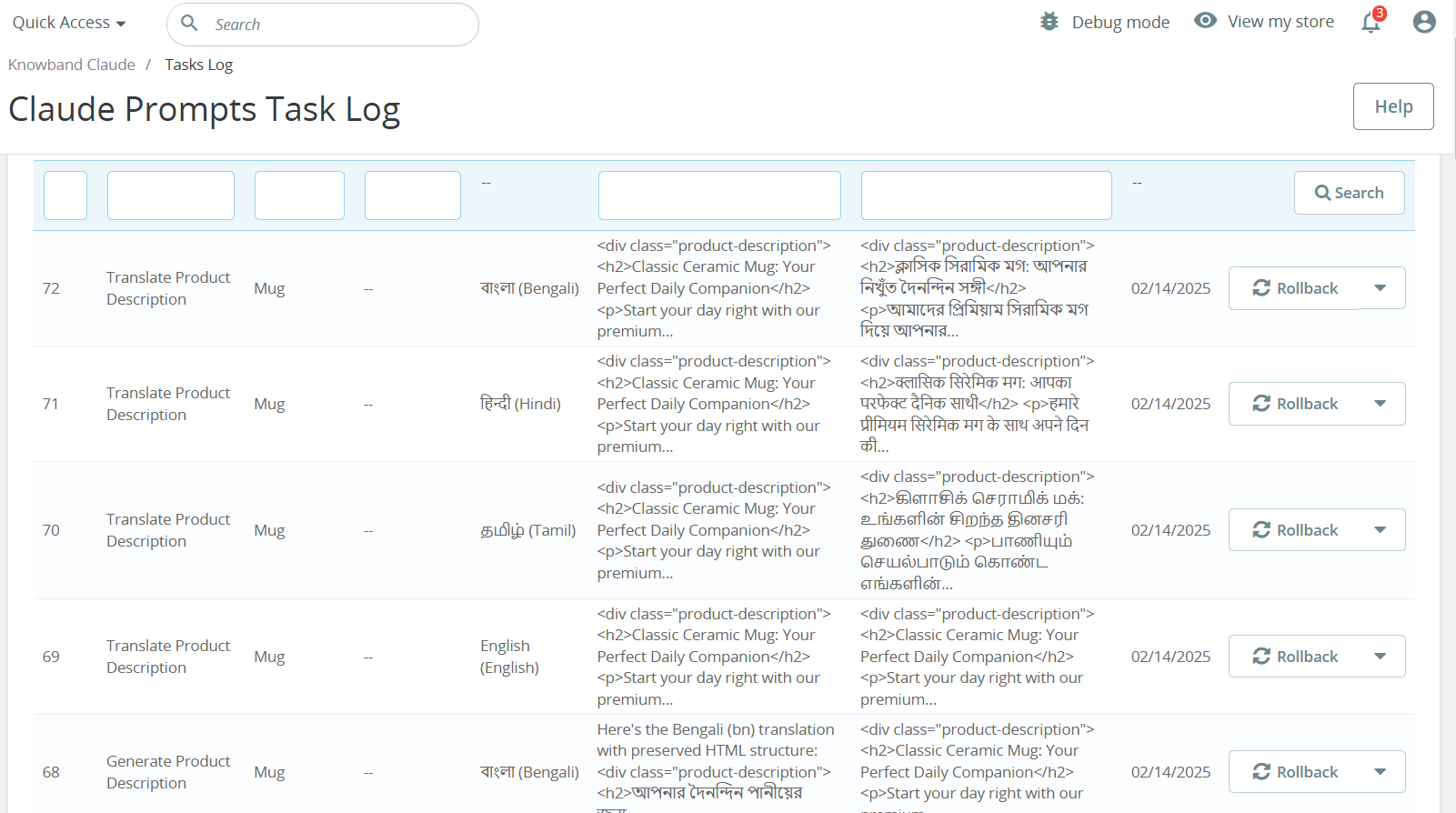
The WooCommerce AI Content Generator Plugin keeps a detailed log of all AI-generated content. This log includes information such as the type of prompt used, language, product or category involved, timestamp, status, previous content, and the newly generated content. Moreover, this helps you track changes, review past updates, and monitor the evolution of your content.
6.0 Steps to Execute the Prompts in AI Meta Description Generator for Woocommerce
Use the WooCommerce AI Content Generator plugin to create content easily for products, categories, and CMS pages such as descriptions, meta titles, and meta descriptions.
Follow these steps to execute the prompts–
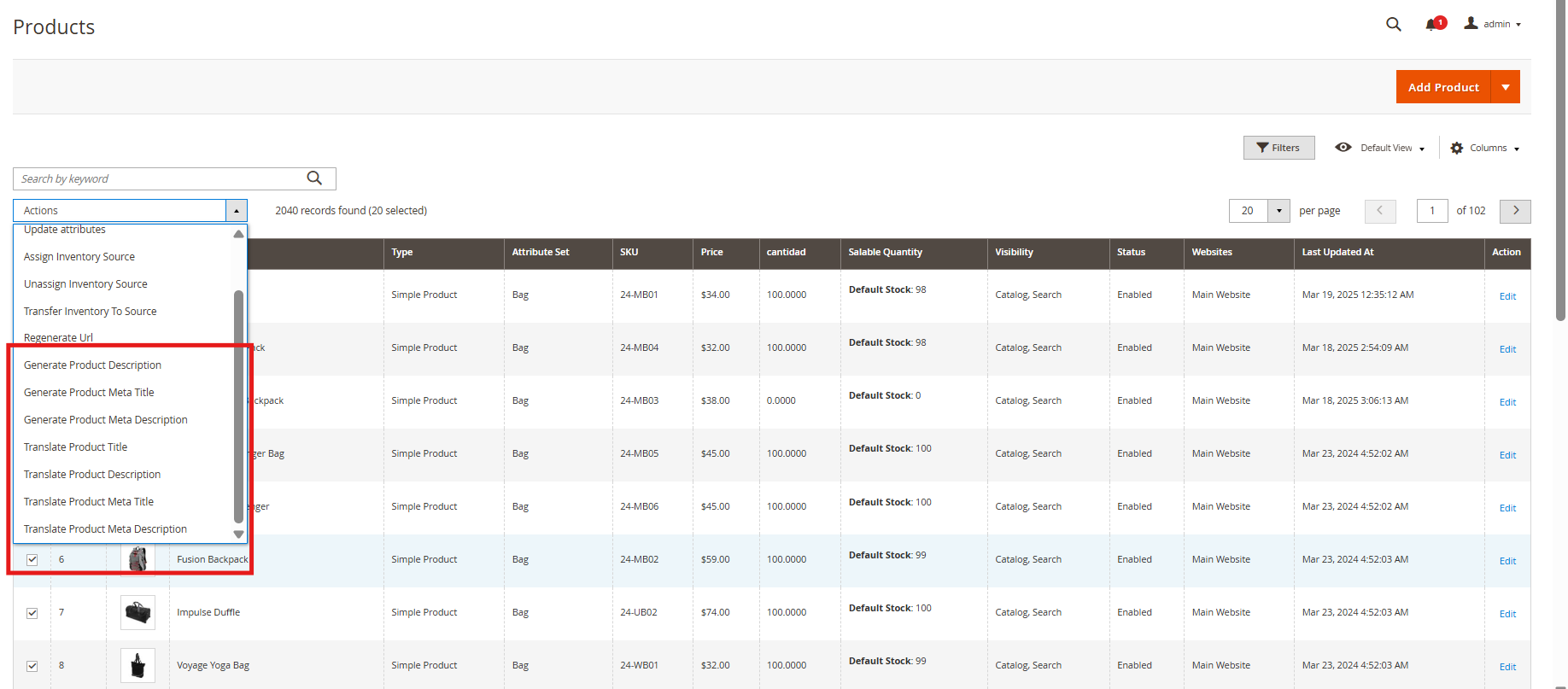
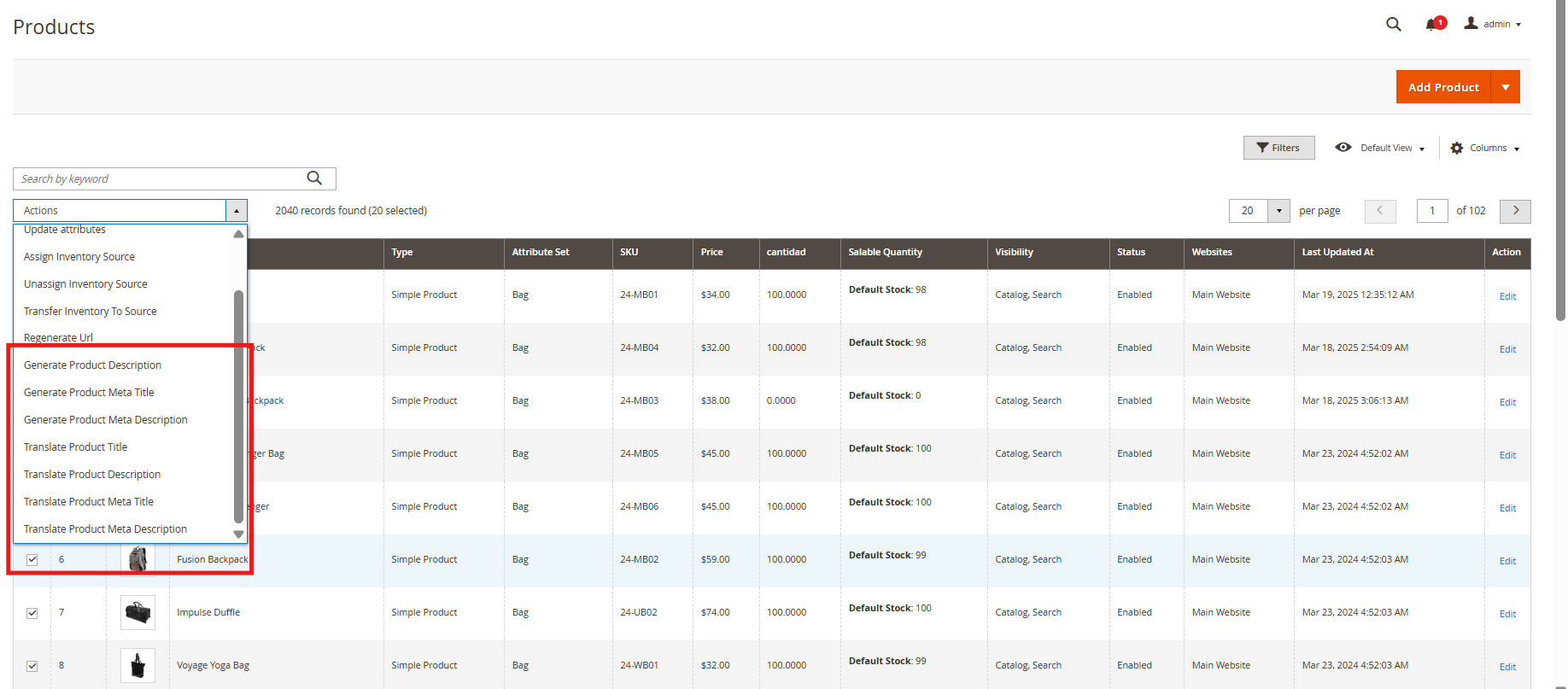
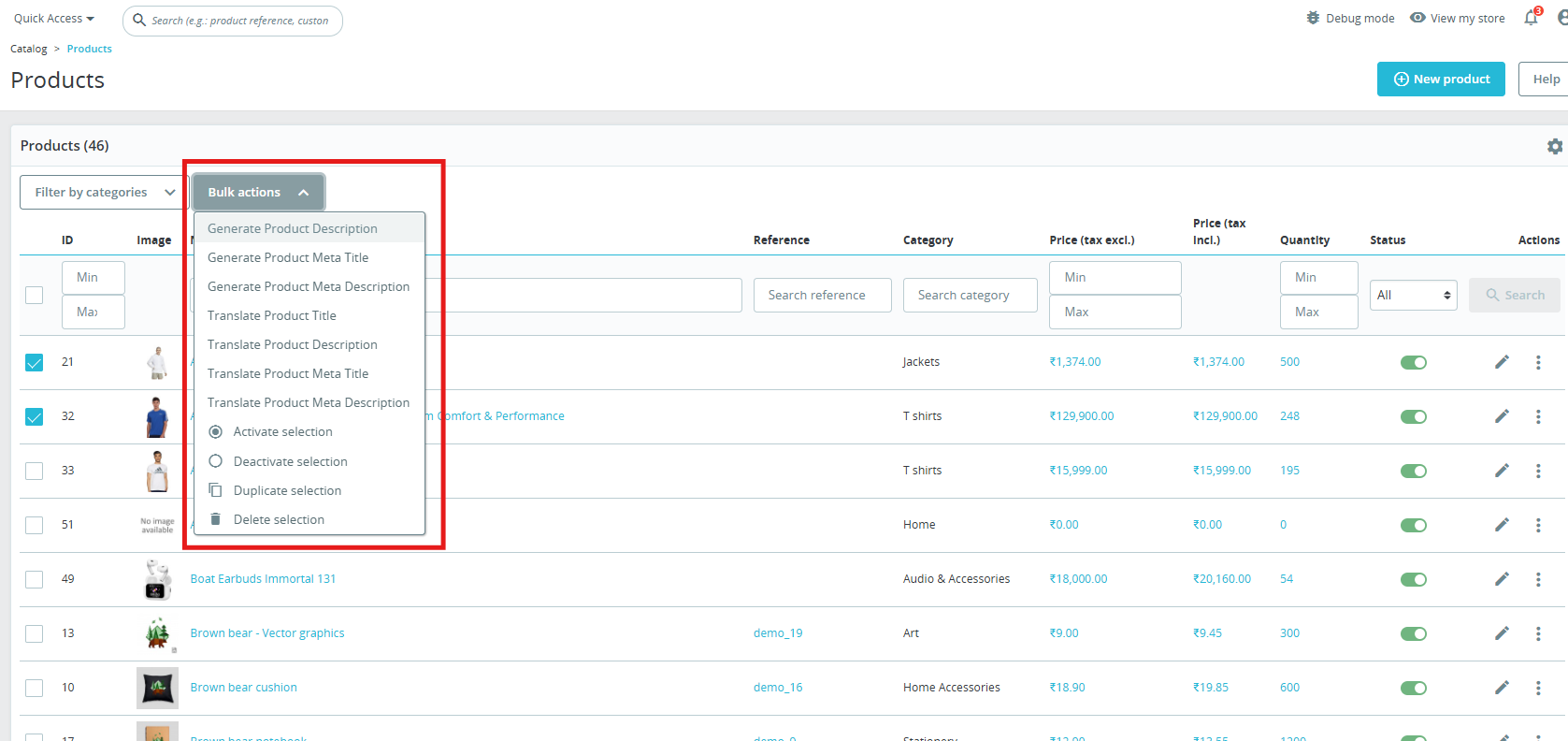
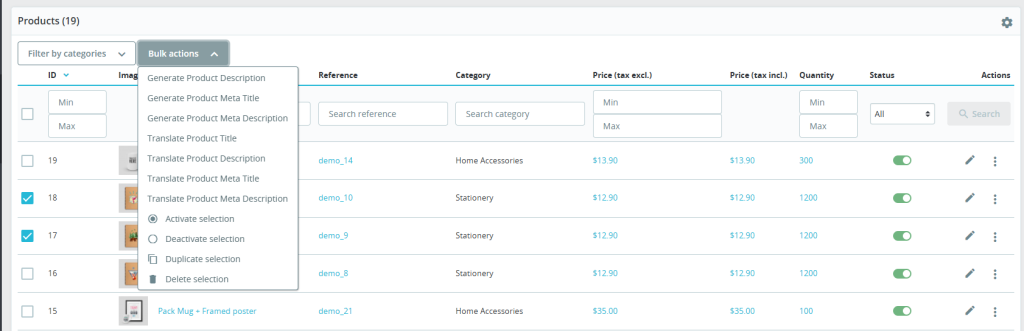
Step 1: Navigate to Products, Categories, or CMS Pages in your WordPress admin panel.
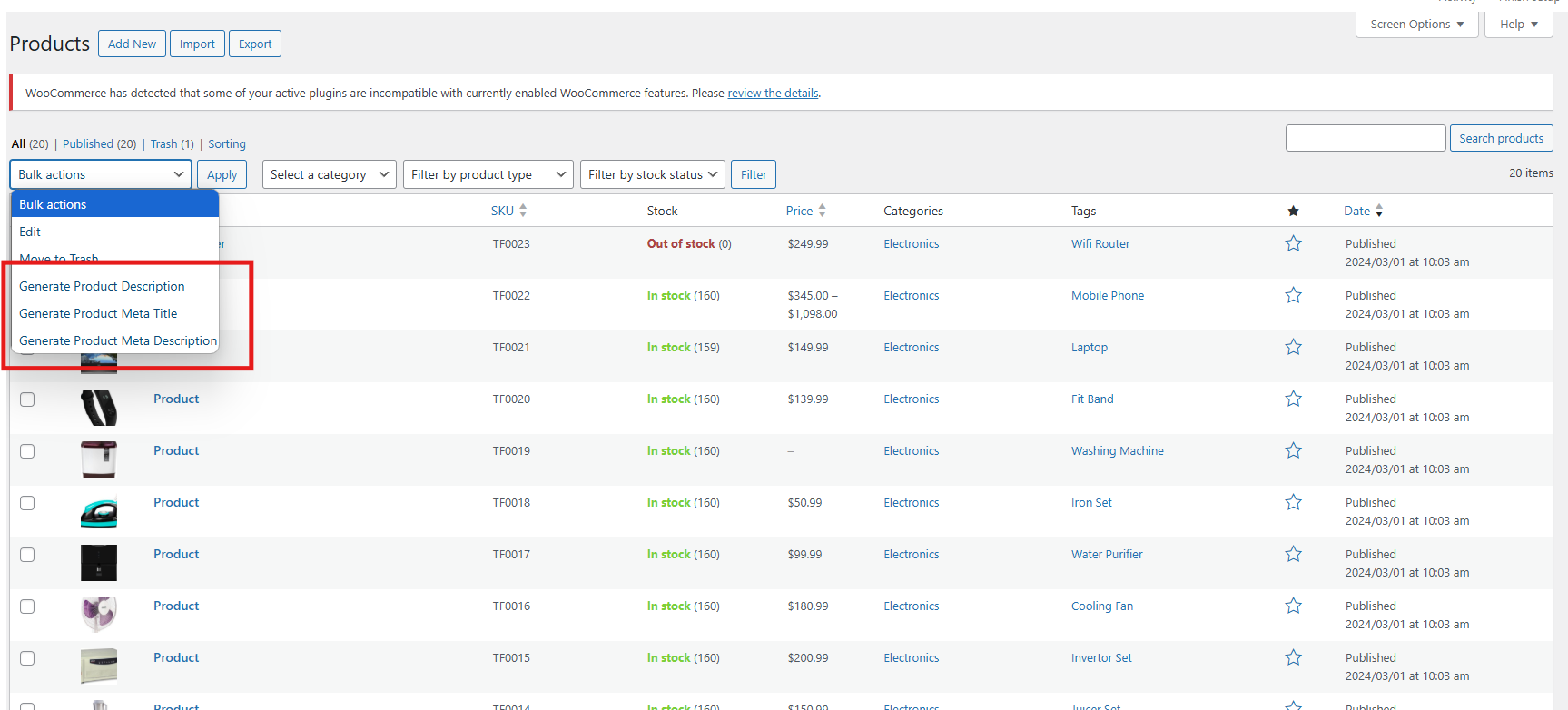
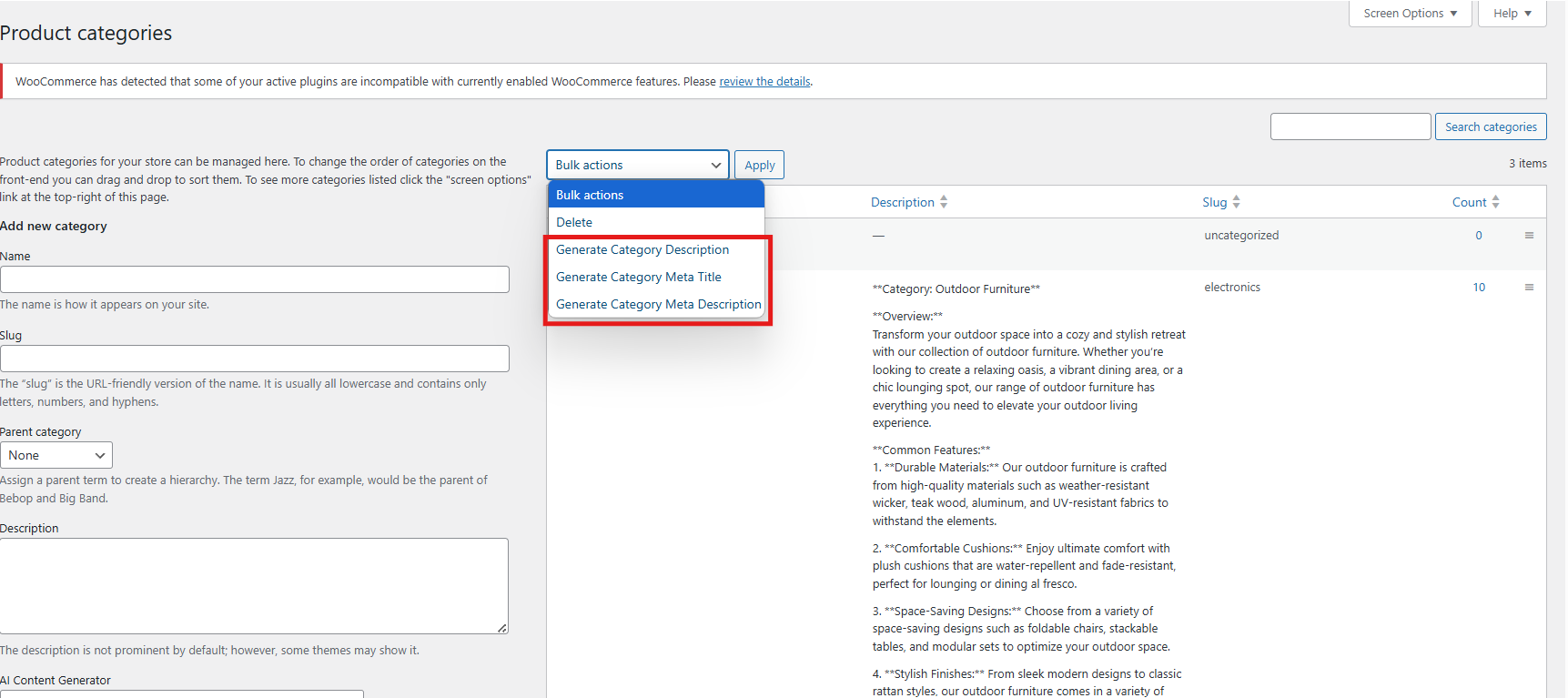
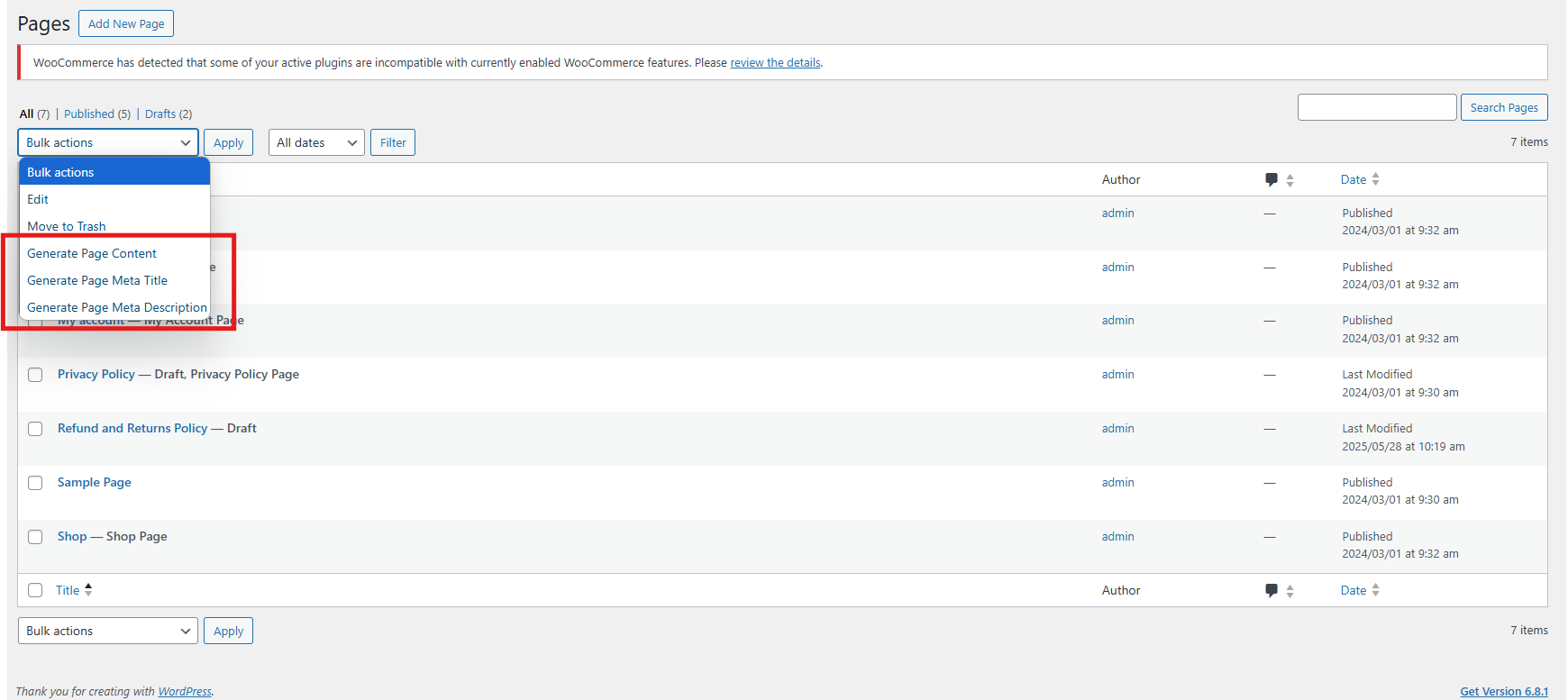
Step 2: Select the specific items or pages you want to generate content for. You can work on individual items or select multiple for bulk processing.
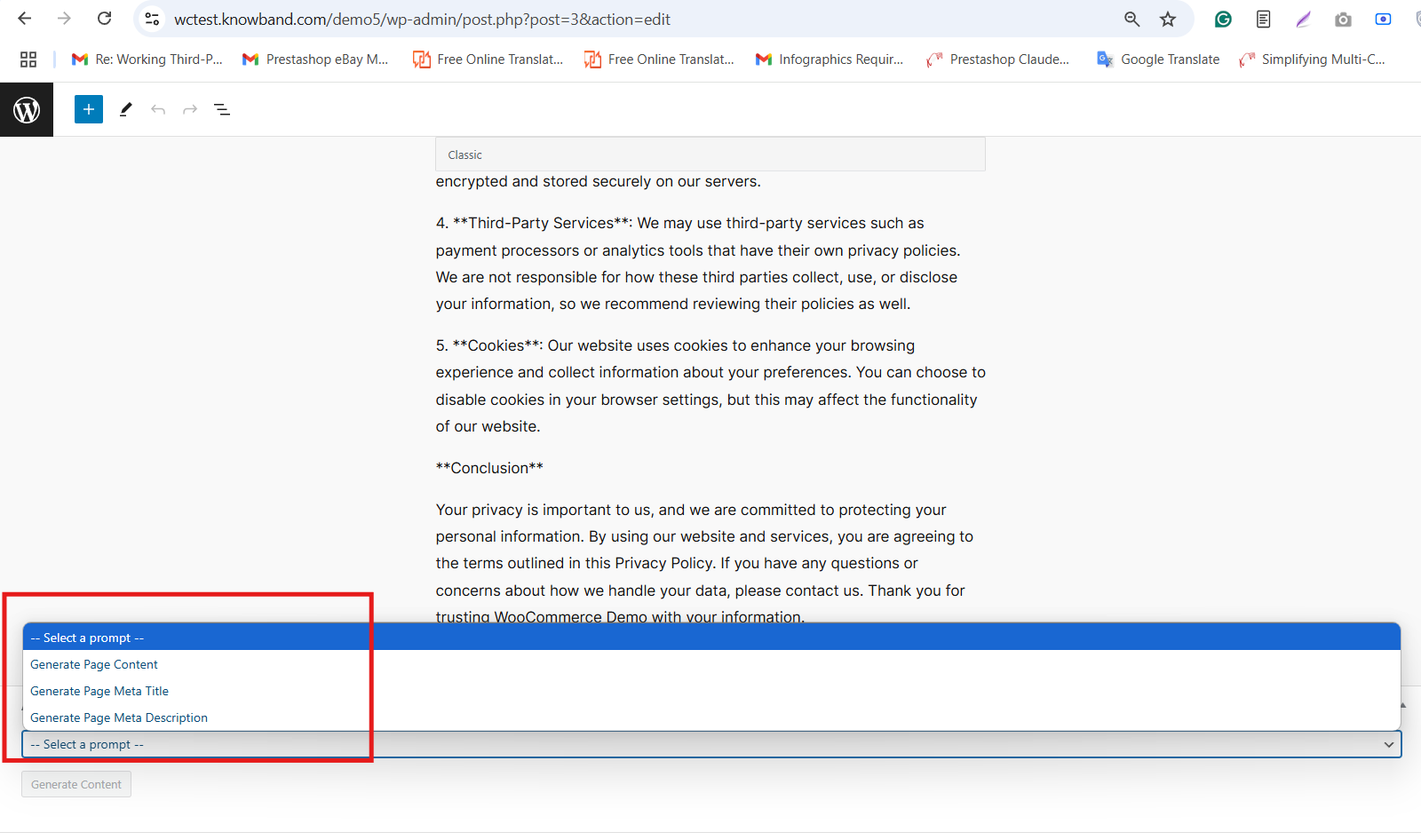
Step 3: Click the Bulk Actions dropdown menu (for bulk) or use individual action buttons (for single items).
Step 4: Choose the AI operation you want to perform options include generating descriptions, meta titles, and meta descriptions.
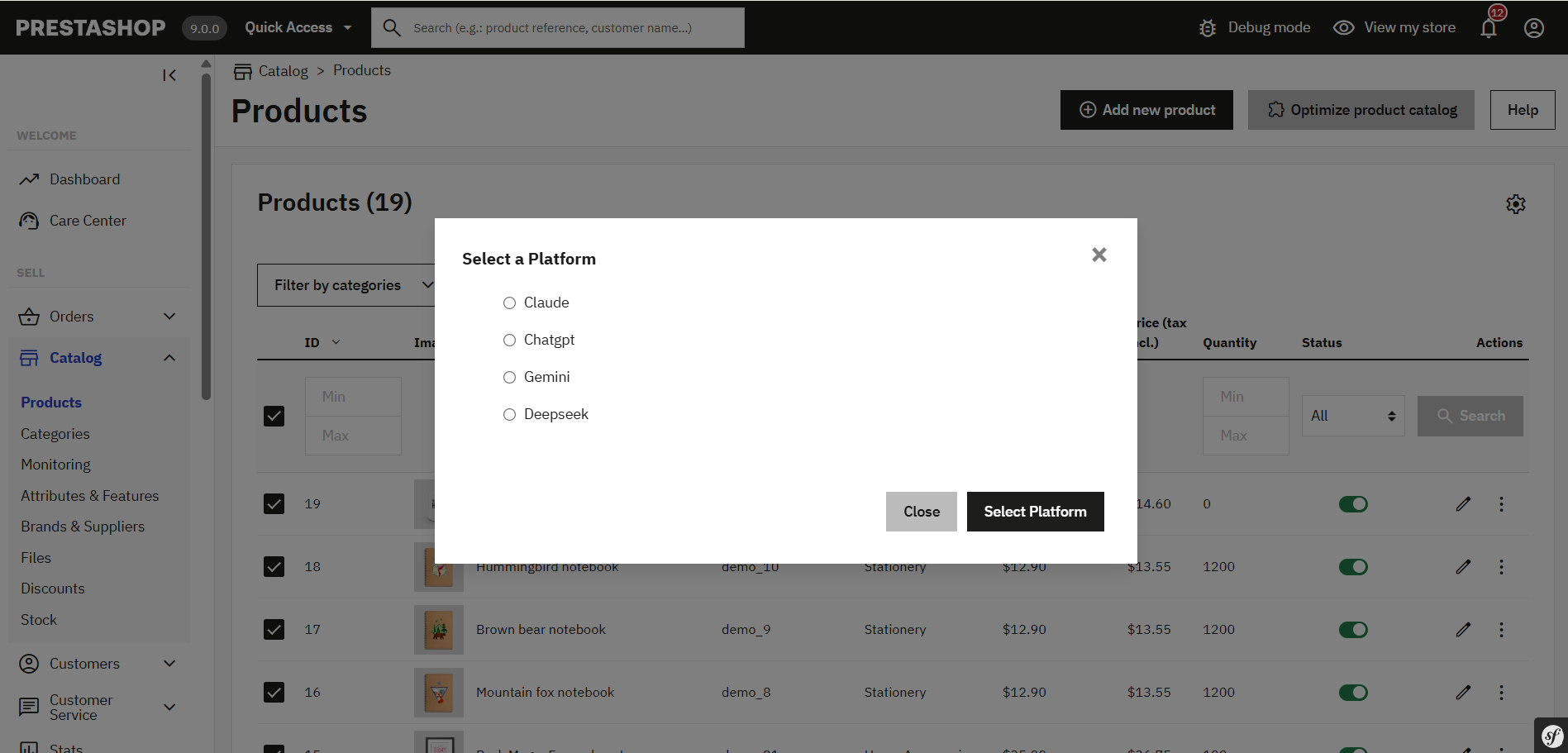
Step 5: Select the AI engine you want to use for the content creation tasks.

Step 6: Review the AI-generated content carefully and approve it before publishing to ensure accuracy and brand consistency.
If you have any questions, need further assistance, or want to provide feedback about the WooCommerce AI Content Generator, please don’t hesitate to reach out to our support team. We’re here to help you make the most of the plugin and ensure a smooth content generation experience.
Contact us anytime at: support@knowband.com